"Videoconferencing malware" gets used as if it describes a single thing, and it doesn't, because the software in question is abused in at least a dozen distinct ways, and each one has a different delivery mechanism, a different payload, and a different detection.
That matters practically, because a control that stops a trojanised installer does nothing about a malicious virtual camera driver, and a rule that catches a malicious extension won't fire on a file sent through meeting chat, so a defence built around one mental model of the threat will miss most of the others.
So here are the actual types, grouped by how they get onto a machine rather than by what they do once they're there, with what each one looks like in practice and the check that catches it.
Important Disclaimer
This article is intended for educational and defensive purposes only, and it describes general attack patterns and defensive practices rather than specific incidents, products, or campaigns. The checks described are read-only reviews intended for machines you own or administer, and running them against systems without authorisation may breach policy or law.
Never install software from unofficial sources to test a theory. The author assumes no liability for missed detections, business outcomes, or damages resulting from the use or misuse of this information.
Type One: Trojanised Installers
This is the most common type and the least sophisticated, because it doesn't abuse the meeting client at all, it just borrows its name.
The attacker registers a lookalike domain, builds a download page that mirrors the vendor's closely enough to survive a glance, and serves an installer that contains the real client plus a payload. The user installs it deliberately, the real client works perfectly, and the payload runs alongside it with the user's explicit consent.
The variant that catches people is the version mismatch, because the page offers a slightly older or slightly newer version than the vendor currently ships, which is plausible enough that nobody questions it, and the hash won't match anything on the vendor's site because it isn't from the vendor's site.
The check is to review what's sitting in the Downloads and Temp folders, confirm where the installer actually came from, compare its hash against the value published on the vendor's own site, and confirm the digital signature is valid and belongs to the vendor rather than to a reseller or an unknown publisher.
Type Two: Infostealers Bundled With Meeting Software
The second type is what usually lives inside the trojanised installer, and it's the highest-value payload for the attacker because it takes everything at once.
An infostealer running as the user reads the browser's saved credential database, the session cookie store, the autofill data, and the cryptocurrency wallet files, and it uploads all of it in a single archive, and the whole operation takes seconds and requires no privilege escalation.
The reason it belongs in a videoconferencing article is that meeting software is an unusually effective lure, because a "meeting extension" or a "client update" is something people install without much thought, and because the resulting infection is often attributed to the browser rather than to the meeting software that delivered it.
The check is to look at the credential and cookie stores in the browser profile and note their modification times, and to treat an unexpected change as context rather than proof, because normal browsing writes to those files constantly and a timestamp only tells you when the store changed, not who changed it.
Type Three: Malicious Browser Extensions
The third type requires no executable at all, which is why it slips past application control and endpoint tooling that focuses on binaries.
The pattern is a page that tells the user an extension is required to join the meeting, or a chat message with a link to an extension, and the extension requests broad permissions because that's what extensions do, and then reads cookies, injects scripts into pages, or redirects traffic.
The dangerous permission is almost always "read and change all your data on all websites," because it converts a browser extension into a universal key, and users grant it routinely because the dialog appears during a meeting that's about to start.
The check is to enumerate installed extensions and read each one's manifest rather than relying on the folder name, because extension folders are named by ID and tell you nothing, while the manifest gives you the extension's name and the permissions it actually holds, which is how you spot the ones that can read every site.
Type Four: Fake Meeting Invitations and Join Pages
The fourth type uses the calendar rather than the download page, and it's effective because it arrives through a channel people trust.
The invitation looks legitimate, often referencing a real project or a real colleague whose account was compromised, and the link leads to a page that requests a sign-in, a client download, or an extension install, and any of those three is the delivery mechanism.
The lookalike domain is the part that matters here, because it's often one character different, or uses a different top-level domain, or substitutes a letter for a similar-looking character, and it passes a glance on a phone screen at 8:55 in the morning.
Type Five: Chat-Delivered Payloads
The fifth type is the one that bypasses most security controls without trying, because the file travels over the meeting client's own connection rather than through email or a web proxy.
Meeting chat allows participants to send files, and that transfer is often uninspected, so a document containing a macro, a shortcut file, or an archive with an executable reaches the recipient through a channel where your email filtering and your web gateway aren't looking.
The shortcut file variant is worth naming separately, because a .lnk file that looks like a PDF icon in chat will launch whatever it points to when double-clicked, and users have no reason to be suspicious of a file a colleague sent in a meeting.
Type Six: Virtual Camera and Audio Driver Malware
The sixth type is the most technically interesting and the least discussed, because it operates at the driver level rather than in userland.
Meeting clients support virtual cameras so users can broadcast a processed feed, and a malicious driver registers with the operating system exactly like a legitimate one, which means it appears in the camera list of every application and can capture the video feed any of them requests. Virtual audio devices do the same for microphone input.
Because these are system-level components, they survive a browser restart, often survive a user-level cleanup, and are installed with administrator consent during a driver prompt that most people click through.
The check is to review the registered camera and audio devices against what is physically attached and what your team deliberately installed, because a camera device on a machine with no webcam is the strongest version of this signal, since hardware doesn't appear by accident.
Type Seven: Screen Capture and Clipboard Malware
The seventh type is spyware that specifically targets what a meeting client can see and copy.
A screen capture component running alongside a meeting client can record shared screens, and a clipboard monitor can capture everything copied during a call, which frequently includes passwords pasted into a terminal, customer data pasted into a ticket, and internal links pasted into chat.
The reason this belongs here is that meeting software normalises screen sharing and clipboard use, so the activity that the malware depends on is the activity the user is already performing, and the attacker doesn't need to trick anyone into anything unusual.
Type Eight: Remote Access Trojans Disguised as Support Tools
The eighth type uses the meeting client's remote control feature, and the payload is a remote access trojan installed while the attacker has control.
The pattern is a phone call claiming to be IT support about an urgent issue, a meeting link, a request to share the screen, and a request to grant control, after which the attacker installs a persistent remote access tool, configures it to start at boot, and ends the call politely.
What makes this a distinct type rather than a social engineering problem is that the resulting implant is conventional malware, and it survives long after the meeting ends, which means the detection has to cover both the remote control session and the persistence that followed it.
The check is to review startup entries and non-Microsoft scheduled tasks after any support session that involved granted control, and to treat the output as a list to review rather than a list of findings, because plenty of legitimate third-party software registers tasks too.
Type Nine: Exploits Against the Client Itself
The ninth type is a genuine vulnerability in the meeting software, and it's the type most people assume the phrase refers to.
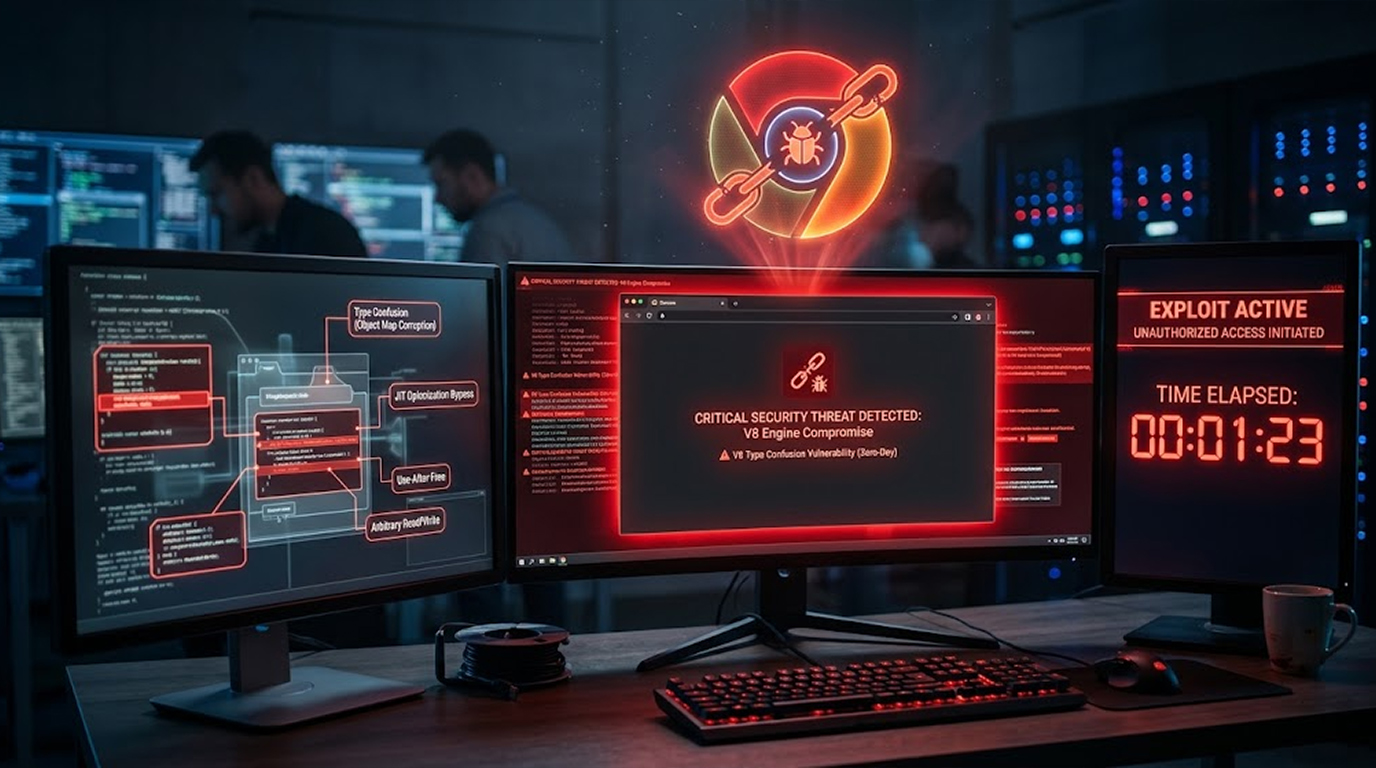
Most modern clients are built on Chromium, so the underlying engine carries the same classes of vulnerability as a browser, which means an out-of-date client is exposed to the same exploits as an out-of-date browser. There have also been client-specific flaws in parsing, media handling, and update mechanisms over the years.
The signature of this type is a client that spawns a scripting interpreter, because exploitation usually needs to break out of the client process to do anything useful.
The check is to inventory installed client versions across all three registry locations, which means the machine-wide keys, the 32-bit keys, and the per-user keys, because Teams and Zoom frequently install into the user profile and checking only the machine-wide keys will report a client as absent when it's very much present.
Type Ten: Fake Mobile Meeting Apps
The tenth type targets phones, and it's consistently underweighted because most organisational security effort goes to laptops.
Fake meeting apps appear in third-party app stores and occasionally slip into official ones, requesting camera, microphone, contacts, and SMS permissions that a legitimate client has no reason to need, and then behaving as spyware or as a subscription-fraud tool.
The check is permissions rather than code, because a meeting app that requests SMS access or contact-list access is asking for something it does not need to do its job.
Type Eleven: Credential Harvesters on Fake Join Pages
The eleventh type is phishing with a meeting theme, and it's a distinct type because the payload is your password rather than a file.
The page looks like the meeting client's sign-in, and it may even use a real client's branding and a real-looking URL, and the credential entered there is captured and used within minutes, often from a different country.
The reason this is worth separating from generic phishing is the context, because a person who has just clicked a meeting link and is running late is a person who will type their password without checking the address bar.
Type Twelve: Recording Theft and Archive Abuse
The twelfth type isn't malware in the classic sense, and it's the one that most organisations discover only after an incident.
Meeting recordings accumulate locally and in cloud accounts, they contain shared screens with customer data, financial records, and credentials visible in terminal windows, and they're stored with default sharing settings nobody has reviewed. An attacker who compromises a single account inherits months of recorded meetings rather than a single document.
The check is to review the default local recording folders for each client, confirm what's being retained and for how long, and verify that cloud recordings aren't shared more broadly than intended.
Quick Reference: The Twelve Types
|
Type |
Delivery |
What It Does |
Primary Check |
|
Trojanised installer |
Lookalike download page |
Bundles payload with real client |
Hash and signature verification |
|
Infostealer bundle |
Inside the installer |
Steals credentials and cookies |
Credential store timestamps |
|
Malicious extension |
"Install to join" prompt |
Reads cookies, injects scripts |
Extension inventory with permissions |
|
Fake invitations |
Calendar and email |
Leads to a join page |
Domain verification |
|
Chat-delivered payload |
Meeting chat |
Macro, shortcut, archive |
Block chat file transfer |
|
Virtual camera driver |
Driver install prompt |
Captures camera across apps |
Device and driver list |
|
Screen and clipboard |
Companion process |
Records screen, captures clipboard |
Process lineage |
|
Remote access trojan |
Remote control session |
Persistence after the call |
Startup and task review |
|
Client exploit |
Unpatched client |
Code execution |
Version inventory |
|
Fake mobile app |
Third-party stores |
Spyware, subscription fraud |
Permission review |
|
Credential harvester |
Fake join page |
Steals the password |
URL inspection, MFA |
|
Recording theft |
Cloud or local storage |
Long-term data exposure |
Retention and sharing review |
Real Two Scenarios
Scenario 1: The Installer That Wasn't
The Setup
A new starter searches for the meeting client, clicks a sponsored result at the top of the page, and downloads an installer from a domain that reads plausibly and uses the vendor's logo.
What Happened
The installer deploys the real client, which works perfectly, and alongside it an infostealer that reads the browser credential and cookie stores within seconds and uploads them, and the user notices nothing because the meeting software installed and ran exactly as expected.
The Result
The attacker replays stolen sessions and reaches email and file storage without a password prompt, and the investigation finds the download came from a lookalike domain because nobody checked the installer's signature before running it.
The Lesson
The payload was a different type from the lure, which is why installer verification and credential store monitoring catch what application control alone won't.
Scenario 2: The Camera That Wasn't There
The Setup
An organisation reviews its endpoint inventory and finds a camera device registered on a finance workstation that has no physical webcam attached, because the machine is a desktop in a shared office.
What Happened
The device is a virtual camera driver installed alongside a "meeting enhancement" utility, and it registers like a legitimate device, which means it can capture the video feed that any application requests.
The Result
The driver is removed, the installer source is traced to a third-party site, and the review finds the same utility on four other machines, none of which needed it.
The Lesson
A device that shouldn't exist is a stronger signal than any behavioural alert, because physical hardware doesn't appear by accident.
How to Spot Each Type
- An installer from a sponsored result or a non-vendor domain. That's a trojanised installer until the signature proves otherwise.
- A meeting client installed with a payload that reads credentials. Check the credential store access times.
- An extension requested during a meeting. Extensions are the type that arrives with user consent and broad permissions.
- A meeting link on a domain that's one character off. That's a fake invitation or a credential harvester.
- A shortcut or archive in meeting chat. Chat-delivered payloads bypass email and web filtering.
- A camera or audio device that isn't physical. That's a virtual driver and it needs explaining.
- A meeting client spawning a scripting interpreter. That's exploitation of the client itself.
- A remote access tool installed after a support call. Persistence review catches what the meeting doesn't.
- Recordings stored locally with broad sharing. Archive abuse is quiet and long-lived.
The Bottom Line
Videoconferencing malware isn't one thing, and the twelve types above get onto a machine in genuinely different ways, which means the controls have to be layered rather than focused, because application control stops trojanised installers and does nothing about a malicious extension, and extension policy does nothing about a virtual camera driver.
The practical approach is to cover the delivery paths rather than the payloads, which means verify installers by signature and hash, restrict extension installation, block chat file transfer where it isn't needed, review the device list for hardware that shouldn't exist, patch the client like a browser, and treat recordings as data that needs a retention policy.
So pick the two types that match your environment this week, which for most organisations are trojanised installers and malicious extensions, and check whether you'd actually notice either one, because the answer to that question is your real exposure.
FAQ
How many types of videoconferencing malware are there?
There isn't a fixed number, but the distinct types group into twelve practical categories, which are trojanised installers, bundled infostealers, malicious extensions, fake invitations, chat-delivered payloads, virtual camera and audio drivers, screen and clipboard capture, remote access trojans from support sessions, exploits against the client, fake mobile apps, credential harvesters, and recording theft.
What is the most common type?
Trojanised installers are the most common, because they require no vulnerability and no clever technique, just a lookalike download page and a user who clicks the first search result.
What is the most dangerous type?
Virtual camera and driver-level malware is arguably the most dangerous, because it operates below userland, survives ordinary cleanup, and can capture camera output across every application rather than only inside the meeting client.
Can malware spread through meeting chat?
Yes, because chat file transfers often bypass email filtering and web proxies, and a shortcut file or macro-enabled document sent in chat reaches the recipient through a channel where your usual inspection isn't happening.
How do fake meeting invitations deliver malware?
They lead to a page that requests a sign-in, a client download, or an extension install, and any of those three is the delivery mechanism, which is why domain verification matters more than the invitation's appearance.
What is the difference between a trojanised installer and a client exploit?
A trojanised installer delivers a payload with the user's explicit consent and doesn't need a flaw in the software, while a client exploit abuses a genuine vulnerability in the meeting application itself and typically requires an unpatched version.
Are fake mobile meeting apps a real risk?
Yes, and they're underweighted because most effort goes to laptops, so the useful check is permissions, because a meeting app requesting SMS or contact access is asking for something it doesn't need.
What should I check first on my own estate?
Start with installer sources and signatures, then the extension inventory, because those two cover the types that arrive with user consent and bypass most network controls.