You lose your iPhone. Your heart sinks. You immediately put it in Lost Mode, leaving a contact number on the lock screen, hoping a good Samaritan will return it.
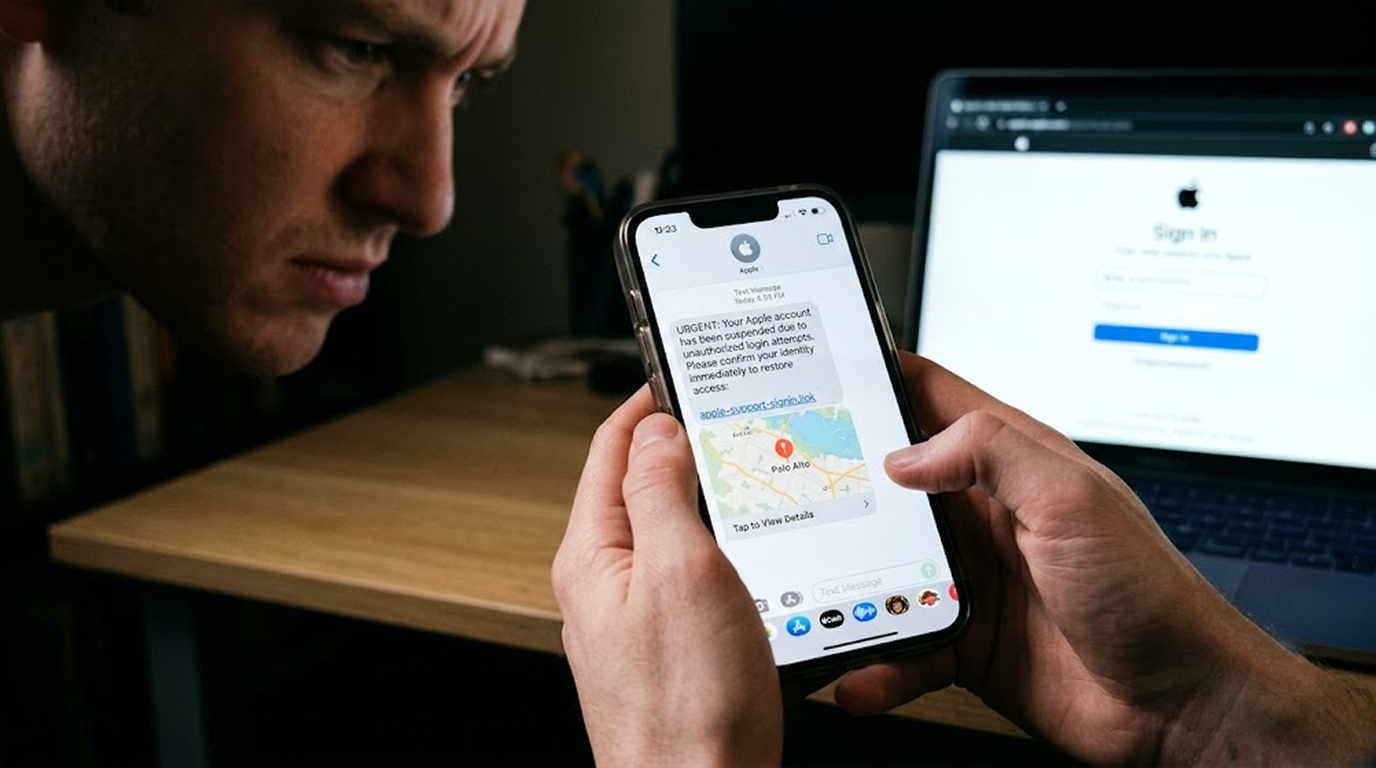
Then you get a text message. It looks like it's from Apple. It says your phone has been found. They say that your phone has been found. They provide you with a map, which shows the location of your phone. And now comes an immense relief from you. The message asks for your passcode to verify your identity before releasing the device to you.
You type it in.
And you just handed your phone to a thief.
This is the text scam that is fooling iPhone users in 2026. It is a second attack a digital one that follows the physical theft of your device. And it is devastatingly effective.
Let me show you exactly how it works, why it is so convincing, and how to protect yourself.
The Post-Theft Trap
The scam starts the moment your iPhone is stolen. Thieves know that most people will immediately try to track their device using Apple's Find My feature. They also know that when you put your phone in Lost Mode, you often leave a contact number on the lock screen.
That is where the attack begins.
The thief, who now has your device and your contact number, sends you a text message. It looks like it is from Apple Support or the Find My service. The message contains a link to a fake Apple-style website that shows what looks like your moving iPhone on a map.
Why this works:
Your phone is really gone. You are panicking. You desperately want it back. The message arrives at the perfect moment and shows you exactly what you want to see. The fake page looks close enough to Apple's real Find My experience that you let your guard down.
The page asks for your passcode. Maybe it asks for your Apple ID credentials. Maybe it requests an OTP (One-Time Password). Whatever it asks, the goal is the same: to get you to hand over the keys to your digital life.
What Happens When You Fall for It
Once you enter your passcode, the attacker can remove the device from your Apple account. This disables Activation Lock the very feature that was supposed to make your stolen phone useless to a thief.
Your phone is now a clean, unlocked device that can be wiped and resold for hundreds of dollars. You are left without a phone, and you may have also given the attacker access to your iCloud backups, photos, contacts, passwords, and financial information.
The Double Scam: Legitimate Emails That Are Actually Malicious
Even if your phone has not been stolen, scammers have another trick. They are abusing Apple's own email notification system to send phishing messages that pass every security check.
How the Attack Is Executed
The attacker creates a new Apple ID. As they need to transmit their malicious message through the email server of Apple, they enter this fraudulent message in the First Name and Last Name section in the ID profile.
The message is of the following type: "Dear User 899 USD iPhone Purchase Via Pay-Pal To Cancel 18023530761."
Now, the attacker just needs to make any modification to the account and Apple will send an official confirmation mail. The email is signed by Apple, passes SPF, DKIM, and DMARC checks, and lands directly in your inbox.
The scam text is inside the legitimate email. Because it is wrapped inside an email that passes all security checks, it bypasses spam filters and reaches you looking like a genuine Apple communication.
The "Find My" Fake
Once you receive the email, the next stage is a follow-up text or email. It may tell you that suspicious activity was detected on your Apple ID and that you need to click a link to verify your identity and restore your account. This link leads to a fake page that harvests your Apple ID credentials.
The combination of a legitimate Apple email (the one you received from Apple) and a follow-up phishing message is highly effective. The first email gives you confidence. The second takes advantage of that confidence.
The Reward Scam
If your phone is stolen and you do receive a text claiming it was found, the scammer may offer a fake "reward" to the "finder." They offer to pay a reward to the person who found your phone, but they need your passcode to verify that you are the owner.
Once you send the passcode, the same happens: your Activation Lock is disabled, and your phone is permanently lost.
The Emotional Exploitation
These scams work because of one thing: emotion. You are in a state of panic, relief, and vulnerability. You are not thinking clearly. You are not checking the sender address. You are not verifying the website. You are just following the instructions that promise to get your phone back.
Thieves know this. They count on it. They design their messages to arrive at the exact moment when your critical thinking is at its lowest.
How to Protect Yourself
Step 1: Never share your passcode.
Apple will never ask for your iPhone passcode or Apple ID password via text message or email. This is a scam if you get a message requesting it.
Step 2: Check sender addresses.
If you get a message from Apple, verify the sender address. A legitimate sender address for any of Apple's emails will be either @apple.com or @icloud.com. The scammers will use something similar to @apple-support.net or @appleid-verify.com.
Step 3: Don't click on the links contained in suspicious texts.
If you get a text regarding the loss of your phone, don’t click on the link. Rather, open up a web browser and visit icloud.com/find to find out where your device is. If the message is legitimate, the location will be visible there.
Step 4: Establish your recovery contact.
This step requires you to establish your recovery contact via your Apple ID account settings. In doing so, your recovery contact will be in a position to help you recover your Apple ID.
Step 5: Use two-factor authentication.
It is one more security measure which makes it impossible for scammers to gain access even if they have got your password because of the second factor.
Step 6: Add a time delay to changes.
You now can set up a time delay for some security settings like disabling Lost Mode and deleting a device from your account. You'll have enough time to undo any change if you find out that you were fooled.
Step 7: Contact Apple yourself.
If you get a suspicious message, then contact Apple yourself through official support channels. Don't use any contact information provided within the suspicious message.
What If You Have Already Been a Victim?
In case you have already given away your passcode or clicked on the link provided by the hacker, do the following actions:
- Visit icloud.com/find and delete your device from your account.
- Change the password for your Apple ID right away.
- In case you haven’t enabled two-step verification for your account, then do so immediately.
- Report the fraud to Apple customer service.
- Do an audit of your iCloud backups.
The Bottom Line
The text scam which is fooling the iPhone users in 2026 is an elaborate process of physical theft coupled with digital fraud. It exploits your emotions and your trust in Apple's branding. It arrives at the perfect moment and asks for exactly what it needs to disable your security.
You cannot prevent your phone from being stolen. But you can prevent the scammer from completing the second attack.
Never share your passcode. Never click links in unexpected texts. Always verify the sender. And remember: if a message promises to get your phone back, it is probably a trap.
FAQ Section
How does the post-theft text scam work?
When your phone is stolen and you put it in Lost Mode, thieves send a text pretending to be Apple. The message says your phone has been found and asks for your passcode to verify your identity. Once you share your passcode, the thief disables Activation Lock and wipes your device for resale.
Does Apple ever ask for my passcode via text or email?
No. Apple will never ask for your iPhone passcode or Apple ID password via text message or email. Any such request is a scam.
What is the concept of activation lock?
Activation Lock is the security setting which allows only you to use your iPhone with your Apple ID and password. Once the scammer knows your passcode, he/she is able to remove the device from your account and deactivate the activation lock and use it.
How can I identify a scamming message about the lost iPhone?
The sender address should be the first thing you pay attention to. Real messages from Apple have an email address that ends with either @apple.com or @icloud.com. Never open the links in the message, go directly to icloud.com/find.
How do I respond if I have already shared my passcode?
Visit icloud.com/find and deactivate your device from your account. Update your password for Apple ID, set up two-factor authentication and report the fraud to Apple Support.