Email and Passwords
You probably already suspect it. Somewhere in the back of your mind, there is a quiet assumption that your email address, and maybe a password or two, are already out there. You are probably right.
Data breaches are constant. Millions of credentials are exposed every quarter, and the pace is not slowing down. The only way to get ahead of it is to look, and the good news is that looking is free, fast, and something you can do right now.
Here is how to check, and what to do next.
Important Disclaimer
This article is intended for educational and defensive purposes only. The techniques described here are shared to help everyday users understand how to protect their accounts and privacy.
Do not use these techniques against systems you do not own or do not have explicit written permission to test. Unauthorized testing is illegal in most jurisdictions.
The author assumes no liability for any damages, legal consequences, or other outcomes resulting from the use or misuse of this information. Always obtain proper authorization before conducting any security testing, and stay legal, stay ethical, stay responsible.
Why You Should Check Regularly
Here is the uncomfortable truth. Breaches happen constantly, and by the time you hear about one in the news, your credentials may have been circulating for weeks or months.
Checking is not a one-time task. It is a habit, like checking your bank statement or reviewing your credit report. New breaches appear all the time, and old ones are still being traded on forums and paste sites. A clean result today does not mean a clean result next month.
The goal is not to achieve perfect security. The goal is to know where you stand, so you can act before an attacker does.
The Best Free Tools to Check Your Email and Passwords
There is no shortage of free tools, and some are genuinely excellent. Here are the ones worth your time.
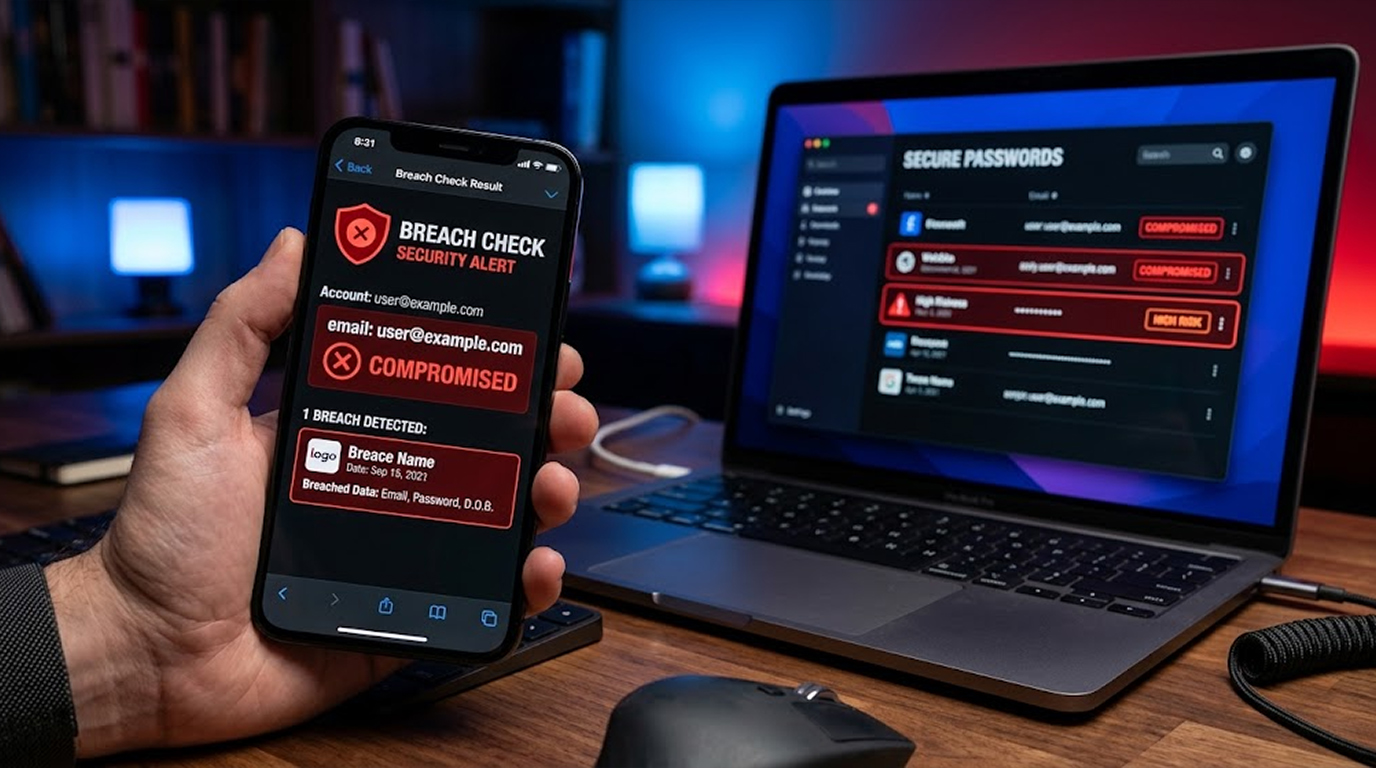
Have I Been Pwned is the standard. It is a free service that lets you check whether your email address appears in known data breaches. It maintains a database of billions of records from hundreds of confirmed breaches.
You do not need an account. You type your email address, and it tells you which breaches included it and what kind of data was exposed. You can also set up notifications so you are alerted if your email appears in a future breach.
Have I Been Pwned also offers a password check. You type a password, and it tells you if that password has appeared in a breach. The password is hashed locally before being sent, so the actual password never leaves your device.
Mozilla Monitor is a free tool built by Mozilla. It uses breach data as its foundation and adds its own sources, including stealer logs. It works similarly to Have I Been Pwned, but it also provides ongoing monitoring and alerts if your email appears in a new breach.
If you already use Firefox, Mozilla Monitor is built right in. You can also use it from any browser by visiting the Monitor website.
If you use Chrome or save passwords in your Google account, Google Password Checkup is already available to you. It scans your saved passwords and flags any that appear in known breaches.
You can access it through your Google account settings or through the Chrome password manager. It will show you which passwords are compromised and provide direct links to change them.
Password Manager Breach Reports
If you use a password manager, you may already have a breach report built in. Bitwarden offers a Breach Reports feature, and 1Password has Watchtower. Both scan your stored passwords against known breach data and alert you to any that need changing.
These are not separate tools. They are features of the password manager you are already using, and they are one of the strongest arguments for using a password manager in the first place.
XposedOrNot is an open-source alternative. It offers a free API for checking email addresses and passwords against breach data. It is a good option if you want to build your own monitoring or if you prefer an open-source tool you can inspect yourself.
Other Free Checkers
Several other free tools exist, including Experian Dark Web Scan, LifeLock Data Breach Checker, and various other breach databases. These are worth trying, but they often require more personal information than Have I Been Pwned or Mozilla Monitor. Use them with that in mind.
What to Do If You Find Yourself in a Breach
Finding your email in a breach is not a reason to panic. It is a reason to act. Here is what to do, in order.
1. Change Your Compromised Passwords Right Away
Begin with the compromised account. If you've used the same password for other accounts, change your passwords for them as well. The most important accounts to secure first are your email and your banking accounts.
2. Change Passwords Everywhere You Reused the Compromised One
This is the step most people skip, and it is the step that matters most. If you used the same password on your email, your social media, and your shopping accounts, changing it on one account is not enough. You need to change it everywhere.
This is the reason security professionals keep saying never reuse passwords. Reuse turns a single breach into a cascade of breaches.
3. Enable Multi-Factor Authentication
MFA adds a second layer of protection. Even if an attacker has your password, they cannot log in without the second factor. Use an authenticator app rather than SMS where possible. SMS based MFA is better than nothing, but it can be intercepted through SIM swapping attacks.
Turn on MFA for your email, your banking, your social media, and any other account that matters.
4. Log Out of All Sessions
When you change your password, most services give you the option to log out of all active sessions. Use it. If an attacker is already logged in, changing the password alone may not kick them out. Logging out of all sessions does.
5. Look for Suspicious Activities from Your Account
Look out for any suspicious activities in your account. Check whether there is any activity in your sent mail box, your login history, your account settings and any email or phone number registered for your account recovery process by attackers.
6. Run a Password Manager Breach Report
If you use a password manager, run its breach report. It will show you every saved password that appears in a known breach, and it will help you prioritize which ones to change first.
7. Look into Freezing Your Credit
If any of your personal data, such as your Social Security number, was compromised in the security breach, look into freezing your credit to prevent any new accounts being opened in your name. It costs nothing in many places.
8. Set Up Ongoing Monitoring
Sign up for breach notifications through Have I Been Pwned or Mozilla Monitor. If your email appears in a new breach, you will know about it, and you can act quickly.
How to Reduce Your Risk Going Forward
You cannot prevent every breach. Companies get hacked, and your data is sometimes caught in the crossfire. But you can reduce the damage a breach causes.
Stop Reusing Passwords
This is the single most important habit. Every account should have a unique password. If you cannot remember them all, use a password manager. That is what they are for.
Password Manager
A password manager will create and save unique and strong passwords for all your accounts. You only need to remember one master password. Most password managers also include breach monitoring and alerts.
Turn On MFA Everywhere
MFA is the single most effective control against account takeover. Even if your password leaks, MFA stops the attacker from using it.
Keep Your Recovery Information Up to Date
If you change your phone number or email address, update your recovery information on your important accounts. If you lose access and your recovery information is outdated, you may not be able to get back in.
Check Your Exposure Regularly
Make it a habit. Check your email and your important passwords every few months. Breaches happen constantly, and regular checks catch them early.
Be Careful What You Share
Every piece of personal information you share online is a potential data point for an attacker. Be deliberate about what you put out there, and review your privacy settings on social media and other services.
Quick Reference: Breach Response Checklist
|
Step |
Action |
|
1 |
Change the compromised password immediately |
|
2 |
Change that password everywhere you reused it |
|
3 |
Enable MFA on all important accounts |
|
4 |
Log out of all active sessions |
|
5 |
Check for suspicious account activity |
|
6 |
Run your password manager's breach report |
|
7 |
Consider a credit freeze if sensitive data was exposed |
|
8 |
Set up ongoing breach notifications |
The Bottom Line
Your email and passwords are probably already in a breach database somewhere. That is not a reason to panic. It is a reason to check, and to act on what you find.
Use the free tools. Have I Been Pwned is the standard. Mozilla Monitor is a good alternative. Google Password Checkup is already in your browser if you use Chrome. Your password manager probably has a breach report too.
If you find yourself in a breach, change the password, change it everywhere you reused it, turn on MFA, and log out of all sessions. Then set up notifications so you know when the next breach happens.
You cannot control whether a company gets hacked. You can control how much damage a breach does to you.
Check your exposure. Act on what you find. And stop reusing passwords.
FAQ Section
What is the best free tool to check if my email was leaked?
Have I Been Pwned is the standard. It is free, requires no account, and covers billions of breached records. Mozilla Monitor is a good alternative that adds ongoing monitoring.
Can I check if my password was leaked without sharing the password?
Yes. Have I Been Pwned hashes your password locally before sending it, so the actual password never leaves your device. Google Password Checkup and password manager breach reports work similarly.
What should I do first if my email is in a breach?
Change the password for the breached account immediately, then change it everywhere else you reused it. Then enable MFA and log out of all active sessions.
How often should I check for breaches?
Every few months is a reasonable habit. Breaches happen constantly, and regular checks catch them early.
Is it worth paying for a breach monitoring service?
Free tools cover the basics well. Paid services offer broader monitoring and automated response, but if you use Have I Been Pwned or Mozilla Monitor and a password manager with breach reports, you are covering the essentials.
What if my password was leaked and I cannot change it because I am locked out?
Use the account recovery process. If the attacker changed the password, then you will have to visit the recovery page of the provider to verify your identity and gain access again. If not possible, contact the provider directly.