RDP session
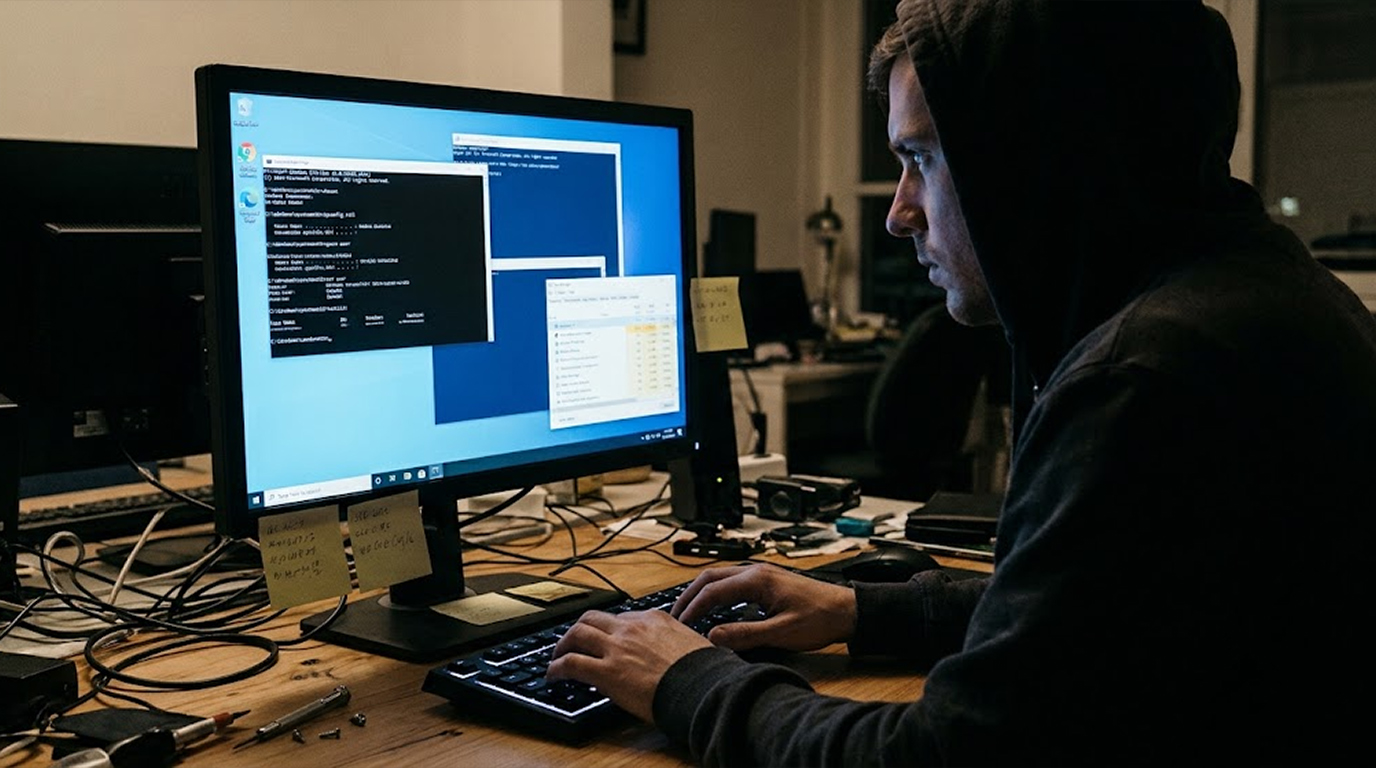
There's a moment that separates a stolen credential from a compromised network, and it lasts about five minutes, because that's roughly how long an attacker spends orienting themselves after an RDP logon before deciding whether this machine is worth staying on, whether it holds anything valuable, and whether anyone is watching.
That window is the best chance a defender gets, because the commands run during orientation are almost always the same handful of built-in Windows utilities, they are almost always run interactively by a human, and they leave a trail that is distinguishable from routine administration if anyone is looking for it.
So here is what actually happens in those first five minutes, minute by minute, with the exact commands an attacker runs, what each one tells them, and the telemetry that catches it.
Important Disclaimer
This article is intended for educational and defensive purposes only, and it describes documented attacker tradecraft and the corresponding defensive telemetry so that defenders can build detections. It is not a penetration testing guide and it should not be used to access systems you do not own or have explicit written authorisation to test, because unauthorised access is a criminal offence in most jurisdictions.
Detection examples assume Windows Security Auditing with process creation logging or Sysmon is enabled, which it often is not by default. The author assumes no liability for missed detections, business outcomes, or damages resulting from the use or misuse of this information.
Minute Zero: The Logon Itself
Before any command runs, there is a logon event, and it is the first thing worth understanding because everything afterwards depends on which logon type it produced.
An interactive RDP session generates Event ID 4624 with Logon Type 10 (RemoteInteractive) on the target, alongside Event ID 1149 in the TerminalServices-RemoteConnectionManager log showing the authentication succeeded, and typically Event ID 21 in TerminalServices-LocalSessionManager showing the session opened. If the logon used explicit credentials, Event ID 4648 appears, and if the account holds administrative rights, Event ID 4672 records the special privileges assigned.
The detail that matters most is the source address, because an RDP logon from a workstation that has never before connected to that server is the single most useful signal in the whole sequence, and it's available before the attacker has typed anything at all.
Minute One: Who Am I and What Am I Allowed to Do
The first thing an experienced operator does is establish their own privilege level, because that determines whether they stay or move on immediately.
whoami
whoami /priv
whoami /groups
whoami /priv is the decisive one, because it shows token privileges rather than group membership, so it reveals whether SeDebugPrivilege, SeImpersonatePrivilege, or SeTcbPrivilege is present, which tells the attacker whether credential dumping or token theft is trivially available. whoami /groups reveals whether they landed as a local administrator, a domain user, or a service account, and that single output often determines the rest of the intrusion.
The trace is a process creation event with whoami.exe in the command line, which is Event ID 4688 where audit process creation is enabled, or Sysmon Event ID 1 where it is deployed. whoami is run constantly by legitimate scripts too, so the useful detection combines the binary with the parent process and the logon session, because a whoami spawned from explorer.exe inside a fresh Type 10 logon is a human orienting themselves.
Minute One: Where Am I Sitting
Almost simultaneously, the attacker establishes what kind of machine they landed on, because a developer workstation, a domain controller, and a file server all warrant different next steps.
hostname
systeminfo
net config workstation
systeminfo is the expensive one and it's also the giveaway, because it takes several seconds to run and it produces a distinctive burst of WMI queries, so a systeminfo immediately after an RDP logon is a high-fidelity signal of hands-on-keyboard activity. net config workstation reveals the domain, the logon server, and the workstation role in one line.
They'll also check the session context, because a machine with multiple logged-on users is a machine with potentially interesting things in other people's profiles.
query user
query session
qwinsta
That output tells them who else is connected, whether anyone will notice them, and whether there are disconnected sessions worth hijacking.
Minute Two: What Can I Reach From Here
With identity established, the focus shifts outward to the network position, because the whole point of landing on a server is usually to use it as a stepping stone.
ipconfig /all
route print
arp -a
netstat -ano
arp -a is quietly the most valuable of these, because it enumerates hosts this machine has recently talked to, which is a free map of the neighbourhood without sending a single packet. netstat -ano reveals listening services and active connections, which tells the attacker what this box does and who it talks to.
Then they check what's shared and what's already mounted.
net share
net use
net view
net view /domain
net share shows the local shares available to them, net use shows what this machine already has mounted, which often reveals a file server and its path, and net view /domain enumerates other machines in the domain, which is the equivalent of asking for directions.
Minute Two: Who Else Is an Admin
The fastest path from a single server to an entire domain is finding an account with more access than the one they arrived with, so enumerating privilege is a priority.
net localgroup administrators
net group "Domain Admins" /domain
net group "Enterprise Admins" /domain
net user /domain
net localgroup administrators shows who has local admin on this box, which is useful both for escalation targets and for identifying accounts whose credentials are worth stealing. net group "Domain Admins" /domain requires domain connectivity but gives the attacker a target list, and it's one of the commands most strongly associated with hands-on intrusion because it has almost no legitimate use in a routine administrative session on a member server.
The domain-aware version of this is nltest, which is a Windows built-in that attackers favour precisely because it looks administrative:
nltest /dclist:example.local
nltest /domain_trusts
nltest /trusted_domains
That output reveals domain controllers, forest trusts, and the direction of those trusts, which is the reconnaissance an attacker needs before deciding whether to move laterally or across a trust boundary.
Minute Three: What Credentials Are Already Here
The single highest-value activity in the first five minutes is looking for credentials that are already sitting on the machine, because finding them removes the need to steal them.
cmdkey /list
cmdkey /list shows saved credentials in the user's profile, and it's a favourite because it requires no privilege and often reveals connections to file servers, databases, and web services. If the attacker has administrative rights, they will also check the system's stored credentials and the registry hive locations where older tools cached material.
reg query "HKLM\SECURITY\Cache" 2>nul
dir C:\Users\*\AppData\Local\Microsoft\Credentials\
dir C:\Users\*\AppData\Roaming\Microsoft\Credentials\
They will also read configuration files, because applications store connection strings and API keys in predictable places and nobody rotates them.
type %USERPROFILE%\Desktop\*.txt 2>nul
type %USERPROFILE%\Desktop\*.xlsx 2>nul
findstr /si "password" C:\inetpub\*.config 2>nul
findstr /si "connectionString" C:\inetpub\*.config 2>nul
findstr searches across files for a string, and running it across web configuration directories is one of the loudest things an attacker does, because it produces a flood of file reads in a short window.
Minute Three: What Was the Last Person Doing
The previous user's leftovers are often more useful than anything the system has to offer, because people leave their work open.
dir %USERPROFILE%\Desktop
dir %USERPROFILE%\Downloads
dir %USERPROFILE%\Documents
type %APPDATA%\Microsoft\Windows\PowerShell\
PSReadLine\ConsoleHost_history.txt
The PowerShell history file is the most valuable single artefact here, because it records every command the previous administrator typed, which frequently includes connection strings, server names, and credentials passed as arguments. An attacker reading it gets a free copy of how this machine is actually administered.
They will also check browser history and the RDP client's own history, because the latter reveals where this person connects to.
reg query "HKCU\Software\Microsoft\Terminal Server Client\Servers" 2>nul
That key lists every machine the current user has initiated RDP connections to, which is effectively a pre-approved lateral movement map.
Minute Four: What's Watching
Before doing anything loud, the attacker checks whether they will be noticed, because a host with a functioning EDR agent warrants a very different level of caution than a neglected server.
tasklist /svc
tasklist /m /fi "imagename eq lsass.exe"
wmic /namespace:\\root\securitycenter2 path
antivirusproduct get displayname,productstate
tasklist /svc shows what's running and which services each process hosts, and the attacker is reading it for the names of known endpoint agents. wmic querying SecurityCenter2 enumerates registered antivirus products directly, and it's one of the cleanest signals of adversarial intent because legitimate administration almost never queries that namespace.
They will also check the firewall posture and the logging configuration.
netsh advfirewall show allprofiles
wevtutil gl Security
auditpol /get /category:*
wevtutil gl Security returns the log's configuration, including whether it's enabled and its maximum size, and auditpol reveals which categories of activity are actually being recorded. A host with audit policy disabled or a Security log capped at a small size tells the attacker they can operate with impunity, and both of those checks are extremely rare in legitimate admin sessions.
Minute Four: Can I Get Out
The last orientation step is confirming that the machine can reach the internet, because most post-exploitation tooling needs to be downloaded and most exfiltration needs an outbound path.
ping 8.8.8.8
nslookup example.com
curl -sI https://example.com 2>nul
Test-NetConnection example.com -Port 443
Test-NetConnection is the PowerShell alternative and it's less obviously suspicious than curl, which is why it appears in hands-on-keyboard intrusions frequently. A rapid sequence of connectivity tests immediately after an RDP logon, especially to public addresses, is a strong indicator that the session is preparing to pull tooling.
They may also check proxy configuration, because egress through a proxy is common in corporate environments.
netsh winhttp show proxy
reg query "HKCU\Software\Microsoft\Windows\
CurrentVersion\Internet Settings"
Minute Five: The Decision Point
By now the attacker has answered five questions, which are who they are, where they landed, what they can reach, whether anyone is watching, and whether they can talk to the outside world, and the answer determines one of three paths.
If the machine is a dead end with nothing valuable and functioning security tooling, they leave and the session shows as a short RDP connection that ran a handful of enumeration commands and disconnected, which is itself a detection worth alerting on.
If the machine is useful but watched, they go quiet and wait, using it as a low-noise foothold for later.
If the machine is useful and unwatched, the real intrusion begins, which usually means credential access, persistence, and lateral movement, and everything after minute five is a different playbook.
What Gets Missed and Why
The orientation phase is missed for four consistent reasons, and none of them are about lacking tools.
- Process creation auditing is off. Without Event ID 4688 with command line logging enabled, or Sysmon deployed, the commands are invisible and there is nothing to detect, which is why this is the first thing to check in your own estate.
- The commands are legitimate. Every binary named above ships with Windows, so binary-name detections produce nothing. The signal is in the combination, which means the sequence, the parent process, the logon session, and the timing.
- The volume drowns it. An administrator running ipconfig is unremarkable, and an attacker running ipconfig immediately followed by arp -a, net share, cmdkey /list, and wevtutil gl Security within ninety seconds of a Type 10 logon is not, and sequence-based detection catches what single-event rules cannot.
- Nobody baselines the source. The RDP source address is available at logon time, and most organisations never build a list of which addresses legitimately connect to which servers, so a first-time source is indistinguishable from routine.
Detection Opportunities That Actually Work
|
Attacker Action |
Command |
Telemetry Source |
Detection Logic |
|
Establish privilege |
whoami /priv |
4688 / Sysmon 1 |
whoami with /priv from explorer.exe in a Type 10 session |
|
Identify host |
systeminfo |
Sysmon 1, WMI |
systeminfo within 5 min of a Type 10 logon |
|
Enumerate users |
query user |
4688 / Sysmon 1 |
qwinsta or query user from a non-admin script parent |
|
Map network |
arp -a |
4688 / Sysmon 1 |
arp with -a inside a fresh RDP session |
|
List shares |
net share |
4688 / Sysmon 1 |
net sequence: share, use, view within 3 min |
|
Find admins |
net group "Domain Admins" /domain |
4688 / Sysmon 1 |
Domain group query from a member server |
|
Domain recon |
nltest /dclist |
4688 / Sysmon 1 |
nltest with /dclist or /domain_trusts |
|
Credential discovery |
cmdkey /list |
4688 / Sysmon 1 |
cmdkey with /list — near-zero legitimate use |
|
Config secrets |
findstr /si "password" |
Sysmon 11 (file read) |
findstr scanning web config directories |
|
History theft |
type ConsoleHost_history.txt |
Sysmon 1, file read |
PSReadLine history read outside admin tooling |
|
Check defences |
wmic ... antivirusproduct |
4688 / Sysmon 1 |
SecurityCenter2 query — high-fidelity indicator |
|
Check logging |
wevtutil gl Security |
4688 / Sysmon 1 |
wevtutil with gl on a security log |
|
Check egress |
Test-NetConnection |
Sysmon 3 (network) |
Outbound connection test within 5 min of logon |
|
RDP history |
reg query ...Terminal Server Client\Servers |
Sysmon 1, registry |
Read of RDP client history key |
A working detection doesn't need to be sophisticated, and a sequence rule is usually enough, because the orientation phase is a burst of activity rather than a single event.
// Example: five or more reconnaissance binaries in
one session within 10 minutes
DeviceProcessEvents
| where TimeGenerated > ago(30d)
| where ActionType == "ProcessCreated"
| where FileName in~ ("whoami.exe","systeminfo.exe",
"qwinsta.exe","net.exe","nltest.exe","cmdkey.exe","arp.exe",
"ipconfig.exe","wevtutil.exe","auditpol.exe")
| summarize Cmds = make_set(FileName), Count = count(), Start =
min(TimeGenerated), End = max(TimeGenerated)
    by DeviceId, AccountName, LogonId =
tostring(AdditionalFields.LogonId)
| where Count >= 5 and (End - Start) <= 10m
| project DeviceId, AccountName, Count, Cmds, Start, End
That query is deliberately simple and it is exactly the kind of thing that catches hands-on-keyboard activity which single-event rules miss.
Two Scenarios
Scenario 1: The Silent Orientation
The Setup
An attacker obtains a set of valid credentials from a previous breach and logs into a member server over RDP from a virtual private server address that has never connected to the estate before, and the organisation has no baseline of expected RDP sources.
What Happened
Within ninety seconds the session runs whoami /priv, systeminfo, arp -a, net share, cmdkey /list, and wevtutil gl Security, and none of it generates an alert because process creation auditing is enabled but no rule covers the sequence, and the logon itself is unremarkable because the credentials are valid.
The Result
The attacker finds an unprotected configuration file containing a service account password, moves laterally within four hours, and the incident is discovered days later from a different alert entirely, with the orientation phase visible only in retrospect.
The Lesson
The evidence existed the entire time and nothing was looking at it, because the organisation monitored for malware and not for behaviour, and the fix is a sequence rule plus a source address baseline rather than a new tool.
Scenario 2: The Short Session That Alerts
The Setup
Another organisation baselines RDP source addresses per server, enables Sysmon with command line logging, and writes a rule that flags five or more reconnaissance binaries within ten minutes of a Type 10 logon.
What Happened
The same attacker connects from a new address, runs whoami /priv and systeminfo, and the rule fires on the third command while the session is still open, because the sequence is short enough to trip the threshold within the window.
The Result
The analyst confirms the source is unknown for that server, isolates the host, and disables the account while the session is live, and the subsequent investigation finds the credential was reused from an older breach rather than obtained by the attacker through this environment.
The Lesson
The detection didn't require a signature or a threat feed, it required knowing what normal looks like and noticing a burst of enumeration from an unfamiliar origin.
Quick Reference: The Five-Minute Sequence
|
Minute |
Attacker Question |
Typical Commands |
Key Telemetry |
|
0 |
Can I get in |
(logon) |
4624 Type 10, 1149, 21 |
|
1 |
Who am I |
whoami /priv, whoami /groups |
4688, Sysmon 1, 4672 |
|
1 |
Where am I |
hostname, systeminfo, query user |
Sysmon 1, WMI |
|
2 |
What can I reach |
ipconfig, arp -a, netstat -ano |
Sysmon 1, Sysmon 3 |
|
2 |
Who else matters |
net localgroup, net group /domain, nltest |
4688, Sysmon 1 |
|
3 |
What's already here |
cmdkey /list, findstr, PS history |
Sysmon 1, Sysmon 11 |
|
4 |
Who's watching |
tasklist /svc, wmic antivirusproduct, wevtutil gl |
Sysmon 1 |
|
4 |
Can I get out |
ping, Test-NetConnection, netsh winhttp |
Sysmon 3 |
|
5 |
Stay or go |
(decision) |
Session duration, disconnect |
The Bottom Line
The first five minutes of an RDP session are the most observable part of an intrusion, because they are the part where a human sits at a keyboard running built-in Windows utilities in a fixed order, and that pattern is distinguishable from routine administration if you have process creation logging and a sequence rule.
The controls that catch it are unglamorous, which are enabling command line auditing or deploying Sysmon, baselining which source addresses legitimately connect to which servers, and alerting on bursts of reconnaissance binaries inside a fresh interactive logon rather than on individual process names.
So check whether Event ID 4688 or Sysmon is actually capturing command lines on your servers this week, because if it isn't, none of the detections above can fire, and every attacker gets five free minutes.
FAQ
What does an attacker do first after logging in over RDP?
They establish their own privilege level with whoami /priv, identify the host with systeminfo, and map the network with arp -a and netstat, because those three answers determine whether the machine is worth staying on.
Which commands leave the clearest traces of an RDP intrusion?
cmdkey /list, wmic ... antivirusproduct, wevtutil gl Security, and nltest /dclist are the highest-fidelity because they have very little legitimate use in a routine administrative session, especially when they appear within minutes of a Type 10 logon.
What Windows logs record RDP activity?
Event ID 4624 with Logon Type 10 records the interactive RDP logon, 1149 in TerminalServices-RemoteConnectionManager records the authentication, 21 in TerminalServices-LocalSessionManager records the session opening, and 4688 with command line auditing records the commands once process creation logging is enabled.
Why doesn't my antivirus catch this activity?
Because every binary used during orientation ships with Windows, so it isn't malware and has no signature, which means the signal lives in the sequence and context rather than in the file, and that requires behavioural detection rather than signature detection.
What is the most useful single detection for RDP reconnaissance?
A sequence rule that counts distinct reconnaissance binaries inside a single logon session within a short window, because it fires on hands-on-keyboard activity without alerting on every legitimate ipconfig your administrators run.
How do I know if my servers even log these commands?
Run auditpol /get /category:* and check whether process creation is set to success, then confirm wevtutil gl Security shows the log enabled with a reasonable maximum size, and check whether Sysmon is installed and configured with command line logging.
Why is arp -a so significant in these sessions?
Because it enumerates hosts the machine has recently communicated with, giving the attacker a map of the local network without sending a single packet, so it produces no network-based alert and only appears in process telemetry.
What should I do if I see this pattern?
Confirm the source address against your baseline, verify whether the account should be making RDP connections to that server, preserve the process and logon telemetry, and treat it as a potential intrusion rather than a curious administrator until proven otherwise.