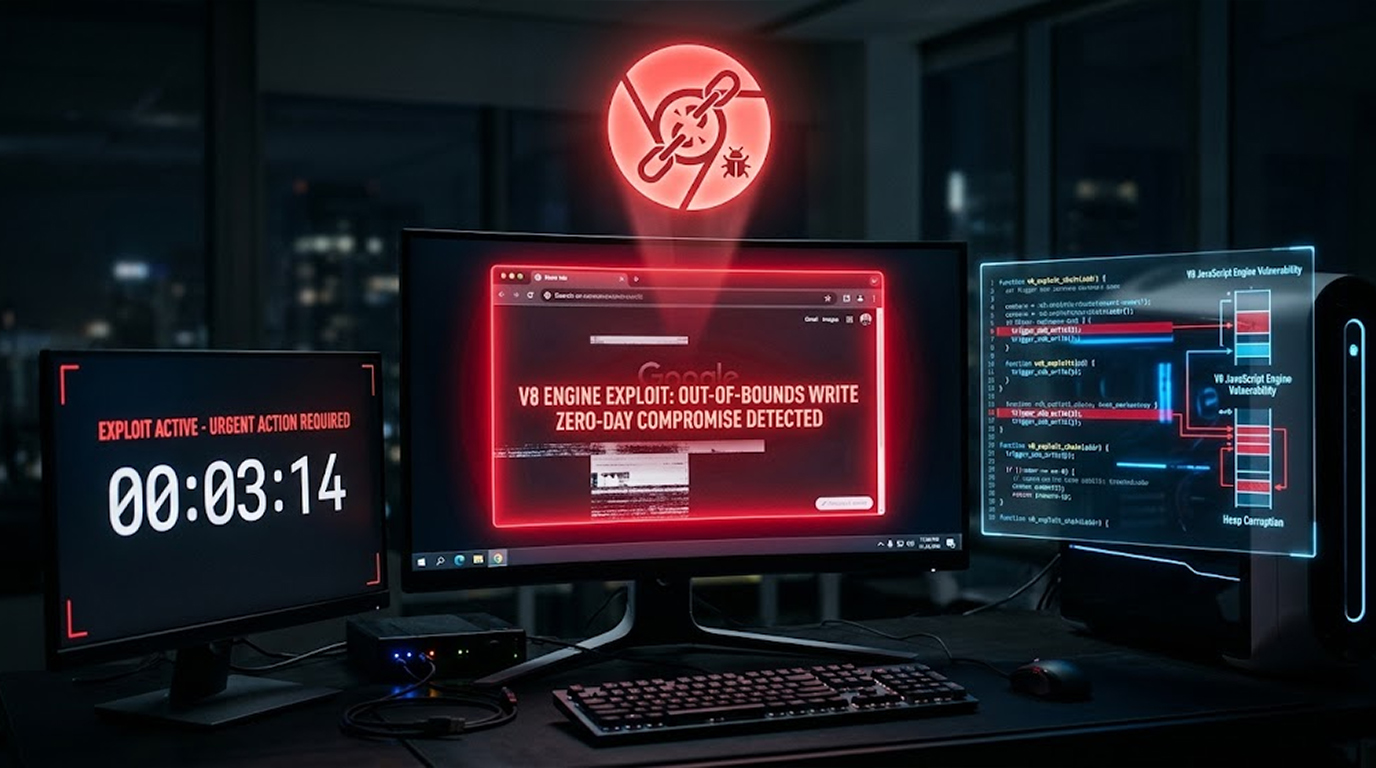
Google just pushed out a massive Chrome update. It patches 230 security vulnerabilities. One of them is a zero-day being actively exploited right now.
The vulnerability is CVE-2026-87491. It's an out-of-bounds write bug in V8, Chrome's JavaScript and WebAssembly engine. An attacker can execute arbitrary code on your machine just by tricking you into visiting a malicious webpage.
This is the seventh Chrome zero-day patched this year. Update your browser now.
Quick Summary
|
What |
Details |
|
Vulnerability |
CVE-2026-87491 |
|
Component |
V8 (JavaScript/WebAssembly) |
|
Impact |
Arbitrary code execution inside sandbox |
|
Attack Vector |
Crafted HTML page |
|
Status |
Actively exploited |
|
Fixed Version |
153.0.8010.36 |
The Vulnerability
What It Is:
CVE-2026-87491 is an out-of-bounds write in V8. When the JavaScript engine writes data outside the bounds of allocated memory, it can lead to memory corruption. That's a classic path to arbitrary code execution.
Security researcher Jihyeon Jeong of Compsec Lab at Seoul National University discovered the flaw on August 6, 2026. They received a $2,500 bug bounty for reporting it.
How Bad Is It?
- Remote attacker can execute arbitrary code
- Inside the Chrome sandbox
- No user interaction needed beyond visiting a webpage
What Google Said:
Google confirmed that an exploit for CVE-2026-87491 exists in the wild. They're keeping details restricted until most users have updated.
The Seventh Zero-Day of 2026
This is the seventh actively exploited Chrome zero-day this year:
|
CVE |
Description |
|
CVE-2026-2441 |
Active zero-day |
|
CVE-2026-3909 |
Active zero-day |
|
CVE-2026-3910 |
Active zero-day |
|
CVE-2026-5281 |
Active zero-day |
|
CVE-2026-11645 |
Active zero-day |
|
CVE-2026-85046 |
V8 type confusion |
|
CVE-2026-87491 |
V8 out-of-bounds write |
Seven actively exploited bugs in one year. That's a lot of zero-days.
Other Critical Flaws Patched
The update also fixes five critical security flaws in WebGL and Cast components:
|
CVE |
Issue |
|
CVE-2026-87464 |
Use-after-free in WebGL |
|
CVE-2026-87488 |
Use-after-free in WebGL |
|
CVE-2026-87438 |
Out-of-bounds write in WebGL |
|
CVE-2026-87527 |
Buffer overflow in WebGL |
|
CVE-2026-87628 |
Use-after-free in Cast |
The Numbers:
- 230 total vulnerabilities patched
- 195 reported by Google
- One high-severity use-after-free in WebPackaging credited to OpenAI Codex Security
Detection Tools:
Google uses AddressSanitizer, MemorySanitizer, UndefinedBehaviorSanitizer, Control Flow Integrity, libFuzzer, and AFL to detect security bugs.
The Fix
The Patch:
Update to Chrome version 153.0.8010.36 for Windows and Linux. For macOS, it's 153.0.8010.36/.37.
How to Update:
- Open Chrome
- Click More (the three dots) > Help > About Google Chrome
- Chrome will check for updates
- Click Relaunch
Other Chromium Browsers:
Users of Microsoft Edge, Brave, Opera, and Vivaldi should apply fixes as soon as they're available.
What This Means for You
The Risks:
- Attackers can execute code on your machine
- Just visiting a malicious webpage is enough
- The vulnerability is being actively exploited
What to Do:
- Update Chrome now
- Don't wait
- Update other Chromium browsers too
The Bottom Line
Google patched a Chrome zero-day that's being actively exploited. The vulnerability allows arbitrary code execution via a crafted HTML page. Update to version 153.0.8010.36 now.
What You Need to Know:
|
Key Point |
Detail |
|
Vulnerability |
CVE-2026-87491 |
|
Component |
V8 (JavaScript/WebAssembly) |
|
Impact |
Arbitrary code execution inside sandbox |
|
Status |
Actively exploited |
|
Fixed Version |
153.0.8010.36 |
What You Need to Do:
- Update Chrome to 153.0.8010.36
- Restart Chrome
- Update other Chromium browsers
FAQ Section
What is CVE-2026-87491?
An out-of-bounds write vulnerability in Chrome's V8 JavaScript and WebAssembly engine. It lets attackers execute arbitrary code via a crafted HTML page.
Is it being exploited?
Yes. Google confirmed that an exploit exists in the wild.
What versions are affected?
Versions prior to 153.0.8010.36 are affected.
How do I update?
Go to More > Help > About Google Chrome and click Relaunch.
How many Chrome zero-days have there been this year?
This is the seventh actively exploited Chrome zero-day of 2026.