
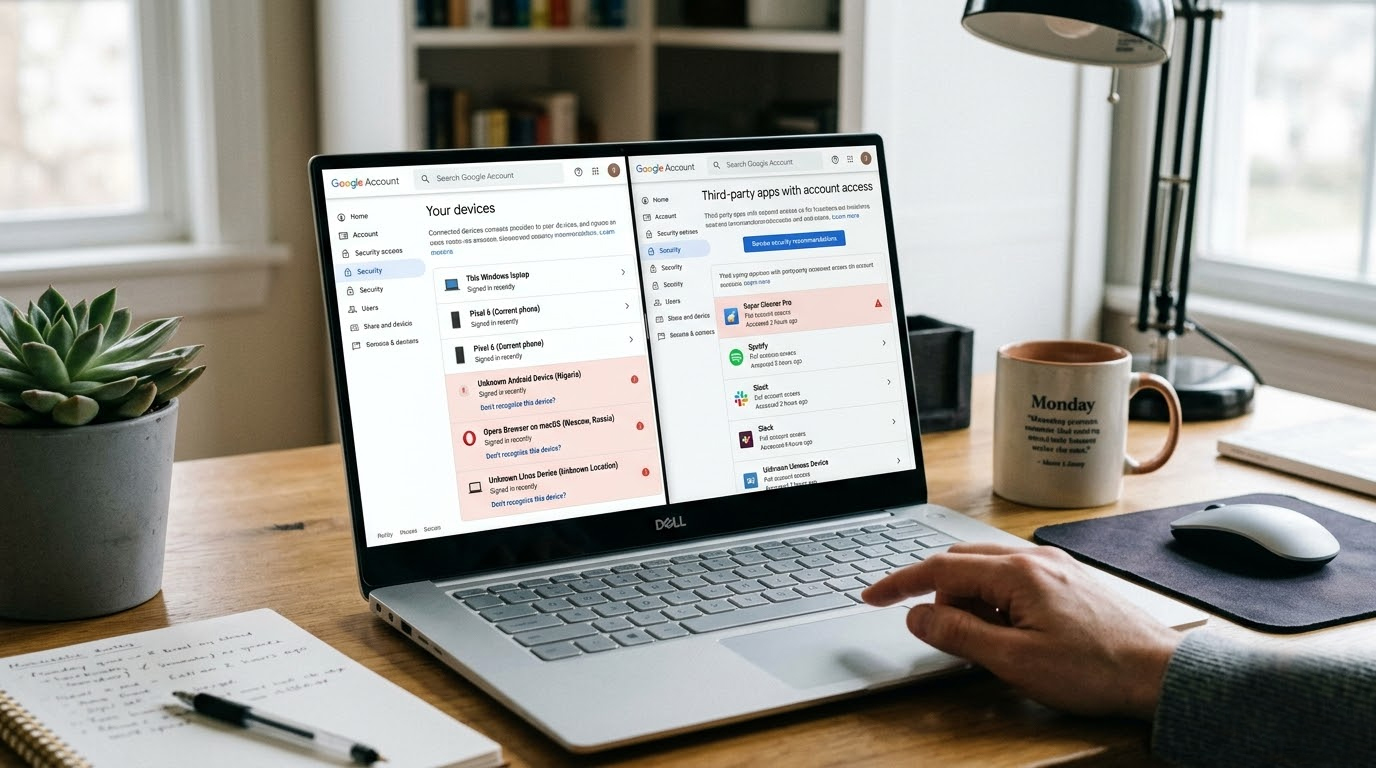
EvilTokens (also called token stealers or OAuth token hijackers) have become one of the fastest-growing threats in 2026. Instead of stealing your password, attackers steal your active login session token. Once they have it, they can access your account without needing 2FA or your password and you often won’t even get a login notification.
If you have recently been compromised by EvilTokens, then please use this easy to follow step-by-step process to determine if your accounts have been compromised.
Check For Active Sessions Connected to any Account (Devices Currently Using Your Account)
Google Account (Gmail, Youtube)
1. Go To: https://myaccount.google.com/security
2. Click On "Your Devices"
3. Check For Unusual Devices, Locations, Or Recent Logins from Unfamiliar Countries / IP Addresses.
4. Immediately Logoff All Other Sessions If You Find Any Logins That You Do Not Recognize.
Microsoft 365, Outlook, or Azure Account
1. Go To: https://account.microsoft.com/security
2. Click On "Security" Then "Review Activity" or "Devices".
3. Check For Unusual Devices and/or Recent Logins.
Instagram / Facebook
1. Instagram: Profile → Menu → Settings → Security → Login Activity
2. Facebook: Settings & Privacy → Settings → Security and Login → Where you’re logged in
3. Look for unrecognized devices or locations.
Twitter / X
Settings → Security and account access → Apps and sessions → Sessions
Discord
1. User Settings → My Account → Authorized Apps (revoke anything unknown)
2. Also check Devices in the same menu.
Crypto Exchanges (Binance, Bybit, OKX, Coinbase, etc.)
1. Go to Security / Device Management / Active Sessions
2. Revoke any unfamiliar sessions immediately.
Check Connected OAuth Apps (The Most Important Step)
EvilTokens often live inside connected third-party apps.
Google Account
1. https://myaccount.google.com/permissions
2. Review every app. Revoke anything you don’t recognize (especially “Sign in with Google” apps).
Microsoft Account
1. https://account.microsoft.com/permissions
2. Remove unknown apps.
Apple ID
https://appleid.apple.com → Sign-In and Security → Apps Using Apple ID
Quick Practical Checks You Can Do Right Now
1. Look for sudden changes in account behavior (emails you didn’t send, posts you didn’t make, ads running you didn’t approve).
2. Check recent login history for logins from countries you’ve never visited.
3. When using your password manager, always check for the existence of any new or modified entries.
4. Monitor your inbox for any unexpected password reset or 2FA codes.
Immediate cleanup if you suspect compromise to your account
1. Change your password using a secure, untainted computer.
2. Turn on 2FA (using either a Yubikey or Titan hardware key) whenever possible.
3. Revoke all active sessions or associated apps to your account.
4. Scan for malware on your devices using either the free versions of Malwarebytes or Bitdefender.
5. Monitor bank/credit card statements for the next 30 days.
Bonus: Prevention Habits That Actually Work
1. Never click “Sign in with Google/Facebook/Apple” on untrusted sites.
2. Every month, review all apps that are connected to your account.
3. Use hardware security keys to sign into your important accounts.
4. Do not use your web browser's password manager for high-value accounts.
5. Create a unique browser profile specifically for crypto and finance activities.
EvilTokens are dangerous because they bypass traditional password + 2FA protection. The good news is that most compromises can be spotted and cleaned up quickly if you check your active sessions and connected apps regularly.
Take 10 minutes today to review your main accounts. It’s one of the highest-ROI security habits you can have in 2026.


