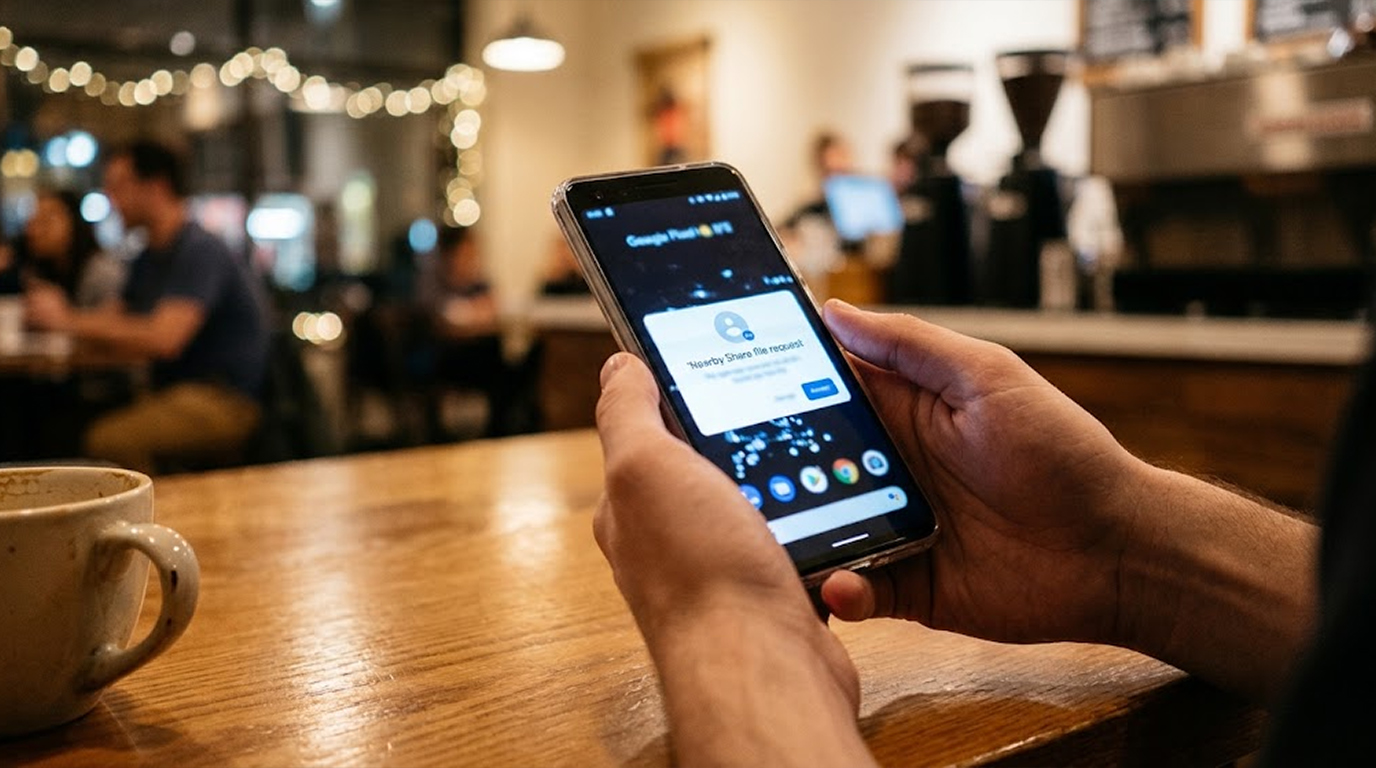
AirDrop or Nearby Share
You're sitting in a coffee shop, or on a train, or in a lecture hall, and your phone buzzes with a popup saying someone nearby wants to share a file with you, and maybe it's a photo, maybe it's a contact card, maybe it's something you weren't expecting at all, and your thumb hovers over "Accept" and "Decline" while a thought crosses your mind: could this actually hack me?
It's a fair question, and it deserves a straight answer, because the truth is more nuanced than the scary headlines suggest, since accepting a file share request is not the same as handing a stranger the keys to your phone, but it's also not completely harmless, because the systems behind AirDrop and Nearby Share have had real security flaws discovered in them over the years, and those flaws are worth understanding so you can protect yourself without becoming paranoid about every popup.
So here is what actually happens when you accept a request, what the real risks are, and how to protect yourself in a way that doesn't require a degree in cybersecurity.
What Accepting a Request Actually Does
Quick Security Checklist
- Scan your system or website
- Update all dependencies
- Change passwords
- Enable 2FA
When you tap "Accept" on an AirDrop or Nearby Share request, your device does a few specific things, and none of them involve giving the sender control of your phone.
First, it establishes an encrypted connection between the two devices, which means the file being transferred is protected in transit, so a third party nearby can't easily intercept what's being sent.
Second, it receives the file and hands it off to the appropriate app on your device, so a photo lands in your gallery, a contact card lands in your contacts, a document lands in your files app, and so on.
Third, and this is the important part, it does not install anything, it does not grant permissions, and it does not give the sender any ongoing access to your device, because the transfer is a one-time event, and once the file is received, the connection closes.
So in the simplest terms, accepting a request is like accepting a letter through your front door, because you're letting someone hand you something, but you're not letting them into the house, and the real question is whether the thing they handed you is safe to open.
The Real Risk: Social Engineering
The most common way people get burned by AirDrop or Nearby Share isn't a technical hack at all, it's social engineering, and it works because humans are curious, trusting, and sometimes a little too polite.
An attacker in a public space can send a file with a tempting name, something like "Free Coffee Voucher" or "Your Photo Leak" or "Urgent Invoice," and the name alone is often enough to get someone to tap Accept without thinking, and once they do, they're opening a file that could be a phishing document, a malicious PDF, or a fake app installer.
Practical Example:
You're on a train and you get an AirDrop request from a device named "Train WiFi Support," offering a file called "Connection Fix.pdf," and it looks official, it looks helpful, and you accept it, only to find it's a document asking you to log into a fake portal with your email credentials, which is social engineering at its finest, because it exploits your trust, not a technical flaw.
Real Scenario:
A common scam in crowded places involves sending a photo of a "lost wallet" or a "cute puppy" to nearby devices, and when the recipient accepts, the file is actually a link or a document that leads to a credential-harvesting page, so the hack isn't in the AirDrop, it's in what you do after you open the file.
The lesson here is simple, because if you weren't expecting a file, don't accept it, and even if you were expecting it, verify the sender before you tap anything, since a familiar-sounding device name is not proof of identity.
The Technical Risks: Known Vulnerabilities
Beyond social engineering, there have been genuine technical vulnerabilities discovered in both AirDrop and Nearby Share, and while most of them have been patched, they're worth understanding because they explain why security researchers take these features seriously.
The most common class of vulnerability is a denial-of-service flaw, where an attacker within wireless range sends a malformed request that crashes the background service responsible for file sharing, and on Apple devices, this service also powers AirPlay, Handoff, and Universal Clipboard, so a successful crash can take several features offline at once, and an attacker can repeat the request to keep them offline.
There have also been authentication bypass flaws discovered in the Android and Windows versions of Quick Share, which is the successor to Nearby Share, where researchers found ways to skip the acceptance prompt entirely and push a file to a target device without their approval, and while these have been patched by Google, they illustrate that the trust model behind these features isn't bulletproof.
The most serious class of vulnerability is memory corruption, where a flaw in how the receiving app handles a file could theoretically be exploited to run malicious code on the victim's machine, and while these are rare and quickly patched, they're the reason security researchers recommend keeping your devices updated.
Practical Scenario:
Imagine an attacker in a crowded airport with a laptop, running a script that sends malformed AirDrop requests to every discoverable device in range, and if your device is set to "Everyone," you're a target, and your AirDrop, AirPlay, and Handoff features could crash repeatedly until you move out of range or change your settings.
How to Protect Yourself
The good news is that protecting yourself doesn't require any technical expertise, it just requires a few simple habits that anyone can adopt.
- Change your visibility setting. On Apple devices, set AirDrop to "Contacts Only" instead of "Everyone," and on Android, limit Quick Share to your contacts, because this prevents unknown devices from sending you requests in the first place, which cuts off both social engineering attempts and technical attacks at the source.
- Keep your software updated. Apple and Google actively patch these vulnerabilities, and updates are the single most effective defense against known flaws.
- Decline anything you weren't expecting. If a file request appears out of nowhere, decline it, because no legitimate sender will be offended, and no scammer will get a chance to trick you.
- Turn the feature off when you're not using it. In crowded public spaces, turning AirDrop or Quick Share off entirely removes you as a target, and it costs you nothing.
- Verify the sender before accepting. If a friend or colleague is sending you something, confirm it's actually them, because device names can be spoofed, and a familiar-sounding name isn't proof of identity.
Real Two Scenarios
Scenario 1: The Coffee Shop Curiosity
The Setup
A person is working in a busy coffee shop with AirDrop set to "Everyone" because they forgot to change it after a meeting, and a stranger nearby sends an AirDrop request with a file named "Menu Discount.jpg."
The Attack
Out of curiosity, the person accepts the file, and it's not a photo, it's a PDF that opens a fake login page asking for their email and password to "claim the discount," so they enter their credentials, and the attacker now has access to their email.
The Result
The attacker uses the email access to reset passwords on other accounts, and the victim spends the next week locking down their digital life, because the AirDrop itself didn't hack them, but it was the delivery mechanism for a social engineering attack.
The Lesson
The file name and the request were designed to exploit curiosity and trust, and the victim's "Everyone" setting made the attack possible, so changing the setting to "Contacts Only" would have prevented the request from ever arriving.
Scenario 2: The Airport Denial-of-Service
The Setup
A traveler is waiting for a flight with AirDrop set to "Everyone" because they were sharing photos with a colleague earlier, and an attacker nearby runs a script that sends malformed AirDrop requests to every discoverable device.
The Attack
The traveler's AirDrop, AirPlay, and Handoff features crash repeatedly, and every time they try to use them, the attacker's script crashes them again, so they can't share files, can't use Handoff, and can't figure out why.
The Result
The traveler assumes their phone is broken, restarts it multiple times, and eventually gives up, because the attacker never accessed any data, but they successfully disrupted the traveler's device for the duration of the attack.
The Lesson
This attack requires no interaction from the victim and exploits the visibility setting, so changing to "Contacts Only" or turning AirDrop off in public spaces would have made the traveler invisible to the attacker.
How to Spot Early Warning Signs
- Unexpected requests from unknown devices. If you get a request from a device you don't recognize, decline it, because legitimate senders are usually people you know.
- Attractive file titles. Titles such as “Free Voucher,” “Urgent Invoice,” or “Photo Leak” are meant to circumvent your judgment process, and therefore should raise suspicion.
- Requests in a public setting. The attackers favor busy areas because they can hide among people. Thus, be cautious in airports, cafes, and conferences.
- Features crashing repeatedly. If AirDrop, AirPlay, or Handoff keep failing, you may be under a denial-of-service attack, and changing your visibility setting or moving out of range should fix it.
- Files that ask you to log in. If a received file opens a login page, close it immediately, because legitimate file transfers don't ask for credentials.
Quick Reference: AirDrop and Nearby Share Safety Checklist
|
Setting or Habit |
What to Do |
Why It Matters |
|
Visibility |
Set to "Contacts Only" |
Blocks requests from unknown devices |
|
Software updates |
Install them promptly |
Patches known vulnerabilities |
|
Unexpected requests |
Decline them |
Avoids social engineering traps |
|
Public spaces |
Turn the feature off |
Removes you as a target |
|
Sender identity |
Verify before accepting |
Device names can be spoofed |
|
Received files |
Don't open login pages |
Legitimate transfers don't ask for credentials |
The Bottom Line
Accepting an AirDrop or Nearby Share request is not a hack in itself, because the transfer is encrypted, one-time, and doesn't grant the sender any ongoing access to your device, but the feature has been used as a delivery mechanism for social engineering attacks, and real technical vulnerabilities have been discovered in both AirDrop and Quick Share, which is why the visibility setting and software updates matter so much.
The safest approach is simple, so set your visibility to "Contacts Only," keep your devices updated, decline anything you weren't expecting, and turn the feature off when you're in a crowd, because none of this requires technical expertise, and all of it significantly reduces your exposure.
So the next time your phone buzzes with a file request from a stranger, you can decline it with confidence, because the real risk isn't in the tap, it's in what you do after it.
FAQ
Can accepting an AirDrop request give someone access to my phone?
No, accepting a request only opens an encrypted one-time file transfer, and it doesn't grant the sender any ongoing access, permissions, or control over your device, because the real risk is in the file you receive, not the transfer itself.
Is AirDrop safe to use with strangers?
It's not recommended, because accepting files from strangers exposes you to social engineering attacks, where a file is designed to trick you into entering credentials or opening a malicious link, so set your visibility to "Contacts Only" to avoid these requests entirely.
What is the safest AirDrop setting?
"Contacts Only" is the safest setting for everyday use, because it prevents unknown devices from sending you requests, which blocks both social engineering attempts and denial-of-service attacks that target discoverable devices.
Are Nearby Share or Quick Share susceptible to hacks?
There have been several vulnerabilities found in Quick Share that include authentication bypass vulnerabilities and memory corruption issues, but although all these have been patched, the fact that such vulnerabilities have been found indicates that the feature can still be exploited.
What should I do if I accidentally accepted a suspicious file?
Close the file immediately, don't enter any credentials, run a security scan on your device, change any passwords you may have entered, and monitor your accounts for unusual activity, and if the file was a document, don't enable macros or click any links inside it.
Does turning off AirDrop stop attacks?
Turning off AirDrop, or setting it to "Contacts Only," removes you as a discoverable target, which prevents both social engineering requests and denial-of-service attacks that rely on your device being visible to nearby attackers.