
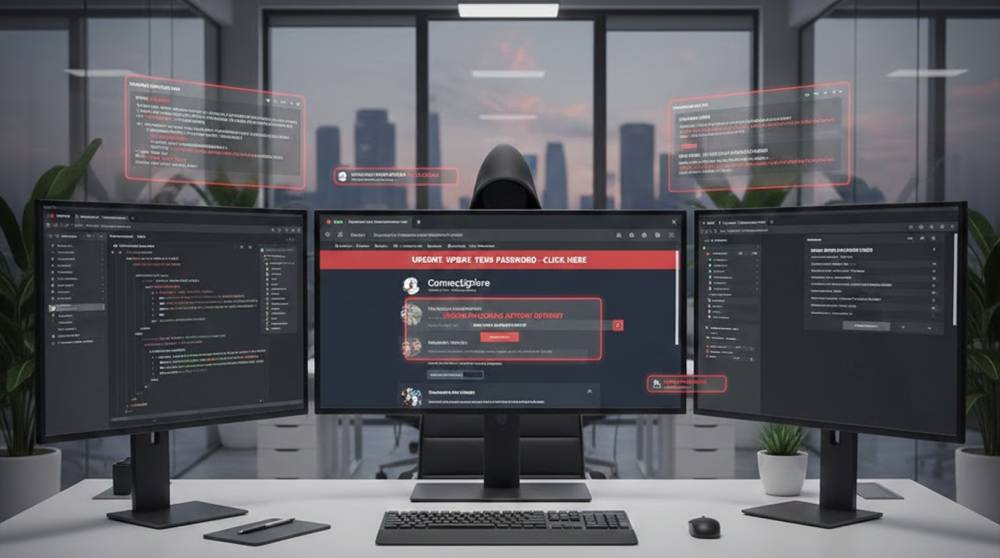
In 2026, most work still happens in a browser.
Email, cloud apps, admin panels, dashboards, internal tools all run there.
Attackers know this.
Instead of breaking servers, many attacks now:
1. Abuse trusted browser features
2. Exploit user behavior
3. Hide inside legitimate web workflows
The browser has become the new operating system.
What “Browser Based Attacks” Really Mean
These attacks don’t require:
1. Malware installation
2. Admin access
3. Advanced exploits
They rely on:
1. Scripts
2. Extensions
3. Sessions
4. Trust in web content
That’s why they work quietly and at scale.
Common Browser Based Attacks Seen in 2026
1. Malicious Browser Extensions
Still one of the most effective attack paths.
Real patterns seen:
1. Extensions bought after gaining users
2. Updates adding tracking or credential harvesting
3. Extensions requesting “harmless” permissions
Impact:
1. Session hijacking
2. Credential theft
3. Silent data exfiltration
Users trust extensions more than they should.
2. Session Hijacking via Browser Storage
Modern apps store sensitive data in:
1. Cookies
2. LocalStorage
3. SessionStorage
If an attacker gains script execution (for example, via XSS), they don’t need passwords.
They reuse sessions.
This is why many breaches show:
1. “No suspicious login”
2. “Correct MFA”
3. “Valid session used”
3. DOM Based Attacks (Client Side Logic Abuse)
More logic now runs in JavaScript.
The following are some common real-world issues:
1. Page behavior can be controlled through URL parameters.
2. There is often no validation done on client-side rendering.
3. Framework assumptions can fail in edge cases.
These examples of attacks won't appear in the server logs.
4. Browser Based Phishing (Inside Legitimate Pages)
In the year 2026, phishing commonly will exhibit the following characteristics:
1. Loads in trusted domains
2. Uses popups, overlays, or injected forms of content.
3. Imitates internal login prompts.
Even if the user is viewing the correct URL, it is possible to fall victim to phishing attacks. The majority of phishing attacks occur within the following categories:
1. Webmail
2. Collaboration Platforms
3. Internal Portals
5. Adware and Script Injection via Third Parties
Many sites rely on:
1. Analytics
2. Chat widgets
3. Marketing tools
One compromised third party script can affect thousands of sites.
Real incidents show:
1. Ad injection
2. Crypto mining scripts
3. User tracking beyond consent
Supply chain risk now reaches the browser.
Real World Examples of Attack Patterns
Example 1: Account Access via Extension
1. An employee adds an extension for productivity to their browser
2. The extension's update implements the use of session-tracking
3. The hacker uses the tokens from the employee’s session cookies
4. Therefore the hacker gains access without having to use MFA
Example 2: JavaScript-Based XSS Attack on an Internal Web Application
1. The web application takes information passed through the URL
2. The web application runs a JavaScript to put this information into the web page
3. An attacker sends a specially crafted link to the victim
4. The victim opens the link when they are logged into their account
As a result of the attack, the hacker has complete control of the victim's account.
Example 3: Third-Party Scripting Abuse
1. A marketing script has been hacked upstream
2. The marketing script appears on the checkout page
3. The customer information is stolen without the customer's knowledge
4. A few weeks later, the company discovers this
The company was not hacked directly through its website.
Tools to Help You Be Aware of Browser Attacks
Browser and Client Analysis
1. Browser Development Tools (DevTools) – look at DOM, storage or any network calls made from the Browser.
2. Extension Managers – Review Permissions and Updates.
Web App Security Testing
1. Burp Suite – see all the traffic, as well as session behaviour from the browser.
2. OWASP ZAP – help to pick up anything Client-Side.
3. DalFox – detect Reflection and XSS Paths.
Threat and Reputation Analysis
1. Virus Total (for URLs and domains)
2. Security Headers
3. Mozilla Observatory
User Focused Tools
1. Password managers – Detect fake login forms
2. Browser isolation (enterprise) – Reduce attack surface
Tools help you see, not automatically fix.
Practical Defensive Steps
For Organizations
1. Limit allowed browser extensions
2. Enforce strong Content Security Policy (CSP)
3. Monitor client side errors and behavior
4. Treat XSS as a session level risk, not a “minor bug”
5. Review third party scripts regularly
For Users
1. Install only essential extensions
2. Review extension permissions carefully
3. Log out of sensitive apps when not in use
4. Be cautious of login prompts inside pages
5. Keep browsers updated
Browsers are powerful—but power needs discipline.
Why Browser Attacks Will Continue
Because they:
1. Blend into normal activity
2. Bypass perimeter defenses
3. Exploit convenience and speed
4. Require minimal infrastructure
Attackers go where trust already exists.
Key Takeaways
1. Browsers are the new attack surface
2. Extensions and scripts are high risk
3. Client side flaws often bypass logs
4. Tools help, but awareness matters more
5. Trust in the browser must be earned, not assumed
If an attack doesn’t need malware,
it scales faster.


