
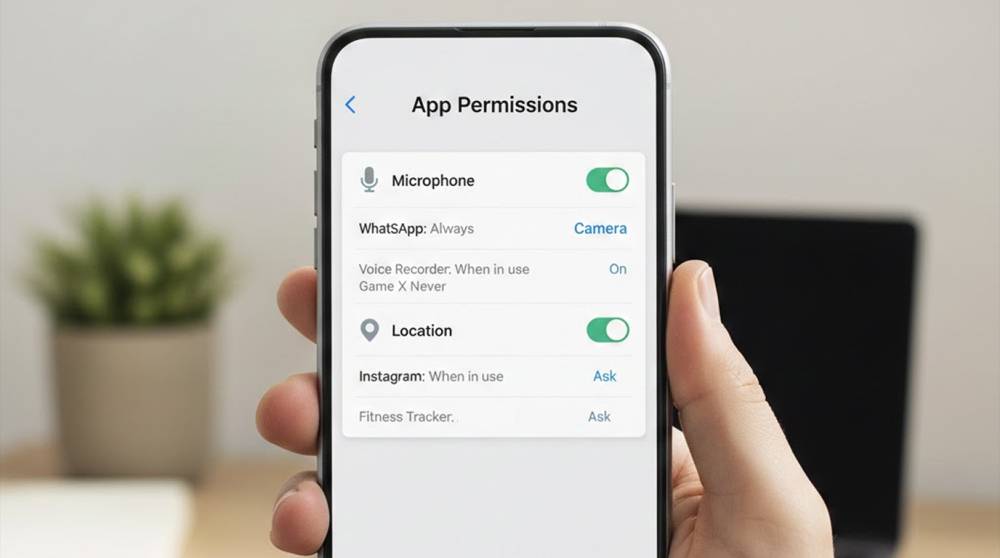
Most people are careful with passwords.
They reuse fewer of them.
They make them longer.
They worry when one is leaked.
At the same time, they tap “Allow” on app permissions without thinking.
That single tap often gives more access than a stolen password ever could.
What Permissions Really Do
Permissions decide what an app is allowed to touch.
Not just data, but real-world sensors and actions.
Common permissions include:
1. Microphone
2. Camera
3. Location
4. Contacts
5. Photos and files
6. Messages
7. Bluetooth and nearby devices
Once granted, access often continues quietly.
No alerts.
No reminders.
No visible activity.
A Password Protects One Door
A permission opens a room and leaves it open.
If someone steals a password, they still face limits.
If an app has permission, it does not need to break in.
It is already inside.
Real-World Example: The Microphone That Never Turns Off
Many everyday apps request microphone access for valid reasons.
Voice notes.
Calls.
Video features.
The problem starts when:
1. The app keeps access all the time
2. The feature is rarely used
3. The permission is forgotten
The phone is not hacked.
The app is behaving as allowed.
Real-World Example: Location Without You Realizing
Some apps request location access for convenience.
Navigation.
Delivery tracking.
Nearby recommendations.
Later, that access stays enabled:
1. During work hours
2. At home
3. While traveling
4. Overnight
Over time, this reveals routines, habits, and patterns.
No password breach required.
Why Permissions Are More Dangerous Than They Seem
Permissions:
1. Do not expire
2. Are rarely reviewed
3. Are granted during setup when attention is low
4. Feel harmless individually
But combined, they reveal a full picture.
Camera plus microphone plus location tells a story.
Why Security Warnings Rarely Appear
Permissions are not considered a threat.
They are part of normal app behavior.
That means:
1. Antivirus tools do nothing
2. No alerts are triggered
3. Nothing looks wrong
The risk is not technical failure.
It is over-permission.
The “It Needs This to Work” Trap
Many apps ask for more than they need.
A flashlight does not need a microphone.
A calculator does not need contacts.
A wallpaper app does not need location.
Most people assume the request is required.
Often, it is not.
Why This Matters More Than Strong Passwords
A strong password protects access to an account.
Permissions control what happens after access exists.
If an app already has permission:
1. Logging in is irrelevant
2. Security updates do not help
3. Changing passwords changes nothing
The app can still listen, see, or track.
Simple Habits That Make a Real Difference
No technical skills needed.
1. Review app permissions once a month
2. Remove access from apps you don’t use
3. Change “Always Allow” to “Only While Using”
4. Question permissions that don’t make sense
5. Delete apps you no longer trust
Most people never do this. That is why it works.
A Useful Way to Think About Permissions
Ask one question:
“If this app were a person, would I let it do this?”
Would you let it listen in the background?
Would you let it follow you all day?
Would you let it look through your photos?
If not, remove the permission.
Key Takeaways
1. Permissions grant more power than passwords
2. Most spying does not require hacking
3. Forgotten permissions create silent risk
4. Reviewing access is more effective than changing passwords
5. Control what apps can do, not just who logs in
Security is not just about keeping people out.
It is also about limiting what gets to stay inside.


