You receive an email from a company you work with. Your payroll provider, your cloud storage vendor, your marketing agency, your IT support company.
"We have experienced a security incident. Some of our systems were accessed by an unauthorized third party."
Your heart sinks. You do not use their systems directly. Your data is on your own servers, in your own cloud accounts. You are safe, right?
Maybe not.
The vendor's security breach doesn't necessarily mean your data is compromised since your data is never been stored there. The attacker can simply use the vendor's access to enter into your systems directly.
Here is how that works and what you need to do now.
The Short Answer
Yes, there's a possibility an attacker can access your data from a compromised vendor without the vendor having stored it on their servers.
These types of attacks by an outside entity are classified as supply chain attacks or third-party breaches (data breaches through an external source). Attackers break into a vendor's systems, then use that vendor's legitimate access to your environment to steal your data, deploy ransomware, or compromise your customers.
If your vendor has any connection to your network, your cloud accounts, or your data, you are at risk. The only safe vendors are those with no access to anything.
How Hackers Use Vendors to Reach Your Data
You trust your vendors. You give them access to your systems because they need it to do their jobs.
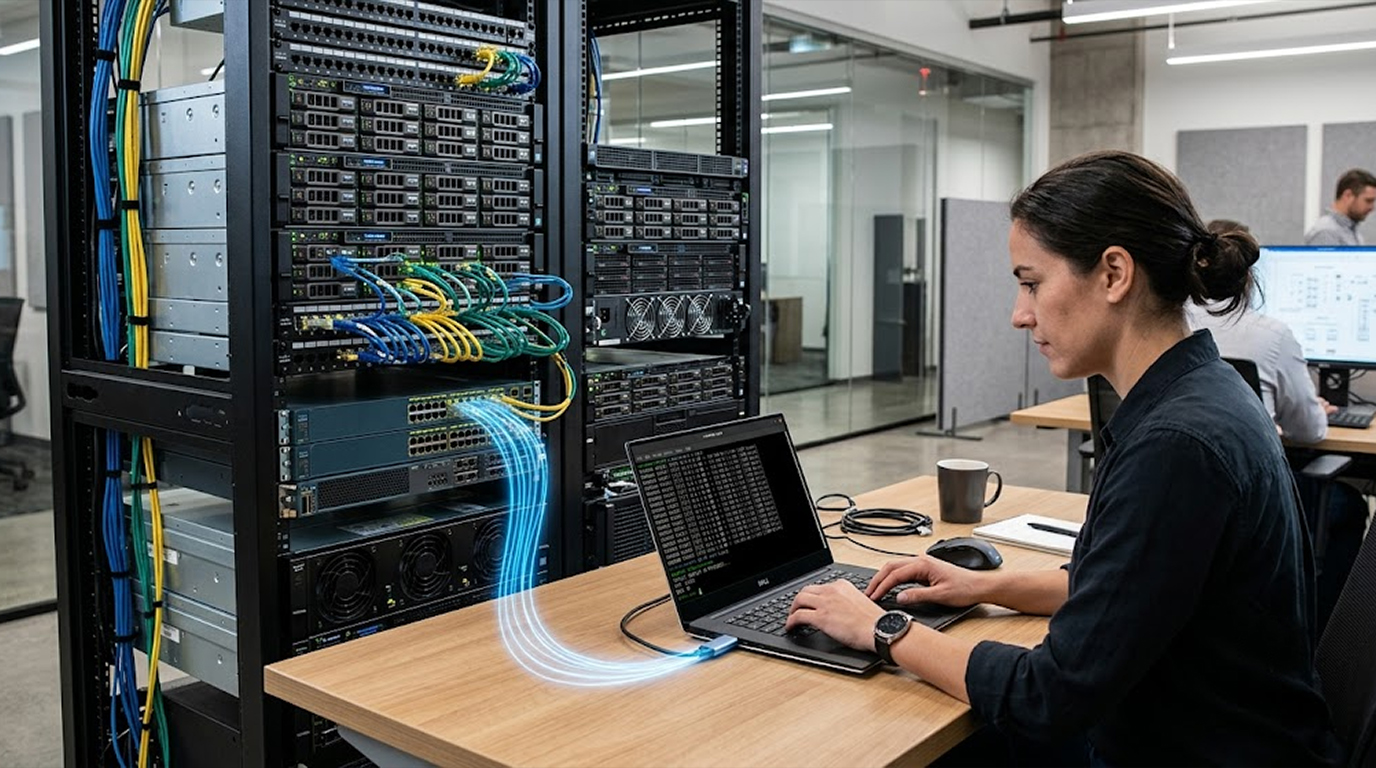
A payroll vendor needs access to your employee data to process paychecks. A cloud storage vendor needs API access to sync your files. An IT support vendor needs remote access to your servers to fix problems.
Attackers know this. Attackers often prey on suppliers. They do this because by compromising one vendor, they can potentially gain access to hundreds of organizations simultaneously.
This is how the attack is conducted:
Step 1: The hacker gains access to the vendor's system through means such as phishing emails, stolen passwords, or unpatched exploits.
Step 2: The hacker will then search the vendor's internal network for any credentials, API keys, and VPNs that allow access for the vendor into their clients' systems.
Step 3: The hacker will then use those credentials to log in to the victim's networks and cloud accounts since the login appears valid, as it is generated by your vendor.
Step 4: After gaining access to your network or clients' networks, the attacker can attempt to take your data, deploy ransomware, or travel laterally across the client's clients' networks.
Step 5: You discover the breach weeks or months later. By then, the damage is done.
You never had a vulnerability. Your firewall was configured correctly. Your passwords were strong. The attacker walked right through the door you opened for your vendor.
Real Examples of Supply Chain Attacks
This is not theoretical. These attacks happen regularly.
Example 1: Managed Services Provider (MSP) Attack
A managed services provider (MSP) provides support for hundreds of small business owners by maintaining a remote connection to each business for support and upkeep. Attackers hacked into the MSP, obtaining remote access credentials to each of the clients and deploying ransomware across them all simultaneously. In just one day, 200 businesses were encrypted, compromising the data of the businesses’ employees.
The businesses had good security in place to protect their own networks, with no breach occurring on those networks; however, the vendor was the source of access to compromise business data.
Example 2: The Payroll Vendor
A payroll processing company stored direct deposit information for thousands of employees across hundreds of client companies. Attackers breached the payroll vendor and stole employee names, addresses, social security numbers, and bank account details. The attackers then used that information to file fraudulent tax returns and drain bank accounts.
The client companies never stored employee banking data on their own servers. Their vendor did. The breach happened at the vendor, but the victims were the clients' employees.
Example 3: Cloud Storage Integration
Once a business hired a contractor/vendor to link its internal servers with its third party cloud-based storage. By using API keys, the contractor/vendor was able to access and manipulate data from the company's cloud.
Due to the online compromise of the vendor, the vendor's API keys were used to access the entire contents of the company's cloud, which contained customer agreements, detailed financial spreadsheets, and employees' identifying information.
The company's cloud-based storage was not directly compromised. There were no hacking incidents into the company's systems. The missing/compromise of the vendor's API keys created a potential break point in this chain.
Example 4: Software Update
A software vendor pushed updates to its products/IP through an automatic update system. An attacker has access to the software vendor's build machines and has embedded malware in the automatic update to distribute infections to all customers who introduced/installed the update.
Customers had a high level of trust that the update was legitimate. Trust in the vendor was the basis of the attack.
What Types of Vendors Pose the Highest Risk
Not all vendors are equal. Some have more access to your data than others.
High-risk vendors (assume they will be targeted):
1. Managed IT services (MSPs) and IT help desks. Frequently, these suppliers have remote access to an entire client network.
2. Cloud Data Storage and Synchronization Providers, have copies of your data
3. Payroll/Human Resources (HR) Providers, store all employee personal/banking information
4. Payment processors, collect/process all credit card transactions made by customers
5. Email marketing tools, store all customer email addresses and record/create advertising campaigns sent to these addresses
6. Customer relationship management (CRM) and customer support tools, maintain detailed history of customer interactions/some credit card information
7. Software development organizations that manufacture products used on your own network. Their software updates may include malware.
Medium-risk vendors:
1. Accountants/bookkeepers, have access to financial data, but do not directly access network.
2. Legal/compliance (attorneys), may have access to sensitive documents
3. Marketing agencies, may have access to your social media and advertisement accounts
4. Website hosting/development companies, have access to web servers.
Low-risk vendors:
1. Office supply companies, send paper and toner.
2. Catering/event planning, have no digital access.
3. Janitorial companies, have physical access but no digital access.
Even low-risk vendors can cause problems if they have physical access to your offices. A cleaning person could plug a malicious device into a computer. But for most companies, the digital vendors are the bigger concern.
How to Know If Your Vendor Has Been Hacked
Vendors are not always honest about breaches. Some hide them. Some do not discover them for months.
Signs that your vendor may have been compromised:
1. Your vendor sends an unusual email asking you to click a link or download an attachment. This could be a phishing email sent from the vendor's compromised account.
2. Your vendor calls you asking for your password or other credentials. Legitimate vendors will never ask for your password.
3. You notice unusual activity in your own systems, such as logins from unfamiliar locations or unexpected data transfers.
4. Your customers report receiving phishing emails that appear to come from your vendor.
5. The vendor announces a security incident. If they tell you, take it seriously.
If your vendor announces a breach, do not wait for them to tell you if you are affected. Assume you are affected and act immediately.
What to Do Right Now If Your Vendor Got Hacked
If you have learned that a vendor has been compromised, take these steps immediately:
Step 1: Identify What Access the Vendor Had
Make a list of everything the vendor could reach:
1. Did they have remote access to your network (VPN, remote desktop, support tools)?
2. Did they have API keys to your cloud accounts?
3. Did they store your data on their servers?
4. Did they have login credentials to your systems?
5. Did they have access to your email and/or collaboration tools?
6. Did they ever handle customer payment information?
The more access they had to your data, the greater your risk of compromise.
Step 2: Immediately revoke access to the vendor.
You cannot wait for the vendor to resolve the security violation. You should immediately revoke the vendor's access to your systems.
1. Change all passwords known by your vendor.
2. Revoke all API keys used by your vendor.
3. Disable all VPN accounts created for your vendor.
4. Remove all remote access tools used by your vendor from your computers.
5. Change any credentials shared with your vendor.
After the vendor has resolved their issue, you can give the vendor access again. Until then, treat the vendor's credentials as if they were compromised.
Step 3: Review Your Logs for Potential Signs of Malicious Activity
Examine your log files for any signs that indicate someone may have accessed your system using the vendor’s credentials as part of a breach attempt by hackers.
Things to Look For:
1. Logon information from the vendor’s IP address. Review your logon record as well.
2. Successful logons that occurred during periods outside of normal business hours(newspaper).
3. Transferring or downloading large amounts of data.
4. Creating new user IDs or modifying existing user rights.
5. Making unusual API calls against your applications. In particular, pay chief attention to API calls that return lists of records or to API calls that return data records.
6. Configuration changes to your backup systems.
Make sure you have loggers enabled now and for the future, you cannot investigate what you do not have evidence of.
Step 4: Scan Your IT Assets for Malware
If the vendor had remote access to your IT environment, the attacker may have installed backdoor access, RATS, or ransomware on your assets.
Conduct a full antivirus run on all workstations and servers; if you have endpoint detection and response (EDR) technology, run that too, looking also for processes that are unknown or unfamiliar to you.
Step 5: Verify if Any Data Was Taken by Attacker
Check if attacker took any of your data.
1. Look through logs to figure out if there were any high amounts of unusual downloads or just high amounts of downloads on file folders.
2. Look to see if there were any accessed files and compare them with the list you received from your prior investigation (i.e., if your business didn’t need this file).
3. Look for trends in the accessing of data (the attacker may have downloaded data slow over a period of time).
IF the investigators identify evidence of theft of data or anything similar (this could good be others that you are negotiating with), consider contacting your customers, or law enforcement (according how the evidence above is developed).
Step 6: Change Your Vendor Access Model
After the immediate issue is complete, change the operations vendor model.
1. Have each vendor use a restricted and unique account for each customer so if there is any issues with one vendor then possible there may not be an issue with an additional vendor in your network.
2. Have each vendor utilize multi-factor authentication for each remote connection made to your network.
3. Have each vendor limit their access to only the bare essentials, as opposed to maximum access to all of your network.
4. Have all of your vendor provide access logs of their activity on your network for auditing purposes.
5. Consider requiring that the vendor maintain cyber insurance or have a degree of assurance that the vendor has reasonable security measures.
Step 7: Ask Your Vendor Questions
Do not be afraid to ask hard questions. Your data is at stake.
Questions to ask your vendor:
1. What kind of information was compromised?
2. How did the thieves breach the system?
3. When did you realize that a breach had taken place?
4. Is the vulnerability being resolved?
5. Will you provide any assistance to the customers affected, through means such as credit monitoring?
6. Will you provide an official incident report as part of your response documentation?
7. How will you prevent the same incident from occurring again?
If a vendor is unresponsive or evasive, look for another option.
How to Prevent Vendor Breaches from Affecting You
You cannot control your vendor's security, but you can limit how much damage a vendor breach can cause.
Limit vendor access to the bare minimum.
Do not give a vendor full network access if they only need access to one application. Do not give a vendor administrator privileges if they only need to read data. Do not give a vendor permanent access if they only need access once a week.
Use separate accounts for each vendor.
Do not share a single "vendor access" account across multiple vendors. Each vendor should have their own account with their own password and their own permissions. When a vendor is compromised, you disable only that one account.
Require multi-factor authentication for all vendor access.
If a vendor's account requires MFA, a stolen password is not enough to log in. The attacker would also need the vendor's phone or security key. This dramatically reduces your risk.
Monitor vendor access.
Enable logging for all vendor accounts. Review those logs regularly. Look for unusual access times, large data transfers, or access to data the vendor should not need.
Do not give vendors access to your backup systems.
Backups are your last line of defense. If an attacker compromises a vendor account and deletes your backups, you cannot recover. Keep backups isolated and do not give vendors access to them.
Separate your network into sub-networks.
Vendor access should be placed onto a separate VLAN or subnet so that if a vendor were to get compromised, then an attacker will not have access to your entire network, but only to those specific systems that the vendor needed access to.
Implement a password manager with vendor access controls.
Use a password manager such as Bitwarden or 1Password in order to share credentials with the vendor and control access. This allows you to know when they have viewed the password, automatically rotate the password and immediately revoke their access.
Establish a vendor risk management program.
Maintain a complete list of all vendors who have access to either your data or your systems and rank them by their risk level. Perform an annual review of the vendor's security practices. Ensure that you have a contract in place that specifies the security obligations of the vendor and the timelines for notification in the event of a data breach.
What to Tell Your Customers If You Are the Vendor
If you are the vendor that got hacked, your customers will be worried. Be transparent.
Make sure the following information is provided:
1. Describe the incident (what happened; when it occurred).
2. Describe the type of exposed data (specific data type).
3. Describe the steps taken to remedy the incident (i.e., what actions did you take).
4. Describe the steps taken to mitigate future incidents (i.e., what steps you are taking to prevent similar incidents from occurring again).
5. Describe how recipients may protect themselves from being negatively impacted by this breach (i.e., change passwords, monitor accounts, etc.).
6. Describe methods recipients will have to contact you with questions regarding this incident.
Do not hide the breach. Do not downplay it. Do not wait weeks to tell them. Your customers need to know so they can protect themselves.
If you store customer data, you may have legal obligations to notify them within a specific timeframe (72 hours under GDPR, for example). Consult with legal counsel.
The Bottom Line
Vendor hacks are a fact of life; hackers are capable of compromising your data through them. Attackers specifically target vendors because they can compromise a single vendor and gain access to thousands of businesses with that one compromise.
Attackers use the legitimate credentials of your vendor (the vendor's username and password combination) to log into your system, take your data, then deploy ransomware.
The only way to protect yourself is to assume your vendors will be breached eventually and design your systems accordingly.
Limit vendor access. Use separate accounts. Require multi-factor authentication. Monitor vendor activity. Segment your network. Keep backups isolated.
Do these things now, not after your vendor announces a breach.
Because one day, they will.
FAQ Section
Can hackers get my data if my vendor never stored my information?
Yes. If the vendor had access to your systems (remote access, API keys, VPN credentials), hackers can use that access to reach your data directly. They do not need the vendor to store your data.
How do hackers typically gain access to their client's account through the vendor they purchased it from?
The most common technique used by hackers is to obtain remote access credentials. Managed service providers, IT support firms, and software vendors have remote access to the systems of their clients, so attackers can obtain these credentials and log in to the client's system as if they are the vendor.
How can I protect myself against a vendor breach?
Restrict the vendor's access to the smallest amount necessary to perform their job. Use unique user IDs for vendors. Implement multi-factor authentication for all user IDs. Monitor the vendor's activities. Isolate vendors on their own networks so they can't access your main network. Isolate backups of your data.
Should I avoid using vendors?
No, vendors offer majority of services that add value. The goal is not to eliminate vendors, but to manage the risks associated with using vendors. Look for vendors with established security programs and place restrictions on access and monitoring of vendor activities assume vendors will be breached and plan your systems accordingly.
If my vendor was hacked and my customer's data was stolen, am I liable?
Your liability depends on your contract with the vendor and your governing laws. You are ultimately responsible for the protection of your customer's data. Therefore, if your vendor experienced a breach, you may still be liable. Therefore, vendor contracts should outlined security requirements and containing indemnification clauses. Consult your attorney for advice.