
ProtonVPN Unquoted Service Path Vulnerability
A security vulnerability in ProtonVPN version 4.4.1 could allow a local user to escalate their privileges to the highest level available on the system. The issue is an unquoted service path, a classic Windows weakness that attackers have exploited for years.
The flaw exists in the way the ProtonVPN WireGuard service is registered with the Windows Service Control Manager. A local attacker could use this vulnerability to run his own code using LocalSystem level permissions.
Vulnerability Description
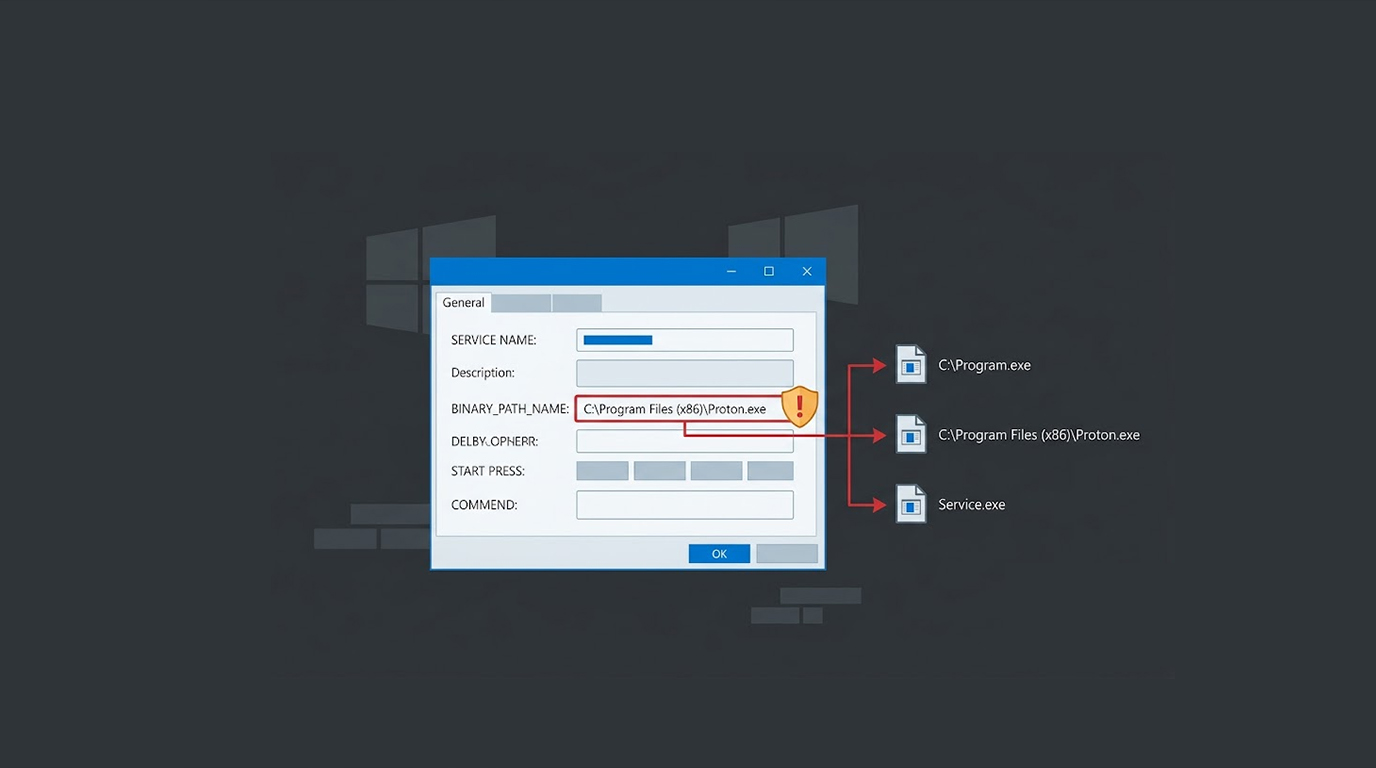
The vulnerability of unquoted service path occurs if the Windows service is configured with a path which has spaces but is not placed within quotes. Windows treats this path as separate paths, attempting to find and run the executable matching the first path, the second path, and so forth.
Here is an example of such a path:
C:\Program Files (x86)\Proton Technologies\ProtonVPN\ProtonVPN.WireGuardService.exe
Since the path is not quoted, Windows would try to execute any executable found in these places in the following order:
- C:\Program.exe
- C:\Program Files (x86)\Proton.exe
- C:\Program Files (x86)\Proton Technologies\ProtonVPN\ProtonVPN.WireGuardService.exe
An attacker who can place a malicious executable at one of the earlier locations will have it executed by the service. If the service runs with high privileges, the attacker's code inherits those privileges.
The Risk
The ProtonVPN WireGuard operates under the LocalSystem privilege level that is the highest one attainable for a Windows system. The LocalSystem has full access to the entire operating system.
The attacker can take advantage of this vulnerability by doing the following things:
- Installing software
- Modify system files.
- Create further administrative user accounts.
- View and edit system data
- Establish persistence for future access
The attack requires local access to the system. The attacker must be able to write files to the root of the system drive or the Program Files directories. In many enterprise and shared environments, this is achievable for standard users.
Proof of Concept
The researcher who found this vulnerability also gave an easy way to confirm the issue. Checking the service configuration shows the unquoted path:
sc.exe qc "ProtonVPN Wireguard"This command will output:
BINARY_PATH_NAME : C:\Program Files (x86)\
Proton Technologies\ProtonVPN\ProtonVPN.WireGuardService.exe
C:\ProgramData\ProtonVPN\WireGuard\ProtonVPN.conf
Spaces in the path and lack of quotation marks indicate that there is a vulnerability.
A Widespread Issue
Unquoted service paths are a recurring issue in Windows environments. Many applications suffer from this weakness during installation. It has been documented in numerous CVEs across a wide range of software.
Security researchers have demonstrated this attack vector repeatedly. The technique is included in standard penetration testing methodologies. Tools like PowerSploit and Empire include modules to detect and exploit unquoted service paths.
The flaw persists because developers often overlook the need to quote paths during service registration.
Mitigation
ProtonVPN users should update to the latest version. If there is a patch released for it, then it will take care of the service path issue. In case there is no patch released, the service registration itself can be fixed manually.
The local administrator can mitigate the risk associated with this vulnerability by changing the service registration by executing the following command:
sc config "ProtonVPN Wireguard" binPath= "\"C:\Program Files (x86)\
Proton Technologies\ProtonVPN\ProtonVPN.WireGuardService.exe\"
C:\ProgramData\ProtonVPN\WireGuard\ProtonVPN.conf"
The use of quotation marks will ensure that the entire path is considered a single path by Windows.
Detection
System administrators must conduct audits on the services and check for unquoted paths. The following command can be used to identify unquoted service paths:
wmic service get name,displayname,pathname,startmode | findstr /i "Program Files"Any service with a path containing spaces but no quotation marks should be evaluated for risk. Priority should be given to services running with SYSTEM or LocalSystem privileges.
The Bottom Line
ProtonVPN Unquoted Path Vulnerability is a standard Privilege Escalation attack. Any local attacker that can gain write permission to the system drive can run arbitrary code with LocalSystem permissions.
This type of attack is quite simple to exploit and has been successfully executed numerous times on various apps.
Update to the latest ProtonVPN version. Audit your Windows services. And remember that even a simple path can become an entry point.
FAQ Section
What is the ProtonVPN unquoted service path vulnerability?
This is a security vulnerability in ProtonVPN v4.4.1, whereby the WireGuard service path has spaces and lacks quotes. The attacker can exploit this vulnerability by placing a malicious executable in the service path. This results in execution of the malware under the LocalSystem privilege level.
What privilege level does the attacker get?
The attacker gets LocalSystem privilege level , which provide complete access to the operating system.
What are the requirements for the exploitation?
The attacker needs access to the machine and should be able to create files in the root of the system partition or in Program Files folders.
How can I determine if my system is affected?
Use the command sc.exe qc "ProtonVPN Wireguard" and look at the BINARY_PATH_NAME parameter. In case the path contains spaces and is not quoted, the system is affected.
What is the solution for this problem?
Update to the newest version of ProtonVPN. An alternative would be running the command :
sc config "ProtonVPN Wireguard" binPath=
"\"C:\Program Files (x86)\Proton Technologies\
ProtonVPN\ProtonVPN.WireGuardService.exe\"
C:\ProgramData\ProtonVPN\WireGuard\ProtonVPN.conf"

