Google Play Protect is Android's built-in malware scanner, it runs in the background, checks apps during install and periodically after, and can block or warn about known bad APKs. In theory it should stop most malicious apps from running. In practice, attackers bypass it in almost every real-world Android campaign in 2025–2026.
Here’s how they actually do it, with the methods seen most often in wild samples (Lumma, RedLine, Joker, GoldPickaxe, Xenomorph, SharkBot, BRICKSTORM-related droppers, etc.).
1. Sideloading + Social Engineering (Most Common Bypass)
Play Protect only deeply scans apps installed through Google Play. Anything sideloaded (APK from browser, Telegram, WhatsApp, fake website) gets only a quick signature check and attackers know how to evade that.
Real tactic:
a) Phishing message: “Your bank sent a new security update – install here” + APK link
b) Victim enables “Install unknown apps” for Chrome/Telegram → installs → Play Protect usually says “Safe” or gives a weak warning that users ignore.
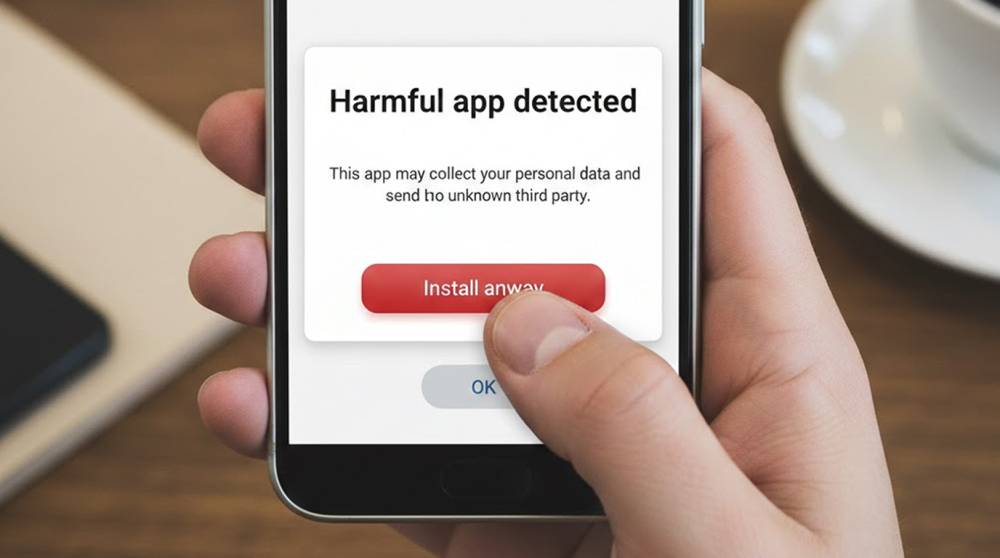
Why it works: Most users click “Install anyway” on the scary yellow/orange warning. Play Protect rarely blocks fresh, obfuscated APKs that haven’t been reported yet.
2. Repackaging Legit Apps with Bad Payload
Hackers find a legitimate app ( flash player, battery power saver, VPN, TIKTOK MOD) and then inject malware into it. They change the signature of the app (using a new signature) and then distribute it over Telegram and other untrustworthy sites.
Real world example of tactic:
a) Lumma stealer repackaged inside a fake Whats App Gold or Instagram++ APK
b) Google Play Protect identifies the app's original clean signature during the install process → therefore the app will be installed → but the malware will activate upon the first run.
This tactic is effective because Google does not always re-inspect the newly signed APK fast enough for most apps to be re-inspected by Play Protect. A user will see a familiar looking app icon/name → therefore will trust the new app.
3. Download of Dynamic Payload After Installs
The app has passed the Play Protect scan because, at the time the original APK was built, it was cleanly (or lightly) malicious. After the app is installed, the app will download the actual payload (malicious code) from Command & Control (C2).
Real world example of tactic:
a) The 1st stage APK requests Accessibility permission → and then downloads either an encrypted DEX or native library and then loads it using reflection or DexClassLoader.
b) The original app has only been checked by a Play Protect Scan prior to downloading the actual payload → so therefore, Google had never seen the code from either the 2nd stage payload or the malicious code.
Some known examples of apps using this tactic:
a) Joker Variants (2025) - initial app looks like a game → then downloads SMS fraud module at a later time.
b) GoldPickaxe - a clean dropper app that has downloaded a banking trojan after using Accessibility abuse.
4. Tricks to Hide and Evade Static Scanning (Obfuscation / Anti-Analysis Tricks)
Play Protect uses Static and Light Dynamic Analysis (Attackers find ways to circumvent both), these will all be successful into 2026.
Examples of Techniques that Continue to Work:
a) Heavy String Encryption - decrypt at Run-time only
b) Code in Native Libraries (.so files) - Play Protect has less strength against Native Code.
c) Reflection and Class Loading to hide the actual entry point
d) Anti-Emulator and Anti-Debugger checks - if you can detect Play Protect has been sandboxed then stop execution or display Normal Operating Function.
5. Malware Using Accessibility and Other Permissions to Remain Hidden
a) Once installed, Malware will abuse the Accessibility Service (AS) (e.g., read the screen, simulate a click and steal 2FA codes) and create fake login pages that overlay the legitimate Login page, etc.
b) Play Protect will not always block apps for having AS Permissions as many apps with legitimate usage of AS Permissions are available.
Real tactic:
Fake “Accessibility Assistant” app → user grants permission → malware reads clipboard (crypto addresses), overlays phishing screens, steals SMS.
Why Play Protect Still Misses So Much
1. New/unknown samples get through until reported and analyzed (delay can be days to weeks).
2. Static signatures are not good at detecting heavily obfuscated or dynamically loaded malware code.
3. With behavior detection, malware normally will remain inactive until it obtains permissions to run.
4. Users will ignore warnings from the system ("A harmful application has been detected - Do you want to install anyway?").
How to Protect Yourself:
1. Only install APKs from the Google Play Store - do not install APKs from Telegram, WhatsApp, email or any other website.
2. All sources including Chrome and Files use the App Installation (Unknown Sources) settings as disabled.
3. Use a commercially available antivirus software with real-time protection capabilities (Malwarebytes, Bitdefender, Avast).
4. Enable Google Play Protect → but don’t rely on it alone.
5. If an app asks for Accessibility permission without obvious reason → deny & uninstall.
6. After installing any app → check recent clipboard access (Settings → Apps → Special app access → Clipboard access).
7. For crypto: always verify pasted addresses character-by-character (first 6 + last 8).
Play Protect is a useful layer but it’s not a full shield. The most dangerous Android malware today reaches your phone through social engineering + sideloading, not by sneaking past Play Store scanning.