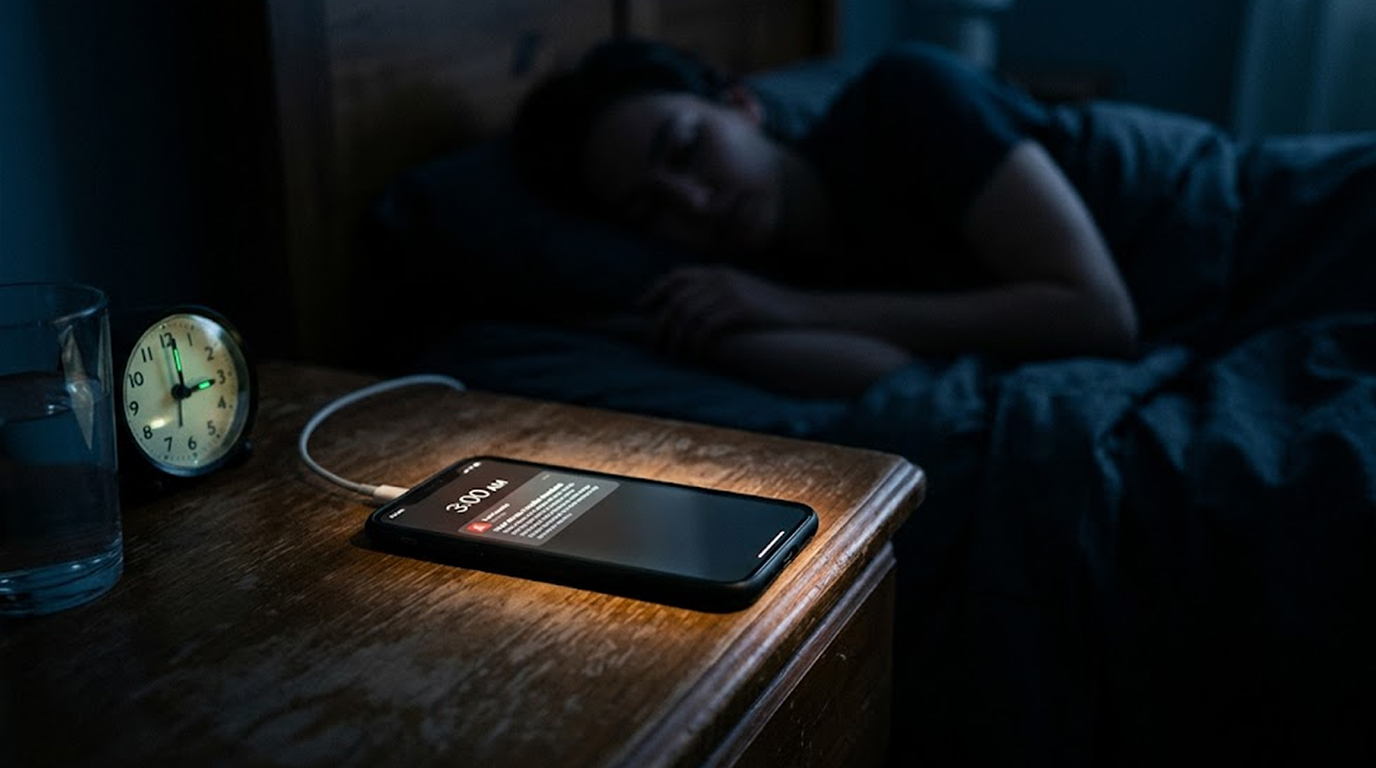
Your phone buzzes at 3 AM, it is a Google Alert, someone just posted something about your company.
You squint at the screen, it is a forum thread claiming your product has a security vulnerability, the post is two hours old, twenty people have already shared it on social media, one journalist has picked it up.
If you had seen this at 9 AM, the story would have grown, by noon, your customers would be calling, by evening, your stock might dip.
But you saw it at 3 AM.
You have time.
You can investigate, you can respond, you can contain the damage before it spreads to people who matter.
This is the power of Google Alerts, and it is completely free.
Why 3 AM Matters
Crisis response follows a simple rule, the faster you respond, the less damage you take
The first hour after a threat appears:
|
Time |
Action |
Impact |
|
0-15 minutes |
Threat appears on obscure forum |
Only a few people see it |
|
15-60 minutes |
Shared to niche communities |
Dozens see it |
|
1-4 hours |
Picked up by aggregators and social media |
Hundreds see it |
|
4-12 hours |
Journalists start asking questions |
Thousands see it |
|
12-24 hours |
Mainstream coverage |
Millions see it |
If you detect the threat in the first hour, you can respond before it spreads, if you detect it at 9 AM the next morning, the story is already running
Google Alerts is your early warning system for the hours when your team is asleep
What can appear at 3 AM:
1. Falsely claiming something about your product in an online forum
2. A hacker announcing their data breach
3. An online social media post going viral with negative feedback
4. A competing business putting out false claims to gain an unfair competitive advantage over your business
5. An account impersonating you under your brand name
6. A news article containing inaccurate information about you
What Google Alerts Actually Does
Google Alerts is a free service that sends you email notifications when Google finds new results matching your search terms
How it works:
You tell Google what to watch for, Google crawls the web constantly, when something new matches your criteria, Google sends you an email.
What Google Alerts can monitor:
|
Source Type |
Examples |
|
News websites |
BBC, CNN, tech blogs, local newspapers |
|
Forums |
Reddit, Quora, specialized industry forums |
|
Blogs |
WordPress, Medium, Substack |
|
Social media (limited) |
Public posts on X, Facebook public pages |
|
Websites |
Any publicly indexed page |
Google Alerts does not monitor private social media accounts, private Telegram channels, or the dark web, but for open web monitoring, it is the best free tool available
Setting Up Google Alerts for Security
You do not need to be a technical expert, you just need to know what to monitor
Alert 1: Your Brand Name (Basic)
This catches general mentions of your company
Search term: "Your Company Name"
Example: "Red Secure Tech"
The quotes tell Google to look for the exact phrase, not the individual words
Alert 2: Your Brand Without Quotes (Broader)
This catches mentions where your brand name appears with other words
Search term: Your Company Name
Example: Red Secure Tech
This will find "Red Secure Tech announced..." and "vulnerability in Red Secure Tech" and "Red Secure Tech competitor"
Alert 3: Your Executives
Attackers often impersonate CEOs, CISOs, and other leaders
Search term: "Executive Name"
Example: "Lara Johnson"
Add their title if they have a common name, "Sarah Johnson" CISO
Alert 4: Your Products
This catches discussions about specific products
Search term: "Product Name" vulnerability OR "Product Name" bug OR "Product Name" issue
Example: "SecureCloud" vulnerability
Alert 5: Your Domain with Negative Keywords
This catches people discussing your website in a negative context
Search term: yourdomain.com scam OR yourdomain.com complaints OR yourdomain.com hacked
Example: redsecuretech.co.uk scam
Alert 6: Competitors (Optional)
Watch what is being said about your competitors, it might foreshadow similar attacks on you
Search term: "Competitor Name" breached OR "Competitor Name" hacked
Alert 7: Industry Keywords
This catches broader threats that might affect your sector
Search term: "industry name" cyber attack OR "industry name" data breach
Example: "healthcare" ransomware
How to Configure Your Alerts
Step 1: Go to Google Alerts
Navigate to google.com/alerts (sign in with your Google account)
Step 2: Enter your search term
Type your query in the box at the top
Step 3: Click "Show Options"
This lets you customize how the alert works
Recommended settings:
|
Setting |
Choice |
Why |
|
How often |
As-it-happens |
You need to know immediately, not once a day |
|
Sources |
Automatic (or News/Blogs) |
Catches the widest range |
|
Language |
English (or your primary language) |
Reduces irrelevant results |
|
Region |
Any region |
Threats can come from anywhere |
|
How many |
Only the best results |
Reduces noise |
|
Deliver to |
Your email |
Most reliable |
Step 4: Create the alert
Click "Create Alert"
Repeat for each search term
The 3 AM Review Process
Getting alerts is not enough, you need a process for handling them
When an Alert Comes In at 3 AM
Step 1: Do not panic (30 seconds)
Most alerts are nothing, a customer review, a blog post about an industry trend, a mention from a partner
Step 2: Assess (1 minute)
|
Question |
If Yes |
If No |
|
Is this about my company |
Continue |
Ignore |
|
Is the tone negative |
Investigate |
Ignore |
|
Does it claim something false |
Prioritize |
Monitor |
|
Is it gaining traction (shares, comments) |
Escalate |
Monitor |
|
Does it mention a security issue |
Immediate action |
Monitor |
Step 3: Verify (5-10 minutes)
If the alert suggests a real threat:
1. Open the link and read the full content
2. Check the source (is it a legitimate site or a fake news farm)
3. Look for evidence (does the claim have proof)
4. Determine your audience – see how many social media shares there are for this item.
Step 4: Decide (2 minutes)
|
Severity |
Action |
|
Low (one negative review) |
Note it, handle during business hours |
|
Medium (false claim on forum) |
Respond with facts, monitor for spread |
|
High (coordinated misinformation) |
Wake up response team, contact platforms |
|
Critical (data breach claim) |
Activate incident response immediately |
Step 5: Immediate Response or Escalate
At this point you have determined a legitimate threat exists. You need to contact those appropriate parties to alert them. Namely, your CISO (Chief Information Security Officer), your PR Lead, and (if appropriate) legal counsel.
It’s better to call them to tell them you are now aware of the situation than to wait until 9am the next day when you realize that all this time a crisis has been occurring.
Real Scenarios Where Google Alerts Saved the Day
Below are real instances where Google Alerts helped prevent significant damage:
Fake Breach News
A hacker collective shared fake claims on a forum about breaching an electronic retail organization and included some illustrative data that resembled real-breach data. The security team investigated after receiving a Google Alert at 2:30 am and found that the information provided was not accurate.
New statements regarding the integrity of the organization were produced by 6:00 am, with a subsequent request issued to the forum requesting removal of the false statements by 8:00 am. The matter never reached customers due to the prompt action initiated by Google Alerts.
If the security team had not received a Google Alert, they would have read the alleged breach news at approximately 9:00 am. Customers would have become aware of the matter and would have experienced panic.
False Report Campaign
A group of coordinated false accounts were attempting to cause damage to a financial services firm by sharing false reports. Google Alerts identified the initial references on less conspicuous forums.
The security team analyzed the false reports, including the patterns of coordinated activity, and provided that information to the appropriate trust and security teams at each of the social networking sites. The false accounts were suspended prior to wider dissemination and went viral.
Impersonation Account
A person created a false account posing as the CEO of a technology firm and posted an inappropriate statement at 4:00 am. Google Alerts for "CEO Name" identified the false account almost immediately and were able to report the account and have it suspended before the false account had an opportunity to accumulate any followers.
Beyond Google Alerts: Limitations and Complements
Google Alerts is free and powerful, but it has limits
|
What Google Alerts Does Not Do |
Solution |
|
Monitor private social media |
Paid social listening tools (Brand24, Mention, Talkwalker) |
|
Monitor Telegram or Discord |
Manual checks, dedicated monitoring tools |
|
Monitor dark web |
Dark web monitoring services |
|
Alert on zero-second mentions |
Real-time API monitoring (paid) |
|
Filter out false positives |
Manual review (you) |
Free alternatives to Google Alerts:
|
Tool |
What It Monitors |
|
Mention (free tier) |
Social media, news, blogs |
|
Social Mention |
Social media only |
|
Talkwalker Alerts |
News and blogs (similar to Google Alerts) |
|
Reddit Alerts |
Reddit specifically |
For most organizations, Google Alerts plus a free Reddit monitoring tool covers the majority of open web threats
Creating a 24/7 Monitoring Culture
You cannot watch alerts 24 hours a day, but your team can share the responsibility
The Rotation Model
|
Time |
Person |
Responsibility |
|
9 AM - 5 PM |
Security team (daily work) |
Review alerts as they come |
|
5 PM - 9 PM |
On-call junior (evenings) |
Check alerts hourly |
|
9 PM - 9 AM |
On-call senior (overnight) |
Phone alerts, wake for critical only |
The Tiered Response
|
Alert Type |
Response |
|
Mention from known news source |
Read during business hours |
|
Mention from unknown source |
Quick scan, ignore if benign |
|
Negative claim with evidence |
Immediate investigation |
|
Coordinated attack pattern |
Wake the team |
The Morning Handoff
Every morning at 9 AM:
1. Review all alerts from the last 24 hours
2. Note any patterns or repeated threats
3. Escalate anything that needs follow-up
4. Adjust alert terms if needed (add new keywords, remove noisy ones)
Fine-Tuning Your Alerts
Google Alerts can produce noise, here is how to reduce it:
Use Exact Phrases
"Your Brand Name" (with quotes) is more accurate than Your Brand Name (without quotes)
Exclude Unwanted Terms
Use the minus sign to exclude words
"Your Brand" -jobs -careers -press release
Use OR for Variations
"breach" OR "hacked" OR "compromised"
Use site: for Specific Sources
site:reddit.com "Your Brand"
Combine Everything
"Your Brand" (vulnerability OR breach OR hacked OR leak) -jobs -careers
This catches mentions of your brand near security-related words, but excludes job postings and career pages
Your 30-Minute Setup Guide
You can have your monitoring system running in half an hour
|
Task |
Time |
|
Create a dedicated email for alerts ([email protected]) |
2 minutes |
|
Set up Google Alerts for your brand name (with quotes) |
2 minutes |
|
Set up Google Alerts for your domain with negative keywords |
2 minutes |
|
Set up Google Alerts for your CEO and CISO names |
2 minutes |
|
Set up Google Alerts for your main product names |
2 minutes |
Second 10 minutes:
|
Task |
Time |
|
Forward the alert email to your security team distribution list |
2 minutes |
|
Create a shared inbox or Slack channel for alerts |
3 minutes |
|
Document the 3 AM review process (who does what) |
5 minutes |
Final 10 minutes:
|
Task |
Time |
|
Test your alerts (post something publicly about your brand) |
5 minutes |
|
Adjust settings based on test results |
5 minutes |
The Bottom Line
You cannot respond to a threat you do not know exists.
By the time your team arrives at 9 AM, a story that started at 3 AM is already spreading, journalists are calling, customers are asking questions, and you are playing catch-up
Google Alerts is free, it is easy, and it works.
It will not catch everything, but it will catch enough, a false claim on a forum, an impersonation account, a negative viral post, a coordinated attack pattern.
And when it catches something at 3 AM, you have a choice, ignore it and face the consequences, or act and contain the damage.
The best time to set up Google Alerts was years ago, the second best time is right now.
FAQ Section
Is Google Alerts really free?
Yes, Google Alerts is completely free, you only need a Google account, there is no premium tier, no hidden fees, and no limit on the number of alerts you can create
How fast does Google Alerts send notifications?
For "as-it-happens" alerts, notifications typically arrive within minutes of Google indexing new content, indexing delay varies but is usually 5-30 minutes, for crisis monitoring, this is fast enough to catch emerging threats
Does Google Alerts monitor social media?
Google Alerts monitors public social media posts that are indexed by Google, this includes public X (Twitter) posts and public Facebook pages, it does not monitor private accounts, direct messages, or private groups
What is the best way to reduce false positives?
Use exact phrases with quotes, exclude common false positive terms with the minus sign ( -jobs -careers ), and combine keywords with OR, for example, "Your Brand" (breach OR hacked OR leak) -jobs -careers
Can Google Alerts replace paid monitoring tools?
For small to medium organizations with basic monitoring needs, yes, for enterprises that need real-time API access, social media listening, or dark web monitoring, you need paid tools, but Google Alerts is an excellent free complement to any monitoring stack