
PowerShell is one of the most useful tools in a Windows environment.
Admins rely on it daily. So do attackers.
The challenge isn’t blocking PowerShell.
It’s knowing when its use stops looking like administration and starts looking like exploration.
What “Abnormal” Actually Means
Abnormal doesn’t mean “PowerShell ran.”
It means PowerShell ran differently than usual.
Things that raise eyebrows:
1. Execution from user workstations, not admin systems
2. Scripts launched from temporary directories
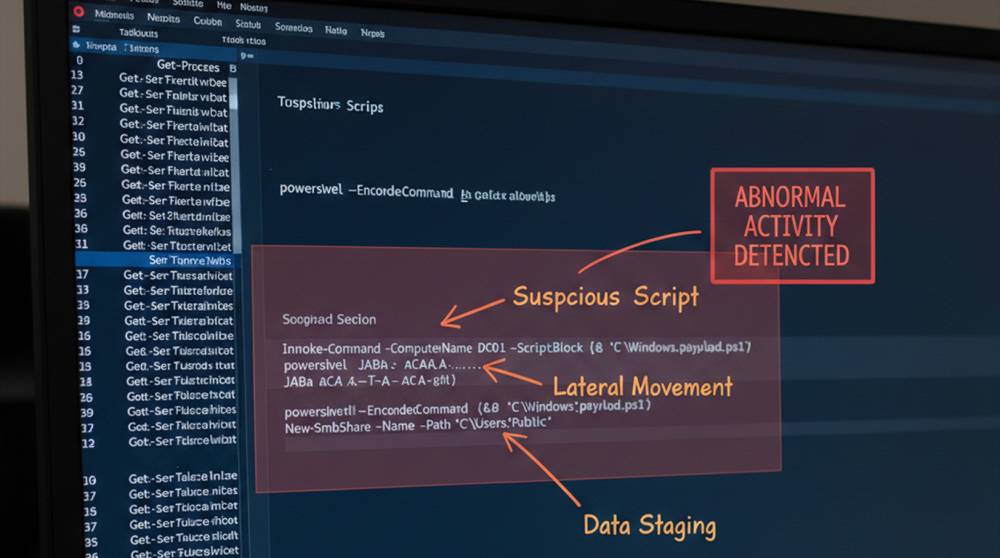
3. Encoded or heavily obfuscated commands
4. PowerShell spawning other tools unexpectedly
5. Long command lines doing many things at once
PowerShell itself isn’t suspicious.
Context is.
Where Abnormal Usage Commonly Appears
Attackers use PowerShell because it’s flexible and trusted.
Patterns often show up in these places:
1. Shortly after a phishing login
2. From non-IT user accounts
3. During off-hours or unusual time windows
4. Across multiple hosts in sequence
5. Combined with credential or system discovery
Normal admin work usually follows routines.
Attack activity doesn’t.
PowerShell Usage in the Real World
1. APT29 / Cozy Bear has been observed using PowerShell scripts in order to perform lateral movement on Government networks.
They were found using PowerShell scripts that had significant degrees of obfuscation to conduct remote executions across multiple hosts.
Detection of the use of PowerShell script by APT29 / Cozy Bear required correlating unusual network connections to the use of encoded PowerShell commands.
2. Emotet Campaigns have been observed using phishing emails to deliver malware followed by an execution of PowerShell to download additional payloads and gather user credits.
Emotet Campaigns were found executing from a user directory (C:\Users\Public) rather than a typical administrative path.
Command line logging was able to assist the analyst in detecting unusual PowerShell activity.
3. FIN7 (Organized Crime Group)
The FIN7 group has taken advantage of PowerShell for discovering files and launching attacks on corporate networks. They encoded their PowerShell commands in order to execute them as scheduled tasks and avoid being detected by endpoint protection solutions.
4. Internal Misuse Example
An example of internal misuse is a contractor who accessed company backups using PowerShell scripts during off-hours. The contractor’s account was not normally used to access these systems, so the execution patterns were considered abnormal and prompted a SOC investigation.
These examples demonstrate several patterns that should be monitored by defenders: unusual location of access, unusual accounts (for example, contractors accessing backups at off-hours), encoded scripts, and execution of scripts during off-hours.
The following is a typical flow of how a misuse occurs:
1. Initial access via legitimate credentials
2. System reconnaissance with PowerShell
3. Discovery of the organization’s network using built-in cmdlets
4. Remote execution of PowerShell commands using trusted services
5. Maintaining persistence through programmed tasks (scheduled tasks)
No significant impact or alerts have gone off when this offense occurs.
Real-World Analogy
Think of PowerShell like a master key.
Facilities staff use it daily.
If that key suddenly opens doors at midnight in buildings the staff never visit, it’s not the key that’s the issue.
What Defenders Miss
1. PowerShell logging for script blocks and commands is disabled or incomplete
2. Alerts only generated for known bad commands
3. There is no baseline of normal admin behaviour
4. Encoded commands are always assumed to be malicious
5. PowerShell sessions can exist for a very short period of time but still have potential for significant damage
Practical Detection Ideas
1. Enable Script Block and Command Line Logging
2. Monitor normal users running PowerShell
3. Alert if PowerShell was run from the user's profile directories
4. Alert if an encoded or compressed command was used
5. Monitor if PowerShell is launching remote sessions unexpectedly
Examples of simple questions to ask:
"Who in our organization normally performs this?"
"Is this the standard method of operation?"
Detecting abnormal PowerShell usage isn’t about catching hackers typing commands.
It’s about spotting behavior that doesn’t fit your environment’s habits.
PowerShell abuse succeeds because it looks normal.
Detection succeeds when “normal” is clearly defined and questioned when it changes.


