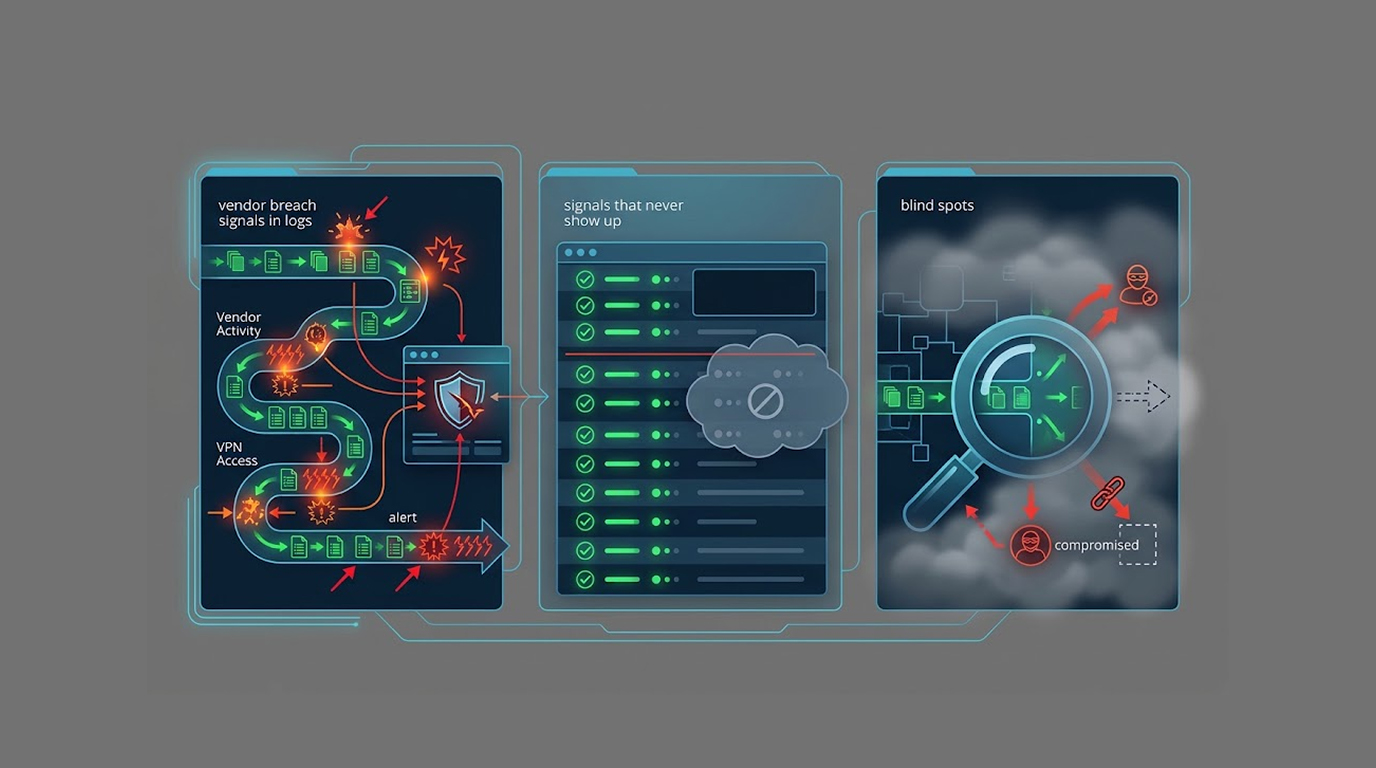
When a vendor gets breached, the first thing most organizations discover is that they have almost no visibility into what happened, because the compromised systems belong to someone else, the forensic evidence sits in someone else's cloud account, and the notification, when it finally arrives, is usually a carefully worded email from a legal team rather than a technical report.
That doesn't mean you're blind, though, because a vendor breach leaves traces in your environment even when the actual intrusion happened entirely on their side, and those traces are often sitting in your authentication logs, your API gateway, your data warehouse audit tables, and your billing dashboard, waiting for someone to notice them.
So here is a practical breakdown of what a vendor breach actually looks like from inside your own logs, which signals reliably appear, which ones never will no matter how good your monitoring is, and how to build the baseline you need before an incident rather than after one.
Important Disclaimer
This article is intended for educational and defensive purposes only, and the signals described here are general behavioral patterns rather than guarantees, because every environment is different and every vendor integration behaves differently. Detection depends heavily on what you log, how long you retain it, and whether you have a baseline to compare against. The author assumes no liability for missed detections or business outcomes resulting from the use or misuse of this information, so treat this as a starting framework, validate it against your own architecture, and test your detection rules before you need them.
Why Your Own Logs Are the Only Evidence You Control
There's an uncomfortable asymmetry in third-party risk, which is that the vendor holds the system, but you hold the account, and that account is the thing that actually touches your data.
When a vendor is compromised, the attacker typically inherits whatever access the vendor already had, which means your integration credentials, your API keys, your OAuth tokens, and your service accounts become the attacker's access path into your environment. You can't see their lateral movement, but you can absolutely see your own front door being used, and that's the entire basis for detecting a vendor breach from your side.
The First Hour: Authentication and Session Anomalies
The earliest signals almost always show up in authentication, because the attacker needs to use the vendor's access, and access looks like a login or a token exchange.
Watch for logins to your vendor portal or integration from new geographies, impossible travel between two sessions that couldn't physically happen, unusual login times relative to the account's history, and new user agents or device fingerprints that don't match the vendor's normal tooling. Also watch for MFA fatigue patterns, meaning a burst of push notifications or failed MFA attempts, because that's often how an attacker tries to get past a second factor.
The First Day: Data Access and API Patterns
Once an attacker has working access, the next thing that changes is what the account actually does, because an attacker's goals look different from a vendor's routine.
The classic patterns are volume spikes, meaning the same account that normally pulls a few thousand records now pulls hundreds of thousands, and scope creep, meaning an account that only ever queried one endpoint suddenly starts enumerating other ones. Sequential ID walking is another tell, where requests march through record IDs in order rather than following normal usage patterns, and off-hours access is worth flagging when the account has a long history of working hours.
The First Week: Configuration Changes and Notifications
As the incident develops, you start seeing changes rather than just access, and these changes often arrive through the vendor's own notification channels.
Watch for password reset emails you didn't request, MFA enrollment changes on vendor portal accounts, new API keys or OAuth applications created without a change ticket, and permission grants that expand an integration's scope. Also watch for vendor security bulletins that arrive out of cycle, because an unexpected "we're investigating a security incident" email is often the first official confirmation of something your logs already showed you days earlier.
The First Month: Downstream Fallout
The longest-tail signal is the one that shows up in your customers rather than your infrastructure, and it usually arrives as complaints.
Watch for a sudden wave of phishing emails that reference real details about your customers, because that suggests someone has a working copy of your contact data. Watch for credential stuffing attempts against your login page using email addresses that only exist in your vendor's system, and watch for account takeover attempts that use combinations of data you never exposed publicly. Also watch for an uptick in spam or fraud reports from customers who were never previously targeted.
What Never Appears in Your Logs
It's just as important to understand the limits, because there are entire categories of vendor breach activity that will never show up on your side no matter how much you log.
- Lateral movement inside the vendor's network. You will never see the attacker pivoting between the vendor's servers, because those logs live in their environment and you have no access to them.
- Exfiltration from vendor backups or internal storage. If the attacker copies data from the vendor's own database or backup archive, your logs show nothing, because the traffic never touches your infrastructure.
- Insider access at the vendor. A malicious or negligent employee reading your data through the vendor's own admin interface may leave no trace on your side, especially if the vendor uses shared admin accounts.
- Which specific records were viewed. If the integration uses a broad service account, you can see that the account queried a table, but you cannot see which rows a human being actually looked at.
- Attribution and intent. Your logs can show behaviour, but they cannot tell you who the attacker is, whether they're a criminal group or a curious insider, or what they intend to do with the data.
- Whether the data has been sold or published. That only becomes visible when it surfaces, often through a leak site, a dark web listing, or a customer complaint, which is why downstream signals matter so much.
- Exploitation of vendor vulnerabilities before impact. A zero-day in the vendor's product may be exploited for weeks before it changes any behaviour you can observe.
The Blind Spots That Make Detection Harder
Even the signals that do appear are easy to miss, because of a handful of structural problems that most organizations don't fix until after an incident.
Shared service accounts are the biggest one, because when twenty vendor employees all use the same integration credential, you can see the account but not the person, and you cannot distinguish a legitimate engineer from an attacker who stole the key. Over-broad OAuth scopes are the second, because an integration granted full read access to your entire workspace will never look anomalous when it reads something it shouldn't, since reading everything is its normal behavior.
Short log retention is the third, because a thirty-day window means you may have already lost the evidence by the time the vendor discloses, and no baseline is the fourth, because a signal you've never measured is a signal you cannot alert on.
Practical Detection: Building Rules That Actually Fire
Knowing the signals is only half the job, because a signal you haven't turned into an alert is just a log line nobody reads, so here are the practical rules worth building and the logic behind each one.
- Baseline every integration account before you alert on it. Export ninety days of history for each vendor account and calculate the p95 of daily record volume, the normal authentication hours, the usual source IP ranges, and the set of endpoints it has ever touched, then store those values as the reference point that every alert compares against, because without this step every rule below will either fire constantly or never fire at all.
- Volume deviation rule. Alert when an integration account pulls more than five times its ninety-day p95 in a single hour, because that threshold is high enough to avoid firing on a busy Tuesday and low enough to catch a bulk export before it finishes.
- Endpoint first-seen rule. Alert the first time an integration account touches an endpoint it has never accessed in ninety days, because scope creep is one of the strongest early indicators and it costs almost nothing to measure.
- Off-hours rule. Alert when an account with ninety days of business-hours-only access authenticates between midnight and 05:00 local time, because timezone-shifted attackers and automated scripts both tend to violate this pattern.
- Impossible travel rule. Alert when the same account authenticates from two locations more than five hundred kilometres apart within a window shorter than any plausible travel time, because this is the cheapest way to catch stolen session cookies and credential reuse.
- Sequential enumeration rule. Alert when more than fifty consecutive requests use incrementing record IDs, because normal application behaviour almost never walks a primary key in order, while automated extraction almost always does.
- New credential rule. Alert on any new API key, OAuth client, or service account created by a vendor portal account without a matching change ticket in your ticketing system, because credential creation outside your process is either a mistake or an intrusion.
- Token reuse from new IP rule. Alert when a long-lived OAuth refresh token is exchanged from an IP address that account has never used before, because token theft often surfaces at this step rather than at login.
- Downstream correlation rule. Alert when your email gateway blocks phishing that references a field, format, or identifier only a specific vendor could have seen, because this ties an external event back to a specific third party faster than any internal signal.
Tools You Can Actually Use
You don't need an enterprise budget to start, because the tools below cover collection, detection, and third-party visibility, and several of them are free or already present in most environments.
|
Tool |
What It's Good For |
Practical Use in This Context |
|
Wazuh |
Open-source SIEM and host intrusion detection |
Ingest vendor portal and API logs, build custom rules for volume and off-hours anomalies, and keep a year of retention on a modest budget |
|
Elastic Security (ELK) |
Log storage, search, and machine-learning anomaly detection |
Baseline integration account behaviour with ML jobs, then alert on deviations without writing every threshold manually |
|
Microsoft Sentinel |
Cloud-native SIEM with built-in analytics rules |
Use scheduled analytics rules against Entra ID sign-in logs to catch impossible travel and new OAuth consent on vendor accounts |
|
Splunk |
Enterprise SIEM with strong correlation |
Correlate API gateway logs with ticketing data to detect new credentials created without a change ticket |
|
Zeek |
Network metadata and connection logging |
Capture outbound connections from integration hosts so you can spot new destinations that no baseline explained |
|
Cloudflare or AWS WAF |
API gateway and request logging |
Log endpoint, record count, and source IP per request, which is where volume and enumeration signals actually originate |
|
AWS CloudTrail, Azure Monitor, GCP Cloud Audit Logs |
Cloud control-plane visibility |
Detect new API keys, role grants, and service account creation tied to vendor integrations |
|
Snowflake ACCESS_HISTORY, BigQuery audit logs |
Data warehouse query auditing |
See exactly which tables an integration account queried and how many rows it returned, which is often the only place bulk extraction is visible |
|
Okta System Log or Entra ID sign-in logs |
Identity provider telemetry |
Detect impossible travel, MFA fatigue, and new device fingerprints on vendor accounts |
|
SecurityScorecard, BitSight, or UpGuard |
Third-party risk ratings and breach monitoring |
Get early warning that a vendor's security posture has changed, which buys you time before your own logs show impact |
|
Have I Been Pwned or dark web monitoring |
Post-breach visibility |
Detect when your customers' data appears in a leak, which is often the first external confirmation of a vendor incident |
|
Jupyter or a spreadsheet with a scheduled export |
Poor man's baselining |
If you have nothing else, export ninety days of volume per integration account and compute p95 manually, because a baseline on paper beats no baseline at all |
Real Two Scenarios
Scenario 1: The Quiet Export
The Setup
A company integrates a support ticketing vendor with its data warehouse, and the integration runs as a single service account with read access to the customer table, with logs retained for thirty days and no alerting on query volume.
The Attack
The vendor is breached, and the attacker uses the stored credentials to pull the entire customer table in a series of paginated requests spread across four nights, staying just under the rate limit each time.
The Result
Nobody notices until a customer reports a phishing email that quotes their support ticket number, and by then the thirty-day retention window has already rolled past the start of the exfiltration, so the earliest evidence is gone.
The Lesson
The signal existed in the logs, but nobody had built a baseline for query volume, nobody was alerting on off-hours access, and the retention window was shorter than the attacker's patience.
Scenario 2: The Noisy Blind Spot
The Setup
Another company onboards the same vendor, but it provisions a dedicated integration account with least-privilege scopes, logs every API call for a year, alerts on off-hours access and volume deviation, and forces a monthly review of all active vendor tokens.
The Attack
The same attacker uses the same stolen credentials, but the account can only read the tickets table, not the customer table, and the first bulk pull triggers an alert because it exceeds the account's normal nightly volume by a factor of forty.
The Result
The security team investigates within the hour, revokes the token, forces a credential rotation, and contacts the vendor, who confirms an incident that they had not yet disclosed, which means the customer learned about it before the official notification.
The Lesson
Least privilege turned a catastrophic exposure into a contained one, and the baseline plus alerting turned a silent theft into a same-day detection, because the controls were built before the incident rather than after it.
How to Spot Early Warning Signs
- Authentication from unexpected locations. New geographies, impossible travel, or new device fingerprints on a vendor or integration account are worth investigating immediately.
- Sudden changes in data volume. A spike in records pulled by an integration account is the single most reliable signal of credential misuse.
- Endpoint or scope creep. If an account suddenly starts to query data from other endpoints that have never been queried before, something fishy is going on here.
- Pattern of requests or patterned behavior. Enumerating record IDs sequentially implies automation, not the usual way applications behave.
- Unusual activity on an account that operates during business hours. Years of 9 to 5 activity followed by activity at 3 AM is unusual.
- Password reset or MFA change request. This is a good sign that someone is trying to get into your vendor portal accounts.
- New API keys or OAuth grants without a change ticket. Any credential created outside your change process deserves scrutiny.
- Downstream phishing with vendor-only data. If customers are targeted using details only a vendor could have seen, that points to the vendor.
- Out-of-cycle vendor security notices. An unexpected "we're investigating" email is often the last signal in the chain, not the first.
Quick Reference: Where to Look and What You'll See
|
Signal Category |
Where It Appears |
What It Looks Like |
|
Authentication |
IdP, VPN, vendor portal logs |
Impossible travel, new device, MFA fatigue |
|
API behaviour |
API gateway, WAF logs |
Volume spike, endpoint creep, sequential IDs |
|
Token usage |
OAuth audit logs |
Token used from a new IP or region |
|
Credential changes |
Vendor portal, email |
Unrequested resets, new API keys, new MFA devices |
|
Configuration |
Cloud audit logs |
Scope expansion, new integrations, permission grants |
|
Billing |
Usage dashboards |
Unexplained consumption or API overage |
|
Downstream |
Support tickets, email gateway |
Phishing quoting vendor-only data, credential stuffing |
|
Vendor comms |
Email, status page |
Out-of-cycle security bulletins |
The Bottom Line
You cannot see inside a vendor's network, and no amount of logging on your side will change that, but you can see your own credentials being used, your own APIs being queried, and your own customers being targeted with data that only a third party ever held, and those signals are often enough to detect a vendor breach before the vendor discloses it.
The organizations that detect these incidents early are the ones that built the baseline before they needed it, which means dedicated least-privilege integration accounts, long enough log retention to cover a slow exfiltration, alerting on behavioural deviation rather than just error rates, and a small set of practical rules that actually fire instead of a dashboard nobody reads.
So start with your integration inventory, work out which vendor accounts can read the most sensitive data, check whether you'd notice if one of them was used by someone else tonight, and then build the five rules that matter most, because the answer to that question is your real third-party detection capability, and it's usually lower than people assume.
FAQ
Can you actually detect a vendor breach from your own logs?
Sometimes, yes, but only for the parts of the incident that touch your environment, which means credential misuse, API access, configuration changes, and downstream fallout, while everything that happens entirely inside the vendor's infrastructure stays invisible to you.
What is the most reliable signal of a vendor credential being misused?
A sudden deviation in data volume from an integration account is usually the most reliable signal, because an attacker's goal is bulk access and a normal integration rarely pulls forty times its usual nightly record count.
Why can't I see which records an attacker viewed?
Because most integrations run as a shared service account with broad read access, so your logs show the query and the account, but not the individual rows or the human behind the session, which is exactly why least privilege and per-vendor accounts matter.
Does the vendor's notification usually arrive first?
Rarely, and that's the problem, because vendor notifications are often drafted by legal teams and released days or weeks after the intrusion, while the technical evidence in your own logs usually appears earlier, which is why internal detection is worth building.
How long should I retain logs for third-party detection?
Long enough to cover a slow exfiltration, which for many organizations means a year rather than thirty days, because attackers often spread data theft across weeks to stay under rate limits and avoid volume alerts.
What should I log for vendor integrations?
At minimum, log authentication events, token issuance and usage, API request metadata including endpoint and record counts, configuration changes, and administrative actions, because those five categories cover most of the signals described here.
Can least privilege really reduce vendor breach impact?
Yes, substantially, because an integration that can only read one table cannot exfiltrate your entire customer database even if its credentials are stolen, which turns a catastrophic breach into a contained one.
What should I do if I suspect a vendor breach?
Preserve your logs immediately, revoke and rotate the integration credentials, contact the vendor through your security channel rather than your account manager, and notify your incident response and legal teams, because the earliest hours determine how much evidence survives.