
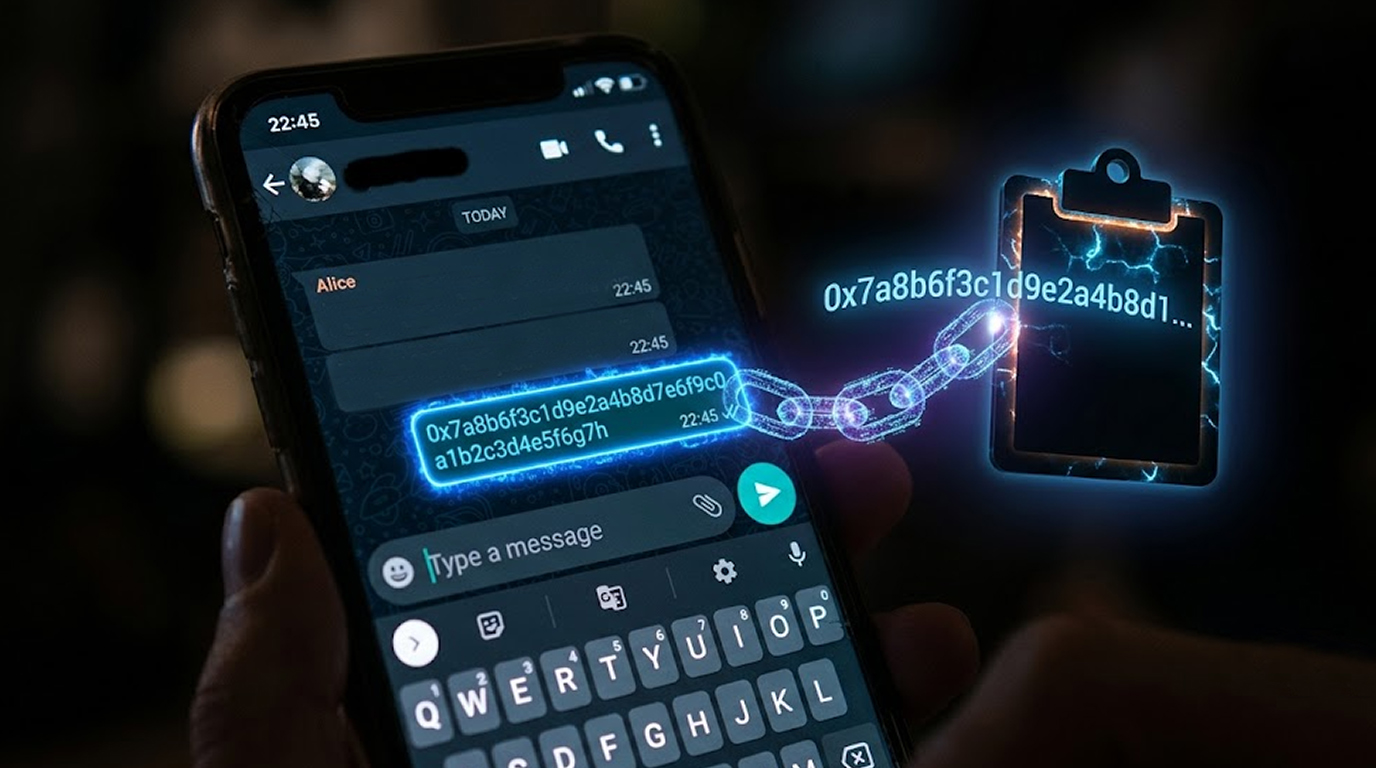
You just copied your crypto wallet address. You paste it into the transaction window, you double-check it looks right, and you hit send. Your money is gone, but not to where you intended. Welcome to the world of clipboard hijacking malware, or as security researchers call it, the clipper.
This is one of the sneakiest attacks out there because it doesn't ask for your permission, it doesn't trigger your antivirus, and it doesn't even need you to download a suspicious file. It just sits there in your clipboard, quietly doing its job, waiting for you to copy something valuable.
What Is a Clipper Anyway?
Clipper is one kind of malware which tracks the activity of your clipboard – this temporary storage place for the copied text before it can be pasted. Each time you copy some text, clipper analyses whether this text looks like the wallet address. If it does, it swaps it out for the attacker's address without you even noticing.
Here's what makes this so diabolical. You copy your own wallet address, and you're about to send money to yourself or to someone else. But when you paste it, the address that appears belongs to the hacker.
You look at it, you think it's correct because you just copied it, and you confirm the transaction. The money lands in the attacker's wallet, and by the time you figure out what happened, it's already too late.
The Hidden Clipper That Won't Go Away
What makes the latest clipper attacks so terrifying is that the malware doesn't just change addresses when you paste. It actually manipulates the messages you send and receive in real time, and it hides so deep in your system that you can't simply delete it.
This malware has been discovered hiding inside pre-installed WhatsApp and Telegram apps on cheap Android smartphones. The attackers didn't just trick people into downloading fake apps. They compromised the supply chain itself. These phones were being sold brand new with the malware already installed.
This malware employs complex techniques that enable it to infect legitimate applications with malicious code without damaging their functionalities. The app still works normally. You can still send messages, share photos, and make calls. You would never know anything is wrong.
Three Ways the Clipper Steals Your Crypto
Behind the scenes, this clipboard hijacking malware is doing three very bad things, and each one is designed to drain your crypto wallet without you ever suspecting a thing.
First, it hijacks the app update process. When your WhatsApp checks for updates, instead of going to the official WhatsApp server, it goes to a server controlled by the attackers. This keeps the app trojanized even when it "updates." You think you're getting the latest security patches, but you're actually getting more malware.
Second, it scans all messages for wallet addresses. Every time you send or receive a message that contains a crypto wallet address, the malware swaps it with the attacker's address. And here's the really clever part. When you're sending a message, you see the correct address on your screen.
But the person receiving it gets the attacker's address instead. The same thing happens in reverse. When someone sends you a message, they see their correct address, but on your phone, it's been replaced.
Third, it will scan your photos for recovery phrases.This will scan all the images on your phone to check whether they contain the 12-24 word mnemonic phrase used to recover crypto wallets.
People often take screenshots of these phrases instead of writing them down. If the malware finds one, it sends it to the attackers, who can then drain your wallet completely.
You don't even need to copy or paste anything. The malware just finds that screenshot, extracts the words, and your entire wallet is gone.
Where Does This Malware Come From?
This particular clipper campaign is especially alarming because the malware is being pre-installed on devices before they even reach consumers. These are budget phones from lesser-known manufacturers that mimic premium models.
Some of them even spoof their technical specifications to make them look like they're running newer software than they actually are.
Attackers have already stolen millions through this campaign. This is not a small-time operation. It is highly organized, sophisticated, and very profitable.
The operation makes use of many command-and-control servers for distribution of the malicious software and handling the theft. Each wallet contains anywhere from thousands to over a million dollars. Multiply that by the number of compromised phones, and you're looking at a massive criminal enterprise.
The Supply Chain Problem
Here's what makes this particularly scary. These phones are being sold brand new in boxes, through legitimate retail channels. You buy a phone, you take it out of the box, you turn it on, and it's already infected. You never had a chance.
This is called a supply chain attack, and it's one of the hardest threats to defend against because the compromise happens before the product even reaches you.
You can't avoid it by being careful about what you download or what links you click. The malware is already there, baked into the system.
Why Regular People Are Getting Hit
You might think this only happens to hardcore crypto traders, but that's not true. Regular people are getting hit too. Anyone who uses WhatsApp or Telegram and has ever sent or received crypto is a potential target.
Think about it. You might have sent crypto to a friend to pay them back for dinner. You might have received crypto from a family member for a birthday gift. You might have sent a screenshot of your wallet address to someone on WhatsApp. All of that activity makes you a target.
The attackers don't care who you are. They just see an opportunity. If you have any crypto anywhere near your device, they want it.
The Hidden Threat in Your Photos
Let me talk about this photo scanning thing for a second because it's genuinely terrifying.
When you set up a crypto wallet, you're given a recovery phrase. It's a series of 12 or 24 words. If you lose your phone or forget your password, that phrase is the only way to get your crypto back. You're told to write it down and keep it safe.
But a lot of people take a screenshot instead. It's easier. It's faster. You don't have to find a piece of paper and a pen. You just snap a photo and you're done.
The clipper malware searches for these screenshots. It scans every image on your phone, looking for that specific combination of words. After locating it, Clipper will forward the screenshot to the attackers.
The attackers now have your recovery phrase and will be able to access your wallet any time they please.
How to Protect Yourself
The good news is you can protect yourself from clipboard hijacking malware with a few simple habits.
- Never buy phones from unknown brands. Only purchase phones from reliable sources and through reliable dealers. If a deal seems too good to be true, it probably is. That cheap phone might end up costing you way more than you saved.
- Install apps from official sources only. Even then, be careful. Your risk is significantly lower than using third-party app stores, but it's not zero. Always check the developer name and read reviews before installing anything.
- Always double-check wallet addresses. Before you confirm any crypto transaction, read the address on the screen carefully. Compare it character by character to the actual address you meant to use. Attackers will often change just a few characters to make the address look similar.
- Clear your clipboard regularly. After you copy sensitive information, paste it immediately and then clear your clipboard. You don't want that data sitting around longer than necessary.
- Check your phone's security patch level. Open Settings, go to About Phone, and check your Android Security Patch Level. If it's old, you're at serious risk.
- Review installed apps for anything suspicious. Identify those apps that have vague names, apps which you do not remember installing, and apps developed by unknown developers. Remove such apps.
- Use security software. A reputable mobile security tool can detect and remove many clipboard hijackers.
- Stop taking screenshots of your recovery phrases. Write them down on paper and store them somewhere safe. Never store them digitally on your phone.
What to Do if You Are Hacked
If you think that you may have been hacked via clipboard hijacking malware, then follow these steps.
- Do not use your phone to perform any confidential transactions now.
- Run a security check-up on your phone by using a reputable mobile security application.
- Update your password settings from your crypto wallets and banking applications.
- If you have any suspicion that your recovery phrases have been stolen, move your crypto to a new wallet immediately.
- For advanced persistent threats, a factory reset may not be enough. In such cases, you may have to reflash your firmware via the manufacturer's official software. This replaces the entire operating system, which can remove malware that's embedded in the system partition.
Wrapping It Up
Clipper malware is a silent killer. It doesn't announce itself, it doesn't slow down your phone, and it doesn't trigger your antivirus. It just sits there in your clipboard, watching, waiting, and swapping wallet addresses whenever it gets the chance.
This malware has already stolen millions, and there's no sign the attackers are slowing down. Cheap Android phones are being sold with this malware pre-installed, which means even brand-new devices can be compromised out of the box.
Your only defense is awareness. Check your device carefully before you buy. Be suspicious of unfamiliar apps. Double-check every crypto address before you hit send. Clear your clipboard regularly. Keep your phone updated with the latest security patches. And for goodness sake, stop taking screenshots of your recovery phrases.
A few seconds of caution can save you from losing your entire crypto portfolio.
FAQ Section
What is clipboard hijacking malware?
A clipper is a clipboard hijacking type of malware that monitors any clipboard activity and substitutes the copied crypto wallet address with the address of the hacker. Consequently, the victim ends up sending the money to the wrong person when the address is pasted.
How do clippers get onto my phone?
Clippers can be pre-installed on cheap Android phones before you even buy them. They can also come from fake apps, compromised app updates, or third-party app stores. Some clippers hide inside legitimate apps and inject malicious code without breaking core functionality.
Can clippers steal more than just crypto addresses?
Yes. Some clipboard malware can also steal passwords, credit card details, two-factor authentication codes, and other sensitive information you copy to your clipboard. Advanced clippers can also scan your photos for recovery phrases and send them to attackers.
Is there a way to detect if the clipboard is infected?
As Clippers are intended to be invisible, no visible signs are expected. The only way to determine whether you are dealing with the problem or not is to check each wallet address prior to the transfer of cryptocurrencies to it.
What should I do if I've lost crypto to a clipper?
Immediately move any remaining funds to a new wallet. Use a device you know is clean or use a hardware wallet. Run a security scan on your device. Change all passwords. Contact the platform where the transaction occurred, though recovery is unlikely. Also consider filing a report with your local cybercrime authorities.
Can factory resetting help in removing malware from the clipboard?
Malware from the clipboard can be removed through factory resetting because many forms of malware can be easily deleted in this way. However, some sophisticated malware is not deleted by factory resetting as it stays in the system partition.


