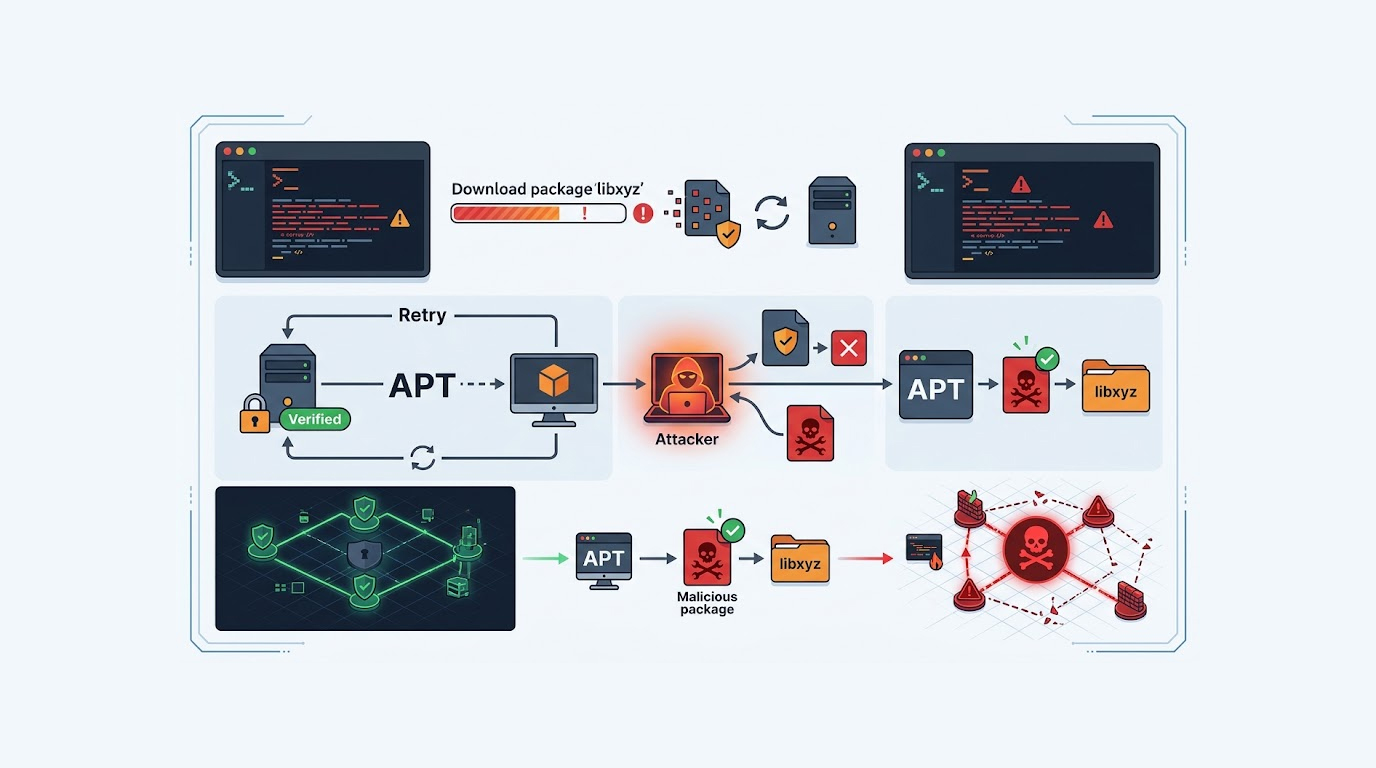
Model Scanning
You download a pre-trained model from a public repository, it works great in testing, and you are ready to push it to production, but here is the thing, that model could be hiding a backdoor, it could execute malicious code the moment you load it, or it could have been trained on poisoned data that makes it behave normally until a specific trigger appears.
This is the reality of the AI supply chain, models are not just weights and biases, they are executable artifacts that can carry malware, and scanning them before deployment is no longer optional, it is essential.
Here is how to do it in practice.
Important Disclaimer
This article is intended for educational and defensive purposes only, the techniques described here are shared to help security professionals understand emerging threats so they can better protect their systems.
Do not use these techniques against systems you do not own or do not have explicit written permission to test, unauthorized testing is illegal in most jurisdictions.
The author assumes no liability for any damages, legal consequences, or other outcomes resulting from the use or misuse of this information, always obtain proper authorization before conducting any security testing, and stay legal, stay ethical, stay responsible.
Why Model Scanning Matters
Model files are often stored in formats that use Python's pickle module, and pickle is inherently unsafe, when you load a pickle file, the Python interpreter executes the code inside it, if that code is malicious, it runs before you even have a chance to inspect the model.
This is called a model serialization attack, the model looks fine, it performs well, but hidden inside is code that steals credentials, exfiltrates data, or opens a reverse shell.
The attack surface has grown, malicious model uploads are being taken down from public repositories every quarter, and some of them have been downloaded into production pipelines before anyone noticed.
Model scanning tools detect these threats before the model ever touches your production environment.
The Main Tools You Can Use
Several open-source tools are available today, each with different strengths and approaches.
ModelScan
ModelScan is one of the most widely used model scanning tools, it is open-source, supports multiple model formats, and is designed to detect unsafe code in model files.
What it does:
- Supports scanning of H5, Pickle, and SavedModel formats
- Identifies malware code, dangerous pickle opcodes, and risky serializations
- Classifies dangerous code as either CRITICAL, HIGH, or MEDIUM
- Processes files in bytes rather than loading them, so it is fast and safe
Installation:
pip install modelscan
Usage:
modelscan -p /path/to/model_file.pklThe tool outputs a report showing any unsafe code it found, with severity rankings and details about the specific threat.
Mithridatium
Mithridatium is a research-driven project focused on detecting backdoors and data poisoning in pretrained models, it is designed for models downloaded from repositories like Hugging Face.
What it does:
- Loads models and runs multiple defenses from academic research
- Generates structured JSON reports
- Flags potential backdoors and poisoning behavior
- Includes a web demo and command-line workflow
Installation:
python -m venv .venv && source .venv/bin/activate
pip install -e ".[dev]"
Usage:
python -m scripts.train_resnet18 --dataset poison
 --train_poison_rate 0.1 --target_class 0
Mithridatium is particularly useful for researchers who want to understand how poisoning affects model behavior and test different defense strategies.
Veritensor
Veritensor positions itself as the anti-virus for AI artifacts, it is a static analysis tool that scans models, notebooks, datasets, and RAG documents for security threats.
What it does:
- Deep AST analysis of Pickle, PyTorch, Keras, and Safetensors files
- Scans datasets for poisoning patterns and prompt injections
- Decompiles pickle bytecode to find obfuscated attacks
- Detects hidden prompt injections using CSS tricks and HTML comments
- Verifies model hashes against the official Hugging Face registry
Installation:
pip install veritensorUsage:
veritensor scan models/ datasets/ --format jsonVeritensor is especially strong for teams that need to scan both models and the data pipelines that feed them.
IntentProbe
IntentProbe takes a completely different approach, instead of scanning file contents, it reads the model's internal activations to detect poisoned MCP servers, skills, and packages before installation.
What it does:
- Runs tool descriptions through a frozen local model
- Reads mid-layer activations and scores them with a small logistic probe
- Detects attacks worded in ways a text classifier would miss
- Runs locally, CPU-only, after a one-time model download
Installation:
python3 -m pip install intentprobeUsage:
intentprobe scan-config auto --format summaryIntentProbe is a research preview, it is a review signal, not a hard security boundary, but it generalizes better than text-based classifiers because it keys off how the model internally represents the input.
ModelAudit
ModelAudit is a lightweight static security scanner for ML models, it supports over 30 model formats and is designed to be integrated into CI/CD pipelines.
What it does:
- Scans PyTorch, TensorFlow, Keras, and pickle models
- Detects malicious code, dangerous pickle opcodes, and suspicious TensorFlow operations
- Checks for unsafe Keras Lambda layers and blacklisted model names
- Exports results as JSON for integration with other tools
Installation:
pip install modelauditUsage:
modelaudit scan model.pkl model2.h5 models_directoryModelAudit is particularly useful for teams that want a fast, automated scanner they can run on every model before it enters production.
Fickling
Fickling is a pickle file scanner and decompiler, it takes a different approach to security by using an allowlist of safe imports instead of trying to detect malicious ones.
What it does:
- Decompiles pickle files to inspect their contents
- Enforces an allowlist of safe imports when loading pickle files
- Blocks malicious payloads hidden in AI models
- Integrates directly into AI/ML environments
Installation:
pip install ficklingUsage:
import fickling
fickling.load("model.pkl", allowlist=["safe_module"])
Fickling is valuable because it addresses the fundamental limitation of denylist-based scanners, it is impossible to list all dangerous imports, but you can list all safe ones.
hf-model-provenance-scanner
This tool is designed specifically for scanning Hugging Face model repositories, it checks provenance, impersonation, pickle risk, and supply chain signals before you download.
What it does:
- Uses HTTP Range requests to scan models without downloading them fully
- Combines a taint engine, symbolic resolver, and temporal scanner
- Detects obfuscated attacks that other tools miss
- Checks for typosquatted organizations impersonating major model providers
Installation:
pip install hf-scannerUsage:
hf-scanner scan https://huggingface.co/org/modelThis tool is essential for anyone downloading models from Hugging Face, it gives you a verdict before the weights ever touch your disk.
Hex
Hex is an enterprise-grade AI/ML model security scanner with 30 scanner modules covering supply chain, backdoors, data privacy, LLM security, and compliance.
What it does:
- Detects backdoors using Neural Cleanse and activation analysis
- Identifies data poisoning, gradient poisoning, and label flipping attacks
- Checks for PII leakage, model inversion risks, and memorization vulnerabilities
- Validates GDPR and CCPA compliance and EU AI Act readiness
- Supports 15+ model formats including Safetensors, ONNX, and PyTorch
Installation:
pip install layerd-hexUsage:
hex scan model.safetensors --output report.jsonHex is the most comprehensive option, it is built for teams that need governance and compliance evidence alongside security scanning.
Comparison Table: Model Scanning Tools
|
Tool |
Best For |
Key Feature |
Formats |
|
ModelScan |
General scanning |
Multi-format support, severity ranking |
H5, Pickle, SavedModel |
|
Mithridatium |
Backdoor detection |
Academic defenses, JSON reports |
PyTorch, general |
|
Veritensor |
Full supply chain |
Models + datasets + RAG + notebooks |
Pickle, PyTorch, Keras, Safetensors |
|
IntentProbe |
MCP and tool scanning |
Activation-based detection |
Tool descriptions |
|
ModelAudit |
CI/CD integration |
30+ formats, JSON output |
PyTorch, TensorFlow, Keras, Pickle |
|
Fickling |
Pickle-specific |
Allowlist-based security |
Pickle, dill |
|
hf-scanner |
Hugging Face repos |
Pre-download scanning |
Pickle, Safetensors, GGUF |
|
Hex |
Enterprise compliance |
30 scanners, governance |
Safetensors, ONNX, PyTorch, 15+ |
Real Scenarios
Scenario 1: Scanning a Model Before Deploying
The Setup
A data science team downloads a model created with PyTorch from a public repository, they are going to deploy it into production for image classification, and they have never scanned a model before.
The Process
- The team uses pip to install ModelScan
- The team runs the scan on the model file
- ModelScan identifies a malicious pickle opcode that would create a reverse shell when loading the model
- The threat is rated as CRITICAL by the scanner
- The team discards the model and flags it in the repository
The Result
The team is not exposing themselves to a potential breach and adds model scanning to their deployment process.
The Lesson
Model scanning is fast, it takes seconds, and it catches threats that would otherwise slip through.
Scenario 2: CI/CD Integration
The Setup
A machine learning platform wants to ensure that every model deployed to production is scanned for security threats, they use a CI/CD pipeline.
The Process
- The team installs ModelAudit with a single command
- They add a scan step to their CI/CD pipeline
- The pipeline fails if the scan detects any CRITICAL or HIGH threats
- The results are stored for audit purposes
The Result
No model reaches production without being scanned, the team catches threats early, before they cause damage.
The Lesson
Model scanning belongs in the pipeline, not as an afterthought.
Scenario 3: The Malicious Model from a Public Repository
The Setup
A startup company obtains a popular model from a public repository that has thousands of downloads and good reviews, therefore it assumes that it is safe to use.
The Process
- Security Engineer runs the scan prior to deploying the model
- The scan detects a backdoor that is activated upon certain input
- While working in normal mode for most of the inputs, the model becomes malicious when the activation pattern is triggered
- The investigation of the issue reveals that the model was uploaded by the typosquatted account
The Result
The company avoids using the poisonous model, reports the repository, and introduces mandatory scanning of all future model downloads.
The Lesson
Popularity does not equal safety, always scan before you deploy.
How to Get Started
1. Pick Your Tool
Start with ModelScan, it is the most widely used and easiest to set up, if you need more comprehensive coverage, add Veritensor or Hex.
2. Scan Your Current Models
Run the tool against all models currently in your environment, you might be surprised by what you find.
3. Integrate Model Scanning in Your CI/CD Pipeline
Scanning of models should be an essential part of your CI/CD pipeline process.
4. Choose Safer Formats
Wherever possible, prefer safetensors over pickle, because it makes any deserialization attack impossible.
5. Verify Provenance
Check model hashes against official registries, use tools that verify provenance before loading.
Quick Reference: Model Scanning Checklist
|
Step |
Action |
|
1 |
Install a scanning tool (ModelScan is a good start) |
|
2 |
Scan all existing models in your environment |
|
3 |
Add scanning to your CI/CD pipeline |
|
4 |
Prefer Safetensors over pickle |
|
5 |
Verify model provenance before loading |
|
6 |
Monitor models in production for anomalies |
The Bottom Line
Model scanning is a critical part of AI security, poisoned models can execute malicious code, steal credentials, and compromise your entire environment.
The tools exist, they are open-source, and they work, ModelScan, Mithridatium, Veritensor, IntentProbe, ModelAudit, Fickling, hf-scanner, and Hex each solve a different part of the problem.
Start with one tool, learn it, add others as your needs grow, and never deploy a model you have not scanned.
The attackers are poisoning models, you need to scan them.
FAQ Section
What is a poisoned AI model?
A poison model is one which has been manipulated such that malicious code, backdoors or biased actions have been introduced and can be activated using certain input triggers.
How do I know if a model is poisoned?
You cannot know just by looking at it, you need to scan it with a tool like ModelScan or Veritensor before loading it.
What are pickle files and how are they dangerous?
Pickle is a serialization format used in Python; when you open a pickle file, Python runs the code contained within the file, and if it contains any malicious code, it will run instantly.
Can I scan models without loading them?
Yes, tools like ModelScan and Veritensor scans the files byte by byte without executing any of the code in the model.
What is the best tool for scanning Hugging Face models?
hf-model-provenance-scanner is designed specifically for Hugging Face, it checks provenance and pickle risk before you download.
Is model scanning enough to secure my AI supply chain?
Model scanning is one layer, you also need safe formats like Safetensors, provenance verification, and runtime monitoring for complete security.