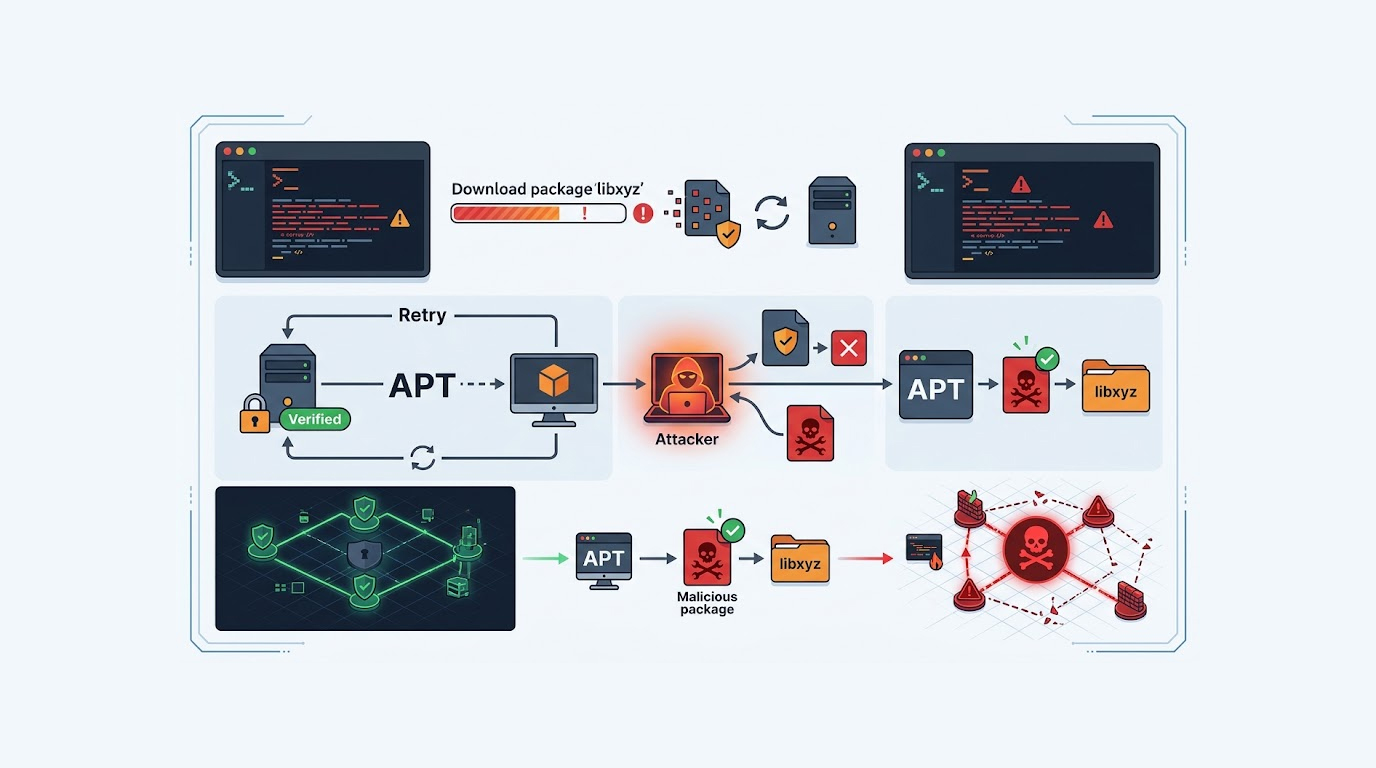
You open an attachment, it looks like a normal invoice, a standard contract, a routine report, nothing about it triggers suspicion, and yet the moment your document viewer renders it, code runs.
This is document parser exploitation, and it is one of the oldest tricks in the book, what is new is that AI has made crafting these documents dramatically easier, faster, and more evasive.
The parser is the target, not the user, and that is what makes this class of attack so effective.
Important Disclaimer
This article is intended for educational and defensive purposes only, the techniques described here are shared to help security professionals understand emerging threats so they can better protect their systems.
Do not use these techniques against systems you do not own or do not have explicit written permission to test, unauthorized testing is illegal in most jurisdictions.
The author assumes no liability for any damages, legal consequences, or other outcomes resulting from the use or misuse of this information, always obtain proper authorization before conducting any security testing, and stay legal, stay ethical, stay responsible.
Why Document Parsers Are a Target
Every document format is really a small programming environment pretending to be a file, Word documents can embed macros, Excel spreadsheets can run formulas that reach the network, PDFs can contain JavaScript, and SVGs are literally XML with script support.
The parser is the software that reads the file, it has to interpret a complex specification, it has to handle malformed input gracefully, and it has to do all of this while running inside a process that often has access to the user's files, credentials, and network.
Attackers do not need to break the parser, they just need to convince it to do something it was designed to do, execute a macro, follow a link, load an external resource, or render embedded content.
That is what makes this class of attack so durable, the features that make documents useful are the same features that make them dangerous.
Why AI Changes the Game
Before AI, crafting a working malicious document was a specialized skill, you had to understand the file format, know the parser's quirks, and test extensively to avoid detection.
AI collapses that barrier.
Rapid Generation of Variants
An AI system can generate hundreds of variations of a malicious document in minutes, each one slightly different, each one bypassing a different detection rule, defenders see a family of related files, but no single signature catches them all.
Format-Aware Crafting
AI models trained on document formats can produce files that look legitimate at the structural level, correct headers, valid metadata, plausible content, only the payload is malicious, and it is buried in a place most reviewers never look.
Bypassing Static Analysis
Static analysis tools look for known patterns, suspicious macros, embedded executables, unusual object references, AI can generate documents that avoid those patterns entirely, using legitimate features in combinations that no rule anticipates.
Social Engineering at Scale
AI can also write the content of the document, the invoice, the contract, the report, it can mimic the tone of a real business communication, it can reference real projects, and it can create the kind of context that makes a user open the file without thinking.
Personalized Targeting
AI can tailor the document to the recipient, the language, the industry, the role, the specific deal they are working on, the file does not feel generic, it feels relevant, and relevance is what makes people click.
Office Documents
Office formats are the most common vector, and AI makes them more dangerous for several reasons.
Macro Obfuscation
Macros are still the classic payload, AI can generate VBA code that is functionally identical to known malware but structurally different, variable names are randomized, string construction is split across dozens of lines, execution paths are conditional on environment checks, and the code never looks like anything a signature has seen before.
Remote Template Injection
A document can reference an external template, when the user opens it, the parser fetches the template from a remote server, the fetched template contains the actual payload, the original document is clean, the malicious content is fetched at runtime, and AI can generate the initial document to look completely ordinary.
OLE Object Embedding
Object Linking and Embedding lets a document carry embedded content, attackers abuse this to hide executables, scripts, or links inside what looks like a normal file, AI can generate the embedding structure to be valid and unremarkable.
Formula Injection
Spreadsheets can execute formulas that reach external resources, a formula can trigger a network request, it can leak data, it can be chained with other features to achieve code execution, AI can craft formulas that are valid, plausible, and weaponized.
DDE and Other Legacy Features
Dynamic Data Exchange is an old feature that allows documents to execute commands, it has been deprecated for years, but it still works in many configurations, AI can generate documents that abuse it while keeping the rest of the file completely normal.
PDF Files
PDF is a deceptively complex format, and AI makes exploiting that complexity easier.
Embedded JavaScript
PDFs support JavaScript, it is used for forms, calculations, and interactivity, attackers abuse it to run code when the document is opened, AI can generate JavaScript that is valid, that performs a plausible function, and that also does something malicious in the background.
Launch Actions
A PDF can contain a launch action that executes a command or opens a file when a specific event occurs, AI can craft the structure so the action is hidden in an object most reviewers never inspect.
Embedded Files
PDFs can carry other files as attachments, an embedded executable, a malicious Office document, or a script, AI can generate the PDF so the embedded file is not obvious, the user sees a normal document, and the payload sits quietly inside.
Parser Exploits
Beyond the features above, PDF parsers themselves have vulnerabilities, a malformed object can cause memory corruption, a crafted stream can bypass bounds checks, AI can generate malformed input that triggers these bugs with higher reliability than manual fuzzing.
Structural Obfuscation
PDFs are built from objects, streams, and references, AI can generate documents where the malicious components are referenced through layers of indirection, the file looks clean when inspected casually, and the payload only assembles when a real parser reads it.
SVG Files
SVG is the format most teams overlook, and that is exactly why attackers like it.
Script Support
SVG is XML, and XML supports scripting, an SVG file can contain a script element that runs when the image is rendered, most defenders do not think of images as executable, most content filters do not scan them the way they scan Office documents.
External References
SVG can reference external resources, an image, a font, a stylesheet, an attacker can use this to trigger requests to a server they control, to leak information, or to fetch additional payloads.
XXE Attacks
XML External Entity attacks are still viable against parsers that do not disable external entities, SVG is XML, which means an SVG file can carry an XXE payload, and the parser will happily resolve it.
Combined with Other Formats
SVG can be embedded inside HTML, inside PDFs, and inside Office documents, so a single malicious SVG can be smuggled through multiple channels, each with different detection rules, and each with different assumptions about what is safe.
Real Scenarios
Scenario 1: The Invoice That Was Not an Invoice
The Setup
A finance team receives a PDF invoice from a supplier they have worked with before, the email looks legitimate, the branding is correct, and the attachment opens without any warning.
The Attack
The PDF contains embedded JavaScript that runs when the document is opened, the script reaches out to a remote server, it retrieves a payload, and it executes it in the context of the user's PDF reader, the reader does not prompt because the script uses features that are considered normal.
The Result
The attacker gains a foothold on the finance workstation, they move laterally, they access payment systems, and they initiate fraudulent transfers.
The Lesson
PDF viewers are applications, PDFs are programs, and the features that make them useful are the same features attackers abuse.
Scenario 2: The Contract with a Remote Template
The Setup
A legal team receives a Word document that appears to be a contract, the file itself is clean, it contains no macros, no embedded objects, nothing suspicious.
The Attack
The document references a remote template, when the user opens it, Word fetches the template from a server controlled by the attacker, the template contains a macro that executes automatically, the original document passes every static scan because the malicious code is not in it.
The Result
The macro runs, it establishes persistence, it exfiltrates documents, and it stays resident for weeks without triggering any alerts.
The Lesson
Static analysis of the document is not enough, the payload lives on a remote server, not in the file.
Scenario 3: The Image That Was Code
The Setup
A marketing team receives an SVG file that appears to be a logo, it is attached to a message about a rebranding project, the file opens fine and displays a perfectly normal image.
The Attack
The SVG contains a script element that runs when the file is rendered, the script collects information about the environment, it sends it to an attacker-controlled server, and it fetches a second stage payload, the visual image is a decoy, the real behavior happens in the background.
The Result
The attacker profiles the environment, they identify high-value targets, and they plan a more targeted follow-up attack.
The Lesson
Images are not automatically safe, SVG is XML with scripting, and most content filters do not scan it.
How to Defend Against AI-Generated Document Attacks
Defending against this class of attack requires reducing the attack surface of the parsers themselves, and reducing the value of a successful exploit.
1. Disable Active Content
Turn off macros by default, block JavaScript in PDF readers, disable DDE, block external template fetching, and disable external entity resolution in XML parsers, most users do not need these features, and the risk outweighs the convenience.
2. Use Protected View and Sandboxing
Run untrusted documents in Protected View or sandbox mode, ensure that the parser does not have user privileges to execute, and keep the process of parsing separate from the rest of the system.
3. Scan at Multiple Layers
Scan the file, scan the network traffic that the file generates, scan the processes that spawn when the file is opened, static scanning alone is not enough because the payload may not be in the file.
4. Block Outbound Requests from Document Parsers
Document viewers should not need to reach the internet during normal use, block outbound traffic from PDF readers, Office applications, and image viewers, this breaks remote template injection, external reference abuse, and many exfiltration paths.
5. Disable External Entity Resolution
Configure every XML parser in your environment to reject external entities, this closes the XXE attack surface in SVG and in any other XML-based format you handle.
6. Treat SVGs as Executable Content
Do not serve SVG uploads on your site’s domain, sanitize SVG content, remove scripts and treat images as malicious code instead of trusted data.
7. Monitor for Anomalous Document Behavior
Watch for document parsers spawning child processes, making network connections, or writing to unexpected locations, these are strong signals of exploitation.
8. Keep Parsers Patched
Document parsers are software, they have vulnerabilities, they get patched, and unpatched parsers are exploitable, patch on a schedule and track known issues in the formats you support.
9. Train Users on the New Reality
Documents are not passive, attachments can be malicious even when they look normal, and the sender being familiar does not guarantee the file is safe.
10. Reduce What a Successful Exploit Can Reach
Assume some documents will get through, limit what the user's session can access, segment networks, and reduce the value of any single compromised endpoint.
Quick Reference: Document Parser Defense Checklist
|
Control |
Why It Matters |
|
Disable active content |
Removes the primary exploit path |
|
Protected view and sandboxing |
Contains the parser |
|
Multi-layer scanning |
Catches payloads not in the file |
|
Block outbound from parsers |
Breaks remote fetching and exfiltration |
|
Disable external entities |
Closes XXE |
|
Treat SVG as executable |
Removes a blind spot |
|
Monitor parser behavior |
Detects exploitation in progress |
|
Patch parsers |
Closes known vulnerabilities |
|
Train users |
Reduces successful delivery |
|
Limit user session reach |
Reduces blast radius |
The Bottom Line
AI has made document parser exploitation easier, faster, and more evasive, the file formats that power modern business are also small programming environments, and the features that make them useful are the features attackers abuse.
The defense is not to stop using these formats, the defense is to disable what you do not need, sandbox what you must open, scan at multiple layers, and assume that some documents will get through.
Reduce the attack surface, reduce the value of a successful exploit, and monitor for the behavior that follows.
The document is not the threat, the parser is, and the parser is yours to configure.
FAQ Section
What is document parser exploitation?
It is the abuse of features in document formats to execute code when the file is opened, the parser is the target, and the file is the delivery mechanism.
Why does AI make this worse?
AI can generate many variants quickly, it can craft files that bypass static analysis, and it can write the social engineering content that convinces users to open them.
Are PDFs dangerous?
PDFs can contain JavaScript, launch actions, and embedded files, and PDF readers have historically had parser vulnerabilities, they should be treated as executable content.
Are SVG files safe?
SVG is XML with scripting support, it can execute code, reference external resources, and carry XXE payloads, it should be treated as executable rather than as a passive image.
What is remote template injection?
It is a technique where a document references an external template, the actual payload is fetched from a remote server when the document is opened, so the original file looks clean.
How can I protect my organization?
Disable active content, use protected view and sandboxing, scan at multiple layers, block outbound traffic from document parsers, disable external entities, and train users.