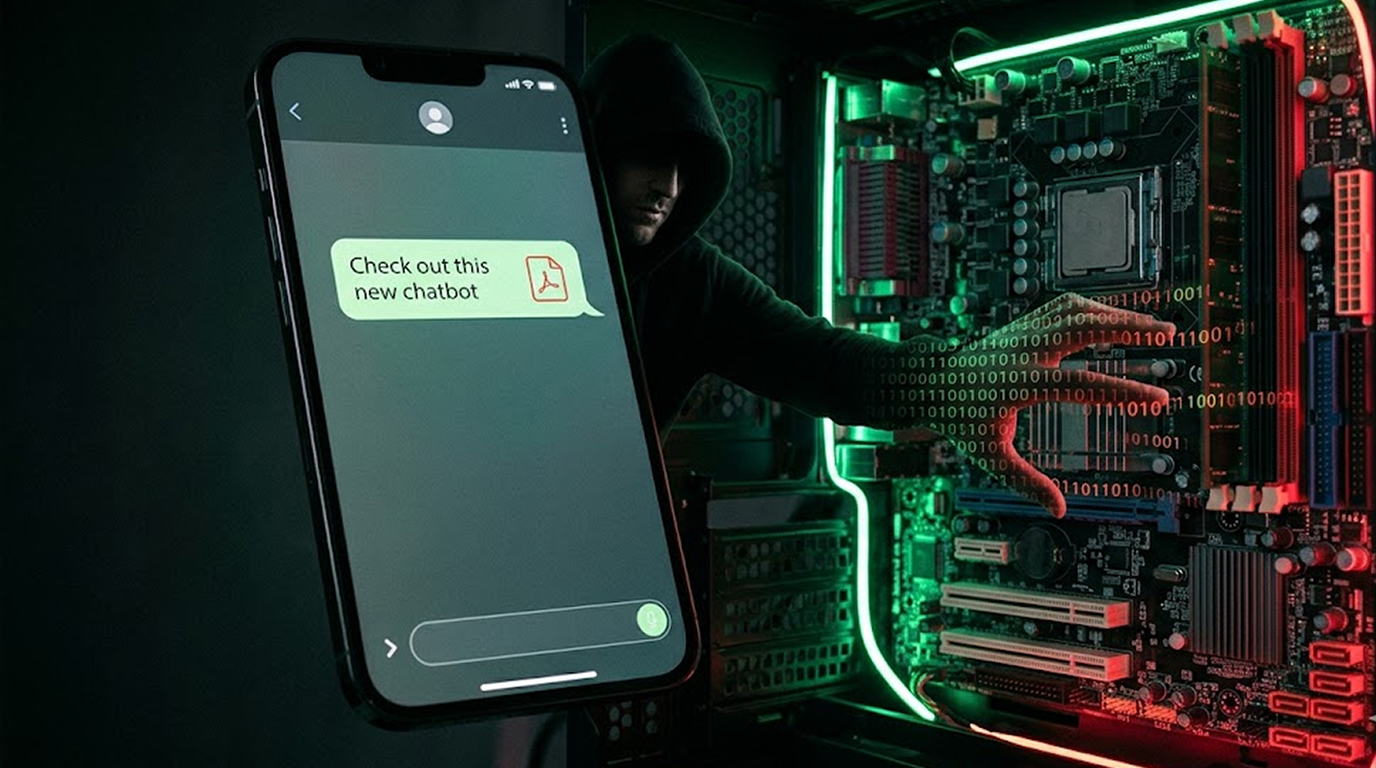
On Discord, a friend sent you a file named "ZiChatBot_setup.exe" with a note saying to try it out because it's a great new chatbot app.
You trusted your friend and downloaded the file only to find that when you launched it, nothing happened right away - it may have been a defective program - so you just exited the window and did something else.
However, your system has been compromised in the background!
Instead of being a real chatbot, ZiChatBot is a trojan that has been slipping into direct messages across Discord, Telegram and other messaging services to trick users into installing backdoors that give attackers complete control of the target computer system.
I’ll show you how this malware works, how to recognize it and what to do about it if you’ve already been infected by it.
What Is ZiChatBot?
ZiChatBot is a multi-stage trojan that pretends to be a legitimate chatbot application and is usually sent through direct messaging from another individual that has had their direct mail account compromised.
The deception:
|
What It Claims to Be |
What It Actually Is |
|
A helpful AI chatbot |
A remote access trojan (RAT) |
|
Free software from a friend |
Malware from a compromised account |
|
An installer for a fun app |
A dropper for multiple payloads |
|
Safe to run |
Fully undetectable (FUD) against many antivirus engines |
“ZiChatBot” sounds like it’s real, and attackers specifically made sure of this in order to prevent any suspicion from occurring!
ZiChatBot is being spread through a variety of means over different platforms such as:
1. Discord (primarily through DMs and invite links).
2. Telegram (direct messages from compromised accounts)
3. Slack (targeted attacks on workplaces)
4. Reddit (direct messages from fake profiles)
Once a single account is compromised, the attackers use it to spread the malware to every contact on that account's friend list
The Infection Chain: How ZiChatBot Gets In
Let me walk you through exactly what happens from the moment you receive the message to the moment your system is compromised
Stage 1: The Direct Message
You receive a message from someone you know, the message might say:
1."Have you checked out the new chatbot; it is actually decent."
2."You should download the ZiChatBot as it will help you code much quicker."
3."A friend of mine developed this AI; give it a shot."
4."Download this and see how great it will work for you."
The message will contain a link or attach a file that will lead you to a file hosting website such as MediaFire, GoogleDrive or Dropbox. Usually, these files will be named ZiChatBot_setup.exe or ZiChatBot_installer.exe.
Why does this work? Because the person sending the message is a trusted source, even though they may not have to be convincing; your friend already convinced you before you went to download it.
Stage 2: The Dropper (worm) Executes
You download and install the file you received from your friend. These files are normally quite small (approximately two to five MB) and therefore after you click on the file to execute it, it installs and runs so it would appear to be done almost instantaneously.
Once you execute the file, the dropper will perform a number of functions within a matter of seconds:
1. Bringing up a fake error message stating "Installation unsuccessful, run as administrator."
2. Opens a fake loading screen that never finishes.
3. Opens a blank window sometimes resembling a partially functional app.
These three tactics will cause you to think the software has failed therefore you will close it and move on to something else. However, while your back is turned to the fake error message, the dropper will have already been executing in the background.
Stage 3: Persistence Installation
The dropper has placed itself in a covert location on your system:
1. Windows: %AppData%\Microsoft\Windows\Start Menu\Programs\Startup\ZiChatBot.exe
2. Windows: %LocalAppData%\ZiChatBot\update.exe
3. Registry: HKCU\Software\Microsoft\Windows\CurrentVersion\Run\ZiChatBot
In addition, it has set up scheduled tasks that will be triggered every hour, day, and whenever you log into your account.
If you delete the downloaded file, the malware will automatically restart at each of these scheduled times.
Stage 4: Payload Distribution
The downloader retrieves extended payloads from remote servers, which may consist of:
|
Payload |
Purpose |
|
Infostealer |
Steals passwords, cookies, credit cards from browsers |
|
Keylogger |
Records every keystroke you type |
|
Clipboard hijacker |
Replaces cryptocurrency addresses when you paste |
|
Backdoor |
Opens a reverse shell for remote access |
|
Screenshot tool |
Captures your screen every few minutes |
Attackers have the ability to add or remove payloads from your computer via remote access, what you end up getting depends on those previous two entries as well as the attacker's objectives for that individual machine.
Stage 5: Callback and Control
The malware is making a connection back to a command and control (C2) server maintained by the hackers. The hackers now have a live connection with your computer, or system.
Under control of that connection, the hacker has ability to:
1. Browse your files (Documents, Desktop, Downloads, etc.)
2. Download any file from your system
3. Upload and run additional malware (ransomware, more infostealers)
4. Take screenshots of your active windows
5. Log your keystrokes to capture passwords
6. Use your machine to attack others on your network
You will not see any of this happening, the malware runs silently in the background, using minimal CPU and memory to avoid detection
Why You Cannot Trust DMs Anymore
The ZiChatBot campaign exposes a hard truth about messaging apps: your friends can attack you without knowing it
The compromised account problem:
1. Attacker compromises a user's account (password reuse, infostealer malware, phishing)
2. Attacker logs into the account and sends ZiChatBot links to every contact
3. You receive the message, you see your friend's name and profile picture, you trust it
4. You download and run the malware
5. Your account is compromised next
6. The cycle repeats
Your friend is not malicious, your friend is also a victim, they have no idea their account is sending malware to everyone they know
Why this is so effective:
1. No phishing email to inspect (no "suspicious sender" warnings)
2. The message comes from a trusted source
3. The name of the file sounds normal and non-threatening &
4. The malware is coded so that it can not be easily detected.
Basic safety lessons teach us not to trust people we don’t know; however as proven by the activity of ZiChatBot, there is also no reason to completely trust your friends.
Technical Analysis: What ZiChatBot Does Under the Hood
For those in the industry and power users, given what security professionals have seen here; these are just a couple of ways in which ziChatbot stays persistent to avoid deletion or reboots.
Persistence Mechanisms
ZiChatbot makes use of multiple different types of persistence in order to ensure it continues to work after a reboot or if it is deleted:
HKCU\Software\Microsoft\Windows\CurrentVersion\Run\ZiChatBot = "%AppData%\ZiChatBot\svchost.exe"
# Scheduled task created via PowerShell
$trigger = New-ScheduledTaskTrigger -AtStartup
$action = New-ScheduledTaskAction -Execute "%AppData%\ZiChatBot\update.exe"
Register-ScheduledTask -TaskName "ZiChatBotUpdate" -Trigger $trigger -Action $action
Malware Communication
C2 servers are accessed by the malware via HTTPS using actual-looking API endpoints:
https://api.zi-chat-bot[.]com/telemetry
https://cdn.zi-chat-bot[.]net/updates
https://auth.zi-chat-bot[.]org/verify
Legitimate certificate authorities issue SSL certificates for the domains so that traffic appears normal
Exfiltration of Data
ZiChatBot can collect and exfiltrate the following types of data:
1. Browser credential files (Chrome Login Data & Firefox logins.json)
2. Browser cookie databases (session hijacking)
3. Cryptocurrency wallets (MetaMask, Phantom, Electrum)
4. Desktop and documents contents
5. System Details (Computer name, username and installed applications)
Zipping collected data into ZIP file format will then exfiltrate to C2.
Evasion Techniques
The malware employs a number of evasion techniques, including but not limited to:
1. Delayed execution (waits to perform malicious behavior for a number of minutes)
2. Process hollowing (inserts malicious code into valid Windows processes)
3. Encrypted strings (no clear-text URLs or commands found in binary code)
4. Antivirus checks (can identify that it is operating in a sandbox environment and halts execution).
How to Tell if You Are Infected
ZiChatBot is designed to be invisible, but there are signs you can look for
Obvious Signs
You received a suspicious DM from a friend
If your friend sent you a link to ZiChatBot or a similar file without context, assume the link is malicious, even if you did not run the file, your friend's account may be compromised
Your friend asks why you sent them a weird file
If someone tells you that your account sent them a link to ZiChatBot, your account is compromised, change your password immediately
Technical Signs
Check for suspicious processes
Open Task Manager (Ctrl+Shift+Esc), look for processes named:
1. ZiChatBot.exe
2. svchost.exe running from %AppData% (legitimate svchost runs from System32)
3. update.exe running from any folder under %AppData%
4. runtimebroker.exe running from a non-standard location
Check startup items
Press Win+R, type shell:startup, look for ZiChatBot shortcuts
Check scheduled tasks
Open Task Scheduler, look for tasks named:
1. ZiChatBotUpdate
2. ZiChatBotTelemetry
3. ChromeUpdateTask (fake name)
4. Any task with random letters and numbers
Verify registry run keys
Launch the Registry Editing Program (regedit) and browse to:
HKEY_CURRENT_USER\Software\Microsoft\Windows\CurrentVersion\Run
Look for any entry pointing to a file in %AppData% or %LocalAppData%
Check your network activity
Launch Command Prompt with Administrator privileges, enter:
netstat -an | findstr "ESTABLISHED"
Examine the Connection and all Unknown Connections (ip) the are connected on these ports, most commonly on ports
To Delete ZichatBot from your computer
If you see that you have been infected with ZichatBot, follow these steps.
Step 1: Disconnect from the Internet
Unplug your network cable or Disable the Wifi, this will prevent an attacker from connecting to your computer while you are cleaning it.
Step 2: Boot in Safe Mode with Networking
Restart your Computer, pressing F8 (or Shift+F8) Before Windows starts, Select “Safemode with Networking”.
Step 3: Delete files related to ZichatBot
Browse to these Folders and delete any files that are associated with ZichatBot:
%AppData%\ZiChatBot
%LocalAppData%\ZiChatBot
%Temp%\ZiChatBot_installer.exe
%ProgramData%\ZiChatBot
To find any files called "ZiChatBot", open Search Everything (voidtools) and remove all instances of that file.
Step 4: Removing Persistence
1. Open Task Scheduler to delete any of the items with ZanChatBotUpdate or other suspicious ones you have added recently.
2. Open Registry Editor and delete all Run entries with ‘ZanChatBot’.
3. Open shell: startup and delete all shortcuts referencing ZanChatBot.
Step 5: Free Antivirus Scans.
1. With Windows Defender (since it detects every version of ZiChatBot) perform full scans on your system.
2. With either Malwarebytes or HitmanPro, perform additional scans on the same system for secondary opinions.
Step 6: Change All Passwords
Change passwords for your email and any discord, telegram, and/or any other messaging accounts because you can assume that the hacker has access to all of your devices and systems:
1. Your email account (most importantly, since it is used to reset all your passwords)
2. Your discord, telegram, and any other messaging accounts
3. Your banking and financial accounts.
4. Any account saved in your browser
5. Any cryptocurrency wallets
Step 7: Reset Your Messaging Account Tokens
On Discord: User Settings > Devices > Remove all devices, this logs out every device, including the attacker's
On Telegram: Settings > Devices > Terminate all other sessions
Step 8: Notify Your Contacts
Tell your friends that your account was compromised, warn them not to click any links or files sent from your account during the infection window
How to Prevent ZiChatBot and Similar Trojans
You cannot trust every DM, even from friends, here is how to protect yourself
For Individual Users
Never run executable files sent via DM
Even from trusted friends, if someone sends you an .exe, .msi, .scr, or .bat file, ask them "Did you really mean to send this" before running it
Use file extension visibility
Windows hides file extensions by default, enable them, File Explorer > View > Show > File name extensions, now you can see the difference between image.jpg (safe) and image.jpg.exe (dangerous)
Scan files before running them
Upload any suspicious file to VirusTotal before opening it, if multiple engines detect it, do not run it
Enable two-factor authentication
On Discord, Telegram, and your email, enable 2FA, this prevents attackers from taking over your account even if they steal your password
Keep your antivirus updated
Windows Defender is sufficient for most users, just make sure it is updating automatically
For Organizations
Block executable files in messaging apps
Use endpoint protection to block execution of files downloaded from messaging app directories
Implement application allowlisting
Only allow approved applications to run, block all unexpected executables
Train users on DM-based threats
Add messaging app phishing to your security awareness training, users need to know that friends can send malware too
Monitor for suspicious processes
Deploy EDR that alerts on processes running from user-writable directories like AppData
The Big Picture of Using Messaging-Based Applications to Distribute Malware
As long as there's been malware, there have been malware that was distributed via messaging-based applications, and this will not change.
The reasons that messaging-based applications are attractive to attackers include:
1. User's perception that a message from a contact is more likely to be legitimate than an email
2. No email filtering that needs to be defeated
3. Expected and built-in capabilities for exchanging files
4. Users will have an easier time compromising their user accounts (poor password practices, no use of 2nd factor authentication, etc.)
5. Allows for malware to be run on multiple OS platforms (Windows, Mac, and mobile)
Platforms should consider:
1. Notify users that the file being executed is an exec file
2. Require users to authenticate with a 2nd factor when they share a file from a new device
3. Sandbox the execution of exec files
4. Block any file based on the reputation of that file's hash.
Whatever you choose to do:
1. Enable 2FA for All of Your Messaging Accounts
2. Never run executable files sent via DM without verification
3. Ask senders "What is this" before clicking anything
4. Assume links and files are dangerous until proven safe
Your friends are not trying to hack you, but a hacker using your friend's account definitely is
Conclusion: The Trojan That Came from a Friend
ZiChatBot is effective because it exploits trust, you are cautious about strangers, but you let your guard down when a friend sends you something
That moment of trust is all the attacker needs
The malware installs quietly, hides effectively, and gives attackers full access to your system, your passwords, your files, and your other accounts
Check your startup folder, check your running processes, look for anything named ZiChatBot, and if you find it, clean your system immediately
Then enable 2FA on every account you own, and never run an executable from a DM without asking "Did you actually send this"
Your friend will not be offended, and your system will stay safe
FAQ Section
1. What is ZiChatBot and how does it spread
ZiChatBot is a trojan disguised as a chatbot application, it spreads through direct messages on Discord and other messaging platforms, attackers compromise accounts and send the malware to every contact, victims trust the message because it comes from someone they know
2. Can ZiChatBot steal my passwords
Yes, ZiChatBot downloads an infostealer payload that extracts saved passwords, cookies, and credit cards from your browsers (Chrome, Edge, Firefox, Brave), the attacker can then use these credentials to access your accounts or sell them on dark web markets
3. How do I know if my Discord account is sending ZiChatBot to my friends
A friend will tell you, if someone says "Hey why did you send me a weird file," your account is compromised, also check Discord's Authorized Apps section (User Settings > Authorized Apps) and remove anything you do not recognize
4. Does antivirus software detect ZiChatBot
Modern antivirus engines now detect known ZiChatBot variants, but attackers constantly modify the malware to evade detection, always upload suspicious files to VirusTotal regardless of what your local antivirus says
5. What should I do immediately if I ran the ZiChatBot installer
Disconnect from the internet immediately, boot into Safe Mode, run full antivirus scans, change all your passwords from a clean device, enable 2FA on every account, and notify your contacts that your account was compromised so they do not click the same link