
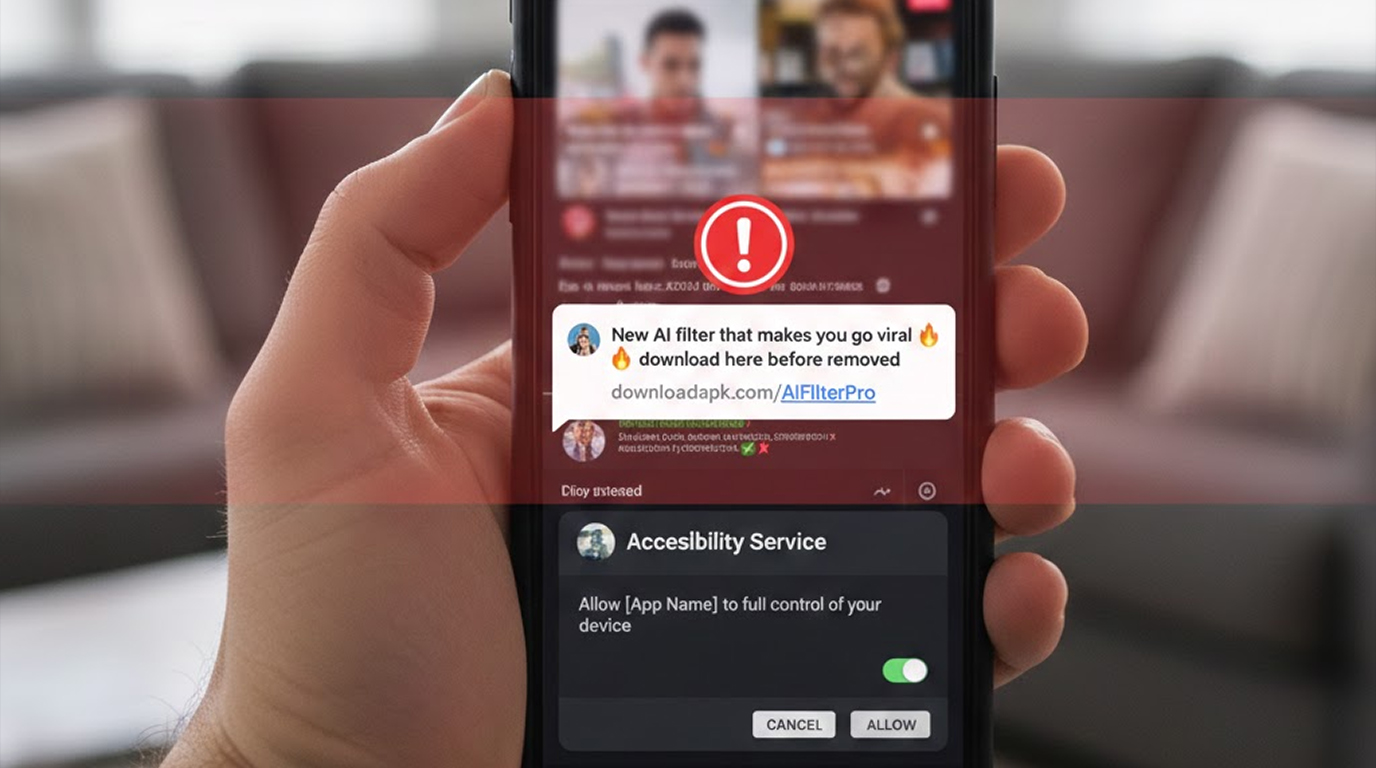
This is currently one of the most widespread and damaging Android infection chains targeting TikTok users, especially in regions with high TikTok engagement and lower trust in app-store-only downloads. The lure is extremely effective because it plays on two powerful desires at once: 1. Wanting to look viral / get more views 2. Wanting the “latest AI trend” everyone is talking about **Typical Infection Flow Right Now** 1. The Lure Message (TikTok comment / DM / group chat / WhatsApp forward) Almost always looks like this (variations in Arabic, English, Turkish, Indonesian, etc.): a) Try out this new AI filter that will make you look like a star, There’s a link to try out before TikTok pulls it, check it out. b) Viral AI beauty filter 2026, can be used on any video, link in the bio / message me c) I’ve gotten 2 million views using this AI effect and you can get a free copy with the watermark removed d) There will be a video showing the dramatic effect before and after and there may be an urgent voice overlay say there is a link in the comments before its removed!! 2. A link will take you to one of the following mentioned in several real campaigns: a) A direct APK download (tiktok-ai-filter[.]apk, viral-filter-2026[.]com/download) b) A fake Google Play mirrored site (play.google[.]com.store → But it is actually a phishing site.) c) A Cloudflare Pages host, Vercel or Github Pages (These are very often seen as legit) d) A pinned message on a Telegram channel directing you to either a Mediafire or Mega link or a Mediafire link 3. Sideloading Phase Victim is instructed to: a) Enable “Install unknown apps” for Chrome / Files / Telegram b) Download → tap Install → ignore Play Protect warning (“Harmful app detected” → many click “Install anyway”) 4.Behavior of Device Control Post Install There is a common lie told about why users should grant access of their device through the use of Accessibility Services to install a fake application; “Allow accessibility so the AI Filter can read your screen and apply real-time changes” Once the user grants the accessibility permission, they lose control of their device due to certain behaviors that can take place. a. The fake application can read and log every notification, which includes stealing 2FA codes and banking SMS messages that were sent to you from your banks. b. The fake application can read your clipboard and swap crypto addresses. c. The fake application can overlay its fake login screen to try to steal bank accounts, wallets and TikTok account logins/pins. d. The fake application can simulate taps and scrolls in order to access other applications. e. The fake application can silently install a secondary payload. f. The fake application can record your keystrokes or screen recordings. There are numerous variants of the fake application that also leverage the Notification Listener & Usage Stats to gather additional data. **How this entire chain is effective in 2026** 1. The perfect target is a TikTok user aged 16-35 who, on an everyday basis, copy/paste or save a wallet address, links or codes. 2. High trust trigger "Viral Filter" + "TikTok will remove it soon" create urgency. 3. Low Suspicion Permission due to Accessibility Services being associated with a "screen filter" app. 4. Play Protect bypass, Sideloaded APKs get only a quick check; fresh/obfuscated clippers pass 5. Fast monetization, Clipper steals crypto in minutes; stolen 2FA codes enable account takeovers **Real Damage Patterns Seen** 1. Crypto traders lose $500–$15,000 after copying a wallet address from Trust Wallet / MetaMask 2. Teenagers and Young Adults lose their TikTok accounts to attackers who take over their 2FA by using an email and password change method. 3. Small Business Owners lose their linked Google Business and Instagram accounts to account hijackers through stolen credentials 4. Banking apps are drained using a phishing screen that is overlaid with the real banking app and then captures the SMS code of the user. **How to Identify and Avoid Things Right Now** 1. TikTok does not provide official filters through external APK links. All legitimate effects are available in the application itself. 2. Do not click on any links that were sent to you via direct message, comments, or groups. 3. No legitimate filter app will ever ask for Accessibility permission 4. After any install → Settings → Apps → Special app access → Clipboard access / Accessibility → see what can read your screen or clipboard → deny / uninstall suspicious ones 5. Always paste crypto addresses into Notes first → compare first 6 + last 8 characters with the source 6. Use official TikTok app only , no “TikTok MOD”, “TikTok Pro”, “No Watermark” APKs The “Viral AI Filter” lure is perfect for attackers because it combines urgency, FOMO, plausible permissions, and perfect victim behavior (copy-paste of wallet addresses). One tap on the wrong link + one granted permission = full device control and potential total loss.


