
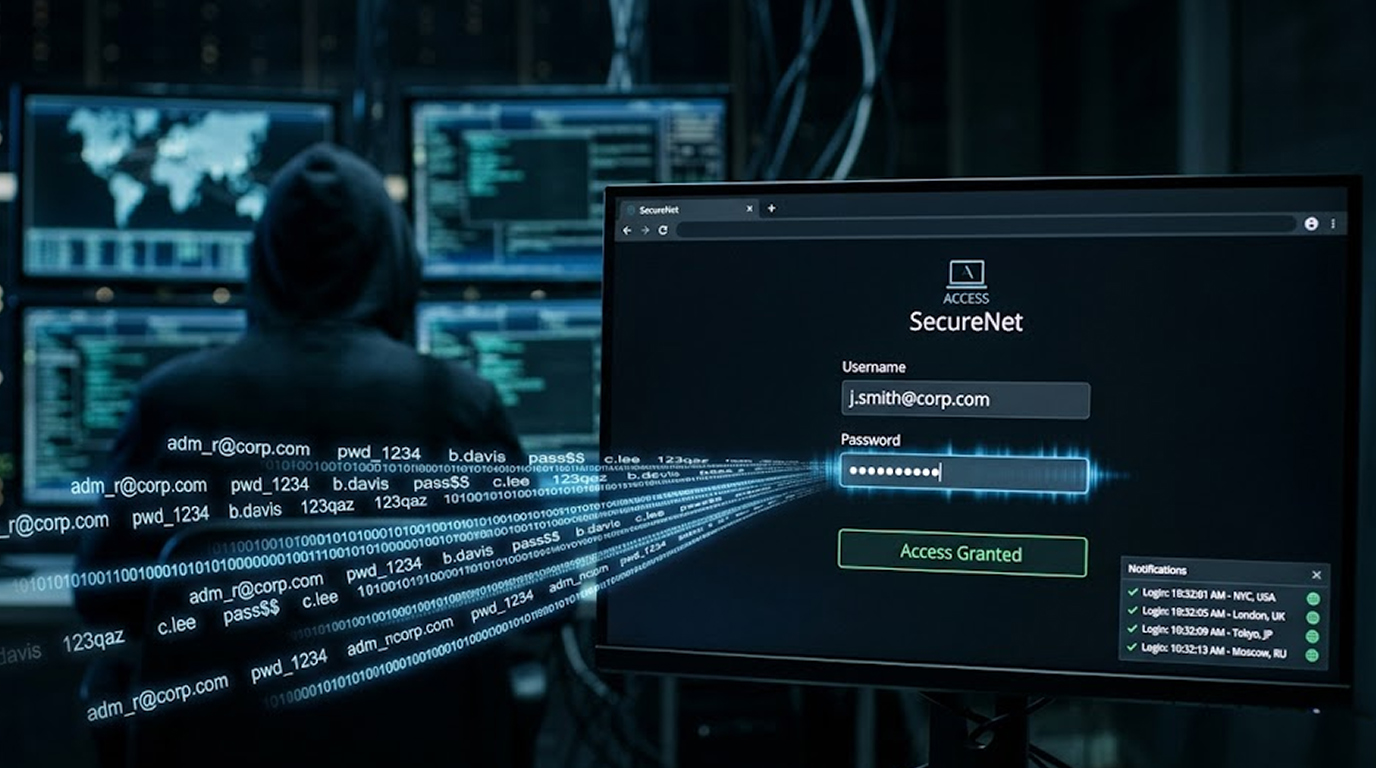
You imagine a hacker. Dark room. Glowing screens. Fingers flying across a keyboard. Exploits. Zero-days. Firewalls crumbling.
That is Hollywood.
The reality is much simpler. Much quieter. And much more terrifying.
Attackers do not hack in anymore. They log in.
They have your username. They have your password. They type them in just like you do. The system says "Welcome back." The attacker says "Thank you."
No alarms.
No exploits.
No signs of forced entry.
Let me show you how this works and why traditional security completely misses it.
The Hard Truth: You Are Already Leaking Credentials
Every day, millions of usernames and passwords are stolen. Not hacked. Stolen.
How credentials get out:
|
Method |
How It Works |
Prevalence |
|
Data breaches |
Companies get hacked, password databases leak |
Very High |
|
Phishing |
Fake login pages steal what you type |
Very High |
|
Malware info stealers |
Malware scrapes saved passwords from browsers |
High |
|
Password reuse |
Same password on a breached site and your bank |
High |
|
Dark web markets |
Credentials bought and sold in bulk |
Very High |
|
Insider threats |
Employees steal or sell access |
Medium |
|
Weak passwords |
Easily guessed or brute-forced |
Medium |
The attacker does not need to break your encryption. They do not need to exploit a zero-day. They just need one user who reused a password. One employee who clicked a phishing link. One service provider who got breached.
Then they log in.
The Math of Credential Stuffing
Attackers do not try one password at a time. They automate.
Credential stuffing explained:
An attacker buys a list of 10 million username-password pairs from a recent data breach. They write a simple script that tries each pair against your company's VPN, email portal, or cloud application.
The script runs silently. It tries thousands of combinations per second. It does not trigger account lockouts because it spreads attempts across different accounts.
Within hours, the attacker has a list of valid credentials. Employees who reused passwords. Accounts with no multi-factor authentication. Easy access.
Real-world numbers:
1. One billion+ credentials are available on the dark web
2. 65% of people reuse passwords across multiple sites
3. 80% of breaches involve stolen or weak credentials
4. Less than 1 minute is how long it takes to automate a credential stuffing attack
The math is not in your favour.
The Attack Timeline: How Attackers Log In
Let me walk you through a real attack scenario.
Day 1: Credential Acquisition
An attacker obtains a database with 5M usernames and passwords from a data breach of a popular forum. Though a number of these passwords have been hashed, many are weak and may be easily cracked.
Day 2: Credential Stuffing
The attacker uses the cleaned credential list to login to a major bank's public-facing login portal. Out of the 5M attempts made, 12K were successful - users who reused their forum password at their bank account.
Day 3: Account Takeover
The attacker gains access into the 12K user accounts. They begin to identify the users who are the most valuable to them, such as accounts with admin privileges, large balances, or access to sensitive data.
Day 4: Lateral Movement
The attacker uses compromised accounts to navigate through the internal systems of the organization and to steal additional credentials, as well as identify and exploit service accounts that have higher levels of privilege.
Day 5: The Objective
The attacker realizes their objective; data exfiltration, funds transfer(s), ransomware deployment - whatever the attacker intended to achieve.
The result: A major breach. Millions in losses. And the attacker never hacked anything. They just logged in.
Why MFA Is Not a Silver Bullet
You have been told: "Enable multi-factor authentication. You will be safe."
MFA helps. It stops many attacks. But it is not the end of the story.
Common MFA bypass techniques:
1. MFA fatigue (MFA bombing)
The attacker triggers dozens or hundreds of MFA push notifications to the victim's phone. The victim gets annoyed. They approve one just to make the notifications stop. The attacker is in.
2. Session cookie theft
After the user logs in legitimately, the attacker steals their session cookie (via malware or browser exploit). The attacker presents the cookie to the application. The application says "You are already authenticated." No MFA required.
3. SIM swapping
The attacker convinces the mobile carrier to transfer the victim's phone number to a SIM card they control. SMS-based MFA codes go to the attacker.
4. Evilginx / Adversary-in-the-Middle
The attacker sets up a fake login page that proxies the real one. The victim types their password and MFA code. The attacker captures both and uses them in real time.
5. OAuth token abuse
If an application uses "Login with Google" or similar, compromised OAuth tokens can grant access without ever entering a password or MFA code.
MFA is essential. But it is not sufficient. Attackers have adapted.
The Privileged Access Problem
The most dangerous credential theft targets privileged accounts.
What are privileged accounts?
1. Domain administrators
2. Cloud service administrators
3. Database administrators
4. Service accounts (often have overly broad permissions)
5. Break-glass / emergency accounts
6. Vendor or contractor accounts
Why attackers love privileged accounts:
1. They can disable security tools
2. They can create new user accounts
3. They can access every system
4. They can delete logs covering their tracks
A single compromised privileged account is often game over. The attacker becomes an insider. Your own tools work against you.
Real-World Examples: When Logging In Was Enough
Case 1: The Cloud Storage Breach
An attacker obtained credentials from a forum breach. The same credentials worked on a major cloud storage provider's employee portal. The employee had access to customer support tools. The attacker reset passwords on hundreds of customer accounts and exfiltrated terabytes of data.
No exploit. No vulnerability. Just a reused password.
Case 2: The Ransomware Deployment
An attacker purchased VPN credentials for a manufacturing company on the dark web. The credentials belonged to a third-party vendor who had been breached months earlier. The attacker logged into the VPN, accessed the internal network, and deployed ransomware across 500 servers.
The company paid $4 million. The attacker never hacked a single system.
Case 3: The Healthcare Data Theft
An attacker sent a phishing email to a hospital administrator. The administrator clicked the link and entered their password. The attacker logged into the hospital's electronic medical records system. They downloaded records for 2 million patients over two weeks before being detected.
The hospital faced $10 million in fines. The attacker used a login.
How to Detect Credential-Based Attacks
Traditional security tools look for exploits. They are blind to legitimate logins.
What you should monitor instead:
1. Impossible travel
A user logs in from London. Ten minutes later, they log in from Tokyo. Impossible. Flag it.
2. Unusual login times
A user typically logs in from 9 AM to 5 PM. Suddenly they log in at 3 AM. Investigate.
3. Unusual user agents
A user normally logs in from a Windows laptop. They suddenly log in from an unknown device. Alert.
4. Concurrent sessions
The same user account is logged in from two different locations at the same time. One is likely the attacker.
5. Abnormal data access
A user who normally views 10 records per day suddenly downloads 10,000 records. Investigate immediately.
6. MFA fatigue alerts
Multiple MFA push requests in a short timeframe. The user may be under MFA bombing.
How to Prevent Credential-Based Attacks
You cannot eliminate credential theft. But you can make stolen credentials useless.
1. Implement phishing-resistant MFA
Stop using SMS. Stop using push notifications. Move to:
1. FIDO2 / WebAuthn (hardware keys like YubiKey)
2. PKI-based smart cards
3. Platform authenticators (Windows Hello, Face ID)
These methods cannot be phished. The attacker cannot intercept or replay them.
2. Eliminate password reuse
Users will reuse passwords. You cannot train them out of it completely. So use technology:
1. Password managers (Bitwarden, 1Password, Keeper)
2. Blocklist breached passwords (Azure AD Password Protection, similar tools)
3. Enforce unique passwords across corporate and personal accounts
3. Implement continuous authentication
Don't just authenticate at login. Continuously verify:
1. User behavior analytics
2. Device posture checking
3. Risk-based step-up authentication
4. Privileged access management (PAM)
1. No permanent privileged access (only use just-in-time).
2. Automatically rotate passwords on service accounts (periodically).
3. Requirement to have an approval process before being able to elevate privileges or gain access to a service account.
4. Logging and monitoring of every privileged session.
5. Protection of privileged sessions.
1. You should utilize short session timeouts on privileged accounts.
2. Require the user to authenticate a second time before completing any privileged action.
3. If an attacker has acquired a session cookie they should be detected and have their access terminated.
4. Sessions should be bound/associated to specific device fingerprints.
6. Dark Web monitoring.
1. Continuously scan/detect your organization's credentials on Dark Web market places.
2. If credentials are found, a password reset must be completed by users as soon as possible.
3. Dark Web monitoring should be integrated with your identity provider.
The Passwordless Future
The long-term solution is eliminating passwords entirely.
Passwordless authentication methods:
1. FIDO2 passkeys (device-bound, phishing-resistant)
2. Biometrics (fingerprint, face recognition)
3. Magic links (email-based, one-time)
4. Certificate-based authentication
When there is no password, there is nothing to steal. Attackers cannot log in with credentials that do not exist.
Major platforms already support passkeys: Google, Apple, Microsoft, Amazon. Enterprise identity providers offer passwordless options.
2026 should be the year your organization moves beyond passwords.
Incident Response: What to Do When You Find Compromised Credentials
You will detect compromised credentials eventually. Here is your response plan.
Immediate actions (first hour):
1. Force password changes on impacted accounts
2. Invalidate any active sessions or tokens
3. Require new MFA registration (MFA may be compromised as well)
4. Disable any service accounts used in the intrusion
5. Block the originating IPs used by the intruder
Investigation (first 24 hours):
1. Determine the extent of the breach: Which accounts were compromised? Which files were accessed or downloaded?
2. Identify the means of gaining unauthorized access: How were the intruders able to obtain the user’s credentials? Did they gain access from a compromise in your organization or from phishing or malware?
3. Determine if a backdoor has been established: Did the intruder add any unauthorized accounts or establish any scheduled tasks?
4. Review system logs for lateral movement and privilege escalation and data being moved offsite.
Recovery (first week):
1. Require the use of MFA on all accounts (this will close any remaining vulnerabilities)
2. Implement a password blocklist (prevent users from reusing compromised passwords)
3. Retrain users on phishing and password hygiene
4. Notify the appropriate authorities (data protection regulators and/or law enforcement).
The Bottom Line: Stop Focusing Only on Exploits
Your security team spends millions on firewalls, EDR, and vulnerability scanners. These are important.
But attackers are not using exploits. They are using logins.
Check your incident logs. How many alerts for "successful authentication from unusual location"? How many for "credential stuffing detected"? How many for "impossible travel"?
If the answer is zero, you are not looking hard enough. Or you have already been compromised and you just do not know it yet.
The attacker is already inside. They are not hacking. They are simply logging in. And your security tools are saying "Welcome."
Your Next Steps
Start treating identity as your primary security boundary.
1. Audit every account with privileged access. Remove what is not needed.
2. Deploy phishing-resistant MFA everywhere. Immediately.
3. Monitor for credential-based attacks using behavior analytics.
4. Plan your passwordless migration for 2026-2027.
5. Assume you have already been compromised with stolen credentials. Hunt for evidence.
The attackers are logging in. It is time to start checking IDs at the door.
FAQ Section
1. What is a credential stuffing attack?
A credential stuffing attack is when an attacker takes username-password pairs stolen from one website and tries them against other websites. Because people reuse passwords, the attacker gains access to accounts where the same credentials work. This is the most common method of account takeover.
2. Can MFA help stop credential stuffing completely?
MFA can stop a lot of credential stuffing attempts as an attacker cannot produce a second factor. On the other hand, attackers have created a way to bypass MFA by using techniques such as MFA fatigue, stealing session cookies, and using phishing techniques that place an adversary in between the user and the site. MFA must be used, but it should be phishing resistant (FIDO2/WebAuthn) to give the best results.
3. How do stolen credentials end up on the dark web?
Password databases are leaked in data breaches from companies. Phishing campaigns fool people to give their credentials directly to the attackers. Info stealing (infostealers) malware will scrape passwords stored in the user’s browser. This information can then be aggregated, sold, or shared, in this instance, on dark web marketplaces and hacker forums.
4. What is the difference between credential stuffing and password spraying?
Credential stuffing is when attackers use known username and password pairs (one password for each username) and perform bulk create or sign-in or other activities against the same site or account. On the contrary, password spraying is an attacker using one known password for many usernames (e.g., "Winter2026"). Credential stuffing is the more successful of the two types of attack because the password is known to work with that username.
5. How can I check if my organization’s credentials are compromised?
Use dark web monitoring services (Have I Been Pwned for Enterprise, SpyCloud, Flare, or similar). These services scan breached databases and alert you when corporate email addresses or domains appear. Implement password blocklisting in your identity provider to prevent users from choosing known compromised passwords.


