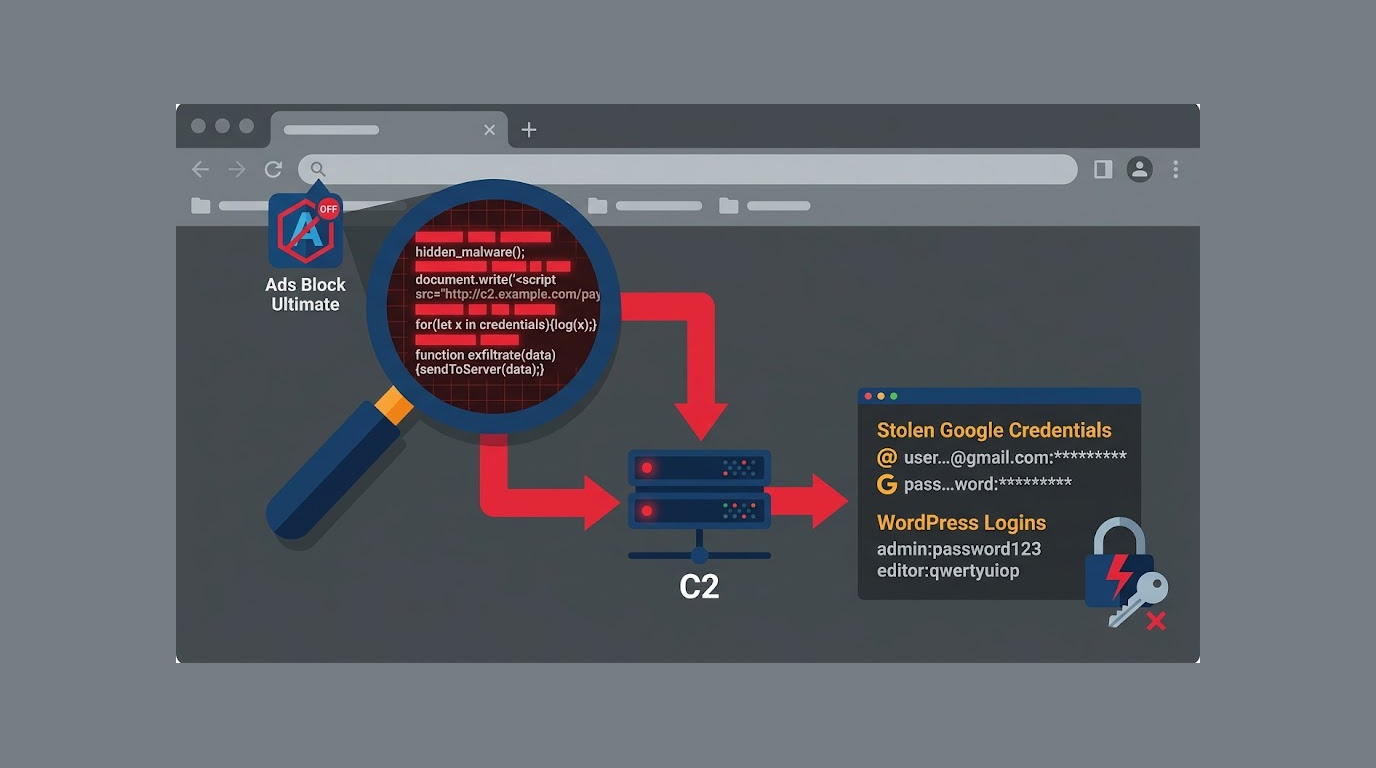
You install an ad blocker. It blocks ads. It has good reviews. You forget about it.
For years, it sat quietly in your browser. Then one day, it woke up. It stole your Google credentials. It stole your WordPress logins. It hijacked your Amazon affiliate commissions.
That's StegoAd. Microsoft has shut down a long-running malicious extension operation on the Edge Add-ons store. The company ties 119 extensions to a single threat actor that has been active since at least 2021.
Combined, the extensions had an install base of up to 2.6 million users. Microsoft is clear that this is a ceiling, not a victim count. A multi-day delay, server-side validation, and a 10% execution gate on some variants meant the payload never fired for many installs.
How many people were actually compromised is not known.
The Extensions
The StegoAd malicious Edge extensions were the kind people install without a second thought:
1. Ad blockers
2. VPNs
3. Translators
4. Video downloaders
Each one did its job and earned reviews. The malicious code stayed dormant until the extension cleared a stack of evasion checks. That is how it sat in the store for years.
Microsoft has removed all 119 extensions and suspended the 90-plus developer accounts behind them.
Code Hidden in Pictures and Fonts
The trick that names the StegoAd malicious Edge extensions campaign is steganography: tucking executable code inside files that look completely normal.
1. Earliest variants: Appended JavaScript after the IEND marker of a PNG icon. The image rendered fine everywhere while carrying a payload that static scanners never flagged.
2. As detection caught up: The actor moved to WebP images, then to WOFF2 font files, hiding code in glyph ranges that read as Asian text or font metadata.
Microsoft calls steganography at this scale rare in the browser extension ecosystem.
Some high-impact variants did not even ship the payload locally. They fetched a normal-looking image from a command-and-control server. The extension decoded it through layers of case swaps, digit swaps, Base64, and XOR, then checked it against a signature before running it.
The C2 server only served the real file to requests that passed a fingerprint and a User-Agent check. Anyone probing it directly got an empty decoy response.
Extensions also watched for open DevTools and extended their dormancy if they spotted an analyst looking.
Ad Fraud on Top, Credential Theft Underneath
The visible damage from the StegoAd malicious Edge extensions was ad fraud:
1. Injected ads
2. Hijacked affiliate commissions on Amazon, eBay, and AliExpress
3. Redirected searches
All skimming money while degrading browsing.
Microsoft's analysis of retrieved payloads found a lot more underneath.
The payloads included:
1. A remote code execution backdoor that ran arbitrary JavaScript pushed from the server
2. Google credential theft at sign-in, including second-factor codes
3. WordPress admin login harvesting
4. Bulk exfiltration of cookies for session hijacking
Seven Google Analytics tracking IDs appear to have served as covert telemetry, giving the operator near real-time dashboards on the campaign through Google's own infrastructure.
The Infrastructure
The plumbing matched the ambition. Microsoft counts more than ten C2 domains with automatic failover.
The actor:
1. Proxied traffic through Cloudflare Workers
2. Abused GitHub Pages to host beacons
A polymorphic framework ran across roughly 66 extensions under 15-plus naming variants. The operation migrated from Manifest V2 to V3 as the actor adapted to platform changes.
The DarkSpectre Connection
StegoAd looks less like a new campaign than a new face on a known one. Its credential payload exfiltrates to mitarchive.info, a domain linked to DarkSpectre, the Chinese operation connected to the ShadyPanda and GhostPoster extension campaigns.
The connection goes beyond the domain:
1. StegoAd hides code inside an extension's own icon, the same method GhostPoster used months earlier.
2. The two even share extension names, such as Ads Block Ultimate.
Microsoft has not named the actor, but the overlap is clear. The operator is still active.
What to Do
Microsoft has published the full list of extension IDs in the company's technical report.
Open edge://extensions and compare your installed add-ons against that list. If anything matches, or if Edge removed one automatically, treat the browser as exposed.
Change passwords for:
1. Google accounts
2. WordPress logins
3. Banking and other sensitive accounts
Review recent sign-in activity and turn on strong two-factor authentication. Hardware security keys hold up against this kind of credential theft in a way that SMS codes do not.
Microsoft published indicators of compromise for use across Chrome, Firefox, and other Chromium browsers.
The Bottom Line
The StegoAd malicious Edge extensions campaign is a masterclass in evasion. Steganography. Dormancy. Server-side validation. Decoy responses. Polymorphic frameworks.
The extensions did their jobs. They blocked ads. They translated pages. They earned good reviews. And they stole credentials.
Check your extensions. Remove anything you do not actively use. And remember: an ad blocker that has been sitting in your browser for years might not be as harmless as it seems.
FAQ Section
What is StegoAd?
StegoAd is a campaign of malicious Edge extensions that used steganography to hide code in images and fonts. The extensions stole credentials and ran ad fraud.
How many extensions were involved?
Microsoft tied 119 extensions to a single threat actor. They had an install base of up to 2.6 million users.
What were the stolen items of the extensions?
Credentials from Google, WordPress logins, and cookies were stolen by the extensions. They also hijacked affiliate commissions from Amazon, eBay, and AliExpress.
How did they hide their code?
Using steganography, the code was hidden in several ways including hiding the JavaScript code after the IEND marker of a PNG icon; hiding JavaScript code in the image itself using the WebP format; and hiding the JavaScript code in the WOFF2 glyph ranges of a font.
Are these extensions still out there?
No, Microsoft has now removed all 119 extensions as well as suspended the respective developer accounts.
What should I do?
Check edge://extensions against the list of IDs of removed extensions, change passwords for sensitive accounts and enable strong 2-factor authentication.