
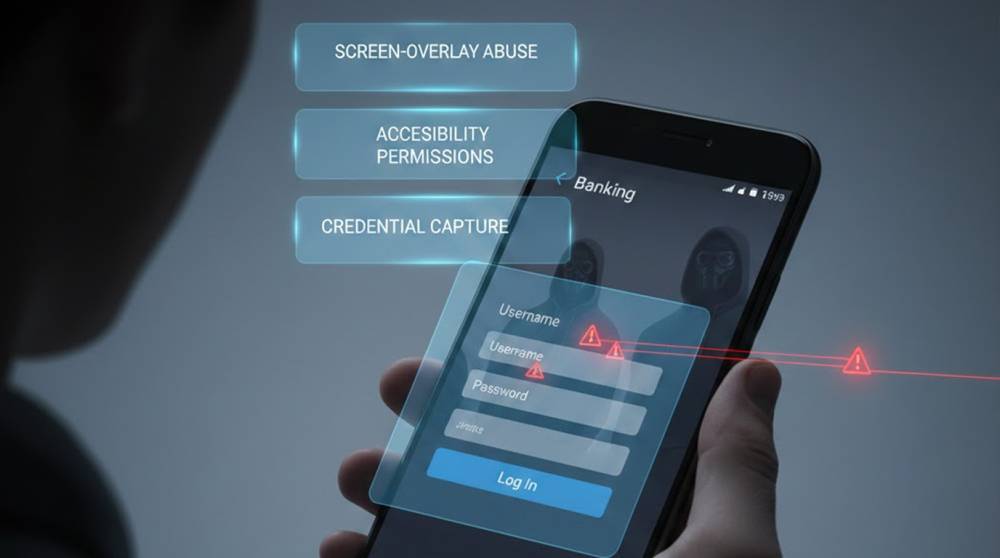
A malicious overlay can be described as a secondary interface used to simulate legitimate online banking applications.
From a User's Perspective:
1. The overlay will appear to the user as if it is an actual application.
2. Users will perceive the submitted information as if it is original (not altered).
3. Users will not see any changes to their normal transactions (deposits, transfers, etc.).
From an Attackers Perspective:
1. The attacker can access usernames/passwords, OTPs, and tokens.
2. The attacker can alter actions performed by the user.
3. The attacker will have unlimited control over the user's account.
Most overlays are common on Android devices. However, they do exist on iOS devices.
How Attackers Deploy Overlays
Method 1: Malicious Apps
Attackers may distribute applications that masquerade as:
1. updates to the operating system
2. assisting in making payments
3. offering online banking services
4. providing rewards or discount coupons
Once downloaded and installed by the user, the malicious application will utilize the Android Accessibility API and the draw-over permission to embed the malicious overlay over the authentic application.
Detection Techniques Used:
1. ADB (Android Debug Bridge)
2. Frida for dynamic instrumentation
3. MobSF for static analysis
Example: Checking Draw-Over Permissions via ADB
adb shell dumpsys package com.suspicious.app | grep -i "draw"
If SYSTEM_ALERT_WINDOW is granted, the app can overlay others.
Method 2: Phishing-Like Overlays
Using dynamic screens, Trojans can prompt for:
1. Usernames/Passwords
2. One-Time-Password (OTP)
3. Biometric confirmation (captured as input data).
The Tools for performing Analysis include:
1. Frida scripts (intercepts API calls)
2. Xposed modules (in testing/Development environments)
3. logcat (to monitor activity).
An example of this is creating a Frida Hook on the Login API:
Java.perform(function() {
var LoginActivity = Java.use("com.bank.app.LoginActivity");
LoginActivity.authenticate.implementation = function(username, password){
console.log("Username: " + username + " Password: " + password);
return this.authenticate(username, password);
};
});
This captures inputs even through overlay layers.
Real-World Observed Patterns
1. User installs 'Bank Assistant' application: Overlay program captures credentials of those who have installed it.
2. OTP Theft: Customer gets legitimate OTP, but the hacker does not delay in using the OTP sent to them.
3. Transferring money from one account to another on behalf of the customer to their account
4. Silent ongoing attacks: The overlay application remains dormant until a specific bank customers account is opened.
These can be done all without the customer realizing anything has happened.
Detection and Preventive Measures
1. Inspect draw-over (on top of) permissions, as a rule, overlay type applications will require them.
2. Monitor for any abnormal activities in the foreground.
Android: adb shell dumpsys activity recents
3. Use dynamic instrumentation to hook sensitive methods in a sandboxed environment to check for input captures/interceptions.
4. Monitor logs for any unusual activity.
adb logcat | grep "com.suspicious.app"
Unexpected activity in banking-related packages is a red flag.
Improvements by Defense
1. Limit all permissions that aren't required.
2. Use a multi-factor authenticator, strong and many different means, as well as transaction notification.
3. Check for unusual application installations.
4. Sandbox application verification using overlay or similar detection mechanisms for overlay behavior.
5. Educate the customer regarding the implications or risks of unofficial assistive applications.
Attackers often have success with overlay attacks as the customer tends to believe that that application is secure since it was downloaded, rather than believing that their entire system is secure.
Important Points
1. Hacker-created Overlays are hard to notice since they can catch both account passwords and One Time Passwords (OTP).
2. Many Overlays take advantage of Accessibility features and Draw Over APIs.
3. To detect an Overlay, you must perform Dynamic Analysis, Memory Analysis, and Log Review.
4. To prevent an Overlay, you must maintain correct Permissions, use Multi-Factor Authentication (MFA), and create User Awareness.
Even when your banking application appears to be operating correctly, it can still be compromised through an invisible hacker-created overlay.


