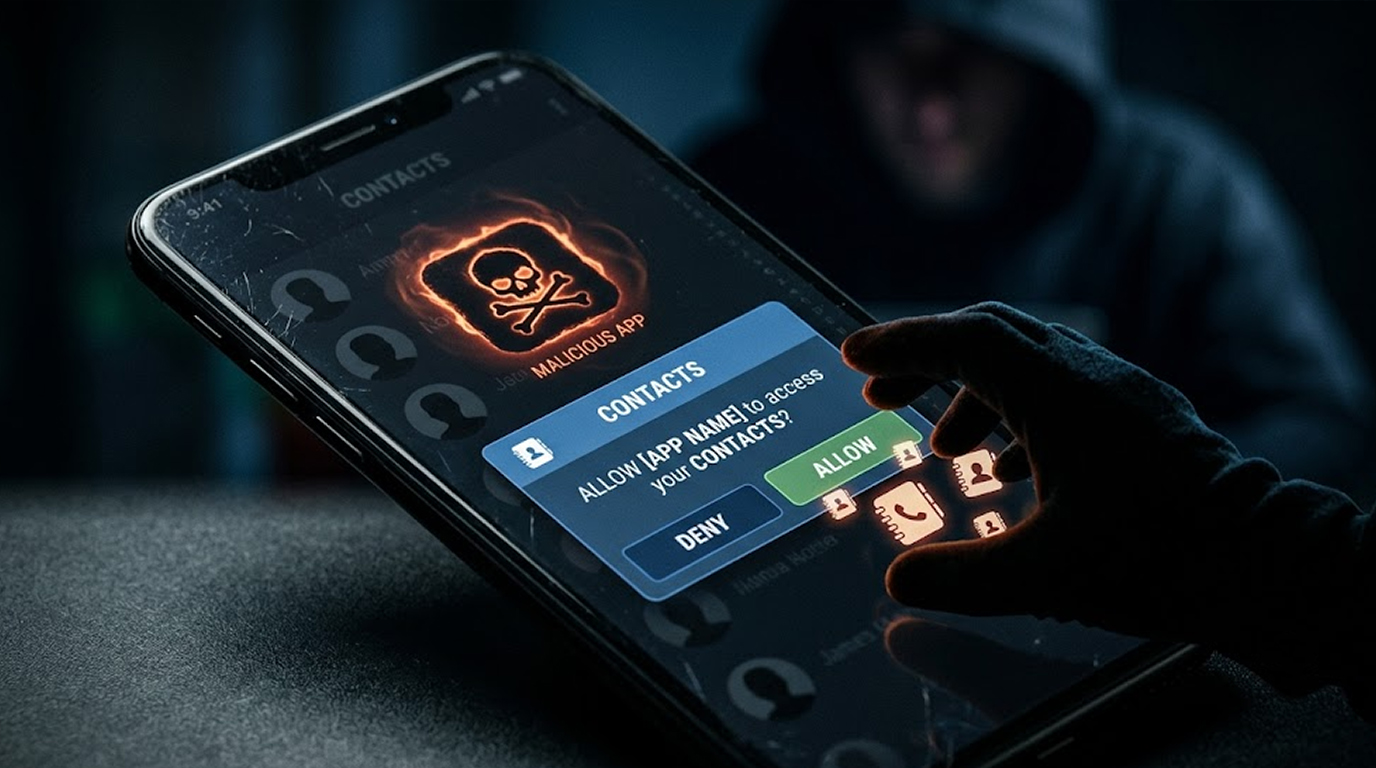
You download something that seems to be a harmless application. It could be a dating application that promises you the perfect partner. Maybe it is a fun photo editor or a simple flashlight. You install it, open it, and grant a few permissions. After all, what is the harm in letting an app access your contacts? It probably just wants to help you find friends.
That is exactly what the attackers want you to think.
Behind that innocent interface, a malicious app contacts harvest operation is silently uploading your entire address book to a remote server. Every name, phone number, and email address you have saved is now in the hands of criminals. Your contacts are now theirs. And you have no idea it is happening.
Why Your Contacts Are So Valuable
Your contact list is not just about names and numbers; it tells a story about your associations, your network, and who you trust. That is gold to a cybercriminal.
When attackers steal your contacts, they can impersonate you to send convincing phishing messages to everyone you know. That spam text your friend received asking them to click a shady link? It came from your number, so they trusted it. The messages bypass suspicion because your friends think they are hearing from you, not from a hacker on the other side of the world.
Contact data is also incredibly valuable to data brokers and advertisers. They pay good money for fresh, verified contact lists. Your stolen contacts can be sold multiple times to different buyers. Once your address book is out there, it never truly goes away.
Attackers also use your contacts to build a profile of you. They see who you talk to most often, who your family members are, and who you work with. This information helps them craft more convincing targeted attacks against you and the people closest to you.
How Malicious App Contacts Harvest Works
The process is simple, almost disturbingly so.
You install an app. When you open it, it asks for permission to access your contacts. You see the popup, you click Allow without thinking, and that is it. The app now has access to every single contact stored on your device.
What happens next depends on the app. Some malicious apps upload your entire contact list immediately, using your data connection in the background while you continue using the app normally. Others collect the data slowly over time to avoid detection by security tools or network monitoring.
Some apps even disguise the upload as normal network activity. They might send your contacts in small batches over several days. They might encrypt the data before sending it. They might use legitimate-looking domains to host the stolen information. All of this makes it harder for security software to detect and block the malicious app contacts harvest.
The Apps Most Likely to Steal Your Contacts
Certain types of apps are far more likely to be malicious than others.
- Dating apps. These apps legitimately need access to your contacts to help you find matches or see if someone you know is using the service. But fake dating apps often use this as a cover for malicious app contacts harvest.
- Flashlight apps. A flashlight app has absolutely no legitimate reason to access your contacts. If it asks for that permission, it is almost certainly malicious.
- Photo editors and filters. Some legitimate photo apps do need contacts for sharing features. But many fake photo apps request contacts permission unnecessarily. Always question why an app needs access to your personal network.
- Fake security apps. Applications that promise to clean up your phone or provide protection against viruses usually ask for too many permissions under the guise of their actual motive.
- Games. Simple puzzle or arcade games rarely need contacts access. If a game asks for it, be suspicious.
- QR code readers. While some legitimate scanners need contacts permission, many malicious ones use this as an excuse to harvest data.
What Attackers Do With Your Contacts
Once your contacts are stolen through a malicious app contacts harvest, the attackers put them to work immediately.
- SMS phishing. This is the most common use. They send messages to all your contacts posing as you. They can attach links to a fraudulent site which requires you to enter your log-in information or any other personal information. The fact that the message is sent from your number increases its credibility.
- WhatsApp and Telegram impersonation. Using your stolen contacts, attackers will use messaging apps to contact your contacts pretending to be you and ask for money or for codes for verifying your identity.
- Account takeover. Asking your contacts security questions and resetting your passwords using their help will become much easier for an attacker to do because the attacker is aware of your contacts.
- Identity theft. Your contacts provide context about your life. Attackers use this information to build a complete profile of you for identity fraud.
- Spam distribution. Your contacts list is sold to spammers who flood your friends and family with unwanted messages, calls, and emails.
- Social engineering. The attackers pose themselves to be somebody whom you know. They develop trust through the information about common friends, personal information, and experiences that have been shared.
The Malicious App Contacts Harvest Chain
A malicious dating app is promoted on social media. It promises to match you with people in your area. You download it, create an account, and the app asks for permission to access your contacts. It says it wants to help you find friends on the platform. You click Allow.
Behind the scenes, the app uploads your entire address book to a server in another country. Your contacts are now in the hands of attackers. This is a classic malicious app contacts harvest operation.
A few days later, your friend receives a text from your number. It says something like "Hey, I need help. "Can you take a look at this link?" Your friend visits this link, as they believe you. The link leads to an impostor login page where their identity gets stolen.
Your friend's account is compromised. The attackers now have access to their contacts as well. The cycle repeats.
This is how the attack spreads. It is a chain reaction, and everyone in your network becomes a potential target.
How Contacts Are Sold and Traded
Once your contacts are harvested through malicious app contacts harvest, they enter a shadowy marketplace.
- The attackers compile the stolen data into databases. These databases are then used by spammers, scammers, and various other cybercriminals. Their prices depend on how fresh and good the data is. Fresher contacts cost more since they are more likely to be valid.
- Some attackers specialize in malicious app contacts harvest. They create hundreds of fake apps and distribute them through unofficial app stores. They collect as much data as possible and sell it in bulk. They do not care who the victims are. They only care about volume.
- The buyers of this data use it for a variety of purposes. Some use it for targeted advertising. Some use it for phishing campaigns. Some use it for identity theft. Some use it for extortion and harassment.
Protecting Yourself from Malicious App Contact Harvest
It's a relief that there are simple ways you can protect yourself from malicious app contact harvest.
- Always consider when giving permissions. It always helps to take some time and think about whether you should be giving out permissions when asked. Does this application really need this permission? If you cannot think of a legitimate reason, deny the permission.
- Use the "Grant Once" or "Allow While Using" options. Many devices now offer these options for sensitive permissions. Use them. Do not grant permanent access unless absolutely necessary.
- Check app permissions regularly. Review the permissions of apps installed on your device. If an app has access to your contacts and you do not know why, revoke the permission.
- Update your apps from official sources only. Avoid downloading apps from third-party stores or websites. These are far more likely to contain malicious code designed for contacts harvest.
- Read app reviews. Check what other users are saying about an app before you install it. If suspicious activity is being reported, steer clear of the app.
- Beware of requests. If an app asks for contacts permission and then does something unrelated to its stated purpose, uninstall it immediately.
- Use security software. Good mobile security apps can detect and block malicious app contacts harvest attempts before they do damage.
- Keep your device updated. Security updates fix vulnerabilities that attackers exploit.
What to Do If Your Contacts Are Stolen
If you suspect malicious app contacts harvest has affected you, act quickly.
- Warn your contacts. Send a message to everyone in your address book. Explain that your phone might have been compromised. Advise them not to click on any links or reply back to weird messages received from your contact number.
- Uninstall the suspicious application. Recognize the app that asked for the permission to access the contacts without any reason and uninstall the same.
- Revoke contacts permissions. Go to your device settings and revoke contacts access for all apps that do not absolutely need it.
- Password change is necessary. Change the password of your email, messaging services, and any other account.
- Monitor for unusual activity. Keep an eye on your phone bill for unusual charges. Watch for signs that someone else is using your accounts.
The Bottom Line
Malicious app contacts harvest is one of the most common and effective mobile threats. Attackers have been using this technique for years because it works.
People trust messages from numbers they recognize. That trust is exactly what the attackers exploit.
The apps that steal your contacts are everywhere. They hide in plain sight on app stores. They are promoted on social media. They look and feel just like legitimate apps.
Your defense is awareness. Think before you grant permissions. Be suspicious of apps that ask for more access than they need. Verify everything.
Your contacts trust you. Do not let that trust be exploited by criminals.
FAQ Section
What is malicious app contacts harvest?
Contact harvesting from malicious apps involves using fake or compromised apps to get all your contacts without your authorization.
How can malicious apps get my contacts?
They will ask for permission to access your contact list upon installation. After getting access, they will upload your entire contact list to a remote server.
Why does an app require my contacts?
There are some legitimate reasons for which an app may need access to your contacts. However, there are plenty of apps that do not have any justification for requiring contact access.
What can attackers do with my stolen contacts?
They use them for SMS phishing, impersonation scams, account takeover, identity theft, spam distribution, and selling to data brokers.
Can I tell if an app is stealing my contacts?
Often you cannot, as the theft happens silently in the background. However, excessive use of data, battery drainage, or any other weird activity could be an indication of a possible problem.
What Should I Do in Case I Think Some of My Contacts Have Been Stolen?
Alert your contacts, remove suspicious apps, revoke access to contacts, reset your password, and watch out for any weird things that may be happening.