
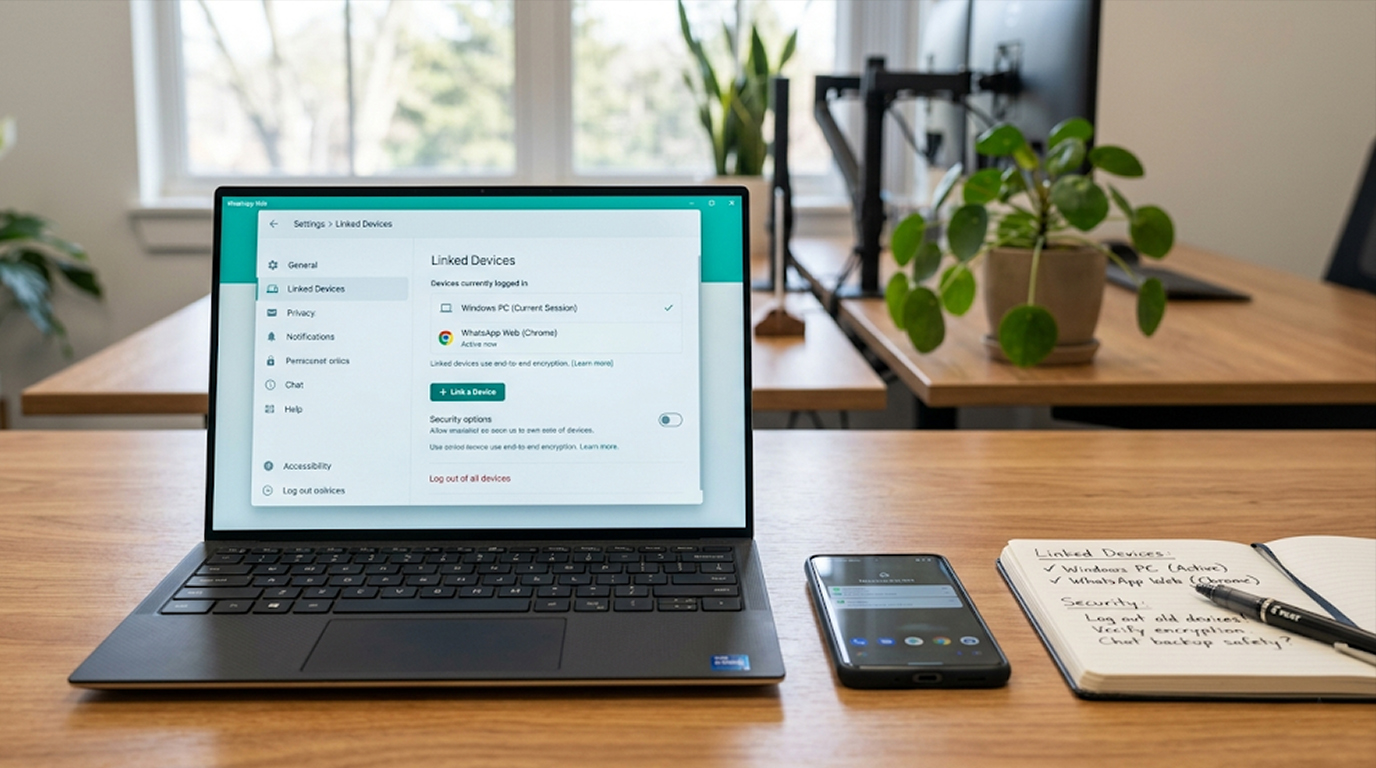
Many people assume their private chats on messaging apps like WhatsApp, Signal, or Telegram stay visible only on their own devices. However, a common and effective method allows someone to silently mirror entire conversations in real time, often with little or no obvious notification to the account owner.
This happens through the linked devices (or companion devices) feature built into popular messaging apps. Once a secondary device is added, it can receive and display messages almost instantly, effectively creating a hidden mirror of your chats.
How Invisible Linked Devices Work
Messaging apps allow you to link additional devices (laptops, tablets, or even other phones in some cases) to your primary account using a QR code or approval flow. The linked device then syncs messages via the same end-to-end encrypted channel.
When using an account with both a computer and a phone And so as to make it easy for customers that want to use a single account on their computer and phone without having to create multiple accounts, additional risk is introduced when someone who doesn't have permission to add their device.
Here's how that works:
1. A notification or banner usually appears on the primary device for a one-time notification when a device is added to your account.
2. Most users will either ignore this or never see it.
3. After being added, the new device will be receiving the new messages in the background quietly.
4. After the device is added, there is no subsequent notification pop-up or audio alert on the original device.
5. The new device will have access to view all prior and future conversations, view previously shared images, and in some cases, even send messages, just like the primary device.
Criminals frequently use "social engineering" to convince the victim to scan a malicious QR code or approve a "support" request allowing the victim's device to be added. Some phishing campaigns and fake support requests allow a victim to assist in adding their device to the attacker's account.
Security agencies have offered alerts and warnings regarding this specific technique, including cases where foreign governments or cybercriminals use this method to monitor high-value targets without completely taking over the victim's phone.
Why It Feels “Invisible”
1. Notifications are minimal after the first link.
2. The linked device does not need physical access to your phone ongoing.
3. Activity logs may only show “last active” time and a generic device name (e.g., “Chrome on Windows” or “Safari on macOS”).
4. No obvious change in battery, data usage, or app behavior on the primary device.
5. Chats continue to appear normally on your phone, so you may never suspect mirroring.
Similar risks exist with screen mirroring tools, accessibility services on Android (used by some malware), or iPhone Mirroring features, but linked devices remain the most straightforward and widespread method for silent chat access.
Real-World Risks
1. Breaches of personal privacy, Partners, previous partners or family members who are given a brief opportunity to use your phone may be able to connect to your device and monitor all of your conversations without limit.
2. Corporate & professional espionage, In the case of competitors or people with inside access reading private client conversations or private communications within your company.
3. Targeted attacks, Intelligence agencies and cyber criminals have attacked journalists, activists, politicians and corporate leaders in this manner, often in conjunction with phishing scams.
4. Data privacy concerns, Certain geographic regions that are subject to strict privacy laws (such as the GDPR in Europe) have serious compliance issues and trust issues as a result of unauthorized access to private or customer conversation data.
While the conversations are secured with end-to-end encryption, once a device has been legitimately paired with an account, the messages are sent directly to the device from the application server unencrypted.
How to Check for and Remove Suspicious Linked Devices
The simplest and most effective defense is regular checking:
For WhatsApp (most common target):
1. Start WhatsApp on your main mobile device.
2. Go to the app settings (3 dots in the upper right corner for Android; at the bottom for iPhone).
3. Select “Linked Devices".
4. Go over the entire list and see if there are any devices, web browsers, or locations that you do not recognize.
5. Touch any of those suspicious entries to log out or remove from your account.
You should perform this monthly or immediately if you get an unexpected Linking Notification.
For Signal:
1. In “Settings” select “Linked Devices".
2. Check for and remove any unknown sessions.
For Telegram:
Verify devices or active sessions under “Settings".
Other checks:
1. Check for strange last active times for devices you do not own.
2. In the apps settings make sure you set up two-step verification (or passkeys if available).
3. Do not scan QR codes or follow links sent to you by unknown sources claiming to be support.
4. If the app allows, enable new device login notifications.
Practical Tips to Protect Your Chats
1. Examine frequently linked devices at least once every couple of weeks.
2. Use a good passcode, biometric or good password to lock your phone and to never loan it out unlocked.
3. Where appropriate, activate two-factor authentication or activate the ‘Strict Account Settings’ (for the more at-risk user).
4. Device linking requests via QR code or hyperlink should be confirmed in person; do not follow these requests if you cannot verify them.
5. Phishing messages are sometimes sent stating they are an app’s help and requesting you scan a QR code to assist you or for you to share personal codes.
6. Only download messaging apps from an official store, either the Google Play or Apple App Store.
7. For businesses or individuals who handle sensitive material within your walk of life, contacting professional cyber security service or having their device audited can help find approximately all accessible entry points to your records.
If you discover an unknown link, log out of that device and also change the password associated with your account and your recovery options if at all possible; if it is apparent your account has been compromised, you may need to reset the account or reach out to a professional for assistance.
Key Takeaways
1. Linked devices provide you with a way to mirror your chat in real-time with almost no notifications.
2. There’s nothing wrong with this feature but it can easily be used by someone via social engineering or when a person gets their hands on your phone for a brief time.
3. The best defense is frequently checking your app’s “Linked Devices” or “Active Sessions” section.
4. Combine this with basic internet hygiene: use strong passwords, avoid opening links from unknown sources and only download apps from trusted sources.
5. By being more aware of others, you will help yourself by protecting your conversations and business information, as well as helping to protect your data.
Taking just a few minutes to check your linked devices today may keep others from seeing your private messages tomorrow.


