
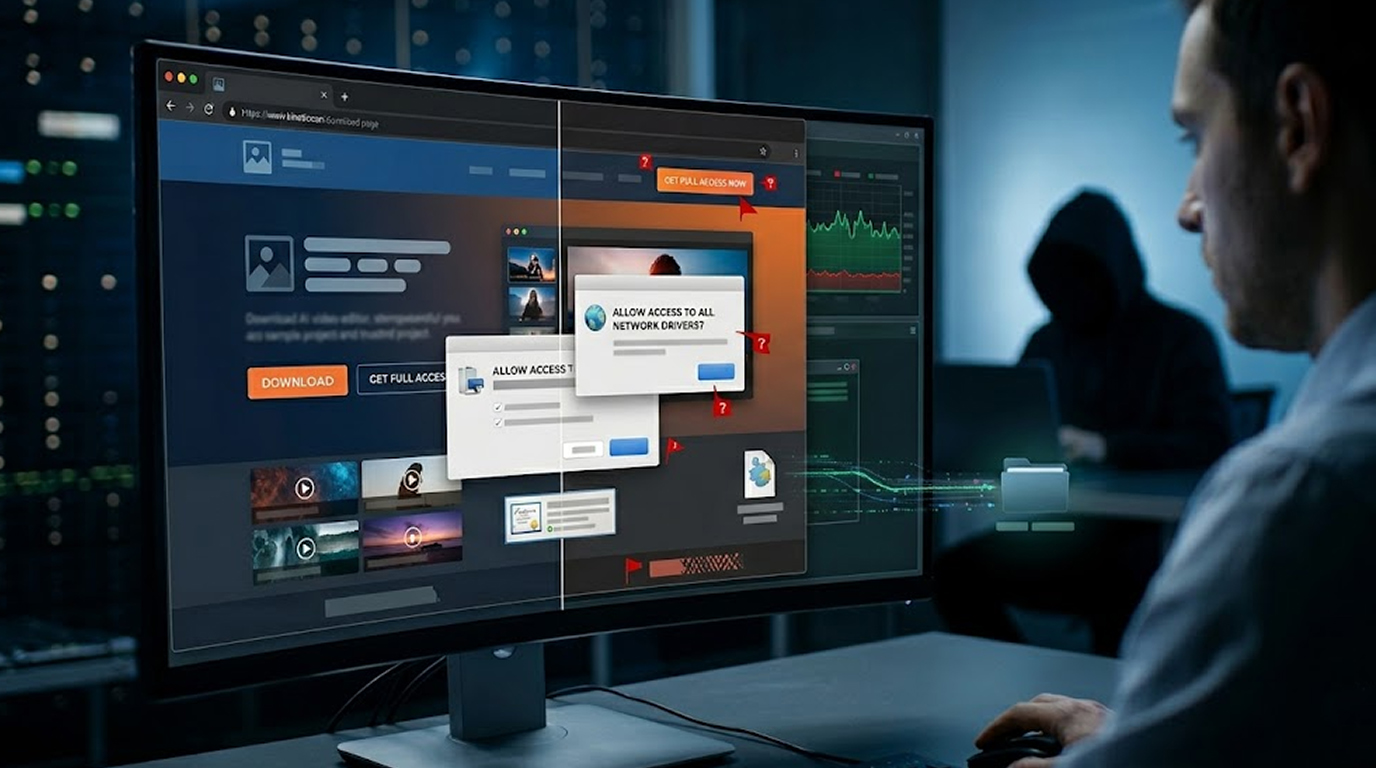
You see an ad on social media. "Free AI Video Editor – Generate Hollywood-quality videos in seconds. Download now."
It looks amazing. Professional website. Testimonials. Before-and-after samples. The price is free or suspiciously cheap.
You click download. You run the installer. Nothing seems wrong.
But behind the scenes, something else is happening. Your browser cookies are being stolen. Your saved passwords are being uploaded. Your cryptocurrency wallet is being drained.
Welcome to the new wave of malware distribution: fake AI video editors.
Let me show you three red flags to spot before you download a virus disguised as a creative tool.
The Rise of Fake AI Software
AI is everywhere. Video editing. Image generation. Voice cloning. Text-to-speech. Everyone wants in.
Attackers know this. They produce counterfeit artificial intelligence (AI) utilities that look authentic, rank well within the major search engines (Google, Bing, etc.) and mislead thousands of individuals into downloading malware onto their computers (and often have difficulty removing it).
Why focus specifically on counterfeit Artificial Intelligent (AI) Video Editing Software?
1. Video Editing Software is typically a large file (over 500 MB) – so users expect that it will be large.
2. Users are looking for free alternatives that provide the same type of functionality as Adobe Premiere Pro or CapCut (two popular, expensive video editing software applications).
3. Artificial Intelligent (AI) software features sound cool and cutting-edge.
4. When victims experience degraded performance of their systems, they typically attribute the cause to the system's hardware rather than to malware.
The above four factors create, a perfect storm for the distribution of malware.
Red Flag 1: The URL or Domain Name of the Website You Are Viewing Is Incorrect
Before you download any file, check the "address bar" of your browser (some browsers will display a header while you are on their website).
What To Look Out For:
Decimal in the Domain Name
1. Legitimate Domain Name: capcut.com, runwayml.com, adobe.com
2. Suspicious Domain Name: capcut-download-free[.]xyz, Attackers register domains that look almost correct. One letter off. A different TLD (.net instead of .com). A suspicious subdomain like download-free[.]capcut[.]com (fake).
The download URL
1. Legitimate: https://www.capcut.com/download
2. Suspicious: http://download-free.capcut.xyz/installer.exe (note http not https)
The SSL certificate
Click the padlock icon in your address bar. Does it show the company name? Legitimate software vendors pay for Extended Validation (EV) certificates. Many fake sites use free Domain Validation (DV) certificates issued to anonymous individuals.
Practical check:
Look up the domain on whois.domaintools.com. Check:
1. When was the domain registered? (Last week? Red flag.)
2. Who is the registrant? (Hidden or privacy service? Possible red flag.)
Exercise: Go to a legitimate AI tool website (like CapCut or Runway). Check the domain. Then search Google for "CapCut free download" and look at the first non-Google ad result. Compare the domains.
Red Flag 2: The Installer Behaves Suspiciously
You downloaded the file. Now you run it. Most people click through installers without reading. Attackers count on this.
What a legitimate installer does:
1. Shows a clear license agreement
2. Asks for installation location
3. Installs only what it promises
4. Can be uninstalled normally
5. Does not trigger antivirus warnings
What a malicious installer does:
Asks for administrator privileges unnecessarily
A video editor does not need admin rights to install for your user account. If the installer requests admin access, ask why.
Runs additional scripts or downloads
Watch the installer. Does it pop up a command prompt window (even briefly)? Does it download additional files after you clicked "Install"? These are signs of payload delivery.
Installs browser extensions without asking
If your browser opens and asks to install an extension immediately after the installer runs, something is wrong.
Triggers antivirus warnings
Your antivirus may alert. Do not ignore it. Modern antivirus detects many fake installers. If you see "Trojan" or "Infostealer" – stop.
Practical check:
Before running any downloaded installer:
1. Upload to VirusTotal (www.virustotal.com)
a) Drag the installer file to VirusTotal
b) Wait for 60+ antivirus engines to scan
c) If more than 3 detect anything, DO NOT RUN
2. Examine the digital signature
a) Right-click on the installer file and click on the "Properties" tab. Then go to the "Digital Signatures" tab within "Properties."
b) If the software is legitimate, you will see a valid digital signature from the company that created it.
c) If there is no signature or if the signature says "Unknown Publisher," that should raise a red flag for you.
3. Run the installer in a sandbox environment first
a) If you have Windows Pro or Enterprise, you can use the "Windows Sandbox" (comes included).
b) If you do not have Windows Pro or Enterprise, you can use "any.run" (free online sandbox).
c) You should run the installer through the sandbox so you can see what the installer does before running it on your computer or laptop.
Example of what recently occurred: A fake "AI Video Enhancer" installer was recently discovered to have:
1. Asked for admin privileges when run.
2. Downloaded an "information stealer" from a remote server.
3. Stolen all saved passwords and cookies from wherever they were stored in your browser(s).
4. Uploaded all of the files related to your crypto wallet(s) to the attacker.
Users saw nothing. The video editor "installed" (it was a fake, non-functional UI). The malware ran silently in the background.
Red Flag 3: The "Too Good to Be True" Pricing and Features
Attackers make impossible promises to lure victims in.
Suspicious pricing patterns:
|
Claim |
Reality |
|
"Lifetime license for $19" |
Legitimate AI compute costs money; impossible pricing |
|
"Free download – no subscription" |
AI video rendering requires server resources; free is suspicious |
|
"Cracked version of $500 software" |
This is always malware. Always. |
|
"One-time payment for unlimited AI" |
Legitimate AI tools have ongoing costs |
Suspicious feature claims:
1. the claim it can make a 4k video in seconds when video rendering takes a lot of time to complete
2. There is a claim that there will be no watermark on the free version but free applications do not make money
3. The software claims to work entirely offline but the models as well as the files are too large and therefore are not able to be stored on a computer without connecting to the internet to download
Practical check:
Before download anything "too good to be true":
1. Do a google search, [name of product] legit or scam, Also use reddit for actual customer experiences
2. see if there are any trustpilot or g2 reviews, as fakes rarely contain these types of real users
3. Look for youtube video tutorials on how to use the product, because if it is real then someone will have made a tutorial video
4. Compare to legitimate alternatives – Adobe Premiere Pro costs $20+/month. CapCut is free but offers in-app purchases. If a no-name tool promises more for zero cost, ask why.
Three Bonus Red Flags
Bonus 1: The Download File Is an .exe Not an .msi
Legitimate software installers often use .msi (Microsoft Installer) or come as a downloader that fetches the real installer. Malicious files frequently use generic .exe with random names like installer_v2.exe or setup_2026.exe.
Bonus 2: The File Size Is Too Small
A real AI video editor is large. Hundreds of megabytes. Sometimes gigabytes.
A fake installer is often suspiciously small – 5MB to 20MB. This is not a video editor. This is a downloader that will fetch malware from the internet.
Check before running: Right-click the file → Properties. Look at the size. If it is under 50MB and claims to be a full AI video editor, it is lying.
Bonus 3: The Website Has No Social Media Presence
Legitimate software companies have Twitter, YouTube, LinkedIn, or TikTok accounts. They have been around for months or years.
Fake AI tools often have:
1. No social media links
2. Social media accounts created last week with zero followers
3. Copy-pasted posts from other companies
Check: Search for @[companyname] on Twitter. Look for real employees talking about the tool. If you find nothing, be suspicious.
What Happens When You Run Fake AI Video Editor Malware?
Let me take you through the events that occur behind the scenes:
Stage 1: The Dropper
As you may recall, the Dropper is an installer that silently downloads the legitimate malware onto your system.
Stage 2: The Payload Download
Some of the types of malware that it can download are:
1. Info stealer (StealC, Redline, Raccoon)
2. Remote access Trojan (RAT)
3. Clipboard hijacker (replaces crypto addresses)
4. Password stealer (steals credentials that you have saved in your web browser)
Stage 3: Data Exfiltration
The gathered information that was captured through the malware will include:
1. Saved passwords on Chrome, Edge, Firefox, and Brave
2. Cookies saved in your browser (including session cookies which will allow access to your account without entering a password)
3. Crypto wallet files (if you have extensions like MetaMask)
4. Screenshots of your desktop
5. Files from Desktop and Documents
Stage 4: The Aftermath
Your passwords are sold on dark web markets. Your email is used for spam. Your bank accounts may be drained. Your social media accounts post spam. Your crypto wallet is emptied.
The fake video editor never worked. It was never supposed to.
How to Find Safe AI Video Editors
You want AI video editing tools. I understand. Here is how to get them safely.
Stick to known vendors:
|
Tool |
Safe Download Location |
|
CapCut |
capcut.com (official site) |
|
Runway ML |
|
|
Adobe Firefly |
|
|
Pika Labs |
|
|
Kling |
By following these safe downloading procedures:
1. Always navigate to the official website of the software. Enter the URL yourself (do not click on any Google advertisements).
2. Download from official app stores (e.g., Microsoft Store, Mac App Store, or a developer provided GitHub account for Open Source projects).
3. Never download software from third-party sites (Softonic, CNET Download, and "crack" sites are known as malware distribution sites).
4. Before downloading anything, check out Reddit by searching r/VideoEditing or r/GenAI for recommendations.
Your 5-Step Safety Guidelines for Downloading
Make a copy of this and use it for every software download.
Step 1: Check the domain name - Is this the official site? When was this domain created?
Step 2: Look for leave-reviews online - Has there been anyone who used this tool successfully? Search Reddit.com and/or YouTube to see if there are multiple successful users of this tool?
Step 3: Scan it - Use VirusTotal to scan the file before opening it.
Step 4: Signature Check - Is this installer digitally signed?
Step 5: Sandbox Test - Try using Windows Sandbox or any.run first.
If one or more steps fail to pass, DO NOT RUN. Walk Away.
Conclusion: Your Enthusiasm Is the Attack Vector
Attackers know you want cool AI tools. They know you will click "Download" before thinking. They know you will ignore warnings because you are excited.
That excitement is exactly what they exploit.
The fake AI video editor malware wave is here. It is growing. And it is stealing thousands of credentials every day.
You can avoid being a victim. Check the domain. Scan the file. Question "too good to be true."
The real AI video editors are not going anywhere. Wait. Verify. Then download safely.
Your passwords are worth more than saving $20 on fake software.
FAQ Section
1. What is the fake AI video editing tool scam that includes computer malware or a fake installer file?
The cyber criminals create fake websites promoting non-existent AI video editing software. Once an unsuspecting victim downloads and executes the installation, the malware (usually an infostealer, password stealer or crypto drainer) are installed instead of functioning video editing software. There is never any functioning video editing software installed on the victim's computer and they have had their credentials stolen by the (bad) guys who perpetrated the crime.
2. What are ways to identify if you are going to download a fake AI video editor before you download it?
To determine if the download is a fake download, check the following three (3) areas: The domain name (check to see if it is the "official] domain name or a typo-squatted" domain name); The digital signature (check to see if it is valid); And The file size (if the file size is too small for a real video editing software program). You can upload the downloaded installer file to VirusTotal and if several of their antivirus engines flag the file as a virus, Do Not execute it.
3. What kind of malware could be found in a phony AI video editor?
Data stealers called infostealers such as RedLine, StealC and Raccoon are among the most frequent payloads finding their way into your computer. Infostealers will get saved passwords from your internet browsers; cookies from your internet browsers; and files for a cryptocurrency wallet. A few infostealers will also install clipboard hijackers which alter cryptocurrency addresses when pasted.
4. Is it possible to obtain malware simply from visiting a reputable website to download an AI video editor app?
Yes, although most fake download websites (for both AI video editors and other programs) use drive-by downloading techniques as well as malicious adverts to install malware on your computer without requiring you to click on the "Download" button. You should always run an ad blocker and keep your web browser current. However, as with all types of malware, the majority of malware attacks do require the user to download and run a malware installer.
5. Where do I find free versions of AI video editor programs that are known to be "safe"?
You can download safe copies of video editing software from the developers' official websites. For example, CapCut, Runway ML and Pika are safe; however, you should go directly to the developers' websites to download the software; instead of using Google advertisements or downloading from any other website (e.g. Softonic; CNET). You may also want to look at Reddit forums like r/VideoEditing to see if anyone can recommend an AI video editing application that is trustworthy.


