
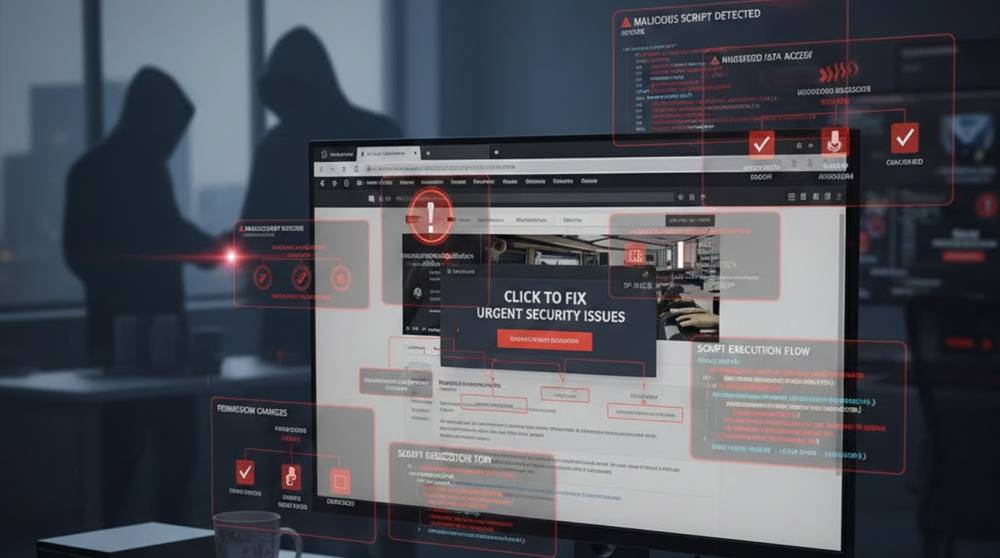
The ClickFix method of social manipulation is not the use of an individual malware file but rather refers to a process that has been established to persuade users to manually execute malicious commands on their personal computer by using deceptive techniques.
Attackers use fake error messages, CAPTCHA prompts, "fix your browser" pages, or fake update screens to convince people to copy and paste a long string of text into the Windows Run dialog (Win+R) or PowerShell.
That pasted command downloads and executes malware, often infostealers (LummaStealer, Vidar), remote access trojans (AsyncRAT, NetSupport, XWorm), loaders (Latrodectus), or ransomware droppers.
It became very common in 2024–2025 and remains active in 2026.
Signs You May Have Encountered or Fallen for ClickFix
1. A non-working link to a website tries to trick you into believing you can't access the site by presenting you with an error message & a requirement to put in a long code that can be run in "cmd" (or PowerShell) that you would normally run as a command by pressing the "Win" Key + "R" to bring up the Run dialogue box.
2. The instructions say to perform the following: "Press Win Key + R → Paste this code → Press Enter."
3. When pasting into the Run dialogue box the cmd or PowerShell window will open and will not remain open long enough for you to see what is occurring in it.
4. You may see weird IPs, domains or outbound connections to weird IPs shortly after performing the instructions.
5. Scheduled tasks, registry Run keys or processes (msbuild.exe, regasm.exe, rundll32.exe) that are being created from unintended parent processes.
6. Alerts from Antivirus/EDR products regarding PowerShell execution, BITSAdmin usage or LOLBin abuse.
7. A sudden increase in network activity, creation of new browser extensions, or login attempts made on your behalf without your knowledge.
If you never pasted any command from a webpage → your risk is very low.
How to Check If You Are Already Infected
1. Check your PowerShell or cmd history by opening PowerShell and typing in:
Get-History
Or open Event Viewer > Windows Logs > PowerShell, and look for large, base64 encoded commands.
2. To check for persistence, you have to run the following commands from within PowerShell (one at a time).
Get-ItemProperty -Path "HKCU:\Software\Microsoft\Windows\CurrentVersion\Run" | Select-Object *
Get-ScheduledTask | Where-Object {$_.TaskPath -notlike "\Microsoft*"} | Select TaskName, Actions
Get-Process | Where-Object {$_.Path -match "msbuild|regasm|rundll32|powershell"} | Select Name, Path, CommandLine
Look for suspicious entries added recently.
3. Scan with free tools
a) Malwarebytes (free version) → full scan.
b) Microsoft Defender → full offline scan (Settings → Update & Security → Windows Security → Virus & threat protection → Scan options → Microsoft Defender Offline scan).
c) ESET Online Scanner (free, no need to install) → run in your web browser.
d) AdwCleaner (free from Malwarebytes) → useful for cleaning up adware remnants that may be left behind.
4. Network/Behavioral Signs
a. Wireshark (free) or Microsoft Network Monitor > Look for duplicates of suspicious IPs or domains.
b. Task Manager > Startup and settings > App > Startup for anything that is out of place.
Quick Prevention Rules
1. Do NOT ever copy/paste a code snippet from any web page into Run, PowerShell, cmd, or Terminal! regardless of whether the site claims that it will fix the issue!
2. If a site asks you to press Win+R and paste something → close the tab immediately.
3. Set your browser so that it doesn't automatically download files.
4. Use Windows Defender with real-time protection; add ATT&CK Surface Reduction policies to prevent the use of LOLBins such as regsvc32 or mshta.
5.Employ both uBlock Origin as well as using "strict" (highly controlled) configurations on your browser.
Key Takeaways
ClickFix relies on you running the malicious command—there is no silent drive-by. Detection is mostly behavioral: suspicious PowerShell/cmd execution, new persistence entries, or unexpected network activity after visiting a shady site. If you never pasted any command → you are almost certainly safe. If you did → run a full Defender offline scan + Malwarebytes immediately and monitor accounts closely.


