
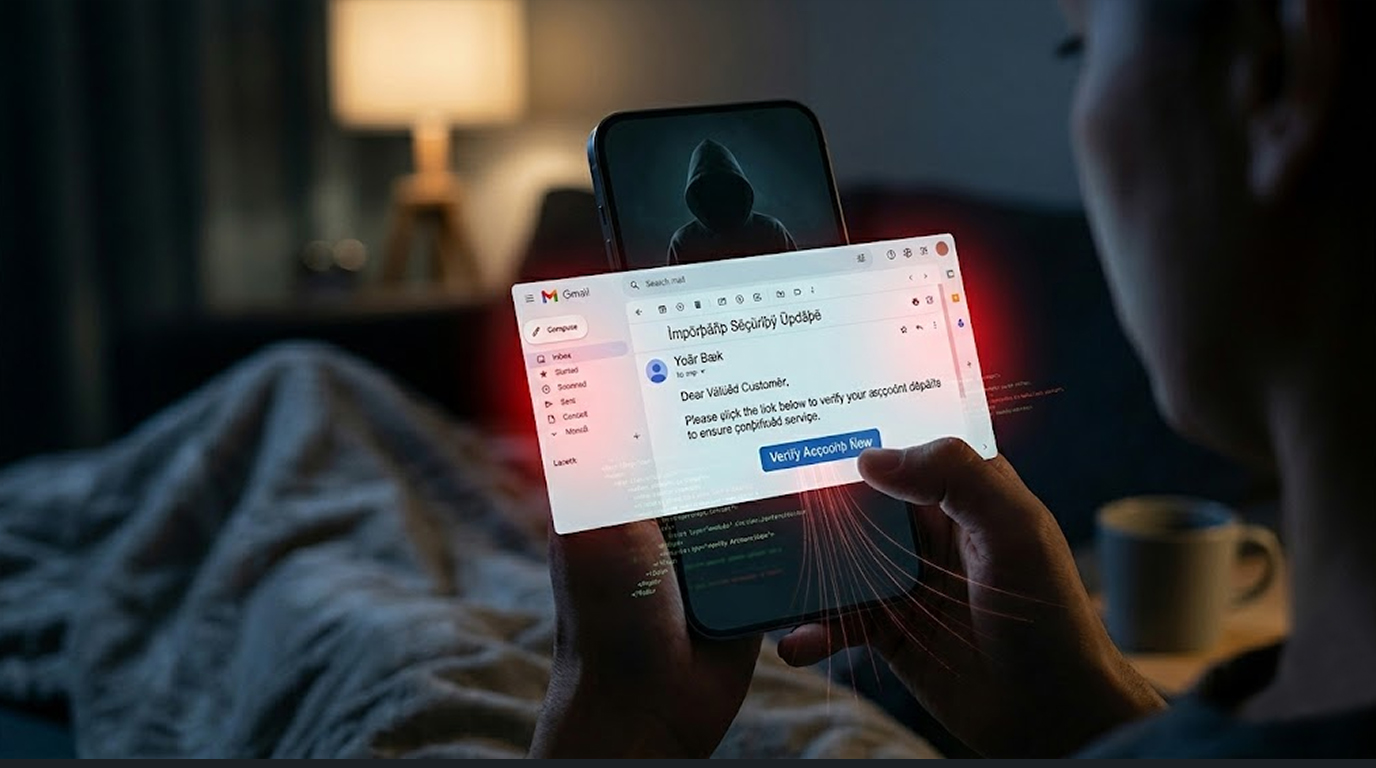
You receive an email from an unknown sender. Your finger hovers over it. You are afraid to open it because someone told you emails can contain viruses.
You open it anyway. Nothing happens. You feel relieved.
But were you ever at risk?
Here is the short answer. Simply viewing an email in the Gmail app on your Android phone will not infect your device. Gmail scans emails and attachments before you ever see them, and modern Android phones have multiple layers of protection.
While the method you use to open an email can expose your device to malware, the real risk of infection occurs after the email has been opened. This usually happens when you click a link within the email, download an attachment, or respond to a phishing email.
Now, I’m going to explain to you what’s safe, what isn’t, and how to stay safe on your Android device when using Gmail.
Overall, viewing an email in the Gmail app is safe on an Android device. The Gmail app does not automatically download any images or run any code contained in an email; it simply shows you text and pre-scanned images.
Before any email or attachment is delivered to you in your Gmail inbox, Google examines the contents of each email and attachment. If Google determines that something in your email is malicious, it will either block delivery of that email or inform you, prior to opening that email, that something in that email is malicious.
In addition, Android employs app security in part by running each app in its own sandbox (isolated working environment). The Gmail app cannot access any files on the Android device or install anything without the user’s permission.
The major danger of viewing an email is not viewing the email itself; it is what you do next after viewing the email. Clicking a malicious link or downloading an infected attachment is what gets you into trouble.
Here is the breakdown of what is dangerous and what is not.
What Is Safe in Gmail on Android
It is safe to read plain text versions of e-mails (i.e., non-HTML formatted). Since an e-mail is a piece of text and text cannot transmit a virus, you can safely open an e-mail message without clicking anything, provided the message contains no links or attachments.
Messages that have already been scanned by Gmail are also considered safe to read. Google uses multiple anti-virus software programs to scan all incoming e-mails prior to being delivered to your inbox. If any of the incoming e-mails are considered unsafe (spam), then Gmail will either re-direct the e-mail to a spam folder or mark it as spam.
Opening an e-mail from known contacts is generally safe to read. Contacts may have their accounts compromised, but the e-mail itself is not dangerous to open. However, a potential threat does exist with links and attached files.
Using the Gmail app itself is safe. The Gmail app is sandboxed on Android. It cannot access other parts of your phone without your explicit permission. It cannot install software on its own.
What Is NOT Safe in Gmail on Android
The majority of victims of trouble from clicking a link in an email is the most common way to get there. A link may connect to a fake site that appears to be legitimate such as your Bank or Google login. If you enter your password, an attacker steals it from you.
The majority of victims of trouble include downloading an attachment. Any attachment can potentially include malware, including PDFs, Word documents and zip files. All three have been used to hide malicious code.Even images can sometimes contain exploits, though this is rare on Android.
Replying to phishing emails confirms your email address is active. You will get more spam and phishing attempts.
Entering personal information after clicking a link is dangerous. The link itself does not infect your phone, but the fake website it takes you to will steal anything you type.
Granting permissions to malicious websites can cause problems. If a website asks for notifications or other permissions, say no. These can be used to send you spam or phishing alerts later.
How Gmail Protects You on Android
Google has built multiple layers of security into Gmail and Android.
1. All incoming Gmail emails are scanned for viruses using Google's virus protection tools. Any email attachments will be opened in a safe environment where they can be scanned for malevolent activity. If any malevolent behaviour is found, Gmail will either remove the email or put it in the spam folder.
2. Google rewrites links in emails that you receive and routes them to their safe browsing service. If you click on a link that has been rewritten and it is malevolent, Google will show you a warning message before you are able to access the website.
3. All Android applications operate within a secure, enclosed environment called a sandbox. The Gmail application is unable to access your SMS messages, phone book or files unless you give it permission. Even if a malevolent email attempts to perform some type of action, it would be trapped within the Gmail application.
4. Android devices come with built-in anti-virus called Google Play Protect, which scans all applications installed on your device, including those installed through email attachments. If you download something from an email attachment that is malevolent, Google Play Protect will alert you to its presence.
5. If you click a link from an email and the browser opens, Chrome uses Google's Safe Browsing technology to determine if that particular website is safe or not prior to allowing you to access it; if the site has been identified as malicious by Google, then Chrome will display a Red Screen Warning before allowing you to enter the site.
The Real Risks on Android
While viewing an email is safe, these actions are not.
Risk 1: Clicking phishing links.
You receive an email that looks like it is from your bank. It says your account is locked and you need to verify your identity. You click the link. The website looks exactly like your bank's login page. You type your username and password. The attacker now has your bank login.
The link did not infect your phone. You gave away your password willingly.
Risk 2: Malicious attachment download.
When you receive an invoice or shipping notice and you download the associated PDF, though it appears to be legitimate, it may have links and/or forms that ask for personal information; similarly, the PDF may also use vulnerabilities in a PDF reader to embed malware.
Though this type of incident is relatively rare on Android since many PDF readers use sandboxing, it still exists.
Risk 3: Installing apps sourced from outside the Google Play Store.
If you apply for an insecure app via an email message of phishing origin, it may want you to install a fake "critical update" application.
Therefore, if you download this app, you will have bypassed all of Google's evaluations regarding that app's security, which poses significant risk to you as a user.
Only install applications from within the Google Play Store.
Risk 4: Granting permissions to potentially harmful applications.
After you have completed the download and installation process for an application, even if it comes from the Google Play Store, it still has the potential, during use of the application, to request access to your contacts, camera, or messaging systems. If you grant any requested access, you are providing the application with your private information.
Before installing an application on your device, check the permissions requested by that application to help you protect your information.
What About Attachments on Android
Email attachments are a common way to spread malware on computers. On Android, the risk is lower but not zero.
1. Image (JPG, PNG, GIF)- are generally safe. Android has a sandboxed image viewer that cannot run code. Google quickly releases any discovered exploit for their image library.
2. PDF- PDFs have links, forms, and a JavaScript capability. Modern PDF viewers on Android use a sandbox to contain most malicious capabilities of a PDF but it is still possible for a PDF to trick you into clicking a link or entering personal data.
3. MS Office forms, contains macros in (DOCX, XLSX, PPTX); Android does not support running the macros for Google Docs and MS Office applications. Thus they are generally safe to view, but not to modify.
4. Zip and archive files contain a grouping of files. They are safe to download and open; the danger is what is contained inside the zip file. If you extract the contents from a zip file and you have located an APK, do not execute the file unless you are certain of who the source is.
5. APK- it is the most dangerous type of attachment. APK is an android application installer. If you download an APK from an e-mail and open it, you are installing an application from an untrusted source. This activity can result in installing malware or sending personal information from your phone.
Can an Email Infect My Phone Without Me Doing Anything
This is a common fear. Can a hacker take control of your phone just by sending you an email, with no clicks, no downloads, no interaction from you.
On Android with the Gmail app, this is extremely unlikely.
There have been rare "zero-click" exploits in the past, where a specially crafted message could take control of a device without any interaction. These exploits target vulnerabilities in the email app itself.
However, these exploits are extremely rare, they are expensive to develop, and they are patched quickly once discovered.
For a normal person, the risk of a zero-click exploit is essentially zero.
The much more likely risk is that you click a link or download an attachment without thinking. That is what attackers rely on.
How to Stay Safe on Android
You do not need to be afraid of your email. You just need good habits.
1. Do not click any link in an email you do not expect (example email will appear as if sent from your bank, boss, friend). Stop! If you cannot verify the sender, contact the sender via a different means (call, text, log into your bank app),
2. Do not open any attachments from people you do not know (example: if you were not anticipating receiving a bill, receipt, or document). If you are in doubt, delete the email.
3. Check the sender's email address. The display name can be faked. Look at the actual email address behind the name. If it is from "PayPal" but the email address is @gmail.com or a strange domain, it is fake.
4. Look for spelling and grammar mistakes. Most phishing emails still have errors. Real companies proofread their communications.
5. You should never install apps from outside the Play Store, so navigate Settings > Security > Disable "Allow Installations From Unknown Sources" to prevent being able to install apps from outside the Play Store.
6. Ensure your phone is always up to date with new versions of Android and all available security updates as soon as they become available.
7. Enable Google Play Protect by choosing Play Store > Play Protect > Settings and ensuring the option to "Scan Your Apps Using Google Play Protect" is enabled.
8. Enable two-factor authentication on any high-security accounts you use so that if someone obtains your username/password combination, they will not be able to gain access because they do not have the second factor.
9. If you are unsure, do not act. Delete the email and move on. No legitimate company will punish you for ignoring their email.
What to Do If You Already Clicked a Link
A guide on what to do once you clicked a link on a suspicious email.
Step 1: Immediately close the browser tab, do not provide any information on the site
Step 2: If you entered your password, change your password on their site (by entering their URL into your search bar) immediately
Step 3: If you provided your credit card or bank information you should notify your bank and check your bank statements for any suspicious activity
Step 4: Run a google play protect scan of your system (play store go to play protect, click scan)
Step 5: If you have downloaded and installed any app you should uninstall it via Settings > Applications
Step 6: Backup any important files and perform a factory reset to be sure your phone is clean
The Bottom Line
Does viewing an email in Gmail infect your Android phone? No.
You can open any email safely as long as you do not click links, download attachments, reply, or enter personal information.
Google scans your emails before you see them, Android sandboxes the Gmail app, and Google Play Protect watches for malicious apps.
The real danger is not the email itself, it is what the email tricks you into doing.
Clicking a link, downloading a PDF, entering your password on a fake website, installing an app from an unknown source. These actions can infect your phone or steal your data.
But simply reading the email? Safe.
Use common sense. Check the sender. Do not click unexpected links. Do not download attachments from strangers. Keep your phone updated. Enable two-factor authentication.
Follow these rules, and you can open your email without fear.
Your Android phone is secure by design. Your habits determine whether it stays that way.
FAQ Section
Can I get a virus just by opening an email on my Android phone?
No. Simply opening and reading an email in the Gmail app will not infect your phone. Gmail scans all emails before you see them, and Android sandboxes the app so it cannot access your system without permission. The danger is in clicking links or downloading attachments.
Is it safe to open attachments in Gmail on my Android phone?
It depends on the attachment type. Images and PDFs are generally safe because they open in sandboxed viewers. Microsoft Office documents do not support macros on Android. APK files (app installers) are very dangerous, never open them from an email. Always scan attachments with Play Protect if you are unsure.
Can I receive an infected PDF via email and then have my phone become infected?
There’s only a slim chance this can occur, but it is still possible for a PDF attachment to cause a virus to spread to your Android. Most PDF readers on Android have sandboxing; they also prevent a lot of the malicious features that could be found in a PDF document.
Nevertheless, a PDF could potentially trick you into clicking on a link that directs you to a phishing website; so be wary of opening PDFs attached to emails from anyone you don’t know.
Does Gmail check for viruses using a virus scanner when I open attachments on Gmail for Android?
Yes, Google uses its own virus protection system by running some common checks through multiple virus scanning tools before you can download your attachment from Gmail. If it detects anything suspicious, it will provide you with a warning about the downloaded file or will not allow you to download it at all. All of this scanning occurs on Google’s servers and does not happen on your phone.
What is the worst thing I can do with email while using my Android phone?
Use my username and password to login to a website from an email by clicking a link that directs you to a website that mimics a legitimate company’s homepage; this will allow an attacker to obtain your user name and password.
The second-worst thing to do is open an email attachment that contains an APK file, which is a type of app file that you can install directly onto your smartphone. You should never do either of those things.
Can I use antivirus software to protect my email from being hacked on an Android phone?
There is no need for antivirus apps on Android for email and email attachments--Google Play Protect (which checks all apps on your phone, including those installed from email) is typically sufficient. Additionally, a number of antivirus apps can slow down your Android’s performance.
How do I know if an email is phishing?
Before anything else, check the email address of the sender to make sure it matches their display name, as sometimes even the person you trust may not be who they claim to be by providing a fake sender address. Also look for typographical and grammatical errors. Lastly, if you see any urgent wording such as “your account will be closed”, or anything similar; do not click on links in these emails or call them, if you are unsure of the sender’s true identity, call the company at their official number not through the email itself.


