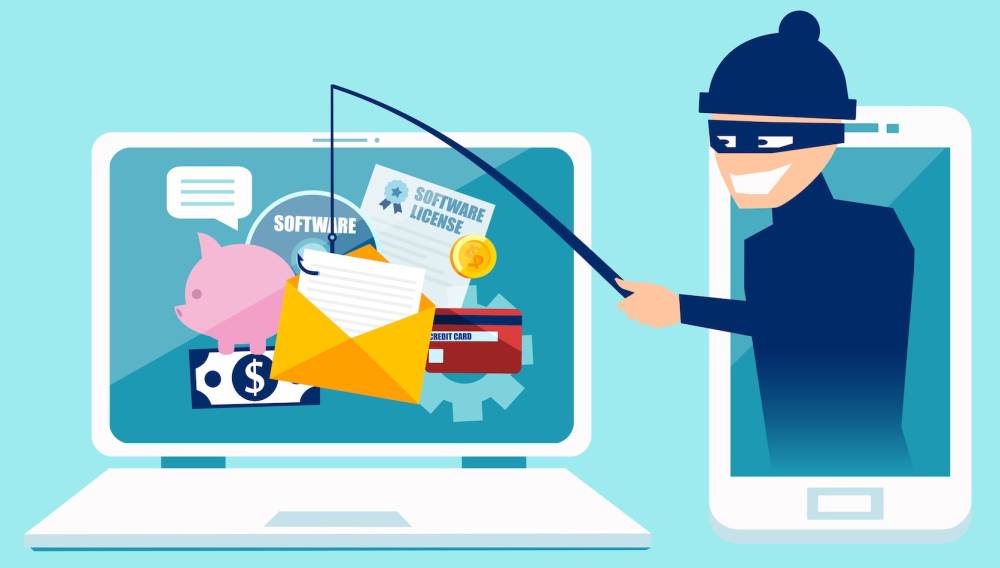
Email phishing is one of the most common and dangerous types of cyberattacks, where attackers pose as legitimate sources to trick victims into sharing personal information, passwords, or even downloading malicious software. Despite increasing awareness, phishing remains a highly effective tool for cybercriminals to access sensitive data and cause widespread harm.
What is Email Phishing?
Phishing emails are deceptive messages designed to look like they come from trusted sources, such as well-known companies, government organizations, or even personal contacts. These emails often contain urgent requests or enticing offers, encouraging recipients to click on links or attachments that lead to malicious websites or malware downloads.
Types of Phishing Attacks
- Spear Phishing: Unlike broad phishing attempts, spear phishing targets specific individuals or organizations by personalizing the email to make it more convincing.
- Clone Phishing: Attackers duplicate a legitimate email sent previously and replace links or attachments with malicious ones.
- Whaling: This form of phishing targets high-level executives or individuals in positions of power with highly crafted emails aiming for significant financial gain or sensitive information.
Common Phishing Techniques
- Fake Urgency: Emails that create a sense of urgency, such as "Your account will be suspended unless you act now!" This pressure leads people to react without thinking critically.
- Impersonating Trusted Brands: Cybercriminals often mimic well-known brands like Amazon, PayPal, or Netflix to appear legitimate. They use familiar logos and language to build trust.
- Deceptive Links: The email may contain a link that appears to lead to a legitimate site but actually redirects to a malicious webpage.
- Suspicious Attachments: Phishing emails often contain attachments that, once opened, can install malware on your device.
How to Spot Phishing Emails
- Check the Sender’s Address: Scammers often use email addresses that look similar to legitimate ones but may contain extra characters or slight misspellings.
- Examine Links Carefully: Hover over any links before clicking. If the URL looks suspicious or doesn’t match the legitimate website, avoid it.
- Look for Grammar and Spelling Errors: Many phishing emails contain errors in grammar, spelling, or formatting, which can signal a scam.
- Verify with the Source: If you're unsure about an email, contact the company or individual directly using official contact details, not those provided in the email.
How to Protect Yourself
- Don’t Click on Suspicious Links: If an email seems suspicious, avoid clicking any links or downloading attachments.
- Enable Two-Factor Authentication (2FA): Even if attackers obtain your credentials, 2FA can block unauthorized access.
- Use Email Filters: Advanced email filtering software can detect and block many phishing attempts before they reach your inbox.
- Keep Your Software Updated: Regularly updating your operating system and security software helps defend against malware attacks that can accompany phishing attempts.
What to Do If You Fall Victim to Phishing
If you accidentally clicked on a phishing link or shared your information, take immediate action:
- Change Your Passwords: Update your passwords, especially for any accounts linked to the compromised information.
- Enable 2FA: Adding extra security layers will help prevent unauthorized access.
- Monitor Your Accounts: Watch for unusual activity in your bank accounts or other important services.
- Report the Phishing Attempt: Notify your email provider and report the scam to help prevent others from falling victim.
Email phishing remains a serious cybersecurity threat, but with the right knowledge, you can spot and avoid these deceptive traps. Stay vigilant, educate yourself, and never underestimate the importance of scrutinizing every email you receive.