
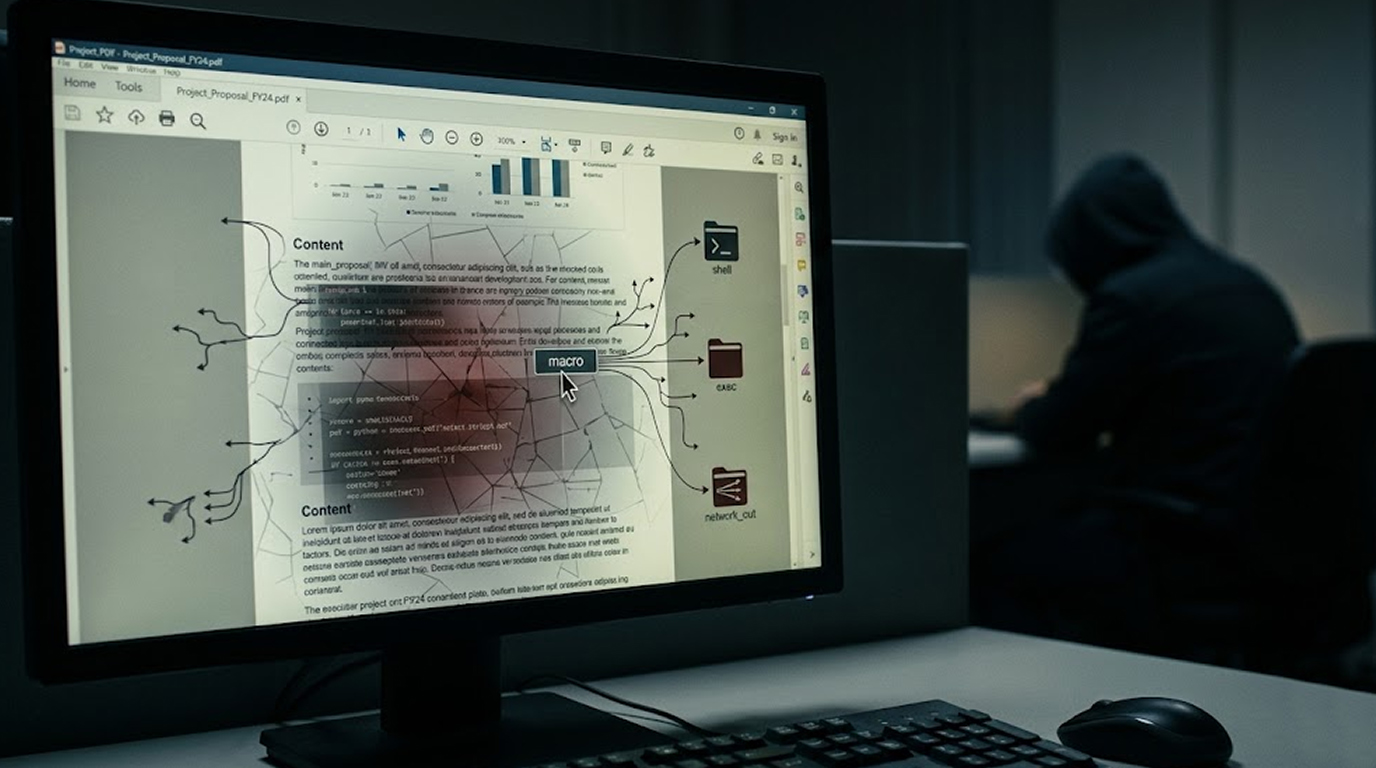
You receive an email. It looks important. There is a PDF attachment. The file name suggests an invoice, a contract, or a news update. You double-click it. It opens normally.
Nothing seems wrong.
But behind the scenes, your computer just whispered secrets to an attacker halfway across the world.
This isn't an invented story.
As early as November 2025, cybercriminals took advantage of a serious vulnerability (CVE-2026-34621) in Adobe Acrobat and Reader. This vulnerability allows a PDF that has been specifically designed to take advantage of Adobe Reader to track your computer, obtain your information, or potentially gain complete access to control your device.
How is this possible? You open the PDF.
Adobe released an emergency patch in April 2026. But the attackers had a head start of nearly five months.
Here is what you need to know right now.
The Vulnerability More Than Just a Bug
Prototype pollution isn’t typically considered a software defect; CVE-2026-34621 is a prototype pollution vulnerability related to how Adobe Acrobat and Reader handle JavaScript inside of PDF files.
What is prototype pollution?
Think of it this way: in an apartment complex, there are many different individual apartments, but they all have a single master key to unlock all of the doors to each apartment. If someone were to gain access to that master key, they would have full access to all of the individual apartments within the complex because they could open any of the apartment doors at will.
Prototype pollution works the same way; it allows someone who has access to the underlying rules for processing commands (the properties and methods that an object has) to change those rules and allow Adobe Reader to run untrusted or malicious JavaScript as if it were trusted or privileged code.
It also allows that user to gain access to powerful internal functions of Adobe Reader, including (but not limited to):
1. Functions that allow you to read any local file on the hard disk of the computer
2. Functions that allow you to create privileged operations without jumping through normal security checks
3. Functions that allow you to run privileged execution modes within the application on the computer
Because a malicious PDF can use the functions above to reach beyond its sandbox environment, it may be able to interact directly with your operating system.
How This Attack Operates: Step by Step Details!
When security researchers examined the first samples of this attack, they realized it was quite complex and could take several steps to complete.
Phase 1: Silent Fingerprinting
Once a victim opens the PDF (which is malicious), heavily obfuscated JavaScript starts to execute automatically. While nothing appears on the user’s screen, this malware will start a comprehensive scanning of the victim’s computer for a wealth of information.
Information This Malware Gathers About You:
1. Operating System Version and Build Number
2. Adobe Reader Version and Language Preferences
3. User Account Name and Permissions
4. Any Security Software Installed
5. File Path and Directory Structure
The information collected from these scans will then be sent back to an attacker controlled server. Once the attackers have completed this process, they will know exactly who they are targeting and whether or not they will be pursuing further activities against that person.
Phase 2: Triage and Selection
Once the malware has gathered all of the information through fingerprinting, it will make a decision about what to do with you.
1. Low Value Targets: After fingerprinting, the attack stops, and you will never know that you were compromised.
2. High Value Targets: After fingerprinting, the malware will continue on to phase three.
The surgical precision used in these attacks shows that they have a goal in mind, rather than being sent out randomly.
Phase 3: Data Theft
If the attackers find you worth their attention, malware will use file reading techniques to harvest files from your computer. The malware may look for specific file types or locations then send them to the attacker's server.
Phase 4: Remote Execution of Code
The last stage is where the most damage occurs. Malware can download more malicious "payloads" from remote sites and execute them on your machine, resulting in a complete takeover of your machine.
Once this occurs, an attacker may:
1. Hide ransomware
2. Install software that logs your keystrokes and captures your passwords.
3. Establish persistent backdoors for future access
4. Move across your corporate network
All of this happens without any visible indication that anything is wrong.
Who Is Being Targeted?
The attack is not spraying malware randomly across the internet. Targeted espionage operations seem to be supported by the data collected.
Observed targeting patterns:
Targeted patterns of behavior were found in numerous malicious PDFs. Many PDF samples referring to oil and gas topics suggest the attackers have a focus on energy companies. Themes present in these incidents (energy supply disruptions, emergency responses) imply that the attackers have either targeted employees working within this industry or have a specific goal related to cyber espionage.
Who is most at risk:
|
Risk Level |
Sectors / Roles |
|
Highest |
Energy (oil & gas), government agencies, defense contractors |
|
High |
Financial services, telecommunications, critical infrastructure |
|
Medium |
Legal firms, healthcare, manufacturing |
|
Lower |
General consumers, home users |
However, no one is completely safe. Attackers often cast wider nets than necessary. And once a malicious PDF exists, anyone can download and use it.
The Timeline: How Attackers Stayed Hidden for Months
This vulnerability was not discovered quickly. The attackers enjoyed a long operational window.
Important Dates:
1. November of 2025 - The first identified malicious PDF file that takes advantage of this exploit has been seen in detection systems
2. Late November of 2025 - More examples of malicious PDF files are uploaded
3. March of 2026 - Cybersecurity researchers begin getting anonymous samples and starting to analyze them
4. April of 2026 - An emergency patch is released by Adobe for CVE-2026-34621
5. A few days after the patch was released - The vulnerability is added by the Cybersecurity Administration to a catalog of known exploited vulnerabilities
For nearly five months, attackers had free rein.
Which Versions Are Affected
The vulnerability affects both Windows and macOS versions of Adobe Acrobat and Reader.
Affected versions:
1. Acrobat DC and Reader DC versions before the April 2026 patch
2. Acrobat 2024 versions before the April 2026 patch
Patched versions:
1. Acrobat DC and Reader DC: The April 2026 update (specific version number depends on your update channel)
2. Acrobat 2024: The corresponding April 2026 update
Severity rating: High severity (CVSS approximately 8.6)
Important note: An attacker cannot exploit this vulnerability over the network alone. They must first convince you to open a malicious PDF file. This is why phishing emails with PDF attachments are the primary delivery method.
How to Check If You Are Vulnerable
Do not assume you are safe. Check your Adobe Acrobat or Reader version right now.
How to check your version of Acrobat or Reader:
1. Open up either the Adobe Acrobat or Adobe Reader application
2. In the top menu bar, select Help
3. About Adobe Acrobat or, in the case of a Reader installation, About Adobe Reader
4. Locate the version displayed
What to expect:
1. If you've applied all of the April 2026 updates, this means that you are patched and protected
2. If your version is from any time before April 2026, this means that you can still be compromised
If your version of Acrobat or Reader has not received security patches, Adobe makes updated versions of the software available via its built-in update mechanism and at its official download center.
Emergency Update Instructions
Do not wait! Update immediately!
Option 1: Using an built-in Updater to Update Your Current Adobe Acrobat
1. Launch either the Adobe Acrobat app OR Adobe Reader
2. Click on "Help" in the menu bar at the top;
3. Then select "Check For Updates";
4. Follow the prompts to download and install the latest version:
Option 2: Use the Online Installer
Once you've confirmed your version of Adobe Acrobat is not up-to-date, download an Adobe Acrobat Reader Installer from HERE and install it to replace your current version.
Option 3: Enable Automatic Updates
To ensure you are protected from future updates, go to Edit > Preferences > Updater and confirm that Automatic Updates are turned on.
Temporary Mitigations (If You Cannot Patch Immediately)
Adobe has indicated there are no workaround solutions for this security issue other than applying patches. However, some security researchers have proposed temporary risk mitigation techniques.
Immediate temporary mitigation measures until you can apply a patch:
1. Disable Javascript in Adobe Reader
Disabling Javascript is the single most effective method of mitigating this risk temporarily because this exploit executes via Javascript; therefore, if you disable Javascript on Adobe Reader, the attack vector will be eliminated. How to turn off Javascript:
1. Launch Adobe Reader
2. Click on "Edit" button in the menu and select "Preferences..."
3. In Preferences, click "JavaScript" from the left-hand side of the window
4. Uncheck the box next to the phrase "Enable Acrobat Javascript" (make sure there is no checkmark in that box)
5. Select "OK" button at the bottom of the screen (this will save your change).
Note: Disabling Javascript can affect how some legitimate PDF files, like form-based or interactive PDF files, function. You should test all of your company's critical operational tasks before making this change to everyone in your organization.
2. Use extreme caution when opening PDF files.
Do not open PDF files that have been sent as attachments by an unknown sender. Verify all documents received as an unexpected PDF attachment from either a known or unknown sender because the malicious actor may be impersonating someone you know.
3. Keep Your Security Software Up-To-Date
Make sure that your anti-virus program and anti-malware program are up-to-date. Most anti-virus programs have updated their signature databases to include the ability to find known malicious PDF documents.
How to Tell If You Were Already Compromised
If you downloaded a PDF from an unknown source between November 2025 and April 2026, then your system has most likely been compromised.
You should also do the following checks for potential compromise on your system:
1. Unexpected outbound network connections especially to unfamiliar IPs.
2. Running background processes for Adobe Reader while no or before opening PDF documents.
3. New scheduled tasks or registry keys related to Adobe products.
4. Unusual files being present in the temporary directories.
5. System has been unusually slow or has had erratic behavior.
What To Do If You Suspect To Be Compromised:
1. Run full antivirus scans using current updates.
2. Run a secondary scan by using a second-opinion or different vendor scanner.
3. Rotate any passwords on or that you can access from your compromised systems (this may include your username).
4. Immediately notify your company's IT security staff or management.
5. If you are a home user backup your important data and reinstall your operating system to ensure complete peace of mind.
What Adobe Fixed in the Patch
The Patch for CVE-2021-34621 Fixed the Underlying Issues of the Prototype Pollution Vulnerability by Adding More Secure Validation of JavaScript API Access and Improved Sandboxed Isolation.
For IT Administrators
1. If you Manage Multiple Systems You Can Use Enterprise Management Tools To Help you
2. Detect Outdated Adobe Acrobat Versions
3. Enforce Minimum Version for All Patched Systems in Your Organization
4. Disable JavaScript via Group Policy To Quickly Reduce Risk Until Testing the Patch.
The Bigger Picture: PDFs Are Still Dangerous
The PDF Remains A Favorite Point of Attack for Advanced Threat Actors - CVE-2021-34621 But PDFs Are Still Risky - Advanced CVE-34621.
Why attackers love PDFs:
1. Users trust them and open them without thinking
2. Every organization uses them daily
3. They support JavaScript and other executable content
4. They can contain embedded files and links
5. They bypass many email filters that block executable files
This is not the first PDF zero-day, and it will not be the last. Consider any PDF document received from an untrusted source to potentially be a weapon.
Conclusion - PATCH NOW!!
Adobe CVE-2026-34621 is a critical vulnerability that has been actively exploited for several months. Attackers used this vulnerability to profile users, steal files, or execute remote code on an affected system.
The good news is there is a patch available; the bad news is that attackers had a considerable amount of time to exploit it before a patch was created.
Action Items to complete today:
1. Verify which version of Adobe Reader you have installed using the instructions above.
2. If you have an older version, update it immediately!
3. If you cannot update immediately, disable JavaScript in Adobe Reader.
4. Search your system for potential signs of compromise if you have opened any potentially suspicious pdf files since late 2025.
5. Be alert to the possibility of receiving potentially suspicious PDF files, including any attachments, even from trusted sources.
Adobe closed the security hole after many attackers had already taken advantage of it. Don't let yourself be one of those who did.
FAQ Section
1. Is it possible for me to be infected by malware simply by opening a PDF document?
Yes, the vulnerability was found with CVE-2026-34621 which allows malware to infect computers after simply being opened. Potentially, users do not have to click anything, whether it’s to enable content or indicate permission, before the malicious JavaScript code executes when the PDF document is displayed.
It has been a “zero-day” vulnerability.
2. How long has this Adobe zero-day been used as a weapon against users?
The earliest known malicious file that took advantage of this Adobe zero-day was from November 2025. Adobe posted a patch for this zero-day in April of 2026, so this vulnerability has been weaponized for five months before a patch was available to fix the exploit.
3. Are macOS users also affected, or is it only Windows users who are affected?
Both Adobe Acrobat and Reader for Windows and macOS have been impacted. The vulnerability is related to the JavaScript engine that both operating systems share. Therefore, macOS users should also update.
4. Is it acceptable for me to disable JavaScript for now in Adobe Reader as a means of addressing this vulnerability?
Disabling JavaScript in Adobe Reader is indeed a viable interim measure and is recommended by security researchers for organizations unable to patch immediately. Keep in mind, however, that certain PDF documents such as forms or other interactive documents may cease to work correctly when using this configuration. As a best practice, test out this configuration with your organization's key business processes before rolling it out on a wider basis.
5. How do I find out if I have the correct version of Adobe Reader installed on my system?
To locate your Adobe Reader version please launch Adobe Reader and choose the Help menu from the top of your screen then choose About Adobe Reader. At this point, take note of what version of Adobe Reader you have installed and compare this against what version is currently being hosted on the Adobe website.
If the last time that Adobe Reader was updated is April 2006 or later, then you have been patched against this vulnerability. Otherwise, you are still at risk. If you are uncertain whether or not you have the correct version of Adobe Reader installed, please perform a manual update by selecting Help > Check for Updates.


