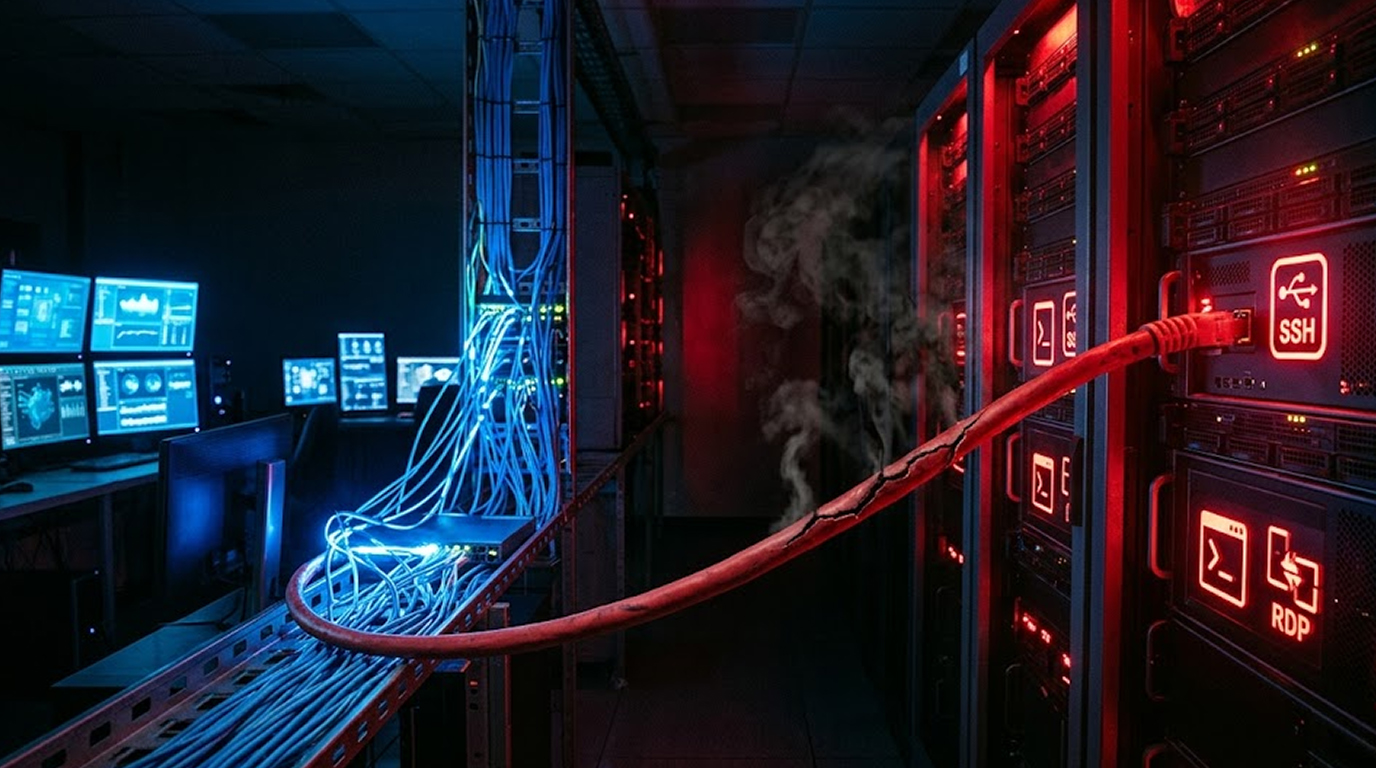
Your network is set up like this, employees plug into the switch, servers plug into the same switch, everything can talk to everything, it is simple, it is cheap, and it is a disaster waiting to happen
An employee clicks a phishing link, their workstation gets infected, the malware scans the local network and finds your server management interfaces, SSH on port 22, RDP on port 3389, maybe a web-based admin panel on port 443
The attacker, now sitting on an infected employee laptop, tries the employee's password against your server, it works, the employee had local admin access to servers because "it was easier for IT support"
The attacker is now on your server, your customer database, your financial records, your intellectual property, all because you put server management on the same network as users
Let me explain why this is one of the most common and most dangerous security mistakes
The Flat Network Problem
A flat network means every device can talk to every other device, your coffee machine can talk to your domain controller, your receptionist's PC can talk to your database server, everything is one big happy family until someone brings malware
What a flat network looks like:
|
Device Type |
Can Reach |
Should Reach |
|
User workstation |
Servers, other workstations, printers, IoT |
Internet, printer, specific application servers |
|
Server |
Everything |
Specific workstations and other servers |
|
IoT device (printer, camera) |
Everything |
Internet only |
In a flat network, there are no barriers, once an attacker compromises any device, they have a clear path to every device
Why this is still common:
1. It is easy to configure (plug and play)
2. It requires no additional hardware (VLANs need managed switches)
3. It seems "good enough" for small businesses
4. IT teams inheriting networks do not want to disrupt production
Convenience is not security, and flat networks are how ransomware spreads from a single phishing email to a company-wide shutdown
How Attackers Exploit Shared Networks
Let me walk you through a real attack scenario
Stage 1: Initial Compromise
An employee receives a phishing email, they open an attachment or click a link, malware downloads to their workstation, the employee never knows
Stage 2: Network Reconnaissance
The malware scans the local network, it looks for open ports, it finds:
1. Port 22 (SSH) open on 192.168.1.10 (your main server)
2. Port 3389 (RDP) open on 192.168.1.10
3. Port 443 (HTTPS) open on 192.168.1.10 with a login page
4. Port 445 (SMB) open on 192.168.1.20 (file server)
5. Port 1433 (SQL) open on 192.168.1.30 (database server)
Stage 3: Credential Harvesting
The malware dumps saved passwords from the employee's browser, it captures the employee's domain password as they type it, it finds a text file called "passwords.txt" on the desktop
Stage 4: Lateral Movement
The attacker uses the stolen credentials against the servers they found, the employee had administrative access to the file server "because they needed to update documents"
Stage 5: Privilege Escalation
From the file server, the attacker dumps domain administrator credentials from memory, now they have the keys to everything
Stage 6: The Objective
The attacker deploys ransomware to every server and workstation, backups are encrypted, your business stops
All of this happened because the employee's workstation could talk to the servers, and the employee had more privileges than they needed
The Technical Risks in Detail
Risk 1: Lateral Movement
Lateral movement is what attackers do after initial compromise, they move from the entry point to valuable targets
Without network segmentation:
1. Every compromised workstation is a potential pivot point
2. Attackers can scan and attack servers directly
3. Alerts do not occur because there are no breaches or penetrations occurring against the network.
Additionally, if the network is segmented:
1. A host that has been compromised will not have access to the Server Management Interface.
2. Attackers will be contained within the workstation segment.
3. Any attempt to move between segments will create an alert.
Risk 2: Credential Reuse
Most users have the same password for everything, their workstation login, their email, and unfortunately, their server access
When an attacker steals a user's password from their workstation (which is easy), they try that password on every server they find
What prevents this:
1. Separate credentials for server access
2. Privileged Access Management (PAM) with just-in-time access
3. Implementation of multiple authentication mechanisms should be done for end users vs. administrators (ex: using smart cards).
Risk 3: Management Interfaces Are Exposed to the User Network
Management interfaces for servers (SSH, RDP, vSphere, iDRAC, and iLO) should be kept separate and not located within any part of the user network.
Why Are These Risks:
1. A user may compromise their workstation and gain access via brute force using SSH.
2. There have been known vulnerabilities of RDP that can be exploited from any PC that exists on the user network.
3. Many management interfaces have default credentials.
4. Web-based management portals may contain outdated vulnerabilities.
What Do You Do Instead?
1. All management interfaces should be separated into their own network (Management Network).
2. Restrict access to some subset of workstation or jump boxes only for administration of the server's management interface.
3. RDP or SSH should be exclusively used via a VPN/bastion host (Remote Administration).
Risk 4: Protocol Exploitation
Some protocols in their setup should not be exposed/out there to untrusted devices.
|
Protocol |
Risk |
|
SMB (445) |
EternalBlue, ransomware propagation, credential harvesting |
|
RDP (3389) |
BlueKeep, brute force, pass-the-hash |
|
NetBIOS (137-139) |
Information disclosure, relay attacks |
|
LLMNR |
Poisoning attacks, credential capture |
In a flat network, any workstation on the user side can communicate with any server using these protocols.
Risk 5: Polluting the Broadcast Domain
In a flat network, broadcast traffic runs from the device sending the broadcast through all devices on the broadcast domain. This would include LLMNR and NetBIOS requests. When a user mistypes a network resource they are trying to access, an attacker could poison the network request to capture the NTLM hash associated with the unauthorized access attempt.
Real-World Incident Examples
Case 1: Manufacturer
A manufacturing company had a flat architecture with 200 computers and 50 servers. The employees were all infected with a phishing email via a user clicking a link within the e-mail. The attacker was then able to use malware to scan for devices on the flat network looking for an unpatched server that had a publicly-known vulnerability.
Once the attacker discovered the unpatched server, the attacker exploited the unpatched server to gain access as a full domain administrator to all devices on the network by infecting every computer and server (250) with ransomware, which halted production for two whole weeks. Total loss from the attack was approximately £2 million pounds.
Primary cause of the incident was the flat network which allowed horizontal movement from a user PC to an unpatched server.
Case 2: Law Firm
A law firm had their document management server on the same network and had user computers through which users could access the document management server. One of the receptionist’s computers was infected with an information stealing virus that was able to steal the receptionist’s account credentials. The malware then attempted to access the document management server as the receptionist using the stolen credentials.
The receptionist had access to files related to client records for administrative purposes. The hacker downloaded 50 GB of sensitive copies of client files and demanded a ransom from the law firm. The law firm paid the ransom and the documents were still leaked on the internet.
Primary cause of the incident was lack of network segregation and excessive user access rights/privileges.
Case 3: The Retailer
A retail chain that operates multiple stores had their POS (point of sale) systems on the same network as their inventory servers. They were compromised through one of their third-party vendors, allowing the attacker to move laterally from the POS terminal to the inventory server and eventually to the corporate domain controller.
The attacker stole customer credit card information from both the POS memory and from the backups of the database stored on the inventory server.
The root cause of the security breach was the flat network. This allowed access for the POS systems to the corporate network.
How to Properly Segment Your Network
The solution is network segmentation, separate networks for different purposes with controlled access between them
Basic segmentation model:
|
Network Segment |
Devices |
Access to Others |
|
User network |
Workstations, phones, printers |
Internet, application servers (specific ports) |
|
Server network |
Application servers, file servers |
User network (only responses), management network |
|
Management network |
Admin workstations, jump boxes |
Server network (management ports only) |
|
Database network |
Database servers |
Server network (application ports only) |
|
DMZ |
Web servers, mail servers |
Internet, specific internal services |
What this achieves:
1. A workstation has been compromised to the extent that it is unable to connect to server management resources.
2. A webserver has been compromised to the extent that it is unable to access any internal databases.
3. To gain administrative access to any servers, an administrator has to be physically attached to the Management Network.
4. Lateral movement through the network (hacking from one server to another) will be prevented by network-layer boundaries (VLANs) so that some servers will not be able to connect to all other servers on the same network.
Implementing Separation
You do not need to rebuild your entire network overnight, here is a phased approach
Phase 1: Identify Critical Assets
Make an inventory of your most critical and valuable server types - Domain Controllers, Database Servers, File Servers that store sensitive data, Backup Servers and management interfaces (iDRAC, iLO, IPMI).
These are the assets that will have the highest priority for protection.
Phase 2: Create a Management Network
Create a separate VLAN to manage your server management network, it should consist only of the following devices:
1. Admin workstations (PC or Virtual)
2. Devices for remote access (via jump boxes/bastion hosts)
3. Manageable interfaces on servers (including iDRAC, iLO and IPMI)
4. Switch and router management for IP
Access to this area must be carefully limited; preferably this area will have separate authentication.
Phase 3: Limit Access to Server Management
No direct connection from the User Network to the Server Management.
The user Workstation (192.168.1.100) can RDP to the Server (192.168.1.10) before; however, the User Workstation no longer has access to the server, and the Admins must access the Management Network first.
Phase 4: Introducing a Jump Point
A Jump Point (Bastion Host) is a dedicated server for performing administrative functions.
There are four steps in this process:
1. The admin uses a VPN or direct link to connect to the Jump Point through the Management Network.
2. The Jump Point uses a direct link or VPN to connect to the respective Server it is managing.
3. All administrative functions are managed at the Jump Point.
4. Each command and each connection through the Jump Point will be logged.
This provides a standard for auditing and an area where all security logs will be kept.
Phase 5: Implement Micro-segmentation
For larger environments, Micro-segmentation moves past VLAN environments and requires more stringent measures in the form of the Zero Trust model (every connection must be allowed explicitly – all others are blocked).
There are four methods to implement Micro-segmentation:
1. Software Defined Networking (SDN)
2. Network Security Groups (AWS, Azure, Google Cloud)
3. Firewalls on Hypervisors (VMware NSX, Microsoft Guard)
4. Host Based Firewalls with centralized management.
If You Cannot Segment Immediately
Not every company has managed switches or funds for a complete network overhaul; below are temporary options
Implement Host Based Firewalls
You can still put firewalls on individual servers without having the network segmented
Windows Defender Firewall with Advanced Security:
1. Permit RDP only from designated administrator IP’s
2. Prohibit SMB traffic from user workstations (SMB traffic should only be permitted from specific file servers)
3. Permit SQL Traffic only from application servers
Linux iptables / nftables
1. Limit SSH Access from Management JumpBox IP Address
2. Prohibit All Ports Other than Application State Ports
Implement a Different Password
Make sure users have different passwords than those used to log on to servers by using
1. A completely separate Active Directory Forests or Domains
2. Using separate authentication sources for each of the server types
3. Privileged Access Management (PAM) solutions
Use Application Whitelisting
Even if an attacker reaches a server, they cannot run their tools
1. Windows AppLocker or WDAC
2. Linux fapolicyd or AppArmor
Monitor for Lateral Movement
If you cannot block it, detect it
1. Monitor for unusual SMB connections
2. Notification of Adminal Users When They Log In To An Endpoint via Different Workstations
3. Recorded & Observed Remote PowerShell Executions; Logged For Follow-Up Review.
The Zero Trust Alternative
Network segmentation is part of zero trust, but zero trust goes further, trust nothing, verify everything
Zero trust principles for server management:
1. Always verify; never trust - Every access request must be authenticated and authorized.
2. Design as if there are already attackers on your network. Assume a breach is happening.
3. Only provide the minimal access to someone right when they need it. Use the least amount of privilege for their current needs.
Practical Implementation of Zero Trust for Administration:
1. There are no persistent administrative privileges; every administrative access will use just-in-time access.
2. All access must be logged and reviewed
3. MFA is required for all administrative sessions.
4. All access is revoked immediately after the end of the administrative session.
The Bottom Line
Putting server management on the same network as users is like putting the bank vault in the lobby
It is convenient, but it is also where attackers look first
A flat network means one compromised workstation leads to a compromised server, which leads to a compromised domain, which leads to a compromised business
Network segmentation is not optional anymore, it is a fundamental security control that every business, regardless of size, should implement
Your users have workstations, your servers have management interfaces, keep them separate
Action Plan for This Week
|
Priority |
Action |
Time Needed |
|
1 |
Identify which servers are accessible from user workstations |
2 hours |
|
2 |
Check if user credentials work on servers |
1 hour |
|
3 |
Document current firewall rules (or lack thereof) |
2 hours |
|
4 |
Create a list of who actually needs server access |
2 hours |
|
5 |
Plan a management network VLAN (or host-based firewall rules) |
1 day |
|
6 |
Implement host-based firewall restrictions as a stopgap |
1-3 days |
The attacker is scanning your network right now, do not let them find open management interfaces from a compromised employee laptop
FAQ Section
What is a flat network and why is it dangerous?
A flat network is where all devices (user workstations, servers, printers) are on the same network segment with no access controls between them, it is dangerous because once an attacker compromises any device, they have a clear path to every other device including servers
How do attackers move from a user workstation to a server in a flat network?
Attackers use stolen credentials or exploit vulnerabilities, they scan the local network for open ports (SSH, RDP, SMB), try the user's password against servers, or exploit unpatched server vulnerabilities, in a flat network, there is nothing stopping these attempts
What is network segmentation and how does it protect servers?
Network segmentation divides your network into separate segments (VLANs) with controlled access between them, you put users in one segment and server management in another, even if a user workstation is compromised, it cannot reach server management ports because the firewall between segments blocks that traffic
Is it possible to segment my network without acquiring new equipment?
Somewhat, as you can use managed switches to create virtual LANs (VLANs), alternatively if you don't have those then you'll have to use host-based firewalls on each server to restrict which IP addresses will be able to access the management ports; while this isn't as robust as network segmentation it is still superior to nothing
What does jumpbox mean or bastion host mean?
Jumpbox refers to a single point of entry into your network via a dedicated server. When administrators want to connect to another server they first establish a remote desktop connection (RDP) from their personal computer to the jumpbox then RDP from the jumpbox to the desired server(s).
As a controlled access point the jumpbox should log all activity performed by the people accessing your servers and actively work to limit the attack surface.