You built a Docker image, it runs perfectly, no errors, no warnings, you push it to your registry
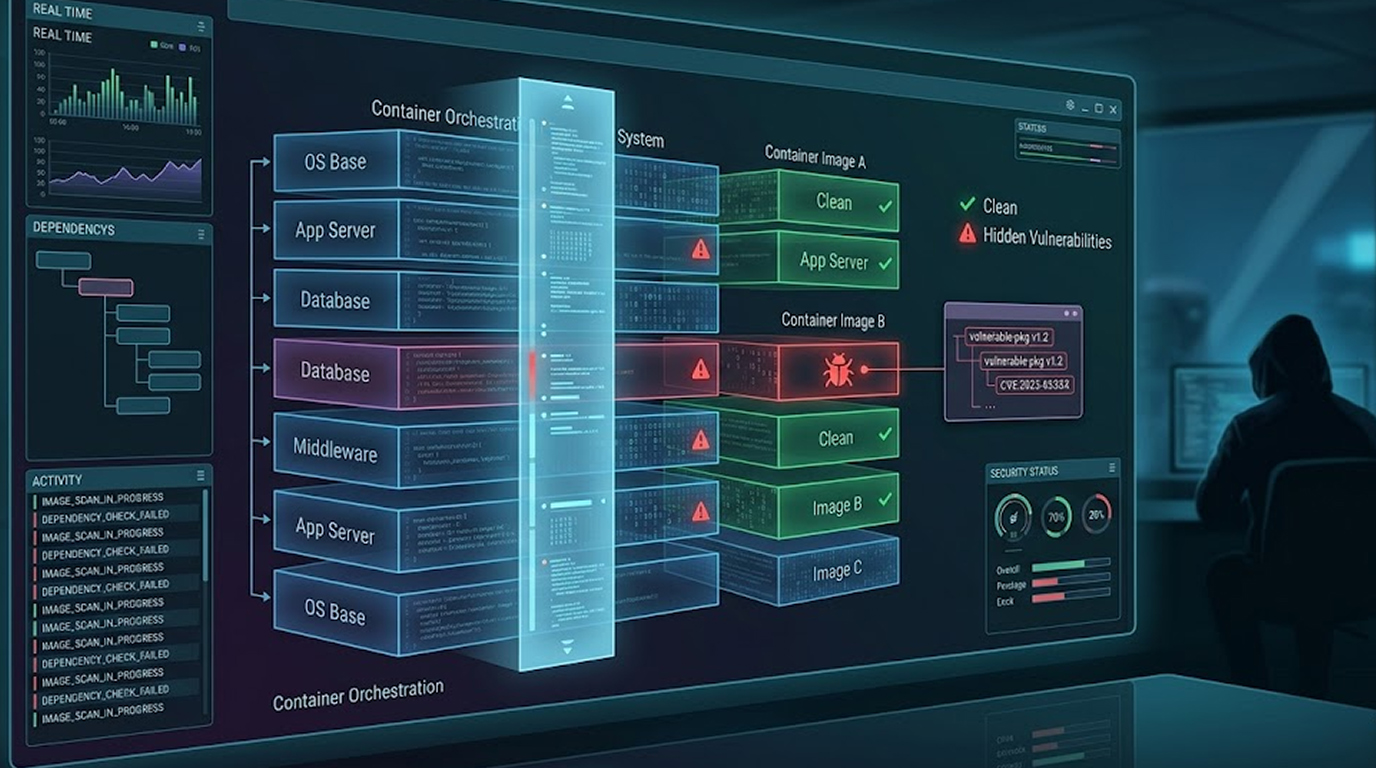
But inside that image, there are vulnerabilities, old versions of OpenSSL with known exploits, a Python library with a critical CVE, a Java dependency that hasn't been updated in three years. You cannot see them, your application still works, the vulnerabilities are hidden in layers you never inspect
This is how containers become attack vectors
Aqua Security's Trivy is an open-source vulnerability scanner designed specifically for containers, it finds vulnerabilities in OS packages, language dependencies, and even infrastructure-as-code files
In this guide, I will show you exactly how to use Trivy, no theory, just practical steps and exercises you can run on your own machine
What Is Trivy and Why Use It
Trivy (pronounced "trivia") is a comprehensive vulnerability scanner, unlike early container scanners that only checked OS packages, Trivy also scans:
1. OS packages (Debian, Ubuntu, Alpine, Red Hat, Amazon Linux)
2. Language dependencies (npm, pip, gem, cargo, composer, nuget, gradle, maven)
3. Application binaries (Go binaries, Rust binaries)
4. Infrastructure as code (Terraform, Dockerfile, Kubernetes)
5. Secret detection (hardcoded passwords, API keys, tokens)
6. SBOM (Software Bill of Materials) generation
Why Trivy stands out:
|
Feature |
Trivy |
Docker Scout |
Snyk |
|
Free tier |
Full |
Limited |
Limited |
|
Offline scanning |
Yes |
No |
No |
|
CI/CD integration |
Native |
Plugin |
Plugin |
|
License scanning |
Yes |
No |
Yes |
|
SBOM generation |
Yes |
Yes |
Yes |
|
No account required |
Yes |
No |
No |
Trivy is fast, the first scan downloads vulnerability databases (cached locally), subsequent scans run in seconds
Exercise 1: Installing Trivy
Let us start with installation, choose your operating system
Linux (Ubuntu/Debian)
sudo apt-get install wget apt-transport-https gnupg lsb-release
wget -qO - https://aquasecurity.github.io/trivy-repo/deb/public.key | sudo apt-key add -
echo deb https://aquasecurity.github.io/trivy-repo/deb $(lsb_release -sc) main | sudo tee -a /etc/apt/sources.list.d/trivy.list
sudo apt-get update
sudo apt-get install trivy
Linux (Red Hat/Fedora/CentOS)
sudo vim /etc/yum.repos.d/trivy.repo
# Add content:
[trivy]
name=Trivy repository
baseurl=https://aquasecurity.github.io/trivy-repo/rpm/releases/$releasever/$basearch/
gpgcheck=0
enabled=1
sudo yum install trivy
macOS
brew install trivy
Docker (run Trivy without installing)
docker run --rm -v /var/run/docker.sock:/var/run/docker.sock aquasec/trivy image --severity CRITICAL alpine:latest
Verify installation
trivy --version
Expected output: Version information (e.g., Version: 0.61.0)
Exercise task: Install Trivy on your system and run trivy --version, take a screenshot of the output for your records
Exercise 2: Your First Vulnerability Scan
Now let us scan a real Docker image, we will start with alpine:latest (a minimal Linux distribution)
trivy image alpine:latest
What you will see:
Trivy downloads the vulnerability database (this happens only once), then it scans the Alpine image
Output breakdown:
alpine:latest (alpine 3.19)
============================
Total: 7 (UNKNOWN: 0, LOW: 0, MEDIUM: 1, HIGH: 5, CRITICAL: 1)
The output lists each vulnerable package, the CVE identifier, severity, and fixed version
Example vulnerability entry:
┌──────────────┬────────────────┬──────────┬────────┬───────────────────┐
│   Library    │ Vulnerability  │ Severity │ Status │ Installed Version │
├──────────────┼────────────────┼──────────┼────────┼───────────────────┤
│ libcrypto3   │ CVE-2023-5363  │ HIGH     │ fixed  │ 3.1.4-r0          │
│ libssl3      │ CVE-2023-5363  │ HIGH     │ fixed  │ 3.1.4-r0          │
└──────────────┴────────────────┴──────────┴────────┴───────────────────┘
Exercise tasks:
1. Run trivy image alpine:latest and note the total number of vulnerabilities
2. Identify the most severe vulnerability (CRITICAL)
3. Find which package has the oldest CVE
Exercise 3: Scanning a Real Python Application Image
Let us create a vulnerable Python application to scan
Step 1: Create a vulnerable Dockerfile
Create a new directory:
mkdir trivy-lab && cd trivy-lab
Create Dockerfile:
dockerfile
FROM python:3.9-slim
# This is a VULNERABLE image - do not use in production
WORKDIR /app
# Install outdated packages with known vulnerabilities
RUN pip install --no-cache-dir \
django==3.2.10 \
requests==2.25.0 \
numpy==1.19.0 \
jinja2==3.0.0
COPY . .
CMD ["python", "app.py"]
Step 2: Build the image
docker build -t vulnerable-python-app .
Step 3: Scan the image
trivy image vulnerable-python-app
What you will see:
Trivy scans both OS packages (from the Debian base image) and Python dependencies, the output will show:
1. OS vulnerabilities (in the python:3.9-slim base image)
2. Python package vulnerabilities (django, requests, numpy, jinja2)
Look for:
1. django vulnerabilities (CVE-2023-41164, CVE-2023-43665)
2. requests vulnerabilities (CVE-2023-32681)
3. jinja2 vulnerabilities (CVE-2024-22195)
Exercise tasks:
1. Count how many vulnerabilities are in the Python dependencies alone (excluding OS packages)
2. Find the fixed version for django (look in the "Fixed Version" column)
3. Which vulnerability has the highest CVSS score
Exercise 4: Scanning with Severity Filtering
Scanning every vulnerability can be overwhelming, you do not need to fix every LOW severity issue immediately, focus on CRITICAL and HIGH first
Scan only CRITICAL and HIGH:
trivy image --severity CRITICAL,HIGH vulnerable-python-app
Scan only CRITICAL, HIGH, and MEDIUM:
trivy image --severity CRITICAL,HIGH,MEDIUM vulnerable-python-app
Scan with exit code on critical findings (for CI/CD):
trivy image --severity CRITICAL --exit-code 1 --ignore-unfixed vulnerable-python-app
This command:
• --exit-code 1 – Exits with code 1 if vulnerabilities are found (fails CI/CD pipeline)
• --ignore-unfixed – Only reports vulnerabilities that have available patches
Exercise tasks:
1. Run trivy image --severity CRITICAL vulnerable-python-app
2. How many CRITICAL vulnerabilities remain
3. What is the CVE ID of the most severe vulnerability
Exercise 5: Ignoring Specific Vulnerabilities
Not all vulnerabilities are actionable, a vulnerability might not affect your application (e.g., a Windows-only CVE on Linux), you can create an ignore file
Step 1: Create .trivyignore file
nano .trivyignore
Add these lines (use a real CVE from your scan results):
# False positive - Windows-only vulnerability
CVE-2023-12345
# Will fix next month - tracked in ticket SEC-123
CVE-2023-67890
Step 2: Scan with ignore file
trivy image --ignorefile .trivyignore vulnerable-python-app
Vulnerabilities listed in .trivyignore will not appear in the report
Step 3: Scan with expiry dates (trivy 0.60+)
# Ignore until 2025-01-01
CVE-2024-12345 expire:2025-01-01
Exercise tasks:
1. Take one LOW severity vulnerability from your scan and add it to .trivyignore
2. Re-scan and verify it is no longer reported
3. Run trivy image --ignore-unfixed to see only vulnerabilities with available patches
Exercise 6: Scanning a Private or Local Image
Trivy can scan images that are not in a registry, images you built locally or loaded from a tar file
Scan local image (already built):
trivy image my-custom-image:latest
Scan from Docker archive (tar file):
First, save an image to tar:
docker save alpine:latest -o alpine.tar
Then scan the tar file:
trivy image --input alpine.tar
Scan an image from a private registry:
trivy image --ignore-unfixed myprivate.registry.com/app:latest
For authenticated registries, Trivy uses your local Docker credentials
Exercise tasks:
1. Build any image on your machine (or use nginx:latest)
2. Scan it locally
3. Export it to tar and scan the tar file
4. Compare the results, they should be identical
Exercise 7: SBOM Generation (Software Bill of Materials)
An SBOM is a complete inventory of all components in your image, Trivy can generate SBOMs in multiple formats
Generate SBOM in CycloneDX format (JSON):
trivy image --format cyclonedx --output sbom.json vulnerable-python-app
Generate SBOM in SPDX format:
trivy image --format spdx-json --output sbom-spdx.json vulnerable-python-app
Generate SBOM in table format (human-readable):
trivy image --format table --output sbom-table.txt vulnerable-python-app
View the SBOM:
cat sbom.json | jq '.components[] | {name: .name, version: .version}'
Why SBOMs matter:
1. Compliance (Executive Order 14028, EU Cyber Resilience Act)
2. Incident response (quickly identify if a new CVE affects your image)
3. Vendor risk management
Exercise tasks:
1. Generate a CycloneDX SBOM for your vulnerable Python image
2. Count how many components are in the image
3. Find the version of django in the SBOM output
Exercise 8: CI/CD Integration (GitHub Actions)
Trivy can integrate directly into CI/CD pipelines, such as with the following example of creating a GitHub Actions workflow.
Create a file in the .github/workflows directory named trivy-scan.yml:
name: Trivy Container Scan
on:
push:
branches: [ main ]
pull_request:
branches: [ main ]
jobs:
scan:
runs-on: ubuntu-latest
steps:
- name: Checkout code
uses: actions/checkout@v4
- name: Build Docker image
run: docker build -t my-app:latest .
- name: Run Trivy vulnerability scanner
uses: aquasecurity/trivy-action@master
with:
image-ref: 'my-app:latest'
format: 'sarif'
output: 'trivy-results.sarif'
severity: 'CRITICAL,HIGH'
- name: Upload Trivy results to GitHub Security tab
uses: github/codeql-action/upload-sarif@v3
with:
sarif_file: 'trivy-results.sarif'
What this does:
1. Produce a CycloneDX-format SBOM for your vulnerable Python image
2. Determine how many components are packaged into your image
3. Uploads results to GitHub's Security tab
Exercise tasks:
1. (If using GitHub) Add this workflow to your repository
2. Run it manually or push a change to trigger it
3. Check the Security tab for results
Exercise 9: Scanning Infrastructure as Code
Trivy is not just for containers, it also scans IaC files
Create a vulnerable Terraform file (main.tf):
resource "aws_security_group_rule" "bad_rule" {
type = "ingress"
from_port = 0
to_port = 0
protocol = "-1"
cidr_blocks = ["0.0.0.0/0"]
security_group_id = "sg-12345"
}
Scan Terraform files:
trivy config .
Scan Kubernetes YAML:
trivy config deployment.yaml
Scan Dockerfile:
trivy config Dockerfile
Exercise tasks:
1. Create a Terraform file with a security group rule allowing 0.0.0.0/0
2. Run trivy config . and identify the misconfiguration
3. Fix the rule (restrict to a specific CIDR) and re-scan
Exercise 10: Fixing Vulnerabilities (Practical Remediation)
Scanning is useless without remediation, let us fix the vulnerable Python image
Original vulnerable Dockerfile:
FROM python:3.9-slim
RUN pip install --no-cache-dir \
django==3.2.10 \
requests==2.25.0 \
numpy==1.19.0 \
jinja2==3.0.0
Step 1: Check fixed versions from Trivy output
Trivy tells you the fixed version, for example:
1. django fixed in 3.2.20 (or newer)
2. requests fixed in 2.31.0
3. jinja2 fixed in 3.1.4
Step 2: Update the Dockerfile
FROM python:3.11-slim # Updated base image
RUN pip install --no-cache-dir \
django==4.2.7 \
requests==2.31.0 \
numpy==1.24.0 \
jinja2==3.1.4
Step 3: Rebuild and rescan
docker build -t fixed-python-app .
trivy image --severity CRITICAL,HIGH fixed-python-app
Step 4: Compare results
# Compare vulnerability counts
trivy image vulnerable-python-app --format json | jq '.Results[].Vulnerabilities | length'
trivy image fixed-python-app --format json | jq '.Results[].Vulnerabilities | length'
Advanced remediation: multi-stage builds
For compiled languages, use multi-stage builds to exclude build tools from the final image
# Build stage
FROM golang:1.20 AS builder
WORKDIR /app
COPY . .
RUN go build -o myapp
# Final stage - no compilers, no build tools
FROM alpine:latest
RUN apk add --no-cache ca-certificates
COPY --from=builder /app/myapp /myapp
CMD ["/myapp"]
Scan the final stage, build tools and compilers will not appear
Exercise tasks:
1. Rebuild your Python image with updated versions
2. Scan both the vulnerable and fixed images
3. Calculate the percentage reduction in vulnerabilities
Exercise 11: Secret Detection
Trivy can detect hardcoded secrets in your image
Create a Dockerfile with a fake secret:
FROM alpine:latest
# This is a secret - do not do this
ENV API_KEY="sk-live-abc123def456ghi789jkl"
RUN echo "API key configured"
CMD ["sh"]
Build and scan for secrets:
docker build -t secret-image .
trivy image --security-checks secret secret-image
What you will see:
Secret: API_KEY
Severity: CRITICAL
Category: AWS/GCP/Azure/Generic
Location: Dockerfile (line 4)
Exercise tasks:
1. Create a Dockerfile with a fake API key or password
2. Run secret detection
3. Remove the secret and verify it is no longer detected
Exercise 12: Automation Script for Daily Scanning
Let us put everything together into an automation script
Create scan-and-report.sh:
#!/bin/bash
# Scan Docker image for vulnerabilities
# Usage: ./scan-and-report.sh <image-name> <output-dir>
IMAGE=$1
OUTPUT_DIR=${2:-"./scan-results"}
if [ -z "$IMAGE" ]; then
echo "Error: Please provide an image name"
echo "Usage: ./scan-and-report.sh <image-name> [output-dir]"
exit 1
fi
mkdir -p $OUTPUT_DIR
TIMESTAMP=$(date +%Y%m%d_%H%M%S)
echo "Scanning image: $IMAGE"
echo "Output directory: $OUTPUT_DIR"
# Generate full JSON report
trivy image --format json --output "$OUTPUT_DIR/trivy-full-$TIMESTAMP.json" $IMAGE
# Generate critical + high only (for quick review)
trivy image --severity CRITICAL,HIGH --format table --output "$OUTPUT_DIR/trivy-critical-high-$TIMESTAMP.txt" $IMAGE
# Generate SBOM
trivy image --format cyclonedx --output "$OUTPUT_DIR/sbom-$TIMESTAMP.json" $IMAGE
# Count vulnerabilities by severity
CRITICAL=$(cat "$OUTPUT_DIR/trivy-full-$TIMESTAMP.json" | jq '[.Results[].Vulnerabilities[]?.Severity] | map(select(. == "CRITICAL")) | length')
HIGH=$(cat "$OUTPUT_DIR/trivy-full-$TIMESTAMP.json" | jq '[.Results[].Vulnerabilities[]?.Severity] | map(select(. == "HIGH")) | length')
MEDIUM=$(cat "$OUTPUT_DIR/trivy-full-$TIMESTAMP.json" | jq '[.Results[].Vulnerabilities[]?.Severity] | map(select(. == "MEDIUM")) | length')
LOW=$(cat "$OUTPUT_DIR/trivy-full-$TIMESTAMP.json" | jq '[.Results[].Vulnerabilities[]?.Severity] | map(select(. == "LOW")) | length')
echo ""
echo "Scan Summary:"
echo "=============="
echo "CRITICAL: $CRITICAL"
echo "HIGH: $HIGH"
echo "MEDIUM: $MEDIUM"
echo "LOW: $LOW"
echo "=============="
# Exit with error if any CRITICAL vulnerabilities found
if [ $CRITICAL -gt 0 ]; then
echo "FAIL: Found $CRITICAL critical vulnerabilities. Fix them before deploying."
exit 1
else
echo "PASS: No critical vulnerabilities found."
fi
Run the script:
chmod +x scan-and-report.sh
./scan-and-report.sh vulnerable-python-app ./reports
Exercise tasks:
1. Save the script to your machine
2. Run it against your vulnerable Python image
3. Examine the generated files (JSON report, text report, SBOM)
Summary: The Trivy Workflow for Security Teams
Here is the complete workflow you should implement:
|
Step |
Command |
Frequency |
|
1. Scan local image |
trivy image myapp:latest |
Every build |
|
2. Focus on critical/high |
--severity CRITICAL,HIGH |
Every build |
|
3. Fail CI/CD on critical |
--exit-code 1 |
Every build |
|
4. Generate SBOM |
--format cyclonedx |
Weekly |
|
5. Scan IaC files |
trivy config ./terraform |
Every PR |
|
6. Check for secrets |
--security-checks secret |
Every build |
|
7. Create ignore file |
.trivyignore |
Ongoing |
Conclusion: Scan Early, Scan Often, Scan Everything
You have learned how to use Trivy in this guide, you installed it, you scanned images, you filtered results, you generated SBOMs, you integrated with CI/CD, you fixed vulnerabilities
The skills you practiced here are not optional for modern development, they are essential
Every Docker image you build contains dependencies, every dependency has vulnerabilities, you cannot see them from a running container, you need a tool like Trivy
Scan your base images, scan your application images, scan your IaC, scan for secrets, make it part of your CI/CD pipeline
The vulnerabilities are in your images right now, go find them
FAQ Section
1. Is Trivy free for commercial use
Yes, Trivy is open source (Apache 2.0 license) and free for both personal and commercial use, there is no paid tier, Aqua Security offers enterprise features (audit logging, policy enforcement) in a separate commercial product
2. How often does Trivy update its vulnerability database
Trivy checks for database updates every time you run a scan, but you can also manually update with trivy image --download-db-only, the vulnerability database is updated multiple times per day from sources like NVD, Alpine SecDB, and GitHub Security Advisories
3. Can Trivy scan images without Docker installed
Yes, Trivy can scan container images from tar files (--input image.tar), OCI layout directories, or directly from registries, you do not need Docker running on the scanning machine
4. How does Trivy Compare with Docker Scout
Trivy is completely free and open-source software available offline. Docker Scout ($) is a paid extension to Docker Desktop, requiring an internet connection and one with a Docker account. Trivy can typically scan CI/CD pipelines quickly and many ways can accommodate different designs in terms of flexibility (due to its available features). In terms of an easy-to-use user interface, Scout provides a superior experience over Trivy for developers using Docker Desktop.
5. What Is the Difference Between Scanning Operating System Packages versus Scanning Language Dependencies?
Operating Systems (OS) are provided packages via their base operating system's repository (apt in Ubuntu, apk in Alpine) whereas language dependencies are provided packages at the application layer from third-party repositories (npm, pip, gem). Both types of scanning are supported by Trivy. Scans for both OS packages and third-party language packages gives you a complete picture of all possible vulnerabilities that may exist on your system since both levels can contain vulnerabilities to be exploited. The base OS could contain vulnerabilities that could be exploited by malicious users, and your application could also contain vulnerabilities caused by a third-party application.