Your phone buzzes at 2 AM, it is the IT alert, "Critical systems offline," you check your email, nothing works, you call your team, no one can log in
Then you see the note, "Your files have been encrypted, pay 50 Bitcoin within 7 days"
The clock is now ticking, but not just the ransom clock, the recovery clock has also started
How long until your business is back to normal, days, weeks, months, the answer depends on who you ask and how prepared you are
Let me show you real recovery timelines from actual ransomware incidents
The Short Answer
Before we dive into cases, here is the honest answer based on hundreds of incidents
|
Recovery Phase |
Typical Duration |
|
Detection & containment |
2-24 hours |
|
Assessment & scoping |
1-7 days |
|
Backup restoration |
1-14 days |
|
Full business recovery |
2-8 weeks |
|
Complete return to normal |
1-6 months |
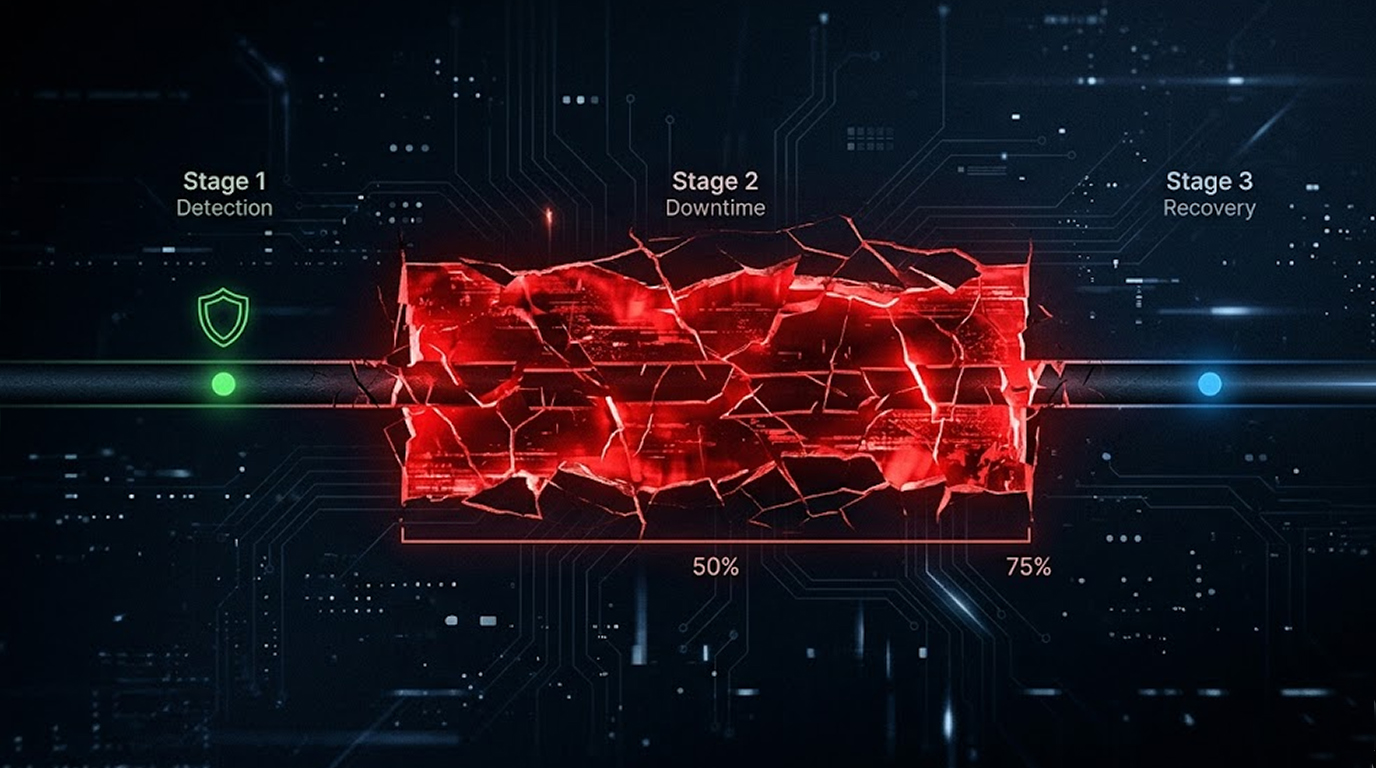
The average total downtime after a ransomware attack is 21 days, but "recovered" does not always mean everything works
Some companies are back online in 48 hours, others take six months, the difference is not luck, it is preparation
If your website is already compromised and you need emergency recovery, Red Secure Tech offers 24/7 incident response with a 4-hour first response time.
Case 1: The 2-Day Recovery (Financial Services, 150 Employees)
The attack: A phishing email delivered ransomware to a single workstation, the malware spread to file servers but was caught before reaching backups
Why recovery was fast:
|
Factor |
What They Had |
|
Backups |
Immutable, offline, tested weekly |
|
Incident response plan |
Practiced quarterly |
|
Communication tree |
Pre-established, tested |
|
Cyber insurance |
Active, with incident response retainer |
|
Legal counsel |
On retainer, briefed on cyber |
The timeline:
|
Time |
Event |
|
Hour 1 |
Attack detected by EDR alert |
|
Hour 2 |
Network segmented, patient zero isolated |
|
Hour 4 |
Incident response team activated |
|
Hour 8 |
Forensics confirmed scope (file servers only) |
|
Hour 12 |
Backup restoration initiated |
|
Day 1 |
Critical systems restored |
|
Day 2 |
All systems restored, business normal |
Total downtime: 36 hours
Cost: £50,000 in response fees, £0 in ransom
Key lesson: Offline, immutable backups are not optional, they are the difference between two days and two months
Case 2: The 3-Week Recovery (Healthcare Provider, 800 Employees)
The attack: Ransomware entered through a compromised remote desktop gateway, the attacker spent 3 weeks inside before deploying ransomware
Why recovery took longer:
|
Factor |
What Was Missing |
|
Backups |
Partially encrypted (connected to network) |
|
EDR |
Not deployed on legacy systems |
|
Segmentation |
Flat network, easy lateral movement |
|
IR team |
No retainer, had to find available firm |
|
IT staffing |
One person on call, overwhelmed |
The timeline:
|
Time |
Event |
|
Day 0 |
Ransomware deployed at 3 AM |
|
Day 1 |
IT discovered outage at 8 AM |
|
Day 2 |
Forensics firm retained |
|
Day 4 |
Scope determined (all Windows systems) |
|
Day 7 |
Clean backups identified (3 weeks old) |
|
Day 10 |
Restoration began |
|
Day 14 |
Critical patient systems back online |
|
Day 21 |
All systems restored |
|
Day 28 |
Full normal operations |
Total downtime: 21 days core systems, 28 days full recovery
Cost: £1.2 million in response, lost revenue, and overtime, £0 in ransom
Key lesson: If attackers have weeks inside your network, they will find and encrypt your backups, offline backups must be truly offline
Case 3: The 6-Month Recovery (Legal Firm, 500 Employees)
The attack: Double extortion ransomware, attackers stole 5 years of client data before encrypting everything, including backups
Why recovery took months:
|
Factor |
The Problem |
|
Backups |
Non-existent (cloud sync was not backup) |
|
Incident response |
No plan, no retainer |
|
Legal complications |
Client data breach notifications |
|
Regulatory fines |
Multiple jurisdictions involved |
|
Reputation |
Client loss required downsizing |
The timeline:
|
Month |
Event |
|
Month 1 |
Forensics determined full breach scope |
|
Month 2 |
Legal notifications to 5,000 clients |
|
Month 3 |
Attempted restoration from residual data |
|
Month 4 |
Rebuilt IT infrastructure from scratch |
|
Month 5 |
Phased system restoration (by priority) |
|
Month 6 |
Major systems online, many legacy lost |
Total downtime: 6 months for full recovery, some data never recovered
Cost: £6 million+ including breach response, legal, fines, and lost business, ransom was paid but data was never returned
Key lesson: If you have no backups, you have no recovery, paying ransom does not guarantee data restoration, some organizations never fully recover
For expert help recovering from a ransomware attack or website compromise, contact Red Secure Tech's incident response team — they offer a no fix, no charge policy.
What Determines Your Recovery Speed
Based on these cases and dozens more, five factors drive recovery time
Factor 1: Backup Strategy
|
Backup Type |
Recovery Time |
Ransomware Resilient |
|
No backups |
Never recover (or pay ransom) |
No |
|
Cloud sync (OneDrive, Google Drive) |
1-4 weeks (if not encrypted) |
No (syncs encryption) |
|
Network attached backups |
1-3 weeks (if not found) |
Partial |
|
Immutable cloud backups |
3-10 days |
Yes |
|
Offline, air-gapped tapes |
1-2 weeks (restore speed limited) |
Yes |
|
Immutable + offline + tested |
1-7 days |
Yes |
The rule: If ransomware can delete or encrypt your backups, they are not backups, they are additional attack surface
Factor 2: Incident Response Preparedness
|
Preparation |
Impact on Recovery Time |
|
No IR plan |
Adds 5-14 days (finding help, approving spend) |
|
Written plan, never tested |
Adds 3-7 days (plan fails, scramble to adapt) |
|
Tested plan, no retainer |
Adds 2-5 days (contract negotiation) |
|
Tested plan + retainer + relationship |
Adds 0-1 day |
The rule: Your first breach is not the time to find a forensics firm, have relationships in place before you need them
Red Secure Tech provides professional incident response for hacked websites, their team has recovered many compromised sites with most cases resolved within 24-72 hours.
Factor 3: IT Architecture
|
Architecture |
Impact on Recovery |
|
Flat network, no segmentation |
Entire company goes down together |
|
Basic segmentation (VLANs) |
Some systems stay up |
|
Micro-segmentation (zero trust) |
Only affected segment goes down |
|
Immutable infrastructure (IaC) |
Rebuild from code, not backups |
The rule: A flat network means one compromised workstation can encrypt your entire company, segmentation is not just security, it is recovery speed
Factor 4: Insurance and Legal
|
Preparation |
Impact |
|
No cyber insurance |
Delays decision to spend on response |
|
Insurance without IR retainer |
Days to find approved firm |
|
Insurance with IR retainer |
Hours to activate response |
|
Legal counsel not briefed |
Days to understand obligations |
|
Legal counsel on cyber retainer |
Hours to issue notifications |
The rule: Your legal team should know the breach notification timeline for your industry before the breach happens
Factor 5: Ransom Payment Decision
|
Decision |
Time Impact |
Success Rate |
|
Pay immediately |
1-3 days to get keys |
80% get some data back |
|
Pay after negotiation |
3-10 days |
80% get some data back |
|
Refuse to pay, from backups |
1-21 days (depending on backups) |
100% if backups work |
|
Refuse to pay, no backups |
Never recover |
0% |
The reality: Paying ransom is faster than restoring from backups, but 20% of companies never get their data back even after paying, and 80% get attacked again within a year
Recovery Timeline by Industry
Different industries have different recovery speeds based on regulation and complexity
|
Industry |
Typical Recovery Time |
Why |
|
Retail |
1-7 days |
Simple systems, can reroute traffic |
|
Manufacturing |
5-30 days |
OT systems are hard to restore |
|
Healthcare |
10-30 days |
Patient safety, regulatory notifications |
|
Legal |
14-60 days |
Data breach notifications across cases |
|
Financial services |
7-21 days |
Regulators require full forensics |
|
Government |
30-90 days |
Procurement, approval chains |
|
Education |
7-14 days |
Often restore after term break |
The rule: The more regulated your industry, the longer your recovery, because you cannot just "turn back on" without proving security
What "Recovery" Actually Means
Recovery is not one event, it is a series of milestones
Milestone 1: Detection
You know you are attacked, this takes hours if you have monitoring, days if you do not
Milestone 2: Containment
The attack stops spreading, this takes hours with good segmentation, days without it
Milestone 3: Critical systems online
Your most important services work, email, customer database, payment processing
Milestone 4: All systems online
Everything that was encrypted is restored, may take weeks
Milestone 5: Forensics complete
You know how the attacker got in and what they took, 2-8 weeks
Milestone 6: Security improvements implemented
Closing the gaps that allowed the attack, 1-6 months
Milestone 7: Post-mortem and legal closure
Regulatory notifications sent, insurance claims paid, 3-12 months
Most companies call themselves "recovered" at Milestone 4, but the work continues for another 6 months
How to Accelerate Your Recovery
You cannot prevent every attack, but you can control how long it takes to recover
Before an attack (invest now):
1. Implement immutable, offline backups tested monthly
2. Segment your network, assume breach
3. Have an IR retainer with a forensics firm
4. Seek legal counsel on cyber incident procedures.
5. make a recovery plan and practice it!
6. buy Cyber Insurance that has incident response coverage.
In the first few hours of an attack:
1. If you can pay the ransom, make sure you collect the appropriate forensic data prior to paying the ransom.
2. Do not restart any system that has been encrypted, you need to preserve evidence of how the attacker compromised your system.
3. Do not notify regulators until you have all the facts of what has happened!
4. Do communicate effectively with your employees.
5. Activate your IR retainer immediately.
During the recovery process from an attack:
1. An uncompressed backup should be attempted before attempting an infected backup.
2. Create a phased recovery plan based on your organization’s main business functions.
3. Before reconnecting any systems to live networks, ensure that all affected systems are functioning correctly.
4. Keep copies of all documents and files that may be needed for either liability purposes or for legal pursuits.
5. It may be helpful to review and implement enhanced security after recovery and make those measures more secure.
If your website has been hacked or you need professional recovery assistance, Red Secure Tech offers 24/7 emergency response with a 4-hour first response time, no fix, no charge.
The Hard Truth
No one tells you this, but recovery is not just technical, it is emotional
Your team will work 80-hour weeks, they will be yelled at by customers, they will question their careers, your executives will panic, your board will demand answers
The companies that recover fastest are not the ones with the best technology, they are the ones with the best people and the best plans
Technology restores data, but people restore confidence
Red Secure Tech has recovered many hacked websites, from WordPress malware to server-level compromises, their incident response team handles every case with confidentiality and urgency.
Your Recovery Time Action Plan
Do this today, not after the attack
|
Priority |
Action |
Time Needed |
|
1 |
Verify your backups are immutable and offline |
1 hour |
|
2 |
Test restoring from backup to a clean server |
4 hours |
|
3 |
Document your incident response call tree |
2 hours |
|
4 |
Get an IR retainer (or check your insurance) |
1 day |
|
5 |
Segment your most critical systems |
1 week |
|
6 |
Run a tabletop exercise for ransomware |
4 hours |
The average ransomware recovery takes three weeks, you can make it three days or three months, the choice is made before the attack, not during it
Need Emergency Help?
If your website is already compromised or you are dealing with a ransomware attack, Red Secure Tech's emergency incident response team is standing by:
|
Service Detail |
Information |
|
Service: |
Hacked website recovery & malware removal |
|
Response time: |
Under 4 hours |
|
Recovery target: |
24-72 hours |
|
Coverage: |
WordPress, PHP, custom builds, all platforms |
|
What's included: |
Malware removal, backdoor elimination, blacklist cleanup, root cause analysis, hardening advice |
|
Guarantee: |
No fix, no charge |
👉 Get your website back online fast: https://www.redsecuretech.co.uk/service/fix-hacked-website
FAQ Section
What is the average recovery time from a ransomware attack?
The average total downtime across all industries is 21 days, but this varies wildly, some organizations recover in 2 days, others take 6 months, the difference is backup strategy, incident response preparation, and network architecture
Is it faster to pay the ransom or restore from backups?
Paying the ransom is usually faster (1-5 days vs 1-21 days for restoration), but 20% of companies never get their data back even after paying, and 80% are attacked again within a year, restoration takes longer but is more certain
Why do some companies take months to recover?
Common reasons include: no backups (must pay or lose data), backups were also encrypted (not immutable), network segmentation missing (everything down together), slow incident response activation (no retainer), regulatory notification requirements (legal delays), and OT systems (harder to restore)
How can I calculate my organization's potential recovery time?
Run a tabletop exercise, simulate a ransomware attack from detection through full restoration, measure each phase, the gaps you find will tell you your real recovery timeline, then fix those gaps and exercise again
Where can I get professional help recovering from a ransomware attack or website compromise?
Red Secure Tech offers 24/7 emergency incident response for hacked websites, their specialists remove malware, eliminate backdoors, and restore your site, usually within 24-72 hours with a 4-hour first response time and a no fix, no charge policy