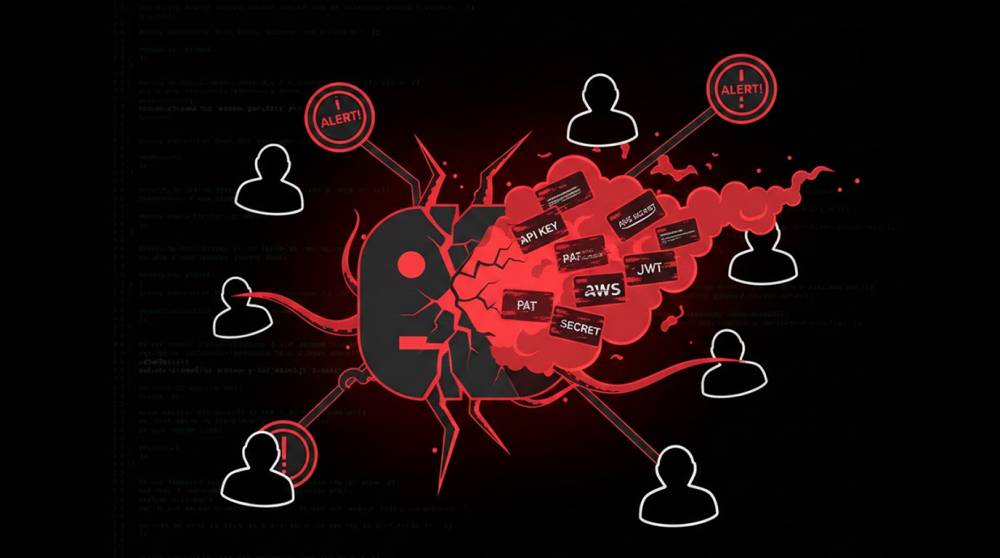
Poisoning public repositories with fake (but very attractive-looking) credentials is one of the fastest-growing reconnaissance and initial-access techniques in 2025–2026.
The attacker’s goal is not to get immediate access , it’s to create a reliable, long-lived pipeline that feeds them fresh, high-value credentials the moment a real employee or contractor finds and uses one of the planted secrets.
Typical Pipeline (What Attackers Actually Build)
1. Seed Creation: Generate many real-like credential pairs (probably in the thousands):
a) AWS Keys (AKIA…)
b) GitHub Personal Access Tokens (ghp_, github_pat_)
c) Stripe / PayPal / Twilio / SendGrid API Keys
d) Database Connection Strings (MySQL, PostgreSQL, MongoDB)
e) JWT Signing Secrets
f) Internal VPN / SSO Tokens
The keys are either completely fabricated (non-working) or low value real keys (burner) and will alert when they are used.
2. Planting Phase for trash accounts:
a) create disposable user profiles on GitHub / GitLab / Bitbucket (bulk purchase for ~$0.05-$0.20 each);
b) upload plausible small repos (examples: internal-config-backup-2025 ; "dev-env-secret"; "legends of original authors"; "old-project-password"; and "test-environment").
c) add forged files to repos (examples include: .env, config.json, secrets.yaml, docker-compose.yml, etc.) containing keys within;
d) Use realistic file paths for files (examples: /src/config/.env; etc.) please note that this is how you should name your files if loading from your project's folder or directory: /backend/.env.production; and /ansible/vars/secrets.yml.
c) Commit forged .env, config.json, secrets.yaml, docker-compose.yml, etc. with keys inside
d) Use the realistic file paths for files such as /src/config/.env or /backend/.env.production or /ansible/vars/secrets.yml
3. Enhancing Visibility and Discoverability
a) Use common key words in the repo name, description, and readme files (e.g., "aws", "secret", "key", "token", "prod", "staging", "credentials", "api_key")
b) Starring/forking from burner accounts to increase visibility of the repository
c) Push to public Gists that have similar names
d) Cross-post links to public discord servers, reddit threads, pastebin or low-quality forums
4. Monitoring and Harvesting
a) Attacker sets up canary tokens/custom webhooks/DNS callback in fake credentials
b) When a real user copies/pastes/uses the planted key, the attacker gets an instant notification (usually via a DNS lookup or HTTP callback)
c) After receiving that notification, the attacker will use that account as a pivot (if the key is real) or log the IP/user-agent of anyone who interacts with the key (fingerprinting)
5. Long-tail Persistence
a) Repositories can remain public for months/years.
b) New developers are searching GitHub for "aws key example" or "database connection string" and locate the poisoned repository.
c) Some attackers use the GitHub API to keep their repositories alive (auto-commit every few months).
Examples of real-world impact:
1. In the “internal-backup” repo, there are fake AWS credentials that trigger AWS GuardDuty alerts which result in the victim organization (the company that experiences the attack) investigating and determining that an employee had previously copied the relevant credentials from a public GitHub repository, which provides the attacker with a public IP address and user agent from the employee's interaction with the AWS and triggers a targeted phishing campaign.
2. In the “legacy-microservices” repo there is a modified .env file that a junior developer (who needs to reference the repo for a project) cloned from GitHub, containing a planted Twilio credential, which the attacker uses to receive SMS messages and calls to the relevant company phone numbers, which when combined provides the attacker with a way to conduct a vishing (voice phishing) campaign.
3. Attacker planted fake Stripe credentials into over 1,000 public Gists, which enabled their appearances in both Google and GitHub search results, and as a result allowed developers to copy and paste them leading to the harvesting of usage metadata.
Why This Technique Is So Hard to Stop
1. GitHub / GitLab cannot auto-detect “fake” credentials , they look like real ones until used
2. Search engines index repos/Gists very quickly → poisoned content ranks high for months
3. Developers trust public code samples , especially when searching “how to connect to AWS S3 in Node.js”
Practical Defenses & Detection
1. Developer training “Never copy credentials from public GitHub / Gists , always generate fresh ones”
2. Secret scanning Enable GitHub secret scanning (free for public repos) + push-protection (blocks commits containing secrets)
3. Canary tokens in code Plant your own fake AWS keys / tokens in internal repos → alert when they are used (someone copied internal code to public)
4. Monitoring for unusual GitHub clones Alert on spikes in clones/forks of internal repos (if mirrored publicly)
5. AWS / cloud provider-side Use canary IAM keys (low-privilege keys that trigger high-severity alerts when used)
Poisoned public repos are a long-tail, high-success recon channel. One fake .env file can feed an attacker fresh credentials for months and the developer who copies it usually never knows they were the source.
If you have open-source code: audit it for any credential-looking strings today.