In a new report from Microsoft, window-based cryptocurrency clipper campaign, running since February 2026, has been disclosed. The malware intercepts clipboard transactions and is capable of self-propagation with its communications hidden by using the Tor anonymity network.
The wormable cryptocurrency clipper campaign does not rely on a traditional installer or exposed IP-based C2 infrastructure. Instead, it deploys a portable Tor client, routes traffic through a local SOCKS5 proxy, and blends data theft with remote code execution.
What started as a financially motivated stealer has become a lightweight backdoor.
How the Infection Begins
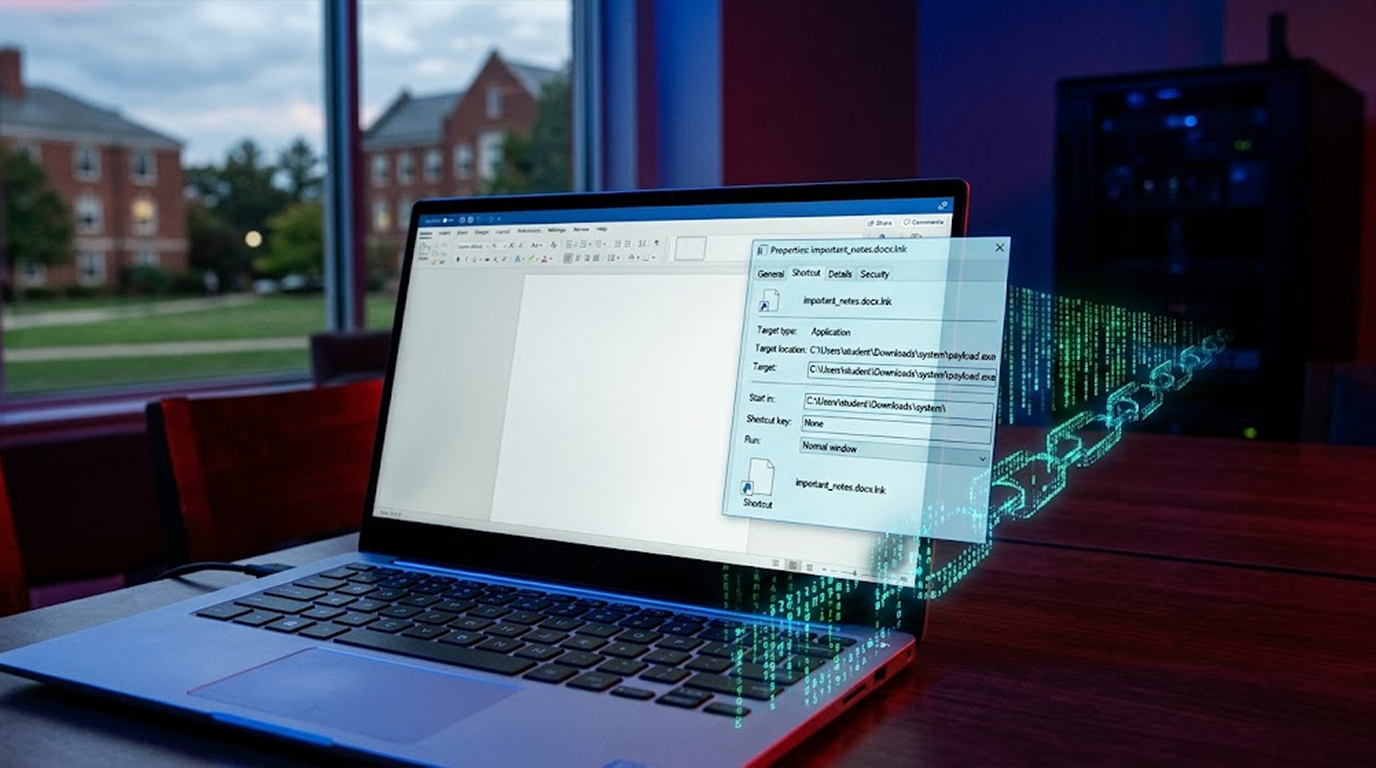
A USB device contains a malicious Windows Shortcut file (LNK). Upon opening the shortcut, a component of the worm is activated, which then checks if the computer is already infected with the worm. If not, it will contact a remote host and download the worm's payload.
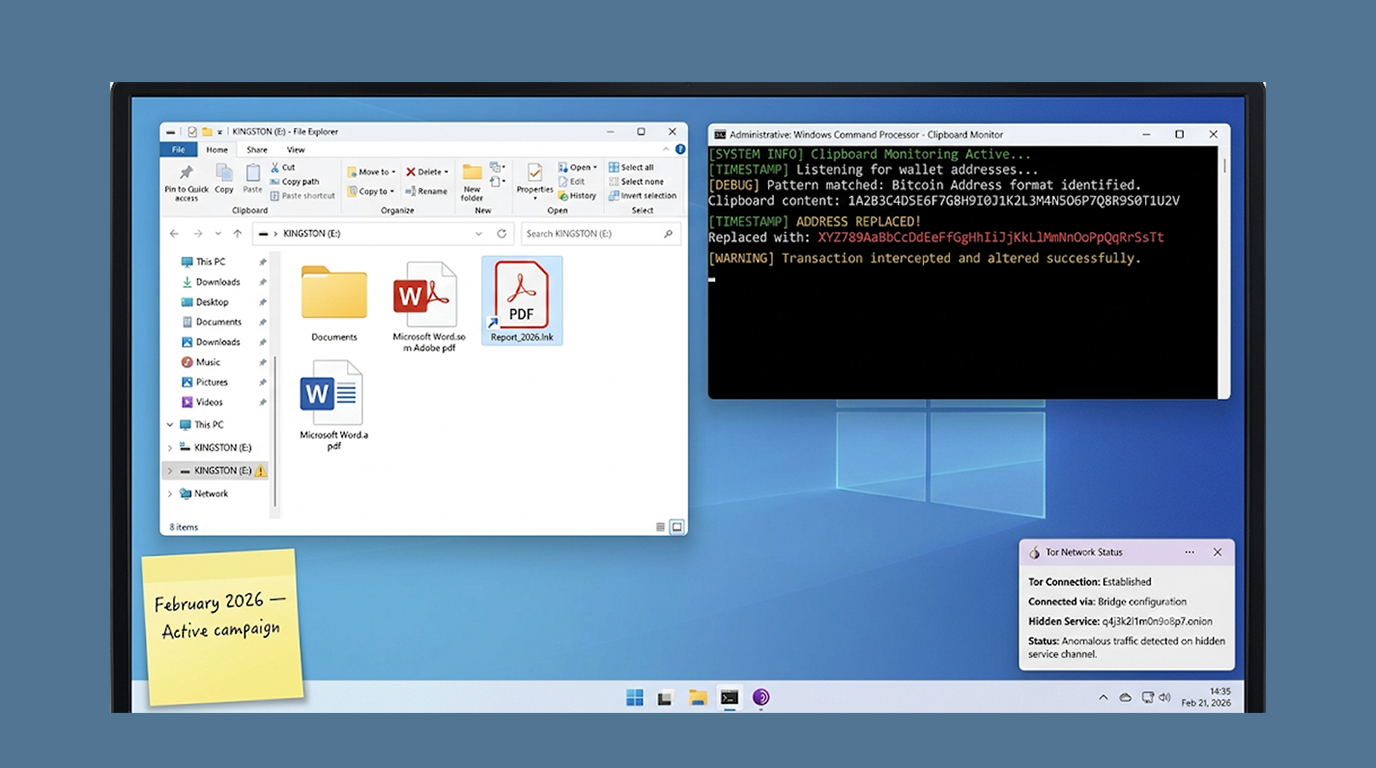
After it has downloaded its payload, the worm will then search for different kinds of documents on the USB drive it was downloaded from, such as DOC and DOCX files; XLSX files; and PDF files. The worm will also create an LNK file (a Windows shortcut file) for all of the documents it finds on the USB drive with the worm executable file as the target of those LNKs.
When the unsuspecting user sees the apparent document and double-clicks on it, the worm will execute.
The worm will also make sure that it propagates to other USB drives that are not compromised and create scheduled tasks to maintain both the worm and the stealers active for the foreseeable future.
How the Clipper Works
The clipper portion of the malware has the ability to harvest sensitive consumer data. It does this by harvesting and exfiltrating cryptocurrency wallet information in the batch script/script file format, using two Windows Script Host (WSH) extensions and the ActiveXObject object to facilitate its operations with the Operating System (OS). There is also a way for the clipper to evade detection by terminating when the Task Manager is open or running.
Once the clipper has started its assault on a consumer, it will:
1. Run the Tor binary as a hidden window by renaming it
2. Create a new unique identifier for each infected consumer
3. Establish its presence on a remote server through the Tor network
The malware also will continually cycle through this sequence of operations and will periodically check back with a Command and Control (C2) server for new instructions while also monitoring the user’s clipboard at least once every 500 milliseconds.
Clipboard Hijacking
A wormable clipper for cryptocurrency was built to interrupt the sending of cryptocurrency. The malware scans the computer clipboard to see if it has copied any string of letters, numbers, etc, in a similar pattern to Tellor hashes used in cryptocurrency transactions.
When a user copies a hash to send as a payment for the activity, the malware replaces the copied address with a new address created by the criminal that is stealing the user's funds.
The user pastes the address that he or she thinks is correct, and the user's funds are sent to an address that does not belong to the user, in addition to :
1. Have the ability to extract the seed phrase and private keys of the user
2. Take screenshots of the user and send them out of local memory via Tor
3. Execute code that has been placed on the user's system by a C2 (Command-and-Control) server when a response is received for the provided code of EVAL.
How the Use of Tor Makes It More Difficult to Detect
The wormable clipper for cryptocurrency is designed to communicate with the C2 server only via Tor. The malware will install its own portable version of Tor, which is installed with the payload so that the entire C2 communication will be routed through a local SOCKS5 proxy.
Because of how the malware is using Tor for C2 communication, it is difficult to detect through network monitoring. There is no method to detect C2 communication when traditional security devices are monitoring for connections with known malicious IP addresses. The C2 server itself operates as a hidden service, meaning the only way to connect is through Tor.
The malware will also use Windows Script Host (WSH) and ActiveXObject to interact with the Windows operating system. This will permit the code executed using WSH and ActiveXObject to perform actions on the user's computer, while avoiding the same level of alerts that would occur with an executable file.
Who Is Being Targeted?
The primary targets of the attack are assumed to be cryptocurrency owners as well as people who conduct financial transactions on Microsoft Windows; due to the use of USB as a propagation method, this malware can propagate in air-gapped environments such that any type of network-based attack wouldn't work in those situations.
Any business or agency that uses USB drive technology for data transmission and the majority of businesses and agencies still use this type of transfer medium are considered at risk.
How to Protect Yourself
The following containment strategies were suggested by Microsoft to protect individuals and businesses from the wormable cryptocurrency clipper attack campaign:
1. Disabling AutoRun and AutoPlay of removable media - This helps to eliminate the automatic execution of malware on device insertion.
2. Blocking LNK execution from removable drives using Group Policy - Without the ability to run shortcuts from removable media, the initial infection vector will no longer be a potential concern.
3. Restricting unnecessary use of wscript.exe and cscript.exe - As these are the Windows script format utilized by malware to execute itself, limiting the use of these tools will decrease the attack surface.
4. Investigate clipboard-related and screen-capturing behaviours - Look for unusual patterns associated with clipboard access and PowerShell-based screen capture.
5. Emphasizing behavioural detection over static signatures - Legitimate Windows components can be used as the method of compromise by the malware; therefore, static signatures may not be effective in detecting these forms of malicious activity.
6. Determining whether PowerShell-based screen capture was performed - This is a common method used by the clipper for capturing sensitive information.
7. Determining whether WScript, CScript or other related scripting engines launched curl, cmd.exe, PowerShell or any other executable which is unexpected.
The Bigger Picture
The wormable cryptocurrency clipper campaign is an example of the evolution of financially motivated malware. What was previously a simple clipboard steal has evolved into an advanced wormable backdoor with Tor-based command and control (C2) and remote code execution (RCE) features.
The ability to propagate using USB devices is especially unsettling in that it creates the potential for this type of malware to spread through environments where it would be impractical to launch traditional network-based attacks. There is no longer any assurance that air-gapped networks are not at risk from this type of threat.
The Bottom Line
The wormable cryptocurrency clipper campaign is currently active, spreading via USB devices, and stealing cryptocurrency from users who are unaware. As a result, it utilizes Tor to conceal its communications and make detection/blocking progressively more difficult.
Disable AutoRun. Block LNK execution from removable drives. Monitor for Windows Script Host activity. And if you handle cryptocurrency transactions on a Windows system, verify every wallet address before sending any funds.
Because the address you pasted might not be the one you copied.
FAQ Section
What is the Wormable Cryptocurrency Clipper Campaign?
The Wormable Cryptocurrency Clipper Campaign is malware that operates on Windows and is delivered through USB devices. It has the capability of stealing copied bits by altering those that originate from the clipboard and is designed to use Tor for command and control (C2) communication.
How does this malware propagate?
The malware is propagated through the use of malicious Windows Shortcut (LNK) files located on USB devices. By navigating to the shortcut and opening it, the malware will execute and then propagate to other connected USB devices.
What does this malware steal?
It has the ability to steal many types of cryptocurrencies (address, seed phrase, private key) as well as screenshots at will. It does this by replacing copied cryptocurrency wallet addresses with those that are under the attacker's control thereby re-routing any cryptocurrency transactions made with those addresses.
What are the reasons Malware uses Tor?
Tor conceals command/control communications. Many traditional security products that check for connections established to recognized malicious IP addresses will fail to find these malicious communications because they will be routed through Tor.
What are some methods of protecting your organization from this type of malware?
Disable AutoRun/AutoPlay, disable LNK execution from removable devices, disable Windows Script Host; monitor for any unusual activity with the clipboard; monitor for any unusual screen captures.
Is this malware known to affect macOS or Linux?
No. This malware has been confirmed only as an attack against the Windows operating system.