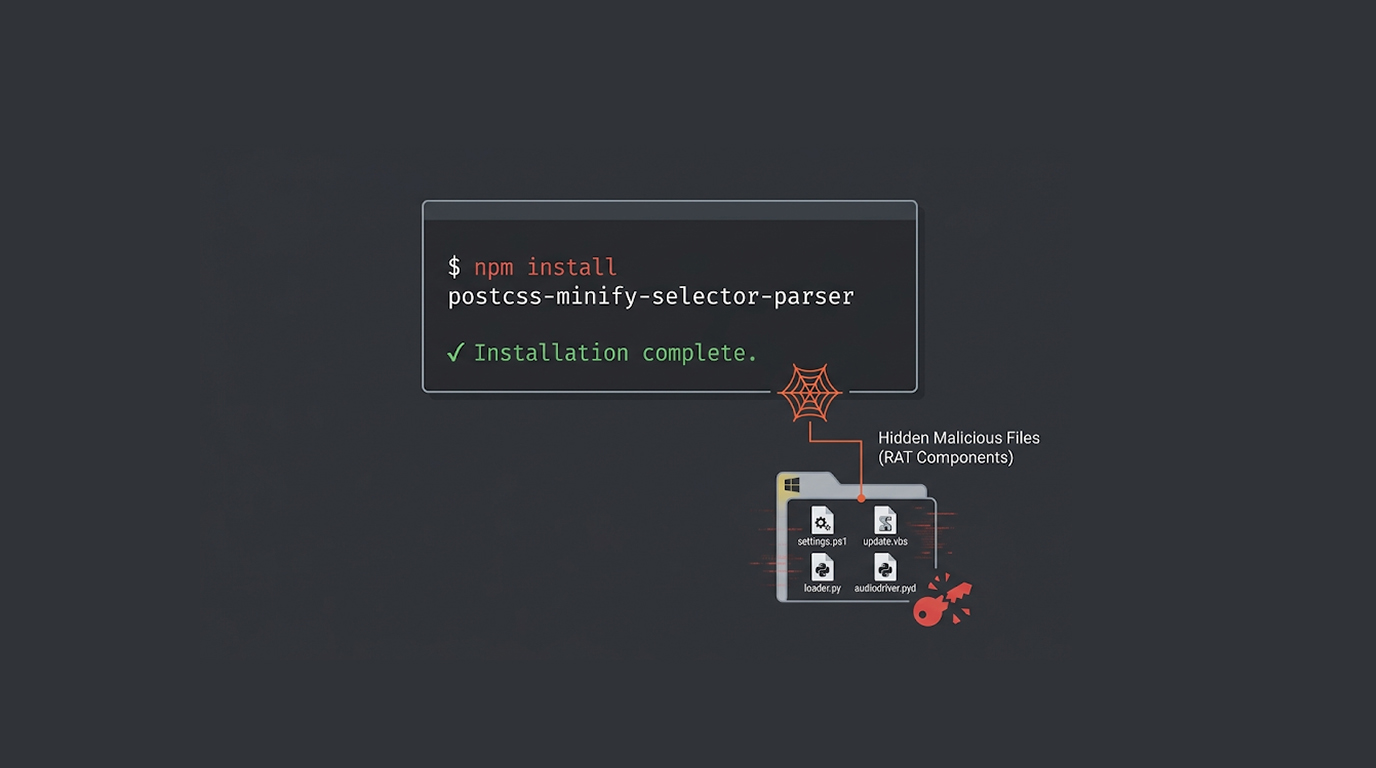
You install a package that looks like a legitimate build tool. It has a name similar to a popular library. It has hundreds of downloads. It seems safe.
It's not. It's a Windows remote access trojan.
Researchers have discovered a set of malicious npm packages designed to deliver a full-featured Windows RAT. The packages masquerade as PostCSS tools and AES decoding utilities. They have been downloaded over 1,000 times combined.
The packages remain available on npm as of this writing.
The Packages
The identified malicious packages are:
1. aes-decode-runner-pro – 145 downloads
2. postcss-minify-selector – 256 downloads
3. postcss-minify-selector-parser – 615 downloads
All were published over the past month by the same npm user. The names are carefully chosen to resemble legitimate packages. postcss-minify-selector-parser references postcss-selector-parser, a very popular library with more than 127 million downloads from npm each week.
There's a dependency chain that brings them together:
1. aes-decode-runner-pro and postcss-minify-selector-parser both depend on legitimate postcss-selector-parser
2. postcss-minify-selector depends on postcss-minify-selector-parser
Therefore, all versions will eventually lead you to the exact same Windows malware.
The Infection Chain
The malicious npm packages campaign begins with a JavaScript dropper embedded in the package. When installed, the dropper writes a PowerShell script named settings.ps1 to disk and executes it.
That PowerShell script acts as a downloader.
The next stage payload is acquired via curl.exe from an external location and is packaged in a ZIP file consisting of:
1. update.vbs (Visual Basic Script)
2. Python Runtime
3. loader.py (Python loader script)
4. Multiple compiled Python extension modules using Nuitka
The Visual Basic Script sets up the Python environment on the compromised machine and launches loader.py, at which point the core logic of the malware is executed.
What The RAT Can Do
The Windows Remote Access Trojan (RAT), which has been identified as being part of the recent npm packages campaign, has multiple functionalities:
1. Host information gathering
2. Google chrome credential theft
3. Gathering data from Chrome extensions
4. Running shell commands on the compromised system
5. Downloading files to and uploading files from the command and control (C2) server
The RAT has used a number of standard Python native extension modules to perform the above activities:
1. config.pyd - Holds constants, command identifiers, C2 URL and names for registry keys.
2. api.pyd - Processes packet(s) between RAT and C2 via http
3. audiodriver.pyd - Conducts the main RAT orchestration loop for performing the operations of the RAT
4. command.pyd - Gathers information on the host, performs VM checks, executes file transfer commands, and executes shell commands (over a hidden connection).
5. auto.pyd - Poaches Chrome credentials and Chrome extension data, while circumventing application constrained encryption protections.
6. util.pyd - Provides the tar/gzip archive helpers.
The RAT communicates with its command and control (C2) server (located @ 95.216.92.207:8080).
Importance of Package Names
This malicious npm packages campaign utilizes a method called dependency confusion (typo-squatting). The names of these packages are designed to be similar to reliable, stable packages that developers utilize routinely.
For example, postcss-selector-parser has 127 million downloads per week; therefore, a developer who is seeking a minifier may choose to install postcss-minify-selector-parser unknowingly.The name looks correct. The download count seems reasonable. The package appears to be legitimate.
By the time the developer realizes something is wrong, the RAT is already installed.
Other npm Campaigns
The malicious npm packages campaign is not an isolated incident. Researchers have identified several other campaigns targeting the npm and TypeScript ecosystem:
apintergrationpost – A package claiming to be a Node.js integration client for red team exercises. It delivers a Linux RAT called MYRA with three persistence mechanisms, fileless execution, and live screen streaming.
@withgoogle/stitch-sdk – Imperssone Google’s Stitch AI Design Tool - Stole user’s credentials from Claude Code, git config, GitHub cli, npm config, and Docker config, and exfiltrated them to an attacker-controlled domain.
procwire, routecraft, endpointmap, bytecraft, staticlayer – A cluster of five
packages that deliver a dropper binary on Windows hosts during npm install.
The Bigger Picture: PolinRider and North Korean Activity
The malicious npm packages campaign overlaps with a North Korean supply chain operation called PolinRider. This campaign has injected obfuscated JavaScript into legitimate developers' configuration files across nearly 2,000 compromised GitHub repositories.
The payload delivers BeaverTail, a known malware downloader and stealer, which then paves the way for the InvisibleFerret backdoor.
There are three components to the attack that create a gap in detection:
1. A complex fake description of the public relations campaign with fictitious evidence of testing.
2. Code diffing that conceals the payloads in horizontal white space.
3. The command and control (C2) server has two stages, the second stage, using public blockchain infrastructure as a relay.
What You Should Do
If you appear to have downloaded or installed any of the malicious npm packages in this campaign, you should do the following:
1. Remove the npm packages immediately. npm uninstall aes-decode-runner-pro postcss-minify-selector postcss-minify-selector-parser
2. Remove any leftover artifact from the installed software package. Please search for any settings.ps1, or update.vbs, or unexpected .py file created by these software packages as part of this cleanup.
3. All accounts that have been compromised through this exploit must be cleared and set up with a new password, including any stored passwords, as well as any web browser-based passwords used with Git or any other site/API key.
4. Check to see if you are connected with the control server via IP address: 95.216.92.207:8080.
5. Identify, as much as possible, any of the npm packages that were compromised; this will help ensure you are not using these packages in your build/deployment process.
The Bottom Line
This malicious npm packages campaign serves as a reminder to everyone involved in the npm ecosystem that it is still an easy target for supply chain attacks. It is as easy as using a package name closely resembling a legitimate tool, published by an unknown user, and only having a few hundred downloads to run malicious code such as a Windows RAT that steals user credentials.
Make sure that you check your dependencies, double check to ensure the correctness of each package name. If you have postcss-minify-selector-parser listed in your lockfile, make sure you delete it out immediately.
FAQ Section
Which malicious npm packages are involved?
The three malicious packages are called aes-decode-runner-pro, postcss-minify-selector, and postcss-minify-selector-parser. Although they appear to be common build tools, they actually install a Windows RAT on your computer.
What is the total number of downloads for all three malicious packages?
All three packages combined had over one thousand total downloads. The package with the greatest number of downloads is called postcss-minify-selector-parser, with six hundred and fifteen downloads.
What is the purpose of the malware?
The malware steals your Chrome credentials and installs extensions; runs shell commands; downloads files to/from your computer; and communicates back to the C2 server.
How does the delivery method for the malware work?
When you install the malicious package on your computer, it will create a JavaScript file that is designed to drop a PowerShell script to your computer. The PowerShell script will download a ZIP file containing a VBScript, a Python runtime, and a loader. The VBScript will set up the Python environment and then launch the RAT.
What should I do if I installed one of these packages?
You should remove the package right away, you should also delete any related files and rotate any credentials you have stored on the device. You should also check your device for any connections made to the IP address 95.216.92.207:8080.
Is this attack related to North Korean threat actors?
Although there are similarities to other North Korean supply chain-related activity, there has been no attribution established at this time.
Source: The Hacker News