First, What Is Stalkerware?
Stalkerware is software secretly installed on a phone to monitor someone’s activity. Messages, calls, location, photos, sometimes all of it.
It’s usually installed by someone who already has physical access to the device. A partner, ex-partner, or someone “helping” with phone setup. No hacking skills required. Just opportunity.
This isn’t a niche problem. We see it more often than people think, and it rarely announces itself.
Signs Something Isn’t Right
Stalkerware tries to stay invisible, but it’s not perfect. Common warning signs include:
1. Battery draining unusually fast
2. Phone overheating without heavy use
3. Sudden spikes in mobile data usage
4. Strange apps you don’t remember installing
5. Settings changing on their own
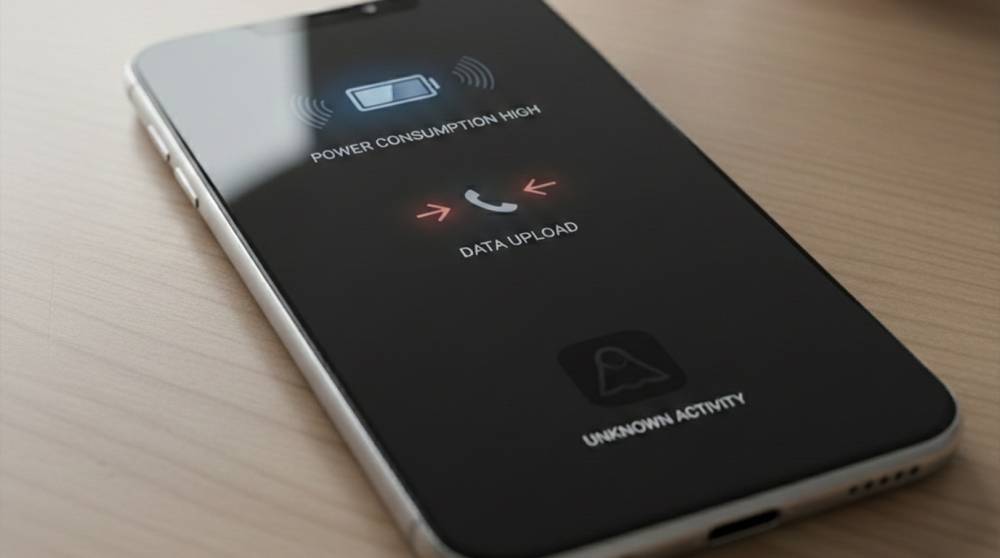
One Cell Phone that we evaluated appeared to be completely normal until we reviewed it within their data usage review, where we found out that they were uploading hundreds of megabytes a day and yet, the user hardly ever utilized this device at all.
Things to Check for Manually
1. Review Installed Apps:
While many users will only review their Home screen for agreement with what they expect to see, it is helpful to go through all of the Apps (including included apps) on the device. Look for the following items, if they are installed:
1. Generic Names (System Service, Device Helper)
2. App Icon Missing
3. App Requires Excessive Permissions
If an app is hard to remove or won't allow users to remove it, that could be a major red flag.
2. Check App Permissions.
Stalkerware will have access to sensitive features on the user's phone in order to function properly. So make sure you are aware of the apps with:
1. Full Access to Locations
2. Accessibility Permission
3. Device Administrator Privileges
4. Access to Messages, Calls, and Microphone
If a calculator app wants microphone access - something isn't right.
3. Check Data Usage and Battery Usage (Under Settings -> Networks and Internet):
When you check the settings for your phone, you can also see which applications are using the most of the following:
1. Mobile Data (or cellular data)
2. Battery Power
3. Background Activity
Stalkerware will typically run in the background (without being detected) and send out user data on a regular schedule.
Safety: Do Not Use anything that is not part of a trusted security tool. You should use a reputable mobile security application or program to help keep you safe in the event of cybercrimes. A good mobile application can identify and detect families of stalkerware (the greatest risk), but are not fool-proof.
NOTE: Removing an App that has been identified as stalkerware may not guarantee your safety if that stalkerware was just removed by person who placed it on the device. In some cases, doing this may increase the risk of personally identifying information being stolen. So you should always put your safety and well-being first!
If you believe stalking software has been installed on your device, take these steps before proceeding:
1. Speak with a trusted professional or advocate organization.
2. Make sure you're backing up important files securely.
3. Create a written record of anything suspicious you have experienced or found.
4. If there's any concern about your safety, do not confront the person who installed the original stalkerware , the installation of stalkerware is likely to be a dangerous crime.
5. In some situations, the best way to protect yourself and your information may be to obtain a new device and change your account credentials.
What Companies and Support Teams Should Know
Employees may come to IT or security teams with vague concerns like “my phone feels watched.” Take that seriously.
Stalkerware isn’t just a technical issue, it’s a privacy and safety issue. Calm handling matters more than technical perfection.
Stalkerware doesn’t behave like traditional malware. It hides behind normal features and permissions.
Detecting it means paying attention to patterns, not panic. Small signs add up.
If something feels off, it’s worth checking. Quiet monitoring is still monitoring and nobody deserves that on their personal device.