You want to watch the World Cup match. You are not near a TV, and the official streaming service requires a subscription you do not have. You search online for "free World Cup stream" and find a website recommending a new app.
"Watch every match in HD, completely free."
You download the app from a link, not from the official app store. You install it. The app asks for accessibility permissions, which seems strange, but you want to watch the game.
You grant the permission.
You have just handed your phone to a criminal.
Malicious streaming apps targeting Android users are one of the most dangerous threats ahead of the 2026 FIFA World Cup. They do not just show you ads. They steal your banking credentials, empty your crypto wallets, and take over your accounts.
I will explain how these applications work, why Android is a prime target for attacks, and how to ensure your safety.
Why Android Is a Target
You may be asking yourself why these attacks are directed towards Android rather than iPhone devices. The reason is that Android permits users to load applications from sources not found within the Google Play Store.This is called sideloading. iPhone does not allow this (unless the device is jailbroken, which is rare).
Attackers know that many Android users download apps from third-party websites, especially for free streaming, pirated content, or apps that are not allowed in official stores.
When you download an app from a third-party website, you bypass all of Google's security checks. No malware scanning. No developer verification. No safety net.
The attacker is counting on you taking that risk.
How Malicious Streaming Apps Function
These apps are created to emulate actual streaming apps through the use of original high-resolution logos, images, and descriptions of the service provided. A majority of these applications also contain fake user ratings and reviews from other users.
On the surface, these apps appear to offer legitimate content and to be trustworthy.
However, behind the interface these apps are doing something completely different.
Step 1: The Bait
You find these apps through social media posts, sponsored ads, or websites that offer lists of "best free apps to stream the World Cup". These apps all claim to offer free access to all World Cup games; they do not require a subscription; they do not have hidden fees.
You will not find these apps on the Google Play Store. You must download the app from a link on the site. The website assures you that downloading the app is a safe thing to do.
Step 2: Installation
You download the APK (Android Application Package) file from the link and install it. When you attempt to install the APK, you will receive a warning from Android letting you know that installing apps from unknown sources could be a security risk, but you choose to click "Allow" because you want to watch the game.
Step 3: The Permission Request
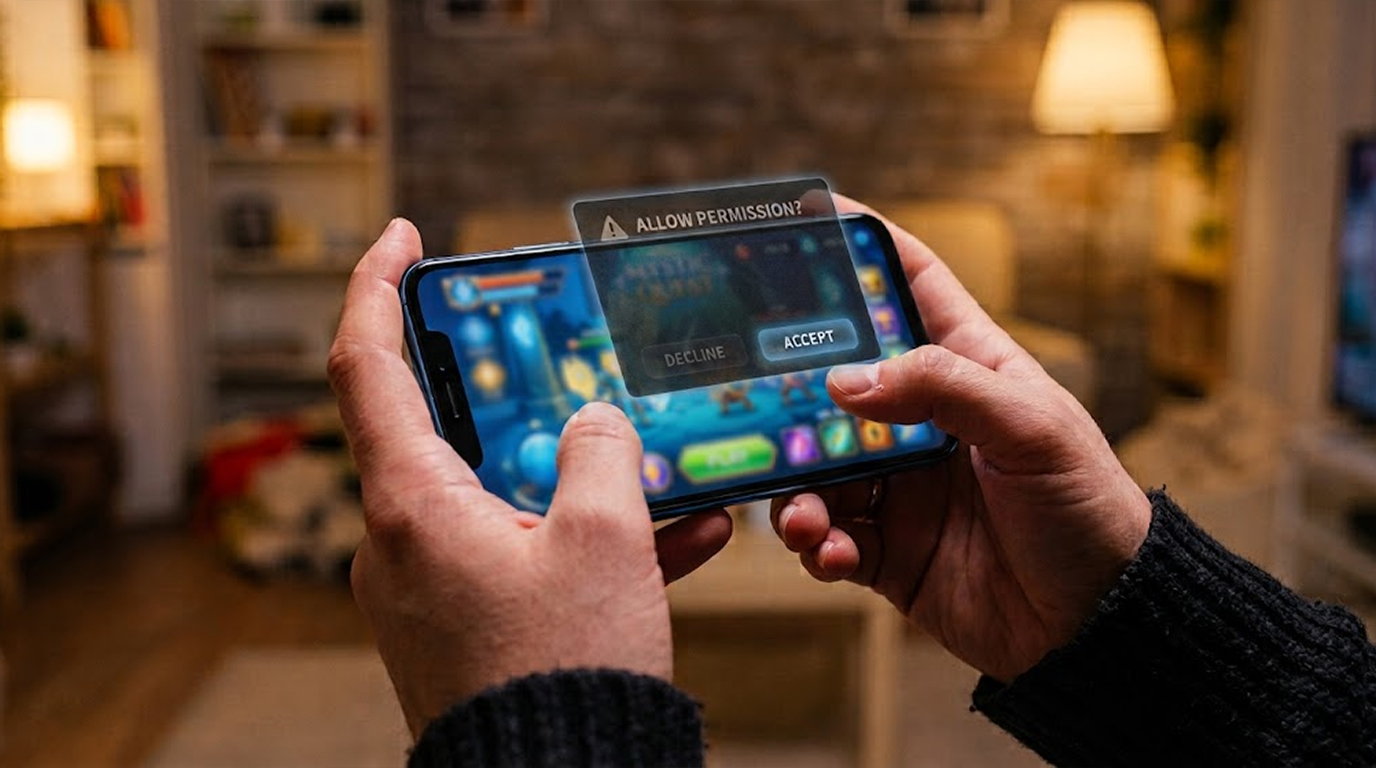
Upon launching the application, it immediately requests permission to access your device's accessibility features instead of presenting a video feed. This is very important to note.
A streaming application should only need permission to access your device's accessibility features when providing assistance to users with disabilities, such as via screen readers or voice control. These types of applications are able to see everything displayed on your device screen, to be able to control your device and to communicate with other applications.
A video playback application does not need access to your device's accessibility features; however, you are unaware of this fact at the time of granting permission to the playback application.
Step 4: The Malware Activates
Nothing will happen until after you grant the malware accessibility permissions; at that point, it will be fully operational. After this, the malware will stay dormant in the background until you attempt to open either your bank or a cryptocurrency app.
After you open your banking app, the malware will generate fake screens that resemble the real login screen of the bank to lure you into providing your username and password so it may capture those as well as send them to the attacker.
When you open your crypto wallet, the malware intercepts the transaction and changes the recipient address. You think you are sending crypto to your friend. You are sending it to the attacker.
Malware is also capable of taking the following:
1. Recording everything you type (passwords, messages, and, recovery phrases).
2. Intercept SMS messages sent to your device (such as two-factor authentication codes).
3. Take screenshots of the physical display of your device.
4. Control your phone remotely.
Step 5: The Attacker Has Your Money
Once the attacker has your banking credentials, they can log into your account and deplete your funds. With your crypto wallet, the attacker has access to empty your holdings. By using your two-factor codes, the hacker can bypass your security controls.
You never see it happen. The streaming app may not even work. It was never designed to stream anything. It was designed to steal.
The Malware Families Behind These Apps
Security researchers have identified specific malware families being distributed through fake streaming apps.
Perseus:
Perseus is an Android banking trojan built on leaked code from an older trojan called Cerberus. It is capable of keylogging (recording everything you type), screen capture, SMS interception, and remote control. It can even read note-taking apps to find saved passwords and crypto recovery phrases.
Perseus explicitly requests permission for the purpose of accessibility (its main attack vector). Once this is granted, it has the ability to place a fake login screen on top of a legitimate banking or crypto app.
Massiv:
Massiv is a second banking trojan found in fake streaming applications, focusing on stealing credentials and intercepting transactions. Applications promising free streaming of many major sporting events (including the World Cup) are commonly used to distribute it.
Both malware families continue to be actively distributed through the fake FIFA streaming applications. Kaspersky has linked these trojans to malicious applications in anticipation of the 2026 World Cup.
The Accessibility Permission Danger
Accessibility permissions are the most dangerous permission an Android app can request. Here is why.
Types of accessibility permissions and their usage:
1. Can read everything displayed visually on your device including passwords, texts, and financial information
2. Able to perform taps/swipe actions to input gestures and click on your behalf
3. Capable of interacting with 3rd party applications
4. They can install an app that has been not approved without your express consent.
5. They can turn off notifications when they have taken unauthorized action.
Legitimate Apps that require Accessibility Privileges:
1. Screen Reader App for individuals who are visually impaired.
2. Voice-Interactive App for individuals with limited mobility.
3. Password management applications that require them to fill in credential information automatically from a saved password manager
4. Automation programs such as Tasker.
What legitimate streaming apps need accessibility permissions:
Nothing. No streaming app needs accessibility access. Not one.
If a streaming app asks for accessibility permissions, it is malicious. There is no exception. Uninstall it immediately.
How to Spot a Malicious Streaming App
Before you download any streaming app, look for these red flags.
The app is not on the Google Play Store.
Legitimate streaming apps are available on official app stores. If you have to download an APK from a website, be extremely suspicious.
The app asks for accessibility permissions.
This is the clearest sign of malicious intent. A streaming app does not need to see your screen, control your device, or interact with other apps.
Promises of Free Premium Content.
The claim "Watch all World Cup Games in HD for Free" isn't accurate. Official broadcasters pay billions to stream rights so they don't do it for free. The app has very little in terms of users or reviews.
On third-party sites, check the download count and comments. Be suspicious of generic positive reviews that all sound the same.
The app requests other unnecessary permissions.
Does a streaming app need access to your contacts? Your location? Your camera? Your microphone? No.
The app was created recently.
Check the app's release date. Malicious apps are often created weeks before major events.
How to Protect Yourself
You do not need to stop watching the World Cup. You just need to watch it safely.
Rule 1: Only download from official app stores.
Google Play and the Apple App Store are not perfect, but they scan apps for malware and have removal processes for malicious apps. Third-party websites have none of these protections.
Rule 2: Never grant accessibility permissions to a streaming app.
If any app asks for accessibility permissions, deny it immediately. If the app will not work without it, uninstall the app. A streaming app has no legitimate need for accessibility access.
Rule 3: Use official broadcasters.
Official broadcasters are the safest way for you to watch the World Cup. In the UK, these include BBC and ITV, along with other licensed providers. If you live in another country, you should consult your local area for this information.
Rule 4: Be cautious of 'too good to be true' deals.
It is unrealistic to get free HD streams of every match, for the full tournament. If it sounds too good to be true, it probably is a piece of malware.
Rule 5: Keep Your Android Updated At All Times
The most common way to keep your Android smartphone secure is by regularly updating your device with the latest operating system. Updates will often contain security fixes for known vulnerabilities, so if you receive an update for your device, make sure to apply it right away.
Rule 6: Make Sure That Google Play Protect Is Enabled
Google Play Protect will scan every application that you install on your Android device to make sure there is no malware. It also provides you with an easy method for configuring the ability to scan apps using Google Play Protect.
Open the Google Play Store, click on the "Google Play Protect" option, and check the settings for "Scan apps with Google Play Protect." If your device does not have this setting enabled, you should enable it now.
Rule 7: Check Your Application Permissions
Every once in a while, you may find that it pays to periodically review all the applications on your Android device to see what features they have access to and to confirm they are safe to use.
You can do this by accessing your device settings (Settings > Applications > Permission Manager) and viewing the permissions assigned to each application. If you find an application you do not know or is not safe to use, then you should revoke it’s access and delete the application from your device.
What To Do If You Have Installed A Malicious Streaming App
If you suspect you accidentally installed a malicious streaming application, follow the steps below as soon as you discover the app is on your device:
Step 1: Go to Settings > Accessibility > Installed Services and scroll to find unknown apps and disable the service.
Step 2: Go to Settings > Apps, find the app you suspect is malicious, and remove it from your device.
Step 3: Navigate to the Google Play Store App and perform a full scan of all apps installed on your device by going to Google Play Store > Google Play Protect > Scan.
Step 4: Change your important passwords. Assume the malware captured everything you typed. Change your banking passwords, email passwords, and crypto wallet credentials.
Step 5: Contact Your Bank. Once you've determined whether you've used a banking application while the malware was on your device, contact your bank and ask for new credit cards, as well as having them monitor your account for any unauthorized transactions.
Step 6: Check Bank Account. After your bank has issued a new card, check your bank statement, credit card statement and crypto wallet to see if you have any unauthorized transactions.
Step 7: If you are unable to confirm that the malware is gone, back up your important files (pictures and documents), then do a factory reset on the device. This will give you the best assurance that your phone has been cleaned.
The Bottom Line
Malicious streaming apps targeting Android users are a serious threat ahead of the 2026 FIFA World Cup. They promise free access to matches but deliver banking trojans that steal your credentials and empty your accounts.
The apps ask for accessibility permissions, which no streaming app needs. If you grant it, the malware can see everything you type, overlay fake login screens on your banking apps, and intercept your two-factor authentication codes.
Protect yourself by only downloading from official app stores, never granting accessibility permissions to streaming apps, and using official broadcasters to watch the matches.
A few minutes of caution can save you from losing thousands of pounds.
Enjoy the World Cup, but watch it safely.
FAQ Section
Are streaming apps capable of obtaining my banking info?
Yes. After installing the app, if you give it any kind of permission, it will use a fake login screen created by the app as a disguise to present you with something that looks like the one used by your bank. If you enter your details, they will then be sent to the hacker through the app.
Why are hacker streaming apps designed to work on Android only?
Because Apple won't allow outside apps onto their phone through sideloading, so when hackers create the apps, they must be able to get them to users through places other than the app store (i.e. on the internet), which they are able todo by providing a link to an Android device.
What is the one permission that you should not give to a streaming app?
Accessibility permission. There is no legitimate use for a streaming application to require accessibility permissions. If the streaming app requests this type of permission, it is a malicious app and should be denied immediately and uninstalled.
Is the Google Play Store a secure platform to download apps?
Even though no websites are 100% safe, the Google Play Store does have a significantly lower level of risk than sites that aren't affiliated with Google. Google reviews all applications for viral coding before they are uploaded to the Google Play Store, and any applications that are unapproved will have action taken against them. There will always be users who will try to upload questionable applications onto the Play Store, so it's recommended that you only install apps that you can verify are trustworthy.
What are the various methods to view World Cup contests on television without having access to a cable connection?
An easy way to watch these competitions is by finding a company (i.e., BBC, ITV) that has the proper broadcasting rights. All broadcast providers should be able to show you a secure stream of each World Cup match. If you cannot afford to subscribe to any broadcast provider, try getting together with friends and going out to a bar or having a viewing party instead of attempting to obtain a download of possibly questionable quality.