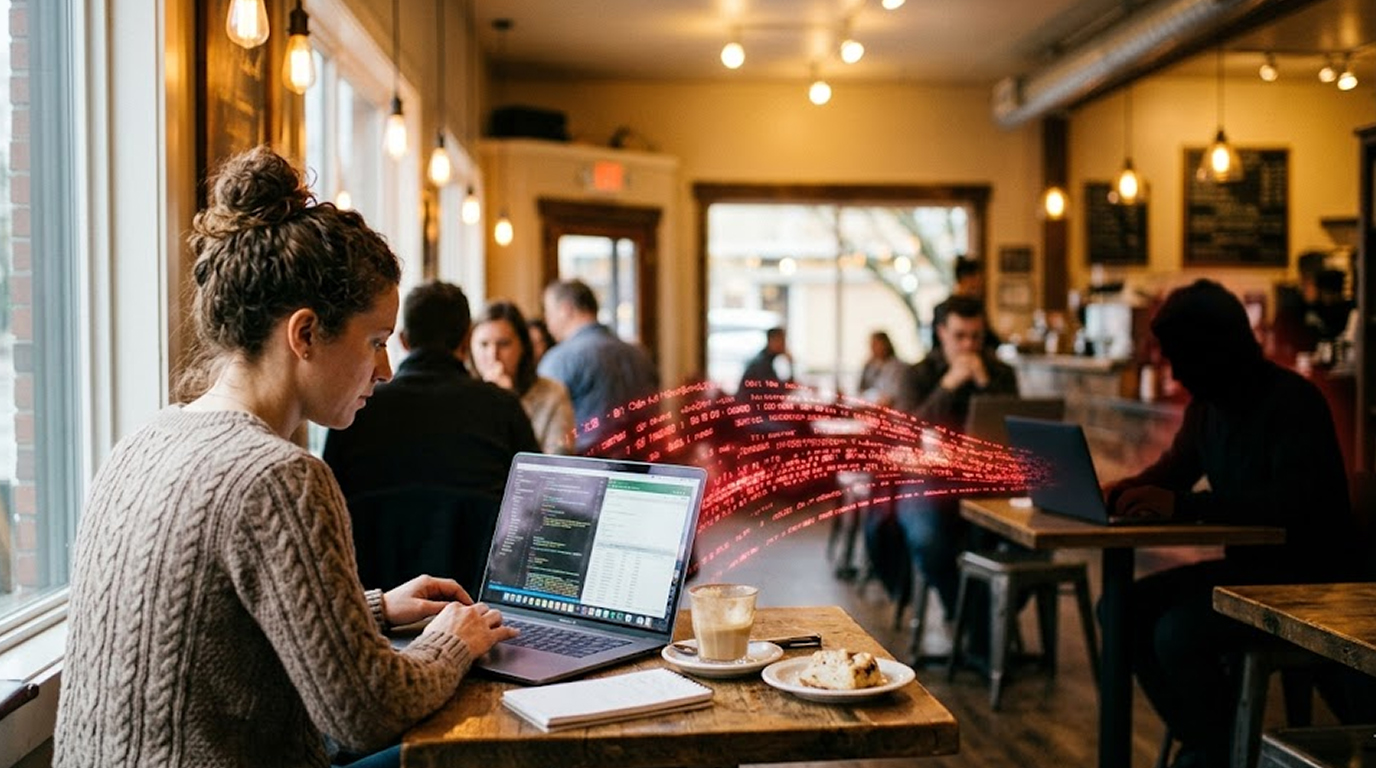
You are sitting in a coffee shop, airport lounge, or shared apartment, and you are connected to the same Wi-Fi as strangers.
Someone else on that network is also browsing the internet. Maybe they are a student, or maybe they are a hacker.
Can they see what you've done? Can they read text messages or see pictures? Or can they get passwords?
Yes, they can watch what you do at times, but not all the time and not for every activity.
Let me explain exactly what is visible, what is hidden, and what you need to worry about.
The Short Answer
Someone on the same Wi-Fi can see your internet traffic if that traffic is unencrypted. They cannot see your traffic if it is properly encrypted.
Most of your important traffic is already encrypted, including your banking, your email, and your social media. But some of your traffic might still be visible, and even encrypted traffic leaks some information.
Your Wi-Fi users can see the following information about you:
1. Users can see the Domain Names of websites you visit - Therefore, if you were to visit "facebook.com," "yourbank.com," or "any type of medical website", they will see you visited them but they will not necessarily know what you did on them.
2. They can see the amount of data being downloaded/uploaded – They can see the size of every file downloaded/uploaded and will be able to identify patterns of activity by your data use.
3. Your device identifiers (e.g., IP address and MAC address) – They can see IP address and MAC address for each device used on the network, which will allow them to properly track your activity.
4. They will be able to see everything done on non-encrypted HTTP websites – If you go to a non-encrypted site (e.g., HTTP), they will be able to see everything you do there as well as any passwords, credit card numbers, private messages, etc.
People using your Wi-Fi will not be able to see the following:
1. What you do on websites that are secured through HTTPS – The contents of your communications on HTTPS will be encrypted so that your passwords and private information cannot be viewed.
2. Any communication sent using end-to-end encryption (e.g., WhatsApp, Signal, iMessage) - They will not be able to read messages sent via applications using end-to-end encryption.
3. What you do using a VPN - All traffic will be encrypted by a VPN and will not be visible by any person accessing the same Wi-Fi network.
The scary part is not what they can see, but what they can learn from what they see. A list of domain names alone can reveal your habits, your interests, your health concerns, and your relationships.
How Wi-Fi Traffic Works
When you connect to Wi-Fi, your device sends data through the air to a router, and the router sends it to the internet. Anyone else on the same Wi-Fi is also sending data through that same air.
Normally, your device and the router talk directly to each other, and other devices are not supposed to listen. But there is nothing physically stopping them from listening.
It is like talking in a crowded room. You whisper to your friend, but someone else can lean in and hear you.
Most normal people on your Wi-Fi cannot see your traffic because they do not have the tools or knowledge. But someone with basic networking knowledge can use free software to capture and analyze Wi-Fi traffic.
This is not hacking; it is just listening. The software is called Wireshark, and it is free, legal, and easy to use.
What Is Visible to Anyone on Your Wi-Fi
Here is what someone with basic tools can see:
The websites you visit (domain names): Even with encryption, the domain name of every website you visit is visible. When your device looks up a website, it asks a DNS server "where is facebook.com," and that request is usually not encrypted. Someone watching can see you visited facebook.com, google.com, yourbank.com, or a medical website. The domain names are telling a story about what you did. They do not know the details of your internet activity but can make some inferences based on the URL you clicked and how it relates to your behavior.
The amount of data you use: A third party will be able to see the capacity of each data file that you download and upload. Therefore, they will see that you have downloaded a 50MB file, a 2MB file, and a 300MB video. They wouldn’t know what these files were but would have a good idea. They can probably speculate that your 300MB file is likely some sort of video and your 2MB file is probably a document if they were to guess.
Your device’s Unique Identifying Numbers: IP and MAC Address: Each device has a unique identifier. Someone on the Wi-Fi can see your device's addresses and tell your phone from your laptop from your smart TV. They can track when you come and go from the network.
Unsecured Web Traffic (Danger Zone): You can see and read everything that happens on a website by connecting to it using the HTTP protocol (instead of HTTPS). This includes every page you view, every form you fill in, and everything you type into a form (such as your username and password). On the plus side, the majority of websites now use HTTPS by default. However, some older websites, local websites, and poorly configured websites still use HTTP.
What Is Hidden (Properly Encrypted)
Here is what someone on your Wi-Fi cannot see, even with advanced tools.
What you do inside HTTPS websites: If the website uses HTTPS (look for the lock icon in your browser), the content of your communication is encrypted. Someone watching can see you visited facebook.com, but they cannot see your feed, your messages, or your posts. Your passwords, credit card numbers, and private messages are safe from Wi-Fi snooping.
Secure Messaging Applications: Applications like WhatsApp, Signal, iMessage, and Telegram utilize end-to-end encryption in their messaging capabilities. So if someone intercepts the data in this example they will only be able to see scrambled information that cannot be interpreted; your private conversation is truly private.
VPN Internet Traffic (All of it): By utilizing a VPN you will encrypt all of your internet traffic to/from and through the VPN tunnel that is created. If you are connected to the VPN and you are connected to public Wi-Fi no person that may also be connected to that public Wi-Fi or third party will know what websites you View, what you download or what passwords you use.
The Incognito Mode Myth
Incognito mode or private browsing does nothing to hide your traffic from someone on the same Wi-Fi. Incognito only stops your browser from saving history on your own device.
It does not encrypt your traffic, and it does not hide which websites you visit. If you want privacy from people on your Wi-Fi, you need a VPN, not incognito mode.
What Your Wi-Fi Owner Can See vs What a Guest Can See
There is an important difference between two guests on a coffee shop Wi-Fi and the person who owns the router.
Two guests on the same public Wi-Fi: They can see roughly the same things, including domain names, data sizes, and unencrypted traffic. However, they cannot easily see each other's traffic because most public Wi-Fi networks enable "client isolation”.
Client isolation means that things cannot communicate or see each other on a network. Many coffee shops, hotels, and airports have client isolation set up to protect their networks.
As the Wi-Fi owner (someone who controls the router), you can see a lot more. This means that by logging into the router, you can see the devices that are connected, every website (domain name) the devices have accessed, and how much data has been used by the devices connected.
If the owner of the router has enabled logging, they may track the above information over time. Your employer, place of education, landlord or parents can see everything you've done on the internet if they own the router that you are connected to and know how to access the logs for it.
Real-World Scenarios
Scenario 1: Unknown Person on Coffee Shop Wi-Fi
An individual is using the same Wi-Fi as you at the coffee shop. Are they able to see your traffic? The chance of them being able to do this is very small because almost all coffee shops enable their Wi-Fi to not allow devices to communicate with one another (client isolation).
Even if a coffee shop does not have client isolation enabled, usually a random individual doesn’t have the tools or knowledge to intercept traffic. Therefore, your risk is very low.
Scenario 2: Tech-Savvy Roommate with Access to the Router
A tech-savvy roommate with a background in computer science has access to the router located in your apartment. Can this roommate see the websites you are visiting? Yes, they could log into the router and see the sites you are visiting, or they could set up packet sniffers to see traffic that is not encrypted.
The degree of risk if you cannot trust your roommate is considered moderate; however, using a VPN will encrypt the traffic on the Internet to prevent the router owner from viewing the traffic.
Scenario 3: Company Wi-Fi Access
The company provides employees with access to the company's wireless network to conduct company business. Does the company's Information Technology department have visibility into the wireless network? Yes, absolutely! The company is likely monitoring all network traffic for both security and productivity purposes.
They will know where you are browsing on the Internet, how long you are at each site, and the amount of network data you are using. Therefore, if you want to keep your employer from knowing that you are browsing the Internet for personal reasons, do not do any personal Internet browsing while connected to the company wireless network. If you are using a VPN, your employer may also block VPN access.
Scenario 4: Free WiFi at Air Travel Terminals
The airport gives all terminal patrons complimentary access to Wi-Fi technology. Can the airport track your use of Wi-Fi? The airport does not monitor its users individually. However, the company providing Wi-Fi services to travelers has the capability to monitor users.
The larger concern will come from other travelers monitoring their own Wi-Fi usage through packet sniffing technology. To protect against your personal data being found, use a VPN when using any public Wi-Fi networks that you do not control.
How to Protect Yourself
Paranoia is not necessary, however there are some precautions you should follow:
1. Using a VPN on public wi-fi networks (A virtual private network will encrypt all of your internet activity making it unreadable to anyone on that same network; not even the owner of the wi-fi will be able to see what you are doing) while on a public wi-fi network (Examples: Coffee shop, airport, hotel & conference centers) – A free version of ProtonVPN – Mullvad or IVPN are three good choices for VPNs.
2. Check for the lock- icon: Before you submit any personal or financial information to a website (Credit Card number, Password etc.) make sure the web address has a lock- icon indicating that the data being transferred is encrypted using HTTPS. If there is not a lock- icon present do not submit any sensitive payment information.
3. Use a password manager: A password manager will automatically fill in your password for you on any legitimate website. If you use a phishing link to access a website, then your password manager will not auto-fill your password since it does not recognize the phishing website's address.
4. Keep Your Device Current: Keeping your software up to date with security updates helps prevent unauthorized access to whatever is on your device. Automatic updates should be turned on your mobile phone and laptop/computer.
5. If You need to use Your Mobile Data for Sensitive Tasks: If you need to do something sensitive (like make a financial transaction) while on public Wi-Fi, disconnect from the Wi-Fi and use the mobile data from your cellular provider. Cellular networks are far less susceptible to eavesdropping than public Wi-Fi.
The Bottom Line
Can someone on the same Wi-Fi see your internet traffic? Yes, but only certain things.
They can see which websites you visit (the domain names), how much data you use, and if you visit an unencrypted HTTP site, they can see everything you do.
They cannot see your passwords, your bank account numbers, or your private messages on properly encrypted sites and apps.
For most people, the risk is low. Random strangers on coffee shop Wi-Fi are not sophisticated attackers. But the risk is not zero, and on shared Wi-Fi with people you do not trust, a VPN is cheap insurance.
Use a VPN on public Wi-Fi, look for the lock icon, and do not type sensitive information on sites that are not secure. Your privacy is worth the few minutes it takes to set up protection.
FAQ Section
Can my neighbor on the same apartment Wi-Fi see my browsing history?
Yes, if you share the same Wi-Fi network and your neighbor has technical skills, they can see which websites you visit (domain names) and any unencrypted traffic. Use a VPN to hide your traffic from everyone on the network, including the router owner.
Can I hide my Internet activity from people using the same Wi-Fi network in incognito mode?
No; incognito mode only stops your web browser from saving history on your device. It does not hide what websites you’ve visited or encrypt traffic, which means anyone else connected to the same Wi-Fi will be able to see what websites you've visited.
Can other people see my WhatsApp messages when I'm using public Wi-Fi?
No; WhatsApp uses end-to-end encryption for all messages sent through the app. So even if someone were able to capture/decrypt all the data on the Wi-Fi network, they would only see encrypted data.
How can a user ensure safety while using public Wi-Fi?
The best way to secure your connection when connecting to public Wi-Fi is to use a VPN (Virtual Private Network) as it encrypts your entire internet connection so no one else on your public wi-fi network can see what you do while browsing the internet. If you're looking for just basic security when using public Wi-Fi, the free tier of ProtonVPN will generally meet the needs of the average user.
Is it possible for the owner of the Wi-Fi network to access my passwords?
The answer to this question is dependent upon whether the website you visit is HTTP or HTTPS - if you are connected to a site via HTTPS, you can easily tell your information is secure by the presence of a padlock symbol (lock icon) present in your web browser's URL. As a result, if you enter a password for a site that supports HTTPS, then nobody, including the owner of the public Wi-Fi network, will ever know that password.
However, in the case of an HTTP site, there will be no padlock symbol and the owner of the public Wi-Fi can see your password and every other activity you undertake on that site; always verify that you see a padlock symbol in your URL before entering any critical information.